Search games, articles, guides...CtrlK
Sign InGet Started
Master every Brookhaven RP house control, from locking doors and security cameras to disasters and seasonal decor.

Written by Nuwel
Content Writer
See more GAMES.GG guides on Google
Add us as a preferred source and our guides show up first in your results.
Brookhaven RP Music Codes: Every Working Song ID for April 2026
Every working Brookhaven RP song code for April 2026, plus how to redeem them and fix common issues fast.
Brookhaven Hot Air Balloon Flying Guide
Master the Hot Air Balloon in Brookhaven RP with controls, customization tips, spawn locations, and everything VIP players need to know.
Brookhaven RP Jobs Guide: Every Role and How to Use Them
Discover all 80+ Brookhaven RP jobs, how to equip them, and which roles make your roleplay sessions more immersive.
If you've ever stepped into your Brookhaven property and stared at a wall panel full of buttons you didn't understand, you're in good company. The House Controls system in Brookhaven RP is surprisingly deep, giving you control over door locks, security cameras, and even full-blown in-house chaos. Whether you're locking down a private roleplay session or just trying to keep randoms from wandering into your living room, this system is worth learning.
The House Controls interface in Brookhaven RP is dynamic, meaning it only shows options that your current building actually supports. If your house doesn't have a pool, the pool toggle won't appear. This keeps the panel clean and prevents confusion when you switch between property types.
The system was updated by developer Voldex to hide unsupported buttons, replacing an older version where every option appeared regardless of whether your house could actually use it. The result is a cleaner interface that adjusts automatically based on what you own.
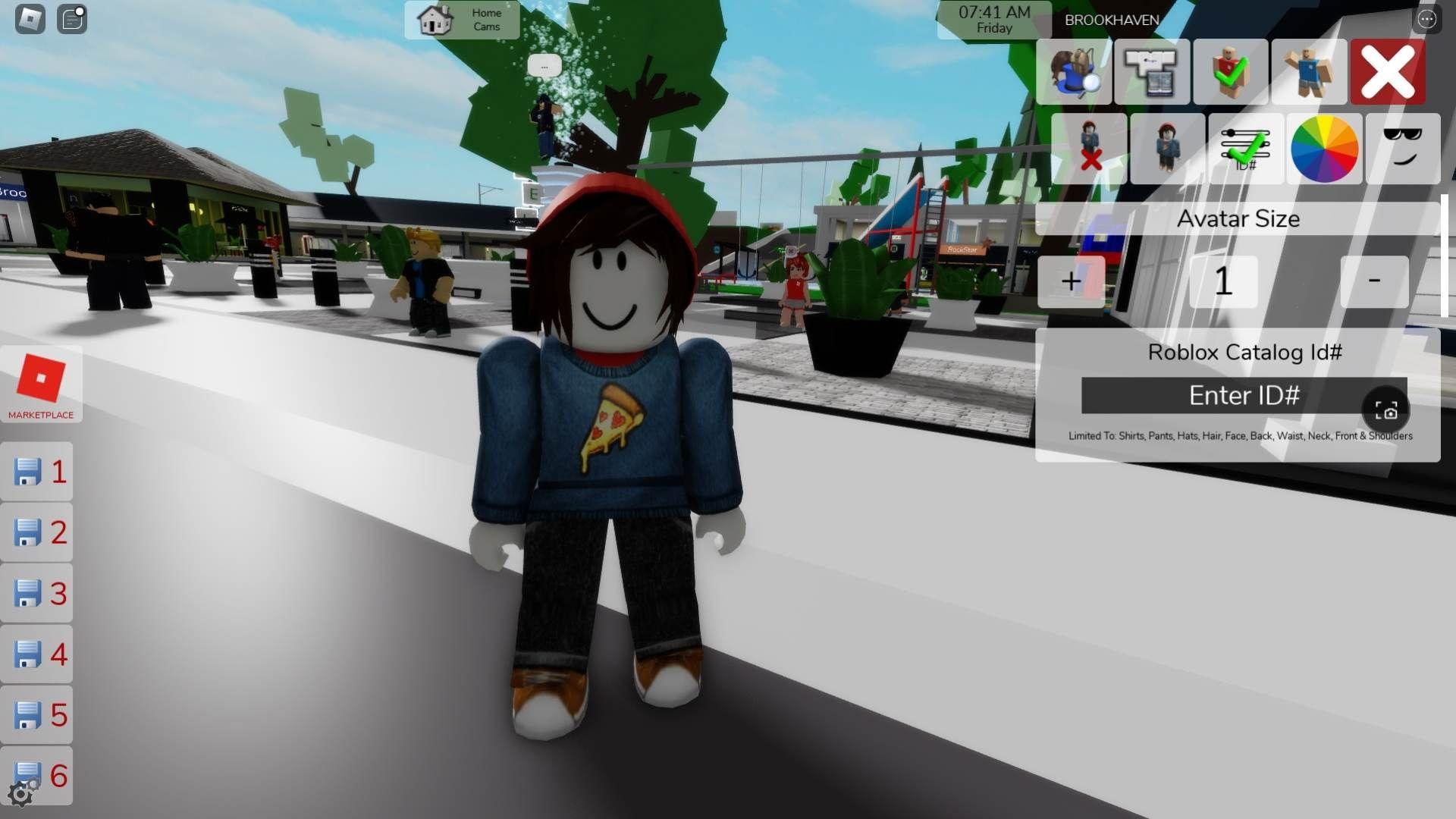
The panel itself is physically present in every house as a manual control panel on the wall, but most options are also accessible through the GUI overlay. One notable exception: the House Fire option only appears on the manual wall panel, not the main GUI.
Here's a breakdown of every control you might encounter, along with any gamepass requirements attached to them.
Not every property in Brookhaven RP gets the same set of controls. Here's how each housing type compares:
| Property Type | Disasters | Pool | Garage | Lock Doors | Baby Furniture |
|---|---|---|---|---|---|
| Standard Houses | Yes (with pass) | Yes (with pass) | Yes | Yes | Yes |
| Apartments | Yes (with pass) | Some (permanent) | No | Yes | Yes |
| Motel Rooms | No (too small) | No | No | Yes | Yes |
| Estates | Yes (with pass) | Many (permanent) | Yes | Yes | Yes |
| Landmarks | Yes (with pass) | No | N/A | No | No |
Standard houses have the widest variety of controls. Some include every available option, while others lack features like pools or certain disaster support depending on the house model. Full-featured houses serve as the reference examples for the control panel.
Apartments drop the garage and pool options from the standard menu. Some penthouse apartments include permanent pools that are always active and can't be toggled off. Disaster controls are otherwise available.
Motel rooms are intentionally stripped down. No disasters (the rooms are too small), no pools, and no garage. You still get door locks, windows, security cameras, and props controls.
Estates work like houses but at a larger scale, using the same control system. Many mansion-style estates include pools that are always on. Roleplay estates without doors or interiors won't show lock-related controls since those features simply aren't present.
Landmarks are public buildings, so door locking, baby furniture, and pool controls are all unavailable. You can still use music, disasters, security cameras, and window curtains where the landmark supports them.
Before you can use any house controls, you need a plot. Brookhaven RP has several plot types spread across the map, each tied to a specific property category.
Beyond the control panel itself, Brookhaven RP gives house owners tools to manage who can enter and interact with their space. You can ban other players from your house or assign roommates, which grants them permission to lock doors and use animations like sitting and sleeping.
One important rule to know: you cannot ban family members. Family members automatically receive roommate-level access to your house, regardless of your settings. Red frames in the house menu indicate RP houses (such as Military House or Rocket House), which can help you quickly identify themed properties when browsing.
Here's a quick reference for every paid control and its cost:
| Feature | Gamepass | Cost |
|---|---|---|
| Pool | Premium | 200 Robux |
| Music | Music Unlocked | 199 Robux |
| House Disasters | Disaster Pack | 500 Robux |
| House Fire | On Demand Fire | 50 Robux |
| VIP Sign Effects | VIP Pack | 999 Robux |
| Land Unlocked Plots | Land Unlocked | 500 Robux |
| Estate Plots | Estates Unlocked | 800 Robux |
| Penthouse Plot | Penthouse | Varies |
If you're on a budget, the On Demand Fire pass at 50 Robux is the most affordable paid control and adds a lot of drama to roleplay scenarios. The Music Unlocked pass at 199 Robux is also popular for creating atmosphere without a huge investment.
For deeper context on every house style, hidden features, and the full property list (including seasonal and event houses like Frosty Manor and Midnight Manor), check the Houses section of the official Brookhaven Wiki, which tracks all 115+ properties currently in the game. For more details on the control panel itself, the official Brookhaven Wiki documents every update and feature addition as they roll out.
Want to explore more tips and guides for your favorite Roblox games? Head over to GAMES.GG's guides section for more gaming walkthroughs and strategies.