Deep Rock Galactic: Rogue Core brings the beloved dwarf-versus-bug chaos into roguelite territory, and the good news is you don't have to face Hoxxes alone. The game supports up to four players in co-op, whether you're rolling with a full squad of friends or matchmaking with strangers who are equally determined to reclaim the facility. Getting everyone into the same run takes only a few steps, and this guide covers both private friend sessions and public matchmaking.
Do you need to do anything before inviting friends?
Before anyone can squad up, every player needs to own the game. Once that's sorted, launch the game and either complete the tutorial or skip it. Both options are valid, but skipping it means jumping straight into the lobby area where the real setup happens.
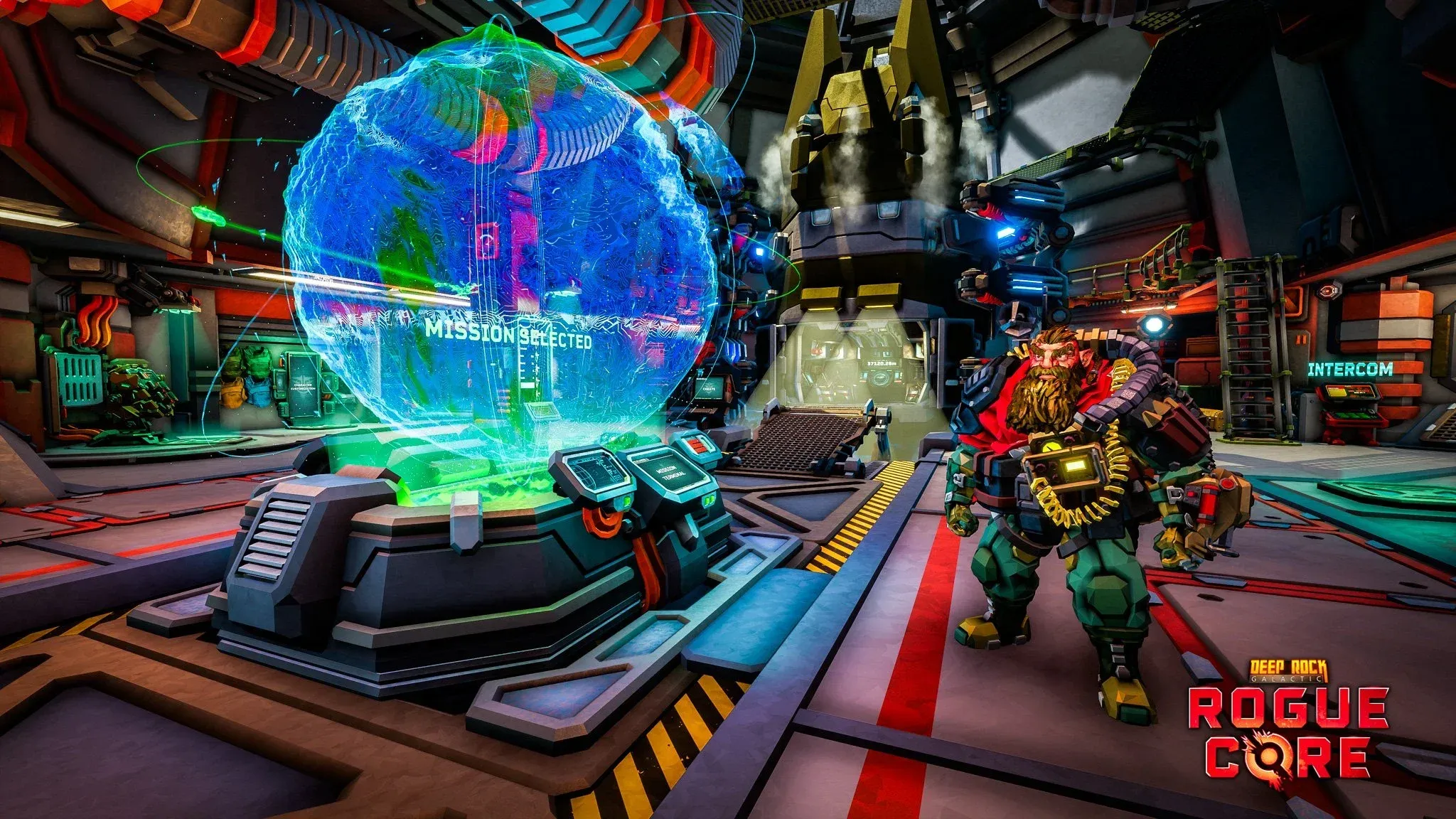
The key location here is the Mission Terminal. This is the central hub where you select missions, apply enhancements, swap loadouts, and manage your session settings. Every co-op option runs through it, so get familiar with where it sits in the lobby.

Mission Terminal lobby hub

How to invite friends to Deep Rock Galactic: Rogue Core
Once you're at the Mission Terminal, open it and select your mission. From the session options presented, choose Host (Friends Only). This creates a private lobby that only players on your Steam friends list can see and join.
Your friends can join in two ways:
- Accept a direct invite you send through Steam.
- Join your session from the Steam Friends List directly, as long as you haven't already started a mission.

Host Friends Only session setup
The process is straightforward: both players need to be Steam friends before this works. There's no in-game friend system separate from Steam, so make sure that connection is established outside the game first.
How to play co-op without friends
No friends available? Public matchmaking has you covered. Head to the Mission Terminal and select Join instead of hosting. You'll see a list of active public lobbies created by other players, and you can pick whichever mission suits you.
The other direction works too. When you start a mission yourself, you can open a public lobby rather than a friends-only one. Other players looking for the same mission will automatically fill your squad, and you work together toward the final level to reclaim the facility.
What's the player limit for co-op runs?
The standard co-op experience supports up to four players per run. That matches the squad size from the original Deep Rock Galactic, so veterans of the franchise will feel right at home building a full team of dwarves.
For more tips on navigating every system the game has to offer, the full Deep Rock Galactic: Rogue Core strategy guides collection covers missions, upgrades, and everything in between.