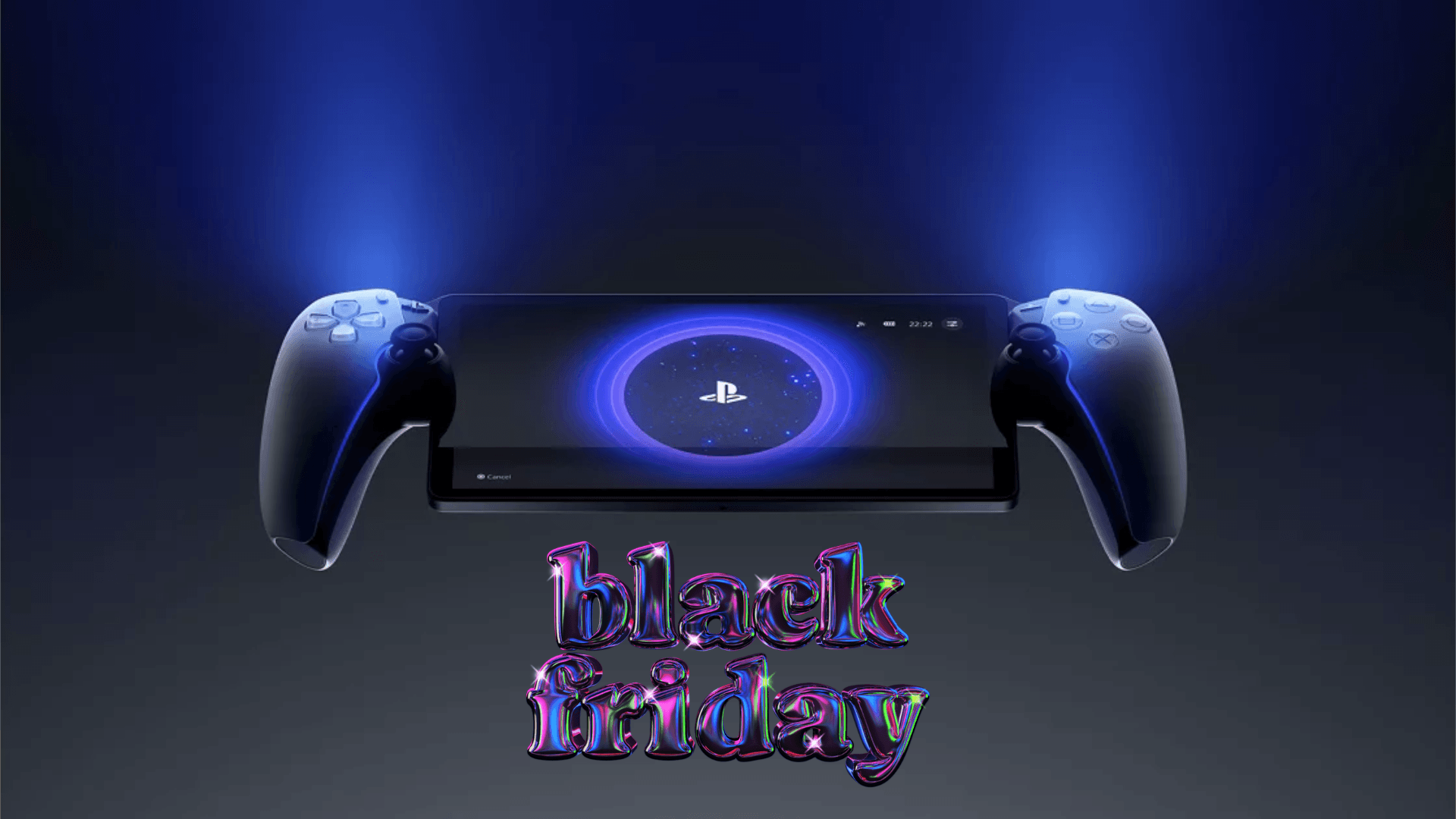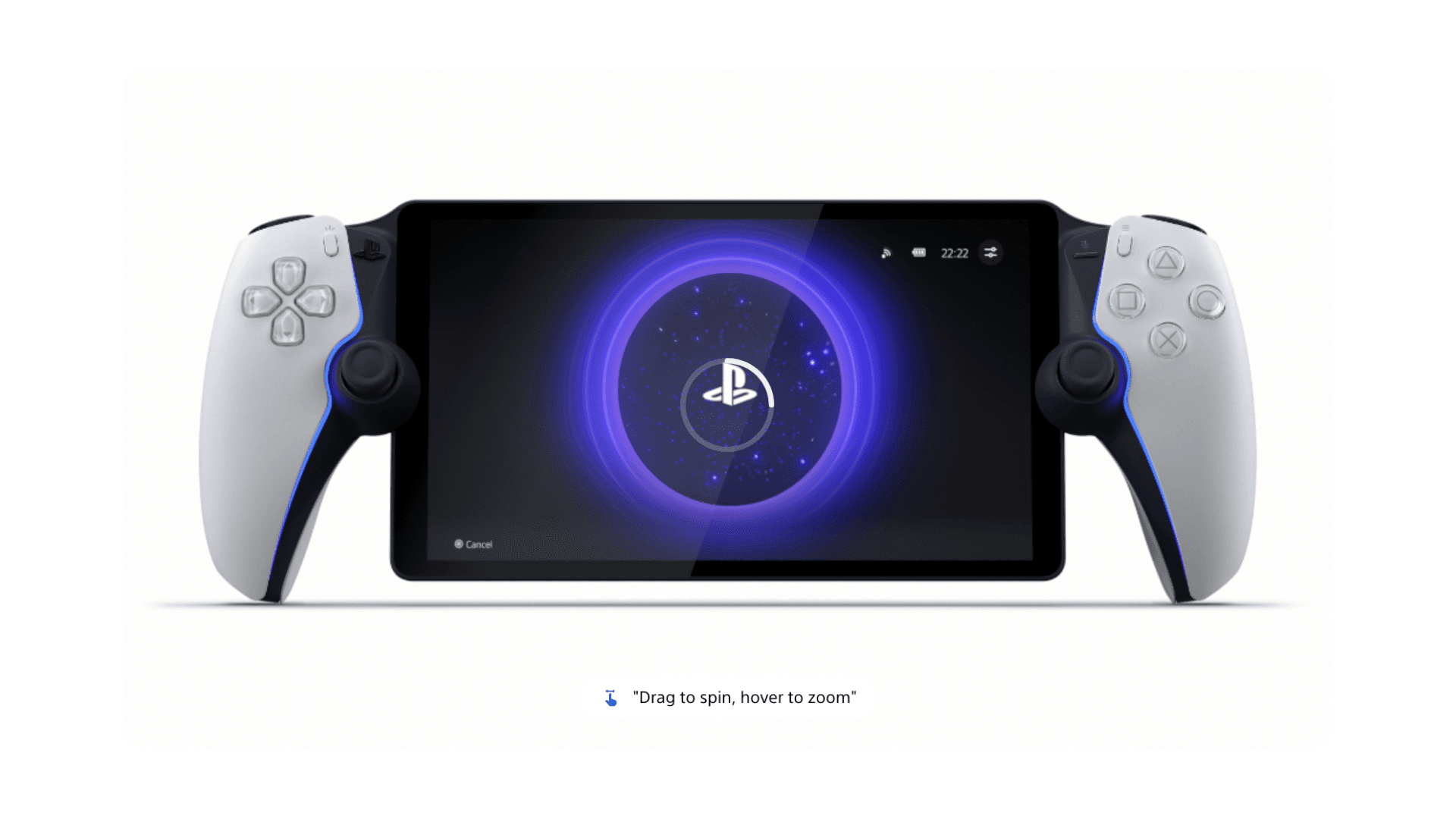


PlayStation Portal Remote Player, ek standalone console nahi, balki ek companion device ke taur par position karta hai. Yeh specifically PlayStation 5 ke liye design kiya gaya hai, jisse users apne PS5 se games stream kar sakte hain over Wi-Fi ya PlayStation Plus Premium ke through cloud streaming access kar sakte hain. Iska concept simple hai: players ko flexibility dena ki woh kaise aur kahaan play kar sakte hain, bina PS5 ecosystem se door jaaye.
Traditional handheld systems ke opposite, PlayStation Portal games ko natively run nahi karta hai. Iski value is baat mein hai ki yeh PS5 experience ko kitne seamlessly mirror karta hai, chahe console doosre room mein ho ya, kuch cases mein, actively use mein na ho. Yeh approach clear karta hai ki device primarily existing PS5 owners ke liye hai.

कोड TRYHARD33 का उपयोग करें और ऑफर समाप्त होने से पहले इसका लाभ उठाएं।
GAMES+ सब्सक्रिप्शन पर 33% की छूट पाएं
Streaming Performance aur Visual Experience
PlayStation Portal experience ke center mein hai iska 8-inch LCD screen, jo 1080p resolution aur gameplay ko up to 60 frames per second tak support karta hai. Practice mein, visual clarity network stability par bahut depend karti hai, lekin solid Wi-Fi conditions mein image quality television par direct play karne jaisi lagti hai. Text readable rehta hai, colors consistent hote hain, aur supported games mein motion smooth dikhta hai.
Kyunki saara gameplay stream hota hai, performance title aur connection quality ke hisaab se vary karta hai. Fast-paced games ko strong, low-latency network se sabse zyada benefit milta hai, jabki slower experiences zyada forgiving hote hain. Portal ka screen size portability aur immersion ke beech ek balance banata hai, jisse yeh ghar mein extended sessions ke liye suitable hai.
DualSense Features Portable Format Mein
PlayStation Portal ke more notable aspects mein se ek yeh hai ki yeh DualSense wireless controller experience ko kitne closely mirror karta hai. Haptic feedback aur adaptive triggers compatible PS5 games mein supported hain, jo tactile elements ko maintain karte hain jo Sony ki current generation ke liye standard ban gaye hain.
Yeh integration Portal ko ek generic streaming device se zyada PS5 ka natural extension feel karne mein help karta hai. Triggers mein resistance aur subtle vibration effects handheld format mein achhe se translate hote hain, provided game khud in features ko support karta hai.
Living Room Ke Bahar Cloud Streaming
PlayStation Portal ki functionality PlayStation Plus Premium ke saath aur expand hoti hai. Subscribers Game Catalogue aur Classics Catalogue se cloud streaming access kar sakte hain, jisse bina downloads ke instant play possible hai. Yeh tab bhi play continue karna possible banata hai jab PS5 console off ho ya kisi doosre account dwara use mein ho.
Available library samay ke saath change hoti hai aur region ke hisaab se vary karti hai, lekin well-known PS5 titles ka inclusion Portal ke use mein flexibility add karta hai. Jabki yeh dedicated handheld console ko replace nahi karta hai, cloud streaming device ko zyada versatile banata hai, particularly un users ke liye jo already PlayStation Plus Premium subscribe karte hain.
Audio Support aur Immersion
PlayStation Portal par audio Tempest 3D AudioTech ko compatible games mein support karta hai. Players wired headsets ya PlayStation Link wireless audio devices jaise PULSE Explore wireless earbuds connect kar sakte hain. Supported hardware ke saath paired hone par, spatial audio cues intact rehte hain, jo immersion ko maintain karne mein help karte hain despite the smaller form factor.
Jaise ki doosre features ke liye, audio performance game support aur compatible accessories par depend karta hai. Portal mein standard speakers se zyada advanced audio hardware built-in nahi hai.
Design, Setup, aur Practical Use
PlayStation Portal quick access ke liye design kiya gaya hai. Device ko power on karna aur PS5 console se connect karna intentionally streamlined hai, jisse users minimal friction ke saath play resume kar sakte hain. Yeh simplicity Portal ke primary use case ko support karti hai: short ya extended play sessions jab television available na ho.
Midnight Black variant ek zyada understated visual option offer karta hai, display ko ek uniform dark finish se frame karta hai. Jabki cosmetic hai, yeh Portal ki identity ko PlayStation hardware lineup mein ek premium accessory ke taur par reinforce karta hai.
PlayStation Portal Kahaan Fit Hota Hai
PlayStation Portal Remote Player ko ek convenience device ke taur par sabse achha samjha ja sakta hai. Yeh traditional handheld consoles ya mobile gaming platforms se direct compete nahi karta hai, aur na hi yeh web3 integration ya standalone performance jaise areas mein boundaries push karne ki koshish karta hai. Iske bajaye, yeh ek controlled ecosystem mein PS5 access extend karne par focus karta hai.
Jo players already PlayStation hardware aur services mein invested hain, unke liye Portal ek flexible tareeka provide karta hai apne game library se connected rehne ka, bina yeh badle ki woh games kaise purchase ya manage kiye jaate hain.
2025 mein best gaming gadgets par hamare articles check karna na bhoolen:
Best Apple Products for Gaming
Best Nintendo Switch Accessories
Best Gaming Androids (phones)
Frequently Asked Questions (FAQs)
PlayStation Portal Remote Player kis liye use hota hai?
PlayStation Portal Remote Player compatible PS5 aur PS4 games ko stream karne ke liye use hota hai, ya toh Wi-Fi par paired PS5 console se direct ya PlayStation Plus Premium ke saath cloud streaming ke through.
Kya PlayStation Portal ko PS5 console ki zaroorat hai?
Haan, ek PS5 console aur ek PlayStation account required hai. Cloud streaming features ke liye PlayStation Plus Premium subscription bhi required hai.
Kya PlayStation Portal TV ke bina games play kar sakta hai?
Haan, device users ko television use kiye bina PS5 games play karne ki permission deta hai, jo useful hai jab TV kisi aur dwara use mein ho.
Kya PlayStation Portal use karne ke liye PlayStation Plus required hai?
PS5 console se standard remote play ke liye PlayStation Plus required nahi hai, lekin cloud streaming features ke liye PlayStation Plus Premium membership required hai.
PlayStation Portal ke liye kaunsi internet speed recommend ki jaati hai?
Minimum Wi-Fi speed of 5 Mbps required hai, lekin better performance ke liye at least 15 Mbps ka faster connection recommend kiya jaata hai.
Kya PlayStation Portal VR games ko support karta hai?
Nahi, jo games PlayStation VR ya PlayStation VR2 ko require karte hain, woh PlayStation Portal Remote Player ke saath compatible nahi hain.
Kaunse audio devices PlayStation Portal ke saath work karte hain?
Device wired headsets aur PlayStation Link wireless audio devices ko support karta hai, jismein PULSE Explore wireless earbuds bhi shamil hain, compatible games ke liye.