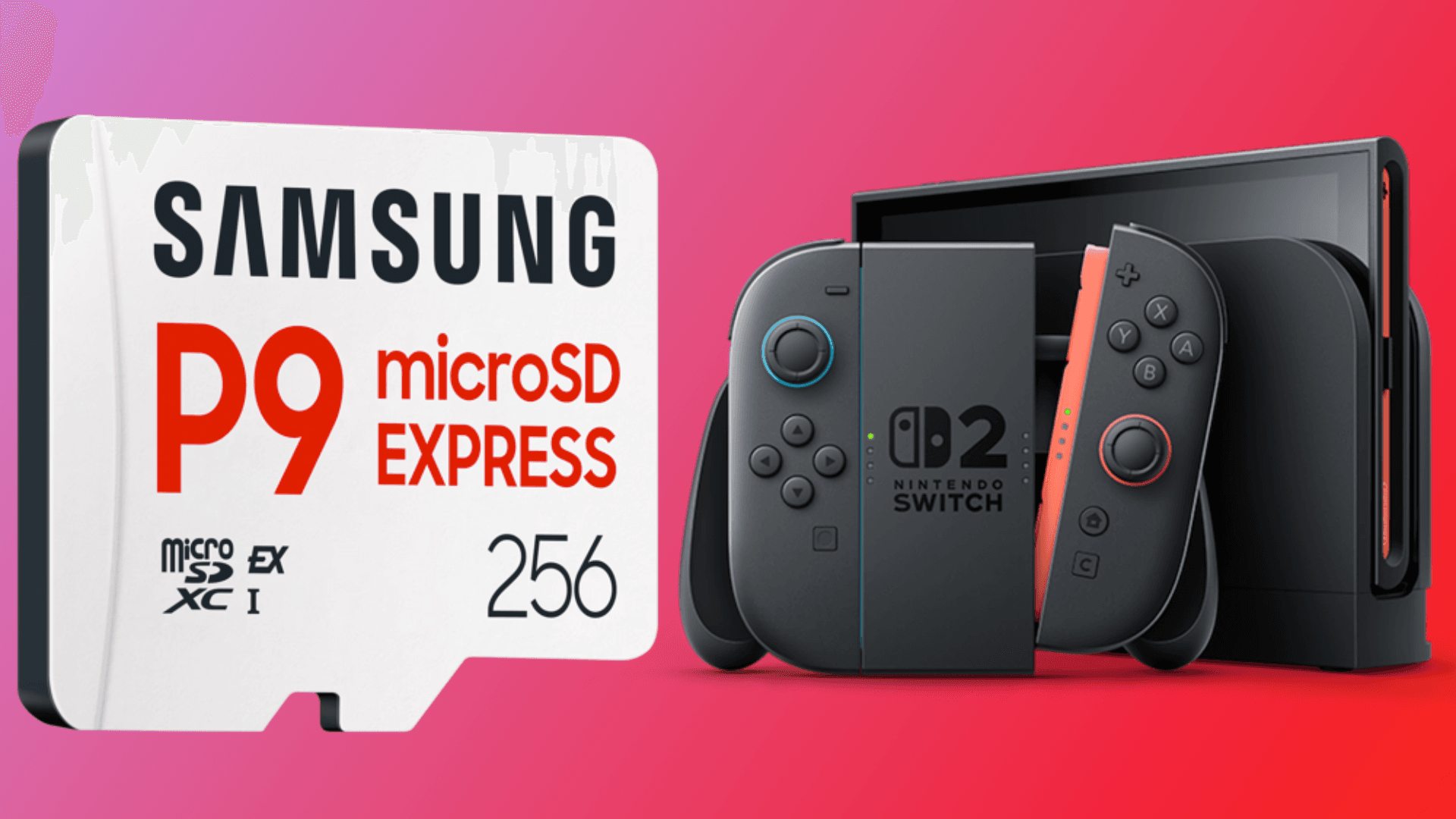


Mario Day may have officially passed, but a few deals are still available for Nintendo fans looking to upgrade their systems. One notable offer is a discount on the Samsung 256GB microSD Express card for the Nintendo Switch 2, now available for $39 on Amazon, down from its usual $60. The promotion follows the annual March 10 celebration of Mario, the iconic character who has remained central to gaming culture for over 40 years.
The 256GB microSD Express card is designed specifically for the Nintendo Switch 2, which supports the new microSD Express standard. This allows for significantly faster read speeds than traditional microSD cards, reaching up to 900MB/s. Faster storage performance means reduced load times in games and smoother handling of large digital files, from updates to screenshots and video captures. For Switch 2 owners who frequently download new titles, this card provides ample space without the need to constantly manage storage by deleting older games.

How the microSD Express Card Enhances Gameplay
The microSD Express standard offers improved performance for systems that handle larger games and high-resolution media. For Switch 2 users, this translates into quicker access to games, reduced stutter during gameplay, and more reliable support for high-resolution captures. While the console does not require this card to function, it offers a practical solution for players who want to expand their library without compromise on speed. The additional storage also accommodates the growing size of modern Switch titles, ensuring that performance remains consistent even as game files increase.
Installation of the Samsung microSD Express card is straightforward. Users need to power off the console, open the adjustable stand to reveal the card slot, and insert the card with the label facing away from the device until it clicks into place. Once installed, the Nintendo Switch 2 recognizes the additional storage immediately, allowing users to download and store games and media without further configuration.
Current Availability and Pricing
The 35% discount on Samsung’s microSD Express card is part of lingering Mario Day promotions. While many offers from the celebration have already expired, this card remains available at Amazon for $39. Given the limited-time nature of these deals, interested buyers are encouraged to act quickly before stock and pricing change. For players looking for a reliable storage upgrade, the combination of expanded capacity and faster performance makes this card a practical addition to any Nintendo Switch 2 setup.
Source: Kotaku
Make sure to check out our articles on gaming gadgets:
Best Apple Products for Gaming
Best Nintendo Switch Accessories
Best Gaming Androids (phones)
Frequently Asked Questions (FAQs)
What is a microSD Express card?
A microSD Express card is a newer type of expandable storage that provides faster read and write speeds compared with standard microSD cards. It is specifically designed to handle large files, such as games, updates, and high-resolution media.
Is the Samsung 256GB microSD Express card compatible with the Nintendo Switch 2?
Yes, the card is fully compatible with the Nintendo Switch 2 and uses the microSD Express standard supported by the console.
How much faster is a microSD Express card compared to a regular microSD card?
Samsung’s microSD Express card offers read speeds up to 900MB/s, which is significantly faster than standard cards. This can reduce loading times and improve overall performance for games and media.
How do I install the microSD Express card on my Nintendo Switch 2?
To install, power off the console, open the adjustable stand, insert the card into the designated slot with the label facing away from the console until it clicks, then power the device back on. The system will automatically recognize the new storage.
Why would I need a 256GB microSD Express card for my Nintendo Switch 2?
A 256GB card provides additional space for digital games, updates, screenshots, and video recordings. It is especially useful for players who frequently download titles or manage large libraries, reducing the need to delete older content.
Where can I buy the discounted Samsung microSD Express card?
The card is currently available at Amazon with a 35% discount as part of lingering Mario Day promotions. Availability may change as the promotion concludes.