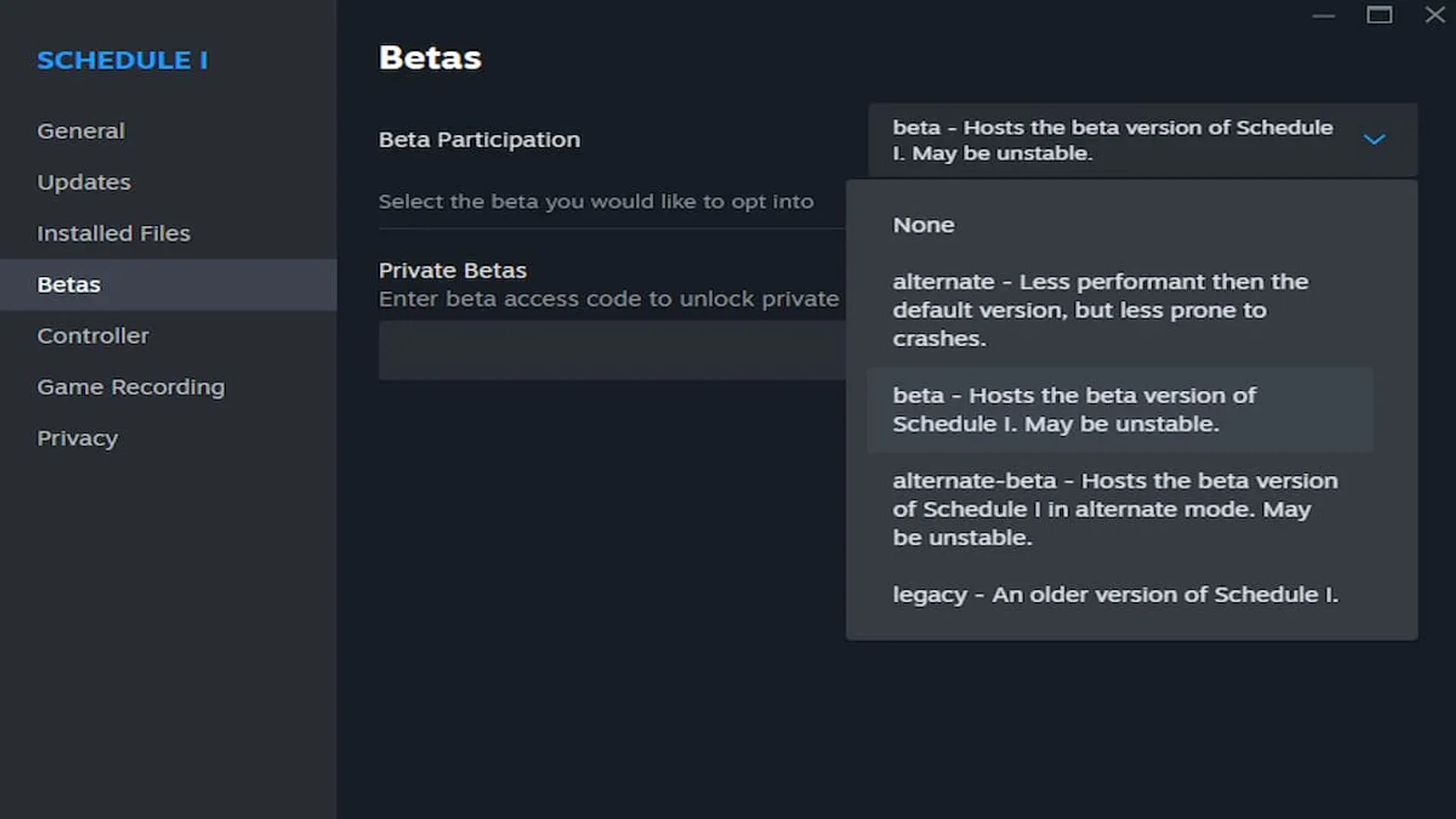


Schedule 1 players who want early access to new updates can switch to the game's beta branch on Steam. The process is quick, but protecting your save file before making the jump matters more than most players realize.
How to Play on the Schedule 1 Beta Branch
Getting onto the beta branch in Schedule 1 happens through Steam's properties panel. The whole thing takes under a minute.
- Launch your Steam library and right-click Schedule 1.
- Pick Properties from the menu that appears.
- Head to the Betas tab in the Properties window.
- Choose the beta branch build from the dropdown.
- Exit the window and let Steam pull down the beta update.
After the download wraps, the game launches on the beta branch by default. You'll have access to features and fixes that haven't hit the stable release yet.
Back Up Your Save File First
Before touching the beta branch, make a backup of your Schedule 1 save. Beta builds can break save compatibility, and losing hours of progress because you skipped this step is avoidable.
Here's how to back up:
- Open File Explorer and find your Schedule 1 save directory.
- Copy the save folder somewhere safe — desktop, external drive, wherever you won't accidentally overwrite it.
- Leave that backup alone until you're sure the beta build isn't going to eat your data.
The part most people miss: switching back to the main branch after playing on beta can corrupt saves created in the newer version. A clean backup from before you ever launch the beta gives you a guaranteed way out if things go sideways.
Why It's Worth Doing
Timing is the reason to bother. Schedule 1 gets regular updates from solo developer Tyler (MrOtherGuy), and the beta branch typically carries those changes days ahead of the stable release — sometimes longer. If you want new mechanics, bug fixes, or content additions before everyone else, the beta branch is the only legitimate way to get them early.
Check the Schedule 1 community pages or official channels for beta patch notes. Those notes spell out exactly what's been changed or added before the full rollout happens.
The beta branch is free for all Schedule 1 owners on Steam. No extra purchase, no opt-in fee. It's open to anyone willing to trade stability for early access.
Make sure to check out more:
Frequently Asked Questions (FAQs)
Is the Schedule 1 beta branch free to access?
Yes. If you own Schedule 1 on Steam, the beta branch is already included. No extra payment or subscription needed.
Will switching to the beta branch delete my save file?
Switching branches won't delete your save outright, but beta builds can break save compatibility. Back up your save before switching to avoid losing progress.
Can I switch back to the main branch after trying the beta?
Yes. Open the Betas tab in Steam properties and select None from the dropdown to return to the stable release.