
With the holidays coming up, Xbox consoles often land on wish lists for younger gamers. The platform offers a massive library of games, online play, and creative tools that kids genuinely enjoy. But for parents who don't spend much time gaming themselves, figuring out how to keep things safe and age-appropriate can feel overwhelming. Xbox includes built-in controls that let you tailor the experience for your child without having to micromanage every session.

Use code TRYHARD33 at checkout to redeem this offer before code expires again.
Get 33% Off GAMES+ Subscription
Setting Up Child Accounts for a Safer Experience
Start by creating a dedicated Xbox Child Account. When you first set up the console, you'll see a prompt asking if kids will use it. Answer yes, and the system walks you through creating a separate account for your child. This account gives you control over which games they can play, how long they can play, and who they can talk to online. If you buy games on the same console and set it as your "Home console," your child can access those games through their account without you needing to buy everything twice.
Managing Screen Time and Content with the Family Settings App
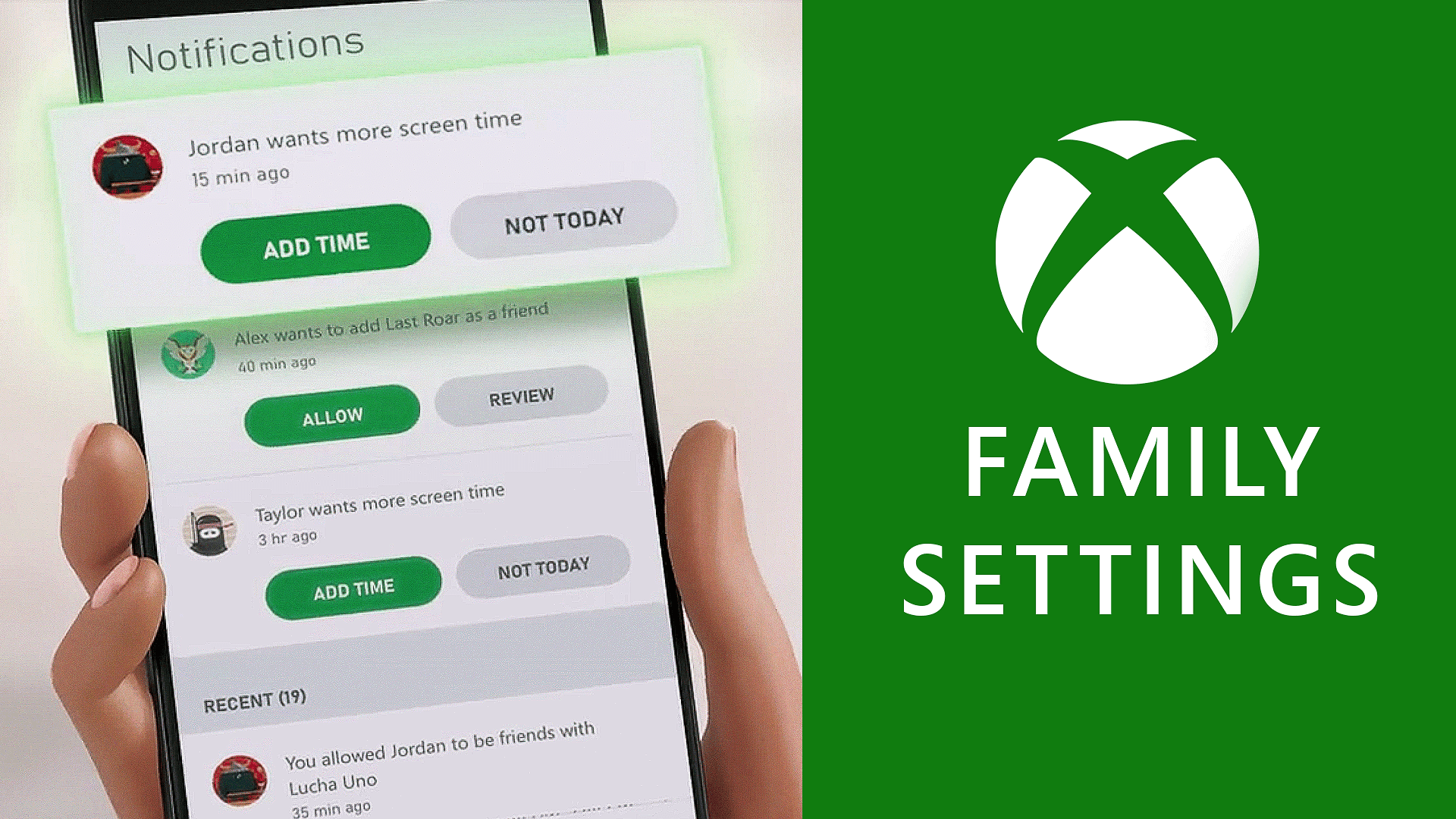
Once the child account exists, download the Xbox Family Settings app on your phone (it works on both Android and iOS). This app is where you handle daily screen time limits, approve requests for extra playtime, and pause the console when it's time for dinner or homework. You can also filter content by age rating, so your child only sees games that match what you're comfortable with.
The app covers spending too. Turn on the ask-to-buy feature, and your child has to get approval before making any purchase. This stops surprise charges while still letting you add funds as a reward when you want to. Communication settings let you control who your child interacts with during gameplay. You can review friend requests, manage their friend list, and block or restrict communication with players you don't recognize. The app also sends weekly activity reports that show what your child played, how long they spent on each game, and any requests they made for new content or additional time.
Accessibility and Inclusive Gaming Options
Xbox Series X|S consoles include accessibility features that help players with different needs participate fully. These settings can be adjusted to fit your child's specific requirements, making gaming more inclusive. Full details on what's available are listed on the Xbox Accessibility site.
Choosing Games for the Whole Family
Xbox Game Pass gives you access to hundreds of games for one subscription fee, including plenty of family-friendly options. Use the Family & Kids filter to narrow down the list to age-appropriate titles. Playing games together can help with hand-eye coordination, creative thinking, and just spending time as a family. Whether your child is exploring virtual worlds with friends online or you're all playing together in the living room, there's a range of experiences that work for different ages and interests.
Creating a child account and using the Family Settings app gives you a way to set boundaries while still letting your child explore games, connect with friends, and join in on shared gaming experiences this holiday season.
Make sure to check out our articles about top games to play in 2026:
Best Nintendo Switch Games for 2026
Best First-Person Shooters for 2026
Best PlayStation Indie Games for 2026
Best Multiplayer Games for 2026
Most Anticipated Games of 2026
Top Game Releases for January 2026
Frequently Asked Questions (FAQs)
How do I set up an Xbox Child Account?
During console setup, select "Yes" when asked if kids will use the device. The system will guide you through creating a separate account for your child.
Can I share purchased games with a child account?
Yes. Games you buy on the console can be accessed by your child's account if you set the console as your "Home console."
What is the Xbox Family Settings app?
It's a mobile app for Android and iOS that lets you manage screen time, content filters, spending limits, and communication settings remotely.
How can I limit my child's online interactions?
You can manage their friend list, review incoming friend requests, and apply restrictions to block or limit who they can communicate with.
Are there accessibility features for children with different needs?
Yes. Xbox Series X|S consoles include customizable accessibility settings. Details are available on the Xbox Accessibility website.
Can I monitor my child's gaming activity?
The Family Settings app sends weekly reports showing which games your child played, how long they played, and any requests for extra time or new games.