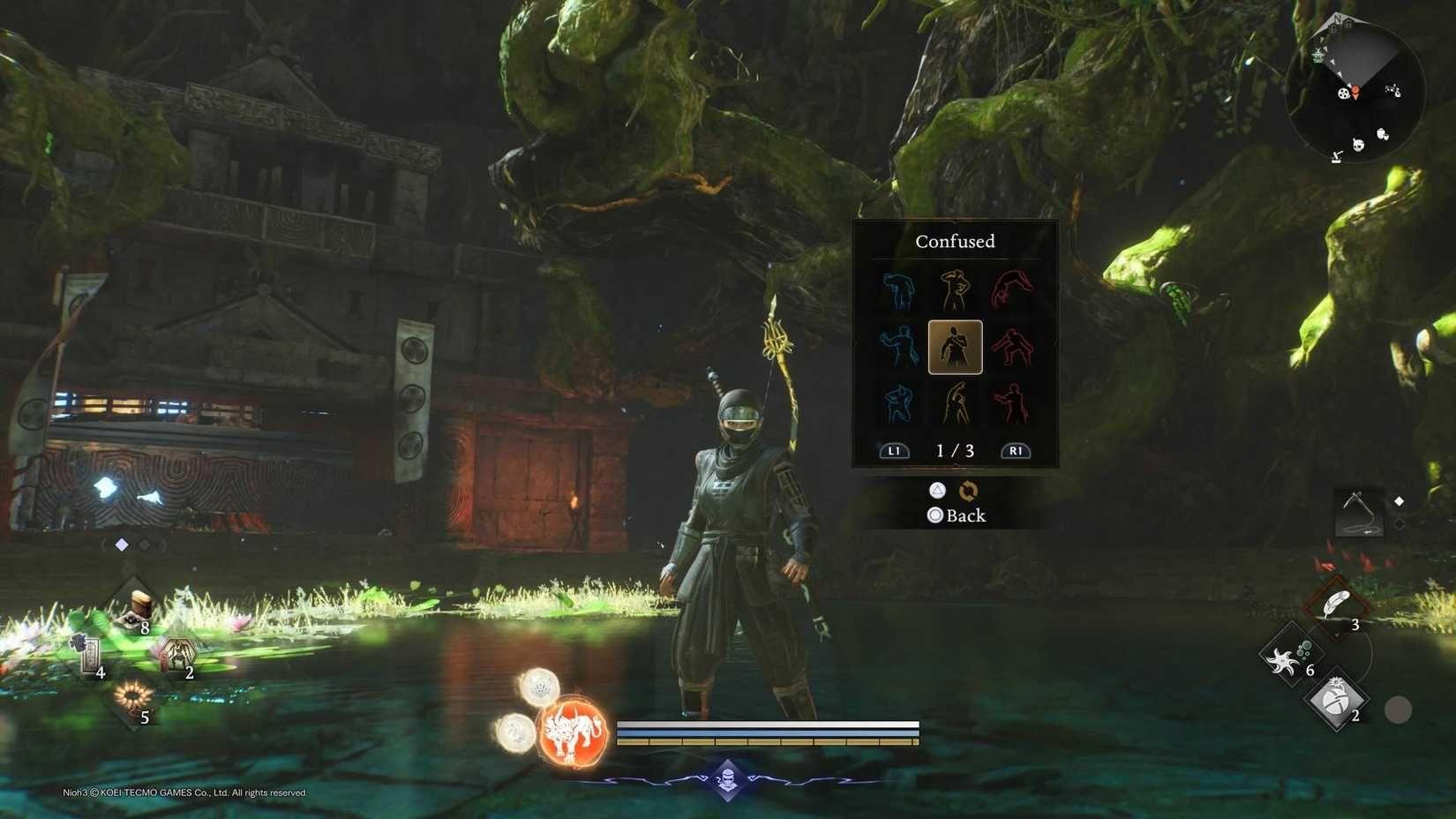


Gestures in Nioh 3 aren't just for showing off to your co-op buddies. Here's the thing: these emotes are actually essential tools for dealing with two specific yokai types that can make your life significantly easier. Whether you're trying to avoid a fight with a Nurikabe wall or correctly responding to a Mujina's challenge, knowing how to use gestures properly will save you headaches and resources.
This guide covers everything you need to know about using gestures effectively, from basic controls to advanced yokai interactions.
How Do You Open the Gesture Menu?
Opening the gesture menu is straightforward once you know the button combination. You'll want to hold R1 and press Options on PlayStation 5, or hold RB and press Menu on Xbox controllers. PC players using keyboard and mouse can simply tap the G key.
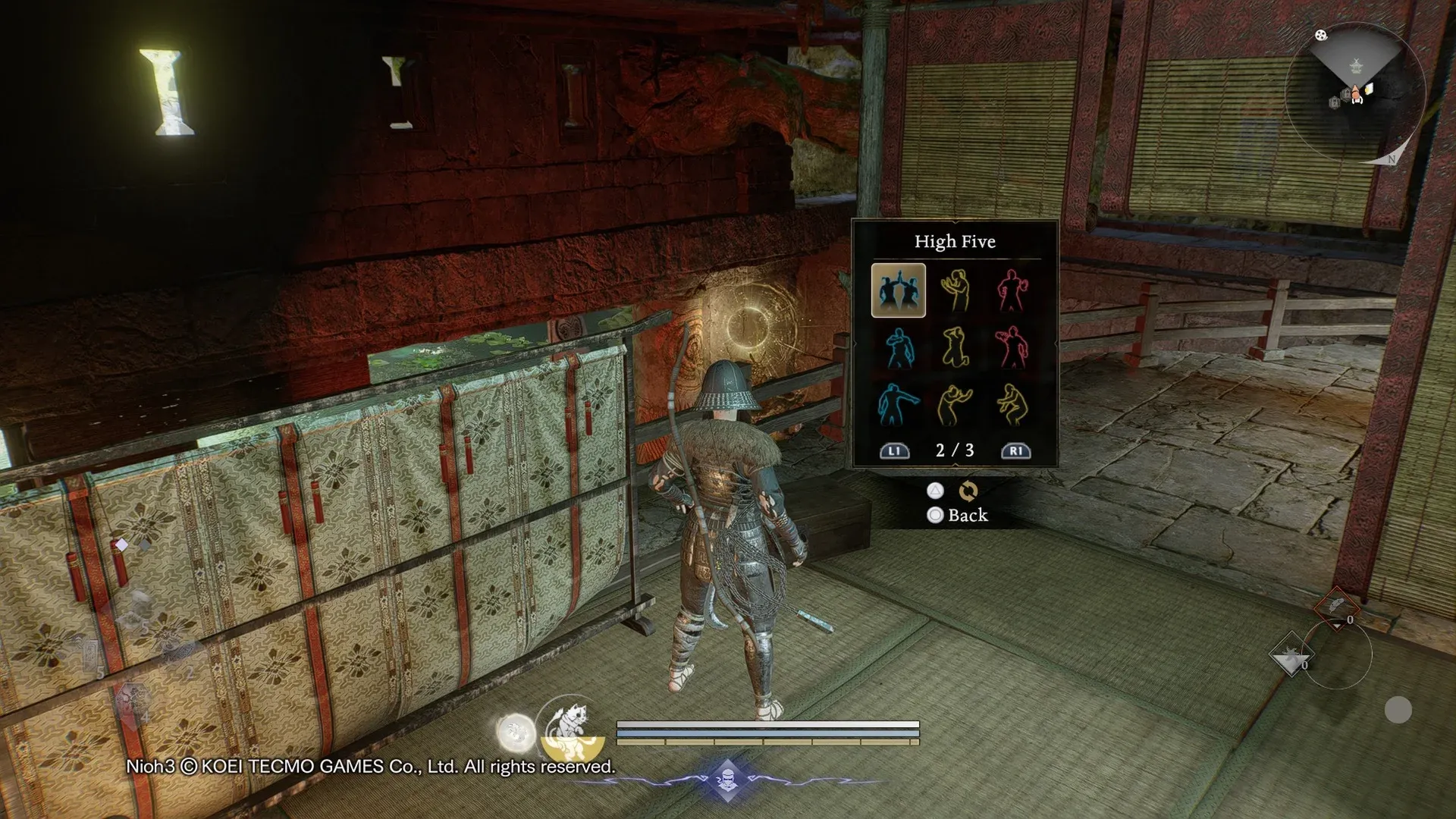
When the gesture wheel appears, you can scroll through your available emotes and select one by pressing X (PlayStation), A (Xbox controller), or left-click (PC mouse). The menu doesn't pause the game, so make sure you're in a safe spot before browsing your options.
What Color Gestures Mean and Why They Matter
Every gesture in Nioh 3 is color-coded into three categories: blue (positive), yellow (neutral), and red (hostile). This color system becomes critically important when you encounter Nurikabe walls blocking your path to valuable loot.
The key here is understanding that Nurikabe yokai require a specific color gesture to pass peacefully. You won't get any hints about which color they want, but you do get two attempts before they attack.
How to Deal With Nurikabe Walls Peacefully
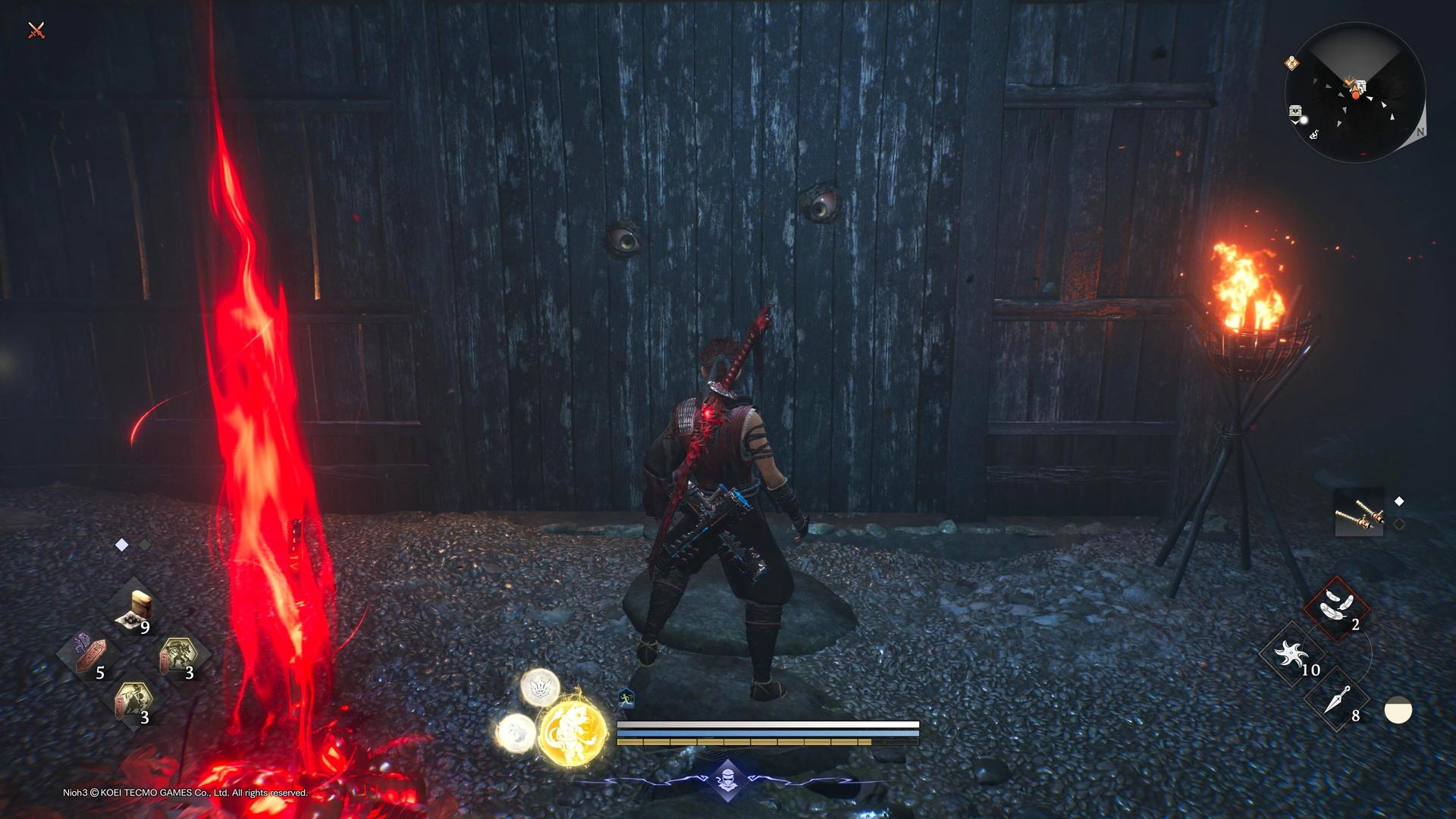
Nurikabe disguise themselves as ordinary walls, identifiable only by their glowing red eyes. They typically guard shortcuts or treasure rooms, and fighting them isn't always necessary if you know the gesture trick.
When you approach a Nurikabe, stand close until its eyes open. You need to perform a gesture matching one of the three colors: blue, yellow, or red. Get it right, and the wall vanishes peacefully. Get it wrong twice, and you're in for a fight.
Pro Tip: Use Nearby Graves to Your Advantage
What most players miss is the clever hint system built into the game. If you see red Grave Revenants near a Nurikabe, inspect them to see how they died. For example, if a revenant shows they were killed after using a blue gesture, you know the correct answer is either yellow or red. This cuts your guessing down significantly.
If you mess up both attempts and anger the Nurikabe, you can retreat to a nearby Shrine, rest, and return to try again without fighting. Raising your Exploration Level in an area marks Nurikabe locations on your map, making them easier to find and prepare for.
Mujina Encounters: The Copycat Challenge
Mujina are trickier than Nurikabe because they require quick reflexes and observation. These yokai hide in treasure chests and jump out when you try to loot them, shapeshifting into your exact character model.
Here's how the encounter works: the Mujina will perform a specific gesture, and you need to copy it exactly. Watch carefully and respond quickly with the same emote. Success means you get all the loot without a fight. Hesitate or choose wrong, and you'll face a mirror match against an enemy using your own loadout.
Spotting Fake Chests Before Opening
You can actually identify Mujina chests before opening them by examining the decorative bars on either side. Normal chests have two bars on each side, while Mujina chests have three bars. This advance warning gives you time to prepare for the gesture challenge instead of being caught off guard.
For more strategies on mastering Nioh 3's combat systems, check out our Nioh 3 Combat Guide: Mastering Ki and Style Switching.
How to Unlock More Gestures
You start Nioh 3 with a decent selection of gestures, but you can expand your collection significantly through the Hidden Teahouse at the Eternal Rift hub. This area unlocks after you make enough campaign progress to access Clan-related features.
Visit Matsunaga Hisahide at the Hidden Teahouse, select Trade, then navigate to the Gestures section. New gestures cost Glory, which you earn by defeating summons from bloody graves. The prices can be steep, so prioritize based on your needs. Glory is also used for purchasing helpful items and materials at the Hidden Teahouse. Consider unlocking essential combat items before investing heavily in gesture collections.
Strategic Gesture Uses Beyond Yokai
While Nurikabe and Mujina are the primary gameplay applications for gestures, they serve other purposes worth knowing about:
- Multiplayer Communication: In co-op sessions, gestures help coordinate strategies without voice chat. A quick Point gesture can direct teammates to hidden paths or dangerous enemies.
- NPC Interactions: Some quest objectives require performing specific gestures for NPCs. Pay attention to dialogue clues that hint at which gesture to use.
- Personal Expression: After defeating challenging bosses like Yamagata Masakage, a well-timed Taunt or High-Five adds personality to your victories.
Common Gesture Mistakes to Avoid
New players often stumble with gestures in a few predictable ways. Here's what to watch out for:
- Opening the Menu During Combat: The gesture wheel doesn't pause the game. Opening it while enemies are nearby is asking for trouble.
- Rushing Mujina Responses: Take a breath after the Mujina performs its gesture. You have a few seconds to respond correctly, so don't panic and select the wrong emote.
- Ignoring Grave Hints: Those red revenants near Nurikabe walls aren't just decoration. They provide valuable information about which color gesture to avoid.
- Fighting Every Nurikabe: You get two chances to guess the right color. Use both attempts before resigning yourself to combat.
For weapon-specific strategies that complement your gesture mastery, explore our Ultimate Nioh 3 Weapon Tier List: Best Weapons to Use.
Advanced Gesture Tactics for Veterans
Once you're comfortable with basic gesture mechanics, you can optimize your approach:
- Map Nurikabe Patterns: After raising Exploration Levels, mark which Nurikabe you've successfully passed. This creates a reference for future playthroughs or when helping friends.
- Gesture Loadout Planning: Arrange your most-used gestures on the first page of the wheel for quick access. Put Nurikabe colors (one of each) in easily accessible spots.
- Mujina Practice: If you struggle with the copycat challenge, practice gesture animations in safe areas to recognize them faster during actual encounters.
- Co-op Coordination: Establish gesture signals with regular co-op partners. For example, Point means "enemy ahead," while Wave signals "all clear."
Making Gestures Work for You
Mastering gestures in Nioh 3 transforms them from a novelty feature into a practical tool. The ability to peacefully bypass Nurikabe saves Ki and healing items, while correctly handling Mujina grants easy loot. Beyond yokai interactions, gestures enhance multiplayer communication and add personality to your gameplay.
Remember: gestures are color-coded for a reason, graves provide valuable hints, and chest decorations reveal Mujina in advance. Use these systems to your advantage, and you'll navigate Nioh 3's challenges more efficiently than players who ignore this mechanic entirely.
For more advanced combat techniques to pair with your gesture knowledge, visit our Nioh 3 Guide: Best Ninjutsu You Need to Get to round out your skill set.