


The Global Palbox is one of the more misunderstood features in Palworld. It stores DNA snapshots of your Pals so you can recreate them across different worlds or servers, but as your collection grows, that library fills up fast with outdated templates you no longer need. Clearing them out should be simple. For a lot of players, it isn't, because of a favorite-lock mechanic that silently blocks deletion without any clear explanation.
What is the Global Palbox and what does deleting from it actually do?
Before touching anything, it helps to understand exactly what you're working with. The Global Palbox is a separate tab inside your standard Palbox that stores Pal DNA templates, not live Pals. Think of each entry as a frozen snapshot of a Pal's genetic data at a specific moment in time.
Deleting an entry from this tab removes only that saved template. Your original Pal, sitting in your standard Palbox, is completely untouched. Levels earned, moves learned, and stats gained after the snapshot was taken are not stored in the Global tab anyway, so clearing old entries has zero impact on your active roster.
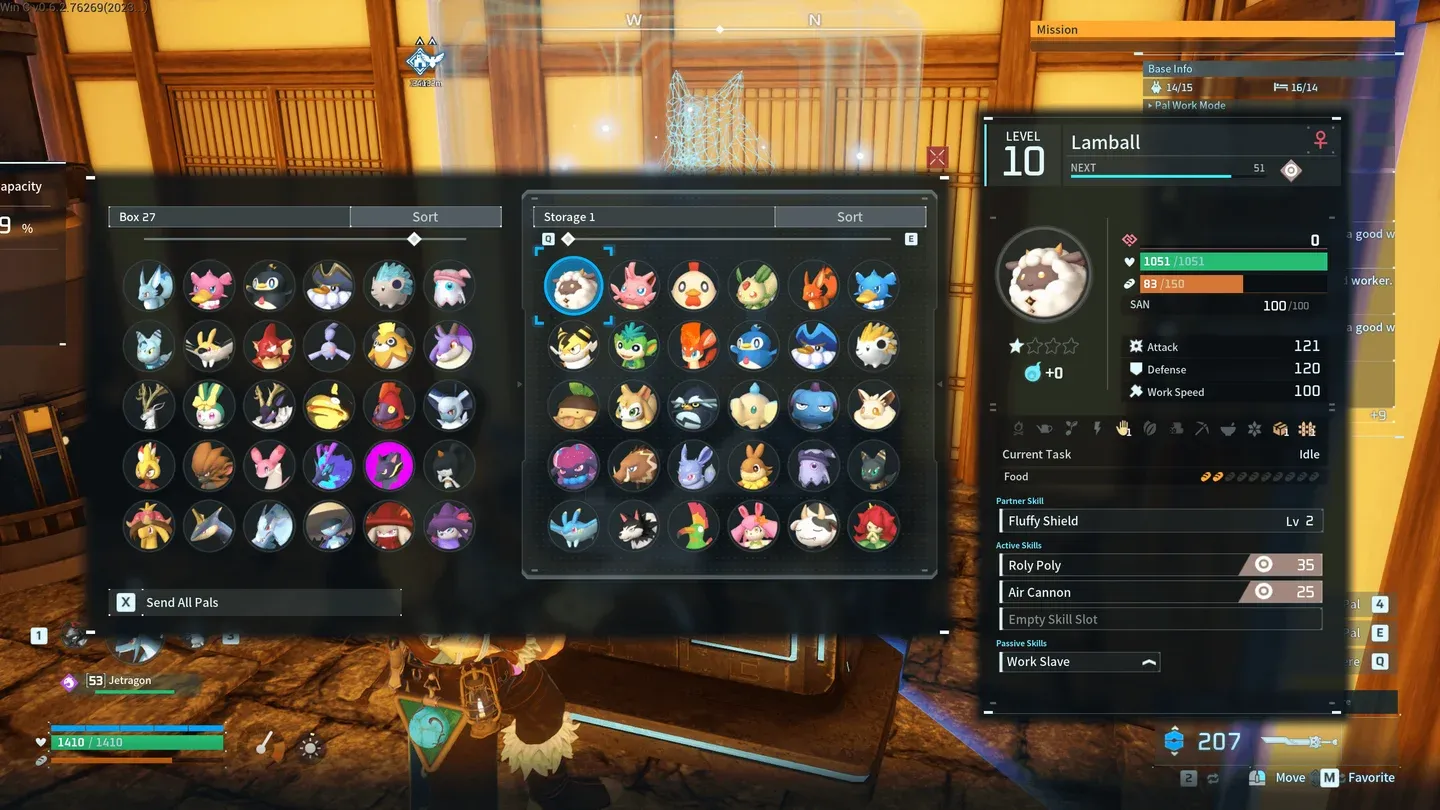
Global Palbox DNA entry list
How to delete a Pal from the Global Palbox
Here is the full process from start to finish.
Step 1: Open the Palbox at your base
Interact with any Palbox at your base and navigate to the Global Palbox tab. You will see a list of all your stored DNA templates.
Step 2: Hover over the entry you want to remove
Move your cursor directly over the specific Pal DNA entry. Precision matters here. If the cursor is not properly centered on the entry, the input command may not register.
Step 3: Press R to enter deletion mode
With the entry highlighted, press R on PC. This switches the interface into deletion mode. The cursor state should visibly change to confirm you are ready to delete.
Step 4: Confirm the deletion
Click the entry and confirm the prompt that appears. The DNA template will disappear immediately. If the UI does not refresh, close and reopen the Palbox to force it to update.
Why won't it let you delete?
The favorite lock explained
This is where most players get stuck. Palworld automatically favorites Pals you use frequently, flagging them with a yellow heart or star icon. This is a safety feature designed to stop you from accidentally butchering or selling a Pal you care about. The problem is that the same flag carries over into the Global Palbox and locks the DNA entry, making it impossible to delete until you manually remove it.
The game gives no obvious error message when this happens. You press R, nothing happens, and most players assume it is a bug.
How to fix the favorite lock
The most reliable method, confirmed across multiple playthroughs, is to handle the unfavoriting in your standard Palbox rather than trying to do it inside the Global tab.
- Open the standard Palbox tab (not the Global tab)
- Find the live Pal that corresponds to the locked DNA entry
- Press M to toggle off the favorite status
- Switch back to the Global Palbox tab
- Press R on the entry and confirm deletion
Some players report that pressing M directly inside the Global Palbox tab works. Others find it does nothing. Going through the standard Palbox first is the safer route.
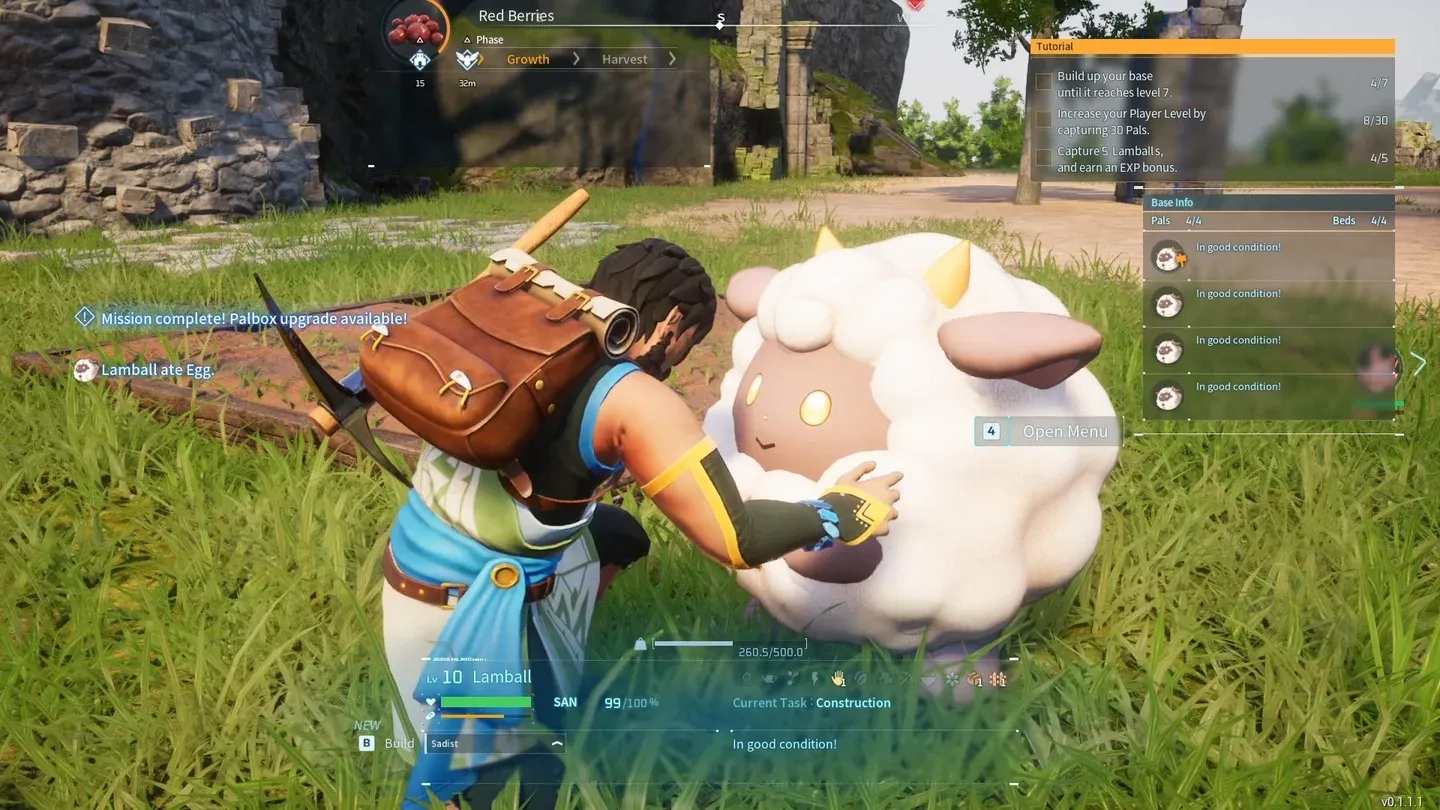
Unfavoriting a Pal in standard Palbox
What about clearing out live Pals from the standard Palbox?
Deleting Global DNA and managing your live Pal roster are two separate tasks. Clearing a DNA template frees up a Global slot but does nothing about your actual Pal count. If your standard Palbox is overflowing, you need a different approach.
Two options are available:
- Sell to a Pal Trader: Pal traders at the Small Settlement and the Desert Refuge will buy surplus Pals for Gold. Fast, clean, no resources required.
- Pal Disassembly Conveyor: Unlocked at Technology level 54 for 5 Technology Points, this structure processes Pals into materials. Depending on the Pal, outputs include Gold Coin, Dog Coin, and Training Manual XL, making it the preferred option for end-game players focused on optimizing their permanent team.
How to keep the Global Palbox from getting cluttered again
A bit of discipline here saves a lot of headaches later. Only save DNA for Pals that are genuinely worth preserving: perfect passive skills, rare traits, or high-tier breeding results. Saving every Pal you catch turns the Global tab into a graveyard of mediocre templates fast.
When you breed or train an upgraded version of a Pal, delete the older, weaker snapshot immediately. The newer entry makes the old one redundant, and keeping both wastes a slot. There is no in-game auto-purge feature, so this has to be done manually, one entry at a time.
For more strategies on managing your collection and getting the most out of every system in the game, the Palworld Guides collection has you covered across breeding, base building, and combat.
Palworld sits in a crowded field of adventure games that ask you to juggle large rosters and complex progression systems. Keeping your Global Palbox lean is one of those small habits that pays off every time you need to restore a Pal across worlds or free up a slot for something better.