
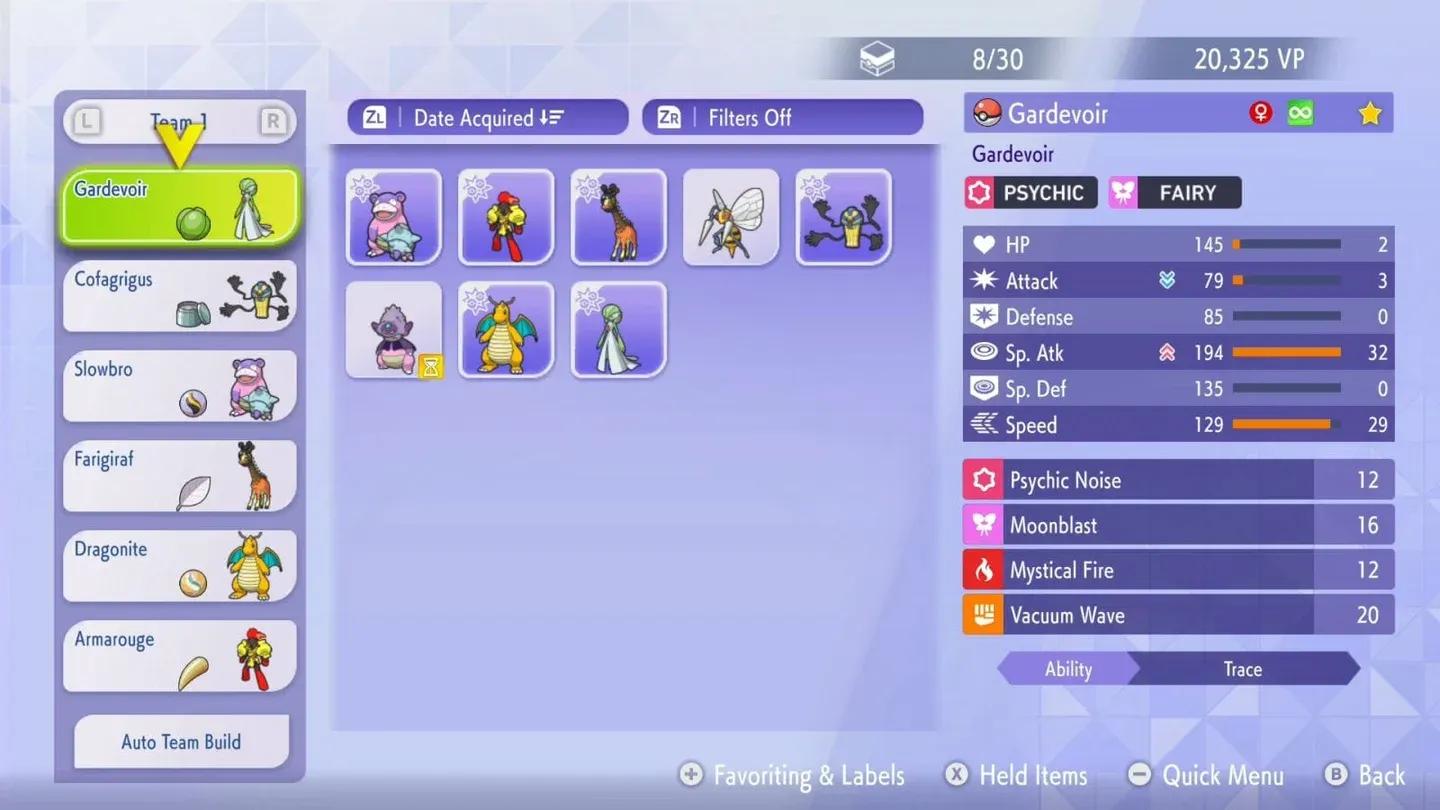
Your box fills up faster than you expect in Pokemon Champions, especially once you start pulling Pokemon from HOME or grinding ranked battles. The default storage cap is tight, and understanding how to push past it early saves you from making painful decisions about which Pokemon to cut. There are three distinct methods to increase your capacity, each with different costs, permanence, and trade-offs worth knowing before you commit.
How do you increase box size in Pokemon Champions?
Three expansion methods exist, and they function completely differently from each other.
Ranking up in battles (the free-to-play path)
Hitting specific ranked tiers, particularly Great Ball and Ultra Ball rank, awards additional box slots. Each qualifying tier adds approximately 5 slots to your capacity. This is the main route for players avoiding real-money purchases, and it grows naturally with playtime.
The permanence of these rank-based increases remains unconfirmed because the game launched recently. Pattern recognition from similar systems in past Pokemon titles suggests these increases persist through season resets, but the game is too new to guarantee it. Treat it as a reasonable assumption, not a verified mechanic.
Ranked tiers unlock box slots
Purchasing the Starter Pack
The Starter Pack is a one-time purchase bundling several early-game perks, including a permanent +50 box slot increase. Because it is a single transaction rather than a subscription, those 50 slots remain on your account permanently, regardless of future spending.
For players wanting a meaningful storage boost without recurring payments, this is the cleaner choice. Fifty slots is not massive, but it is permanent and stacks with other starter benefits.
Purchasing the Membership
The Membership (available monthly or annually) delivers the largest storage increase in the game: +1000 box slots immediately upon activation. That number is substantial, and it makes the membership the fastest way to eliminate storage concerns entirely.
The downside is harsh. Those 1000 slots are subscription-locked. When your membership expires, your box size drops back to its pre-membership limit.
Are box size increases permanent?
It depends entirely on which expansion method you used.
- Starter Pack increase: Permanent. One-time purchase means the +50 slots are yours indefinitely.
- Rank-up increases: Appear permanent based on available data, but the game is new enough that this has not been fully tested across season resets.
- Membership increase: Temporary. The +1000 slots exist only while your subscription is active.
What should you do when your box is full?
Hitting the cap without a plan is frustrating. Three practical options exist, and none of them are perfect.
Return Pokemon to the Roster Ranch
You can send Pokemon back to the Roster Ranch to clear space. This is permanent. Pokemon sent to the ranch cannot be recovered, so treat this as a last resort for Pokemon you are genuinely finished with.
Send Pokemon back to Pokemon HOME
If the Pokemon in your box originally came from Pokemon HOME, you can return them there instead of deleting them. This keeps them safely stored and retrievable later, making it a far better option than releasing them to the ranch if HOME connectivity is available.
Expand your box capacity
The most sustainable solution is increasing your limit before you hit it. Grinding ranked battles for free tier-based slots, or grabbing the Starter Pack for a permanent 50-slot boost, prevents the problem from becoming a crisis.
Which method should you actually use?
For most players, the answer is a combination of the free ranked path and the Starter Pack if the price feels reasonable for the bundled early-game benefits. The ranked method costs nothing and rewards active play. The Starter Pack adds 50 permanent slots without any ongoing commitment.
The Membership's +1000 slots are genuinely useful for collectors and competitive players rotating large rosters, but the temporary nature of that storage means you are renting capacity rather than owning it. Go in with that expectation, not the assumption that those slots are yours forever.
For more tips on building out your team and managing your roster efficiently, browse more guides on GAMES.GG to stay ahead of the meta.