
Search games, articles, guides...CtrlK
Sign InGet Started

From QoL upgrades to hilarious cosmetics, these Resident Evil Requiem mods breathe new life into your PC playthrough.
See more GAMES.GG stories on Google
Enjoyed this guide?
Add GAMES.GG as a preferred source and Google will show you more of our guides and news when you search.
updated
March 9th 2026
posted
March 9th 2026
Finishing Resident Evil Requiem once is satisfying, but the real fun on PC begins when the modding community gets to work. Whether you want to fix frustrating design choices, experiment with trainer features, or just turn the spider boss into Thomas the Tank Engine, there is a mod for exactly that. The Requiem modding scene on Nexus Mods has already grown impressively fast, and this guide walks you through the best options available right now.
Before anything else, you need two foundational tools installed on your PC. Skip either one and most mods simply will not work.
REFramework is the backbone of nearly every Resident Evil Requiem mod. It lets players inject scripts, adjust in-game variables, and enable custom features that the base game locks out entirely. Installation is straightforward: download it from Nexus Mods, extract the contents, and drop the dinput8.dll file directly into Resident Evil Requiem's main installation directory. Launch the game once to confirm it loaded correctly. You can open the REFramework menu at any time by pressing the Insert key on your keyboard.
Fluffy Mod Manager handles the actual mod files so you are not manually shuffling folders around. Download it, run Modmanager.exe, select Resident Evil Requiem from the game list, and point it toward the game's install folder. From that point on, installing a new mod is as simple as dragging its archived file into the Fluffy Mod Manager window and clicking enable.
These mods fix genuine friction points in the game without turning it into a different experience entirely.
One of the most divisive mechanics in Requiem is how standard zombies can mutate into Blisterheads, tougher variants that eat through your ammo unless you use the Hemolytic Injector to finish them off. The True Headshot Canonical Zombie Kill Overhaul strips that frustration away by making a clean headshot an instant kill, exactly as classic zombie logic demands. Pair this with steady aim and you will conserve significantly more resources across a full run.
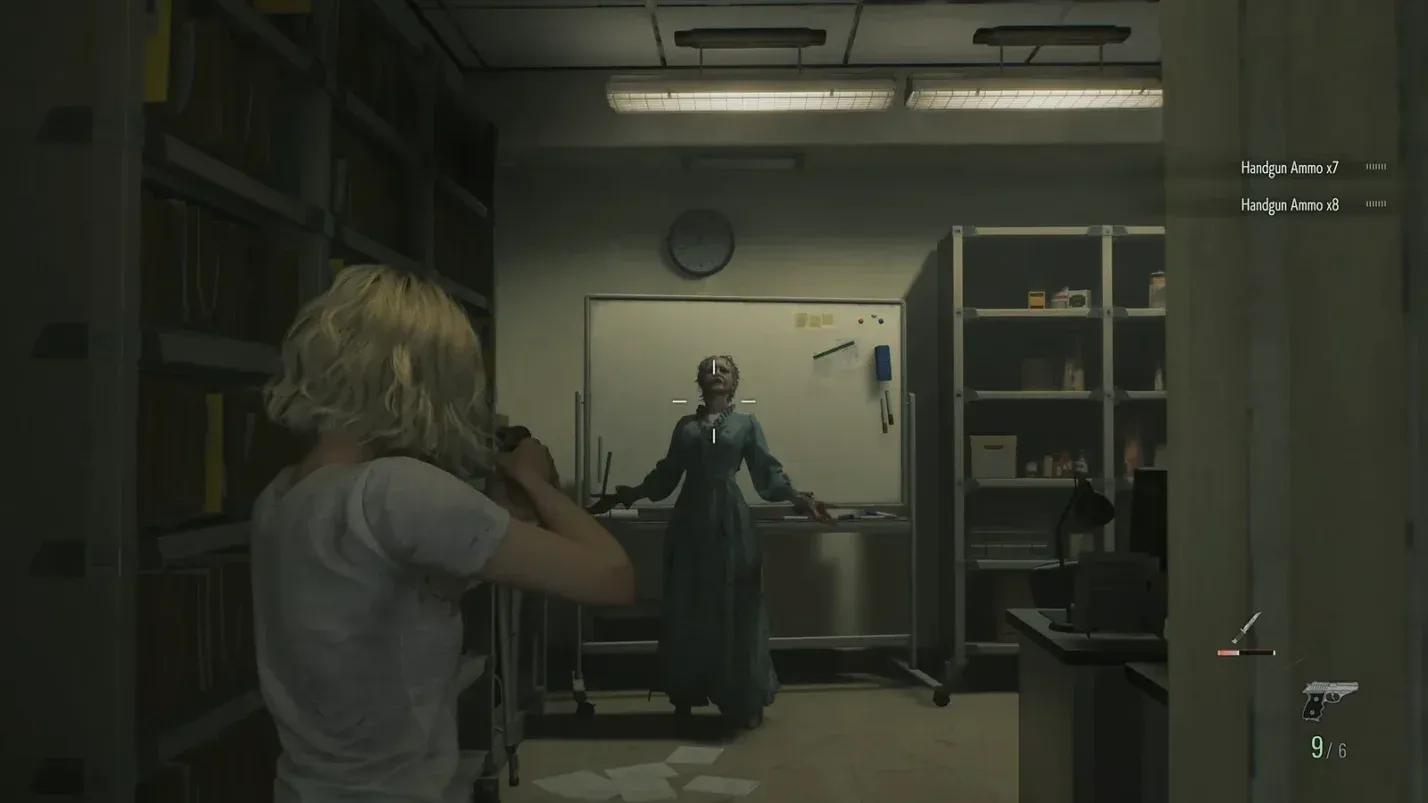
Camera wobble and crosshair sway during gunfights are a deliberate tension mechanic in Requiem, but after your first playthrough they start feeling more annoying than atmospheric. The Simple Crosshair No Sway mod removes that camera shake entirely, giving you a clean, stable reticle. This pairs naturally with the headshot overhaul above since steady aim matters far more when every shot needs to count.
Grace Ashcroft moves noticeably slower than Leon, and even Leon can feel sluggish when backtracking through areas you have already cleared. The Better Movement Speed mod lets you dial in custom movement values for both characters independently.
A small but genuinely useful addition. Without this mod, putting your weapon away requires opening the inventory menu, which breaks immersion and wastes time. Holster On Command binds weapon holstering to a direct input, working for both keyboard and mouse setups and controllers. It has no effect on combat balance, making it a zero-downside install.
Playing on classic difficulty settings forces Grace to find ink ribbons just to save progress. The Save Anywhere mod removes that restriction entirely, letting you save at any point regardless of location or difficulty. For players who cannot always commit to long sessions, this is practically essential.
Item hunting across Requiem's environments can slow a second playthrough to a crawl. The Auto Item Reveal mod marks every collectible, resource, and hidden item directly on the map so you always know exactly where to go. Completionists and speedrunners will find this especially useful.
Resident Evil Requiem ships without a native field-of-view slider, which causes motion discomfort for a meaningful portion of players. The Better FOV mod adds a fully adjustable slider so you can set the exact viewing angle that works for you. If the default FOV has been making you nauseous, this should be your first install.
Grace's inventory is noticeably smaller than Leon's, and the disparity becomes frustrating quickly. The Grace Ashcroft Inventory Expansion mod adds additional slots so managing resources feels fair across both protagonists. Less time juggling items means more time actually playing the game.
Grace's expanded inventory grid
Not every mod needs to fix something. Some of the most popular Requiem mods exist purely to make you laugh.
For players who grew up with Resident Evil 4, seeing Leon paired with Ashley Graham again hits differently. This mod swaps Grace Ashcroft's model for Ashley's, recreating that classic duo. The difference here is that this version of Ashley is actually capable, which makes the nostalgia hit even harder.
The CJ (Definitive Edition) Replace Leon mod is exactly what it sounds like, and it is genuinely hilarious. Watching CJ navigate a survival horror setting while Leon's dialogue plays out creates an absurd tonal clash that fans of both franchises will appreciate immediately.
The spider boss in Requiem is unsettling by design. The Thomas the Tank Engine mod replaces it entirely with the beloved children's character, which somehow manages to be both funnier and, depending on your tolerance for uncanny imagery, arguably more disturbing.
For players who genuinely struggle with spiders rather than just finding them creepy, the Arachnophobia Mode Filter mod replaces every spider in the game, including those appearing in cutscenes, with alternative models. This is a meaningful accessibility addition that removes a real barrier for some players.
The Holy Hand Grenades mod reskins standard hand grenades into golden, gospel-chanting bombs. The explosion mechanics remain identical, but equipping one triggers hallelujah chanting in the background. It functions perfectly as a weapon while adding an entirely different atmosphere to every grenade throw.
For fans who felt the Requiem villain Zeno was just a pale imitation of Albert Wesker, this mod lets you put the real thing in the game. Wesker replacing Leon creates a strange dynamic where the franchise's most iconic villain is now fighting on the side of survival, and it works surprisingly well as a replay novelty.

CJ replaces Leon in Requiem
For players who want full control over the experience, the REQUIEM ULTIMATE TRAINER mod bundles the most requested cheat features into a single package.
| Feature | Effect | Best Used For |
|---|---|---|
| God Mode | Prevents all damage | Boss practice, story runs |
| Unlimited Ammo | Removes ammo scarcity | Action-focused replays |
| No Reload | Fires continuously without reload | Speedrunning, DPS testing |
| One Hit Kill | Enemies die instantly | Farming, fast progression |
| Unlimited Knife Durability | Melee weapons never break | Aggressive melee builds |
| Easy Crafting | Reduces crafting material costs | Experimenting with builds |
| Unlock All Content | Unlocks CP-gated items | Accessing bonus content |
These trainer features align closely with what the Resident Evil modding community has consistently requested across previous entries like RE2, RE3, Village, and RE4 Remake, all of which share the same RE Engine foundation that makes Requiem highly moddable.
Follow these steps in order to avoid common installation errors.
Always read each mod's individual Nexus Mods page before enabling it. Some mods require additional dependency files that are not bundled in the main download.
