Search games, articles, guides...CtrlK
Sign InGet Started
Learn how to place, power, and expand Starfield outposts with crew assignments, cargo links, and the best skill investments.

Written by Nuwel
Content Writer
See more GAMES.GG guides on Google
Add us as a preferred source and our guides show up first in your results.
Starfield Ship Building and Best Builds: The Complete Guide
Master Starfield ship customization, stats, and the 5 strongest character builds for ground and space combat.

Starfield Best Builds Guide: 6 Meta Setups That Actually Work
From shotgun brawler to stealth sniper, these 6 Starfield builds cover every playstyle with exact skills, weapons, and traits.

Starfield Achievements & Trophy Guide: How to Earn Every Award
Complete Starfield achievements and trophies in 75 hours with this step-by-step roadmap covering story, factions, crafting, and the Level 100 grind.
Starfield hands you the keys to over 1,000 planets, but raw exploration only gets you so far. Outposts are where the game's deeper systems open up: passive resource extraction, manufacturing chains, crew bonuses, and the kind of base-building loop that can swallow entire evenings. Whether you just placed your first beacon or you're planning a multi-planet cargo network, this guide covers everything you need to know to build smart.
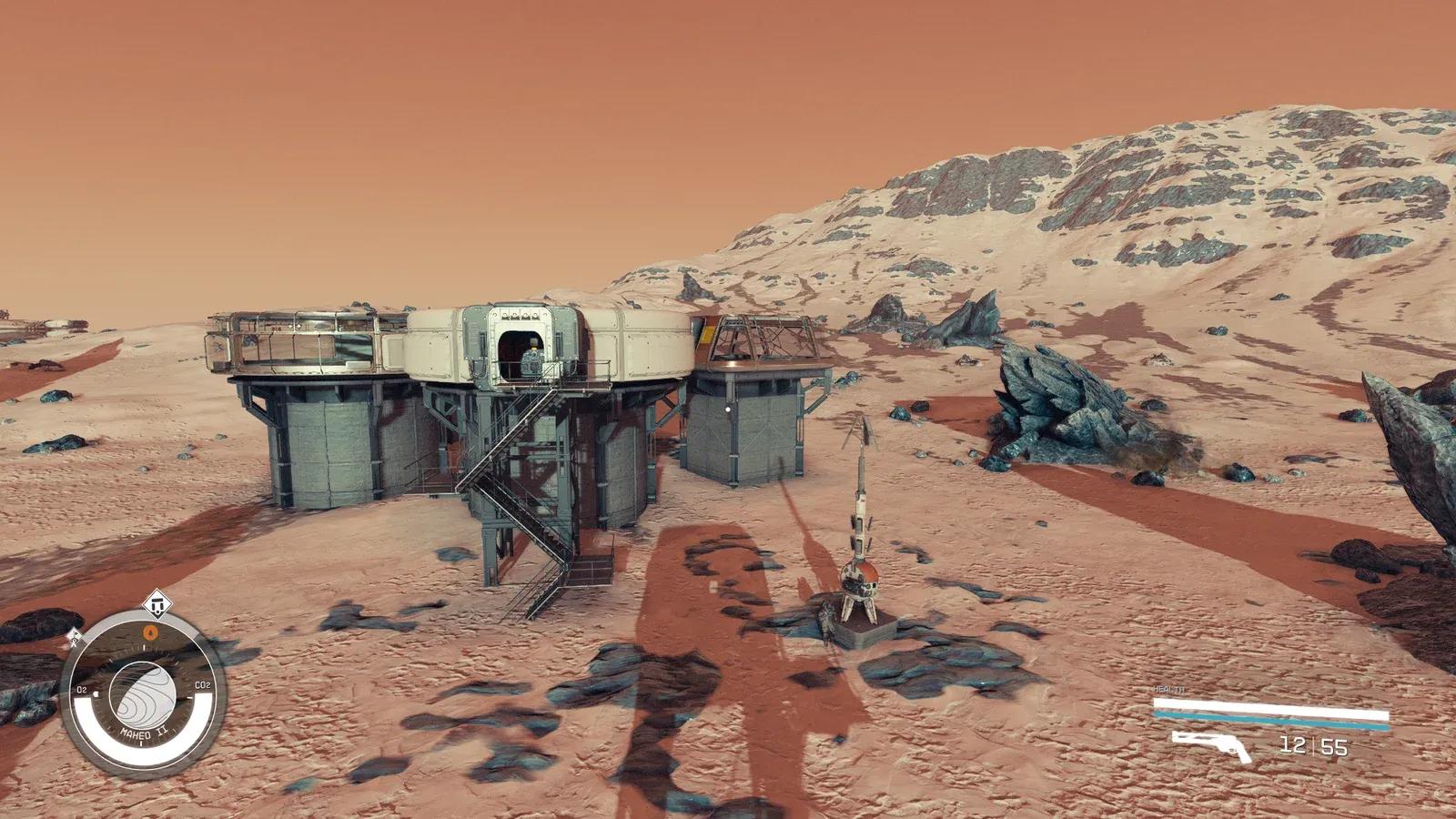
Open your scanner while standing on a planet surface, then press H on keyboard or X on controller to place an Outpost Beacon. That beacon defines the boundary of your outpost and drops you straight into Build Mode.
From Build Mode you can construct structures anywhere within the beacon's radius. Press the relevant key to toggle into a flycam for a top-down overview, which makes planning layouts much easier than trying to eyeball things at ground level. You can also switch to Modify mode at any time to move or delete objects. Deleting anything refunds its full resource cost, so there's no penalty for experimenting with layouts before committing.
A third option, Clear mode, lets you mark an area to remove environmental obstacles. If rocks or vegetation are blocking your ideal extractor placement, Clear mode solves that before you start building.
Nothing in your outpost runs without a power source. You have three options: a Solar Array, a Wind Turbine, or a Fueled Generator. Each feeds power wirelessly to nearby structures, but if you want guaranteed power to a specific extractor or turret, run a physical wire between the power source and that structure by selecting either one and choosing the Wire option.
Extractors, turrets, and lights all draw from your power budget. Plan your power generation before you start placing resource extractors, or you'll end up with a half-functional base that runs nothing.
Before you can build any indoor space, you need an Outpost Airlock, which costs 2 Lead, 3 Sealant, and 3 Aluminum. Connect it to Hab modules to expand your interior footprint.
Many structures have variants you can cycle through, shown as a number beneath the structure's preview image. Some variants are purely cosmetic, but others are functionally different and require different materials. Fabricators are the most important example: swapping between Fabricator variants lets you produce different materials entirely, so check what each variant outputs before you commit resources to building one.
To add windows to a hab, go inside and highlight the wall you want to change, then cycle through wall options until you find one with a window built in.
| Building | Primary Function | Power Required? |
|---|---|---|
| Solar Array | Power generation | No |
| Wind Turbine | Power generation | No |
| Fueled Generator | Power generation | No |
| Outpost Airlock | Indoor access point | No |
| Hab Module | Interior living/working space | No |
| Extractor | Automated resource mining | Yes |
| Fabricator | Material production | Yes |
| Crew Station | Crew assignment | No |
| Cargo Link | Inter-outpost transfers | Yes |
Build a Crew Station at the outpost, then open your crew menu and select the companion or crew member you want to assign. The menu shows available outposts and their open crew slots, so assignment is straightforward once the station exists.
The real value here is skill delegation. A crew member with Outpost Management or Outpost Engineering skills applies those skill benefits to the outpost they're stationed at, even if you haven't personally invested any points in those trees. That means you can run a highly efficient outpost early in the game by finding and hiring the right crew rather than grinding skill points yourself.
Cargo Links let you pipe resources from one outpost directly into another, which is how you build a proper manufacturing chain. To connect two outposts, you need a Cargo Link structure built at both locations. By default, each outpost supports up to 3 Cargo Links unless you have the Outpost Management skill, which raises that cap.
For transfers between different star systems, you need an Interstellar Cargo Link rather than a standard Cargo Link. Plan your network topology before you start building, because running out of Cargo Link slots mid-construction is a frustrating way to discover the limit.
Outpost efficiency scales hard with skill investment. Here's a breakdown of the relevant trees:
Outpost Management is the most immediately useful skill for anyone building a resource network. Rank 1 adds Cargo Link capacity, Rank 2 lets you build more robots, Rank 3 allows more crew assignments per outpost, and Rank 4 doubles extractor production speed. That last rank alone can transform a mid-game outpost into a serious resource engine.
Outpost Engineering reduces build costs and unlocks higher-tier modules. Rank 4 cuts all module costs by 50%, which is a massive saving once you're building large outposts. Planetary Habitation expands where you can build: Rank 1 opens extreme temperature planets and adds 4 to your outpost cap, with subsequent ranks adding toxic atmospheres, extreme pressure, and extreme gravity environments, each pushing your cap higher.
Botany (Rank 1) and Zoology (Rank 1) let you produce plant and animal resources at outposts respectively, which feeds into certain manufacturing chains. Special Projects at Rank 4 gives extractors a chance to produce bonus resources on each cycle.
Highlight the Outpost Beacon and press R on PC or X on controller. This removes the outpost and every structure associated with it, and refunds all resource costs in full. There's no downside to tearing down an outpost you've outgrown, so don't feel locked into early placements.
For more detailed outpost building strategies, the PLITCH Starfield Outpost Guide covers location selection and module prioritization in depth. You can also browse more guides on GAMES.GG for broader Starfield coverage across builds, companions, and exploration.