

Directive 8020 puts you aboard the Cassiopeia with a branching horror story that can end very differently depending on a handful of trust decisions. The Turning Points system and the Story Tree are what separate this entry from older Dark Pictures games: instead of replaying entire chapters blind, you can pinpoint exactly which decision killed a crew member and jump back to fix it. Here's how both systems work, when to use them, and how to get the most out of every route.
What are Turning Points in Directive 8020?
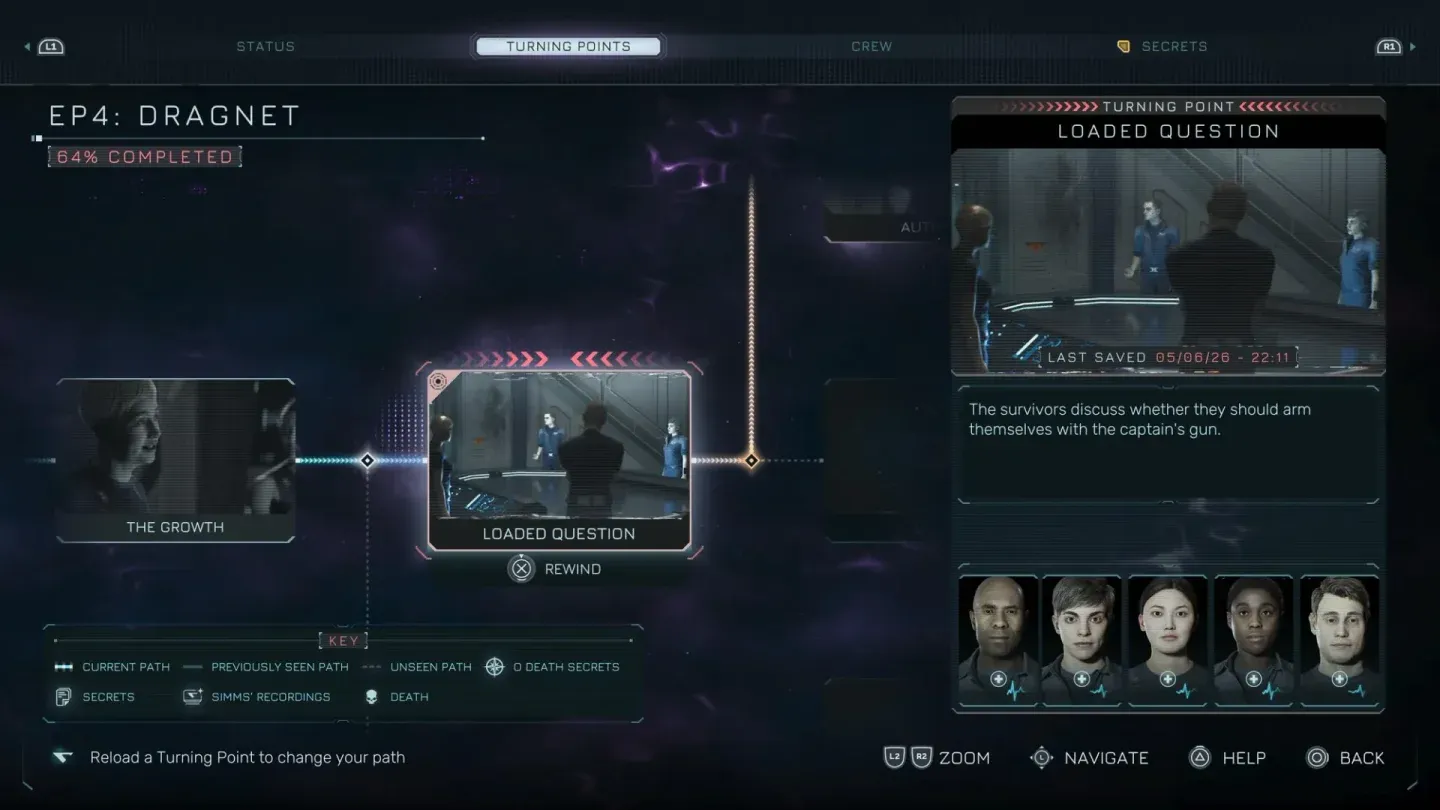
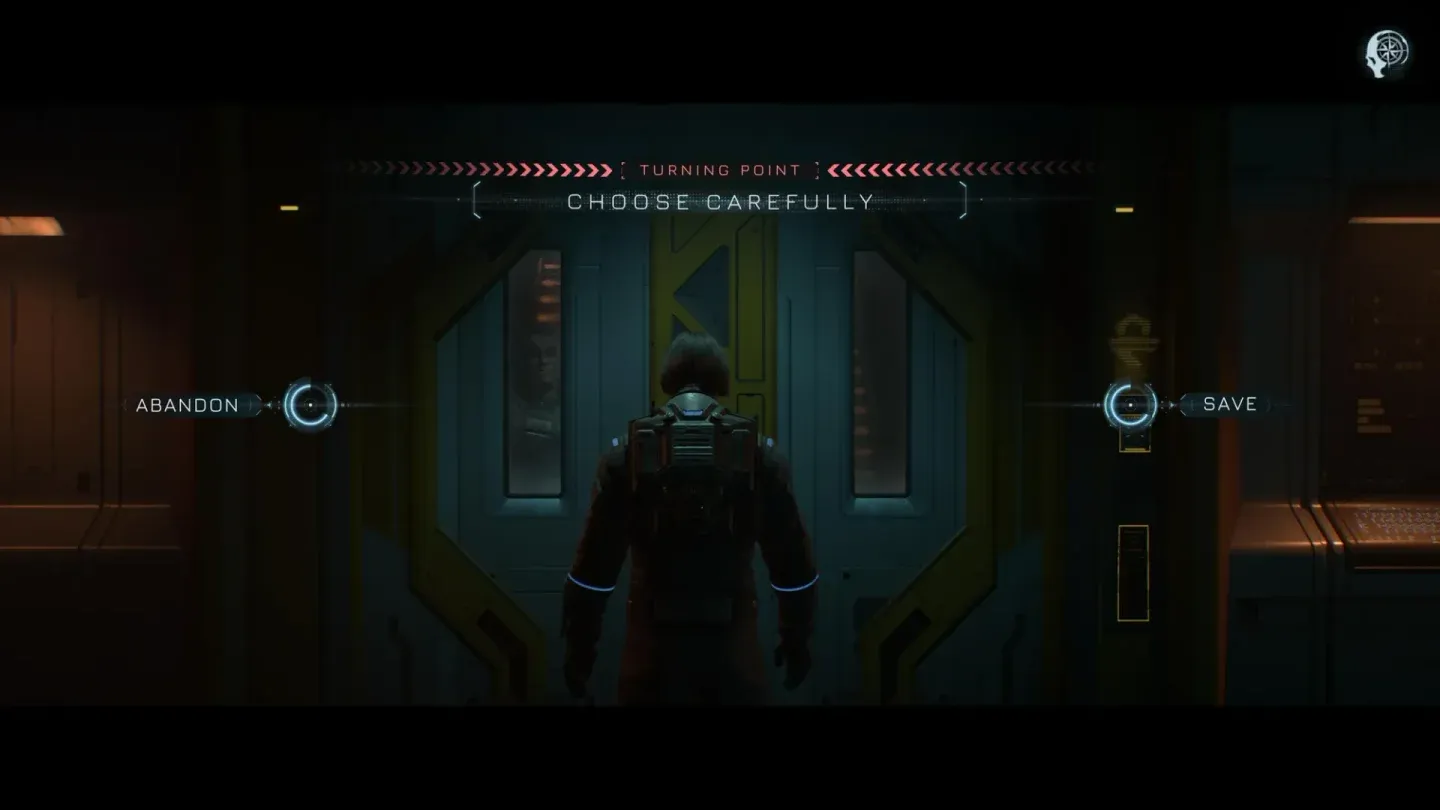
Turning Points are specific decision nodes embedded throughout the story that the game flags as significant. Selecting any of these nodes lets you jump directly to that moment and replay forward with a different choice, without wiping your main save. The game stores your original path separately, so experimentation carries no permanent cost.
The Story Tree visualizes every node you have visited, your current path highlighted against unexplored branches that appear partially obscured on a first run. That obscuring is intentional: the game limits forward information to avoid spoiling outcomes before you reach them. Once you complete a route, revisiting the same node reveals additional details and unlocks branches that were previously hidden.
Story Tree branch overview
What makes this more useful than a standard checkpoint system is the context it provides. The timeline shows character fates, relationship states, and collectible locations alongside the decision nodes. If a crew member dies three chapters later because of a trust choice you made early on, the Story Tree gives you a clear line back to the source.
How to access the Turning Points menu
Accessing the system is straightforward. Pause the game at almost any point and the Turning Points menu appears, listing current episodes in chronological order. From there:
- Open the timeline tree to see all nodes representing important story moments.
- Your current path is highlighted; unexplored or future branches are partially obscured.
- Select any node you want to revisit and confirm the jump.
- Replay from that decision with a different choice.
- Progress from the rewind does not overwrite your main save, so you can return to your original path at any time.
Turning Points menu access
Explorer Mode vs. Survivor Mode: which should you pick?
The Turning Points system ships with two distinct modes. Choosing the right one before you start shapes the entire experience.
Explorer Mode is the default and gives unrestricted access to all Turning Points. You can rewind freely, test branches, and recover from any death
Survivor Mode locks out the rewind function entirely. You can still open the Story Tree to track your path, but every choice sticks until the credits roll. After finishing the game in Survivor Mode, you can switch to Explorer Mode for cleanup.
When should you rewind?
Rewinding at every small misstep drains the tension from the story. Rewinding too rarely means wasted hours if you are targeting a specific ending or trophy. The right answer depends on your goal.
- Blind first run: Hold off on any rewinds until you reach a natural ending. The story is built around consequence, and experiencing it unfiltered is worth it.
- Save everyone route: Rewind after any death, serious injury, or forced separation. These are the moments that lock crew members out of later scenes.
- All endings: Complete one full route first, then branch from late-game Turning Points before working backward. This is faster than starting from the beginning each time.
- Trophy cleanup: Change one branch per session and record what unlocked. Changing multiple branches simultaneously makes it harder to isolate which choice triggered a specific outcome.
How to read the Story Tree for all endings
The Story Tree is the most practical tool for reaching every ending in Directive 8020. It shows which branches you have already seen, which paths remain hidden, and where a different choice changes the finale. Here's the method that works best for route testing:
- Finish a chapter and open the Story Tree immediately after.
- Write down every visible Turning Point and note any nodes marked as unexplored or locked.
- Select the earliest relevant node for the branch you want to test.
- Keep QTE results and exploration choices consistent while changing only the one decision you are testing.
- Compare the resulting changes to survival states, relationships, evidence collected, and ending conditions.
Not every dialogue line carries equal weight. Prioritize nodes where a character dies, becomes separated, or where a trust decision follows an isolation event. Relationship changes that happen after a crew member has been alone are particularly likely to cascade into later scenes.
Crew fate node in Story Tree
What branch signals actually matter?
Some choices look significant but resolve quickly. Others send quiet ripples through the rest of the story. Based on the structure documented across both sources, prioritize these signals when deciding whether to rewind:
- A crew member dies, is injured, or is separated from the group
- A relationship visibly improves or worsens after a dialogue exchange
- A trust decision occurs immediately after a character was isolated
- A clue or evidence piece changes which dialogue options appear later
- The Story Tree marks a node as unexplored or locked
- A finale or ending condition shifts because of an earlier crew state
Mimic-related risk moments and choices flagged with visible highlights in the UI are the ones most likely to split paths. If the game draws attention to a decision, treat it as a branch signal worth tracking.
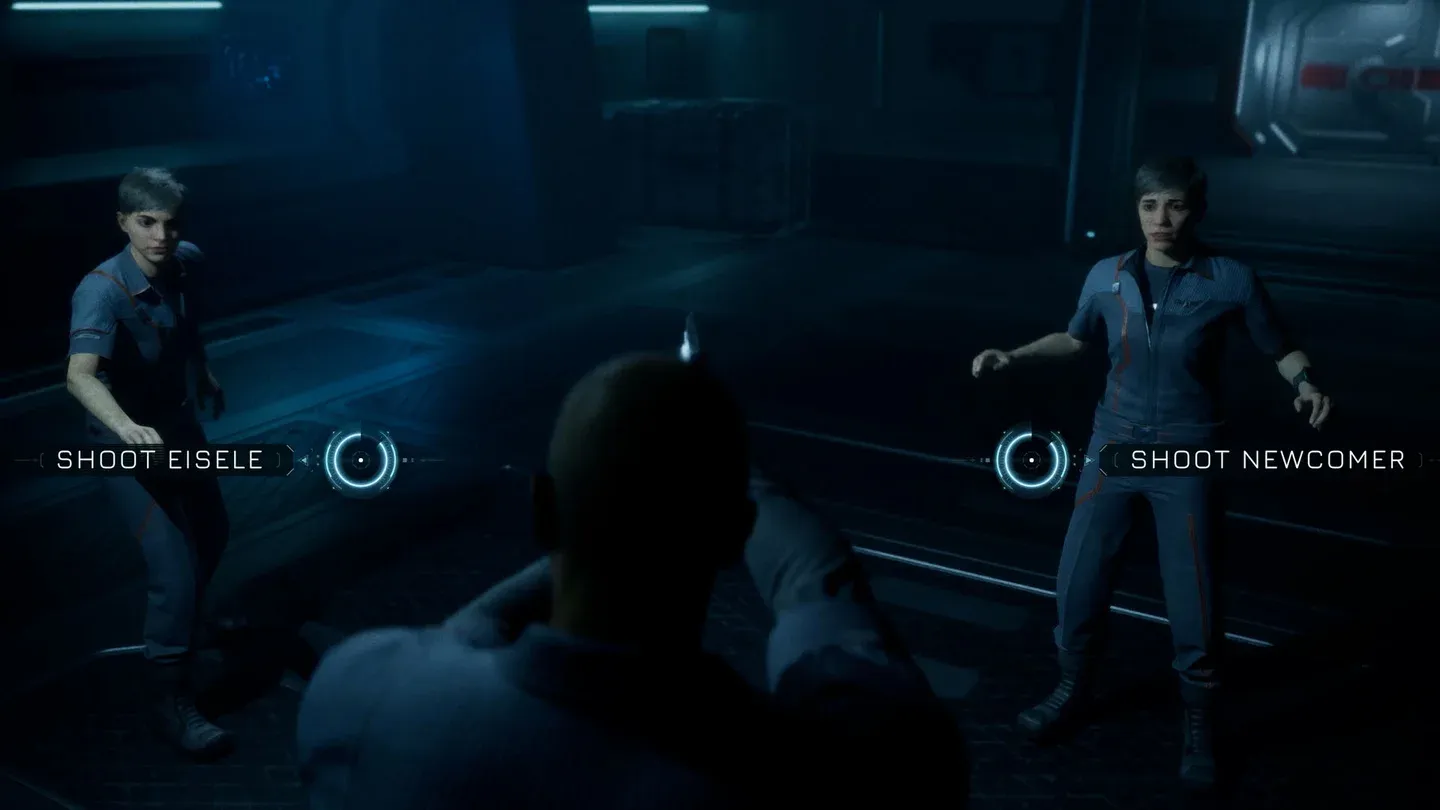
Flagged decision node example
Frequently asked questions
Can Turning Points replace a full replay?
For most routes, yes. Turning Points are specifically designed to reduce the need for full replays by letting you branch from any key node. Some trophies or route conditions may still require longer replay sections depending on how the game stores state for specific outcomes, but the majority of endings and crew-survival combinations are reachable from a single playthrough with targeted rewinds.
Does rewinding overwrite your save?
No. Progress from a rewind does not overwrite your main save. The game keeps your original path intact, so you can experiment with a branch and return to your prior position without losing anything.
Is Explorer Mode easier than Survivor Mode?
Explorer Mode makes the game more forgiving by removing the permanent consequences of bad decisions. It is not easier in terms of QTEs or story complexity, but it eliminates the anxiety of irreversible choices. Survivor Mode is the harder emotional experience, not a harder mechanical one.
For more puzzle solutions and episode walkthroughs as you work through the branches, the full Directive 8020 guides collection covers everything from the Carter's PC code in Episode 2 to the chemical agents puzzle for Anders in Episode 5. If you want context on the game's structure before jumping in, the release date and what to expect guide covers the setup on Tau Ceti f.