Search games, articles, guides...CtrlK
Sign InGet Started

Learn how to turn off open mic in Hell Let Loose: Vietnam on controller and PC with quick steps and visual indicators.
See more GAMES.GG stories on Google
Enjoyed this guide?
Add GAMES.GG as a preferred source and Google will show you more of our guides and news when you search.
updated
August 21st 2026
posted
August 21st 2026
Broadcasting your background noise to 50 other players in Hell Let Loose: Vietnam is the kind of mistake you only want to make once. The game's voice chat system works differently on controller versus keyboard, and if you don't know the toggle behavior, you can leave your mic open through an entire match without realizing it. Here's exactly how to fix that.
The controller voice system in Hell Let Loose: Vietnam works as a toggle, not a hold. Press the left bumper once to open your mic, and press it again to close it. That single button controls the entire broadcast state.
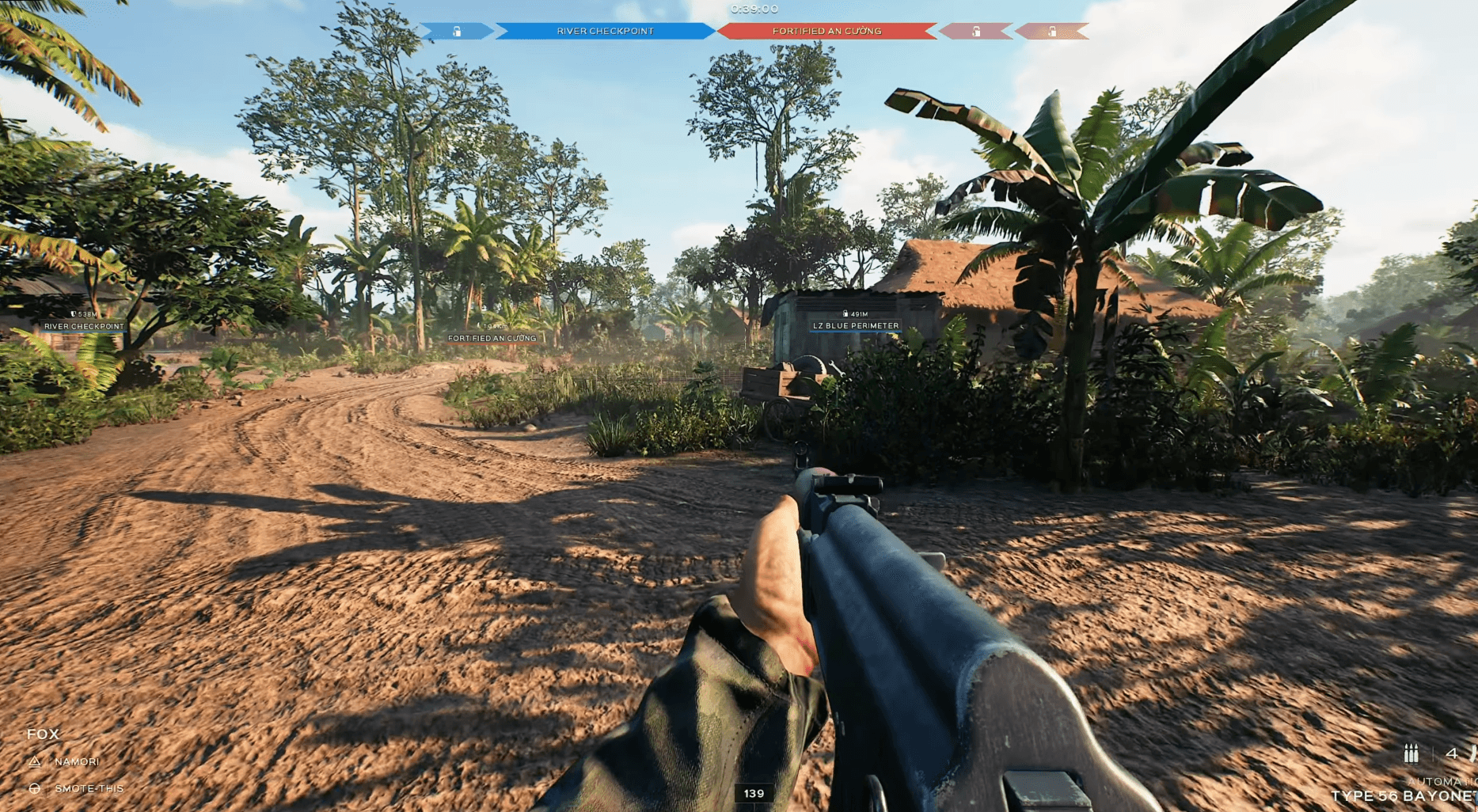
To confirm your mic is active, look at the bottom-left corner of the screen during a match. If your name appears there with three white lines beside it, you are transmitting. Press the left bumper once and that indicator disappears, confirming you are muted.
Hell Let Loose: Vietnam Open Mic Guide: How to Turn Off Your Mic
The toggle design means you can walk away from your PC or console with the mic still open. After any callout, verify the indicator is gone before stepping away or letting background audio bleed through.
The bottom-left HUD indicator is your only reliable check. Your name paired with the three white lines means the mic is live. No indicator means you are muted. There is no audio feedback or separate mute icon, so the corner of the screen is the place to look every time you're unsure.
If you've pressed the bumper and aren't sure whether the last tap opened or closed the mic, do not press it again blindly. Check the corner first. Pressing it without looking risks toggling back to active when you intended to stay muted.
Hell Let Loose: Vietnam Open Mic Guide: How to Turn Off Your Mic
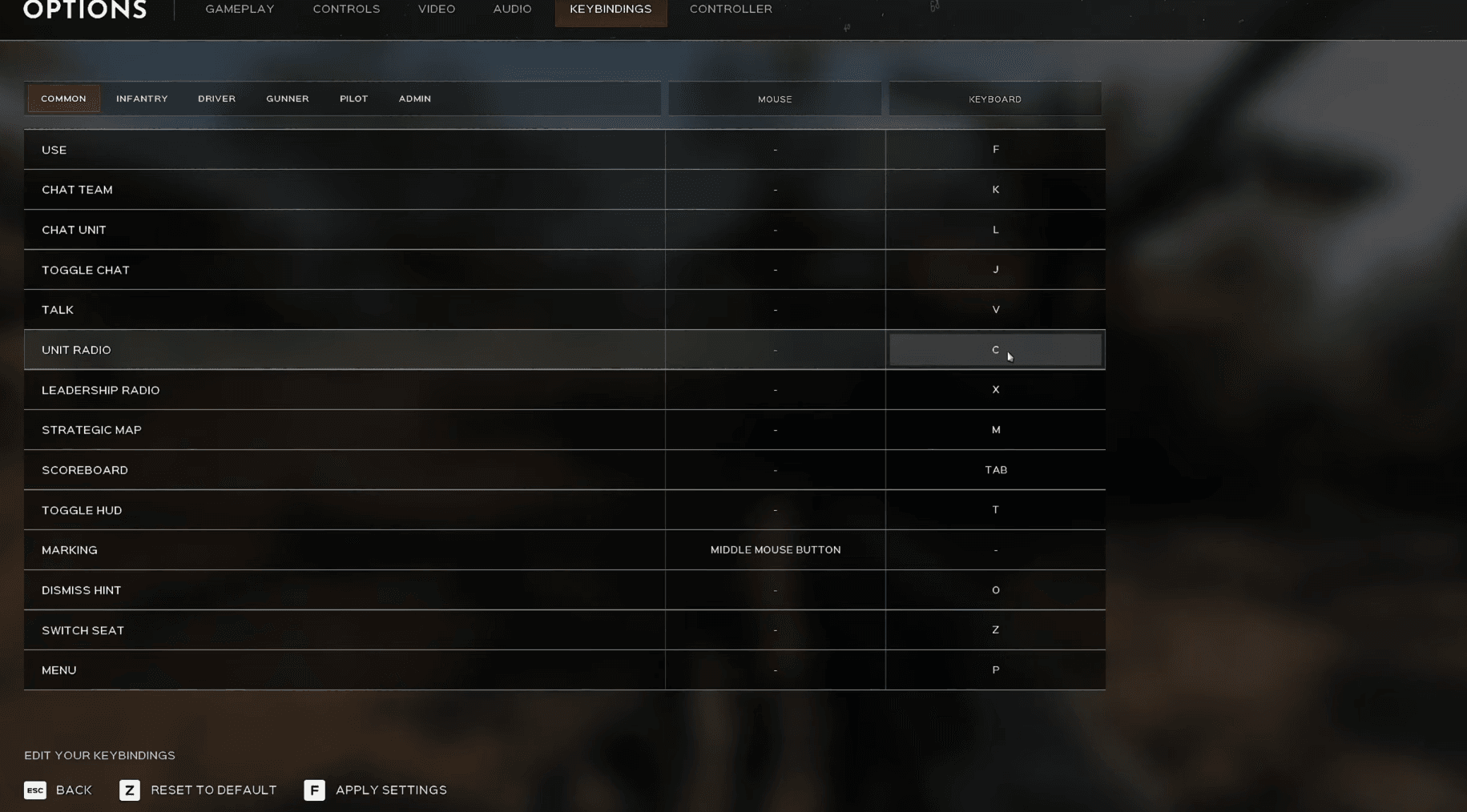
PC players using a keyboard don't face the same toggle problem. Voice chat on PC only transmits while you hold the assigned key. Release it and the mic stops immediately. There's no lingering broadcast state to manage.
The default key assignments break down by channel:
| Channel | Default Key | Audience |
|---|---|---|
| Proximity Chat | V | Nearby players |
| Unit Chat | L | Your squad unit |
| Leadership Chat | K | Officers and commanders |
Hold the key, speak, release. That's the full loop for keyboard users. You don't need to manually disable anything afterward.
For more ways to get the most out of Hell Let Loose: Vietnam, check out the full Hell Let Loose: Vietnam guides collection covering roles, weapons, and settings. If performance is also on your list, the best PC settings guide is worth a read before your next match. Hell Let Loose: Vietnam sits firmly in the action games category where communication makes or breaks matches, so getting your mic under control is one of the fastest ways to be a better teammate.