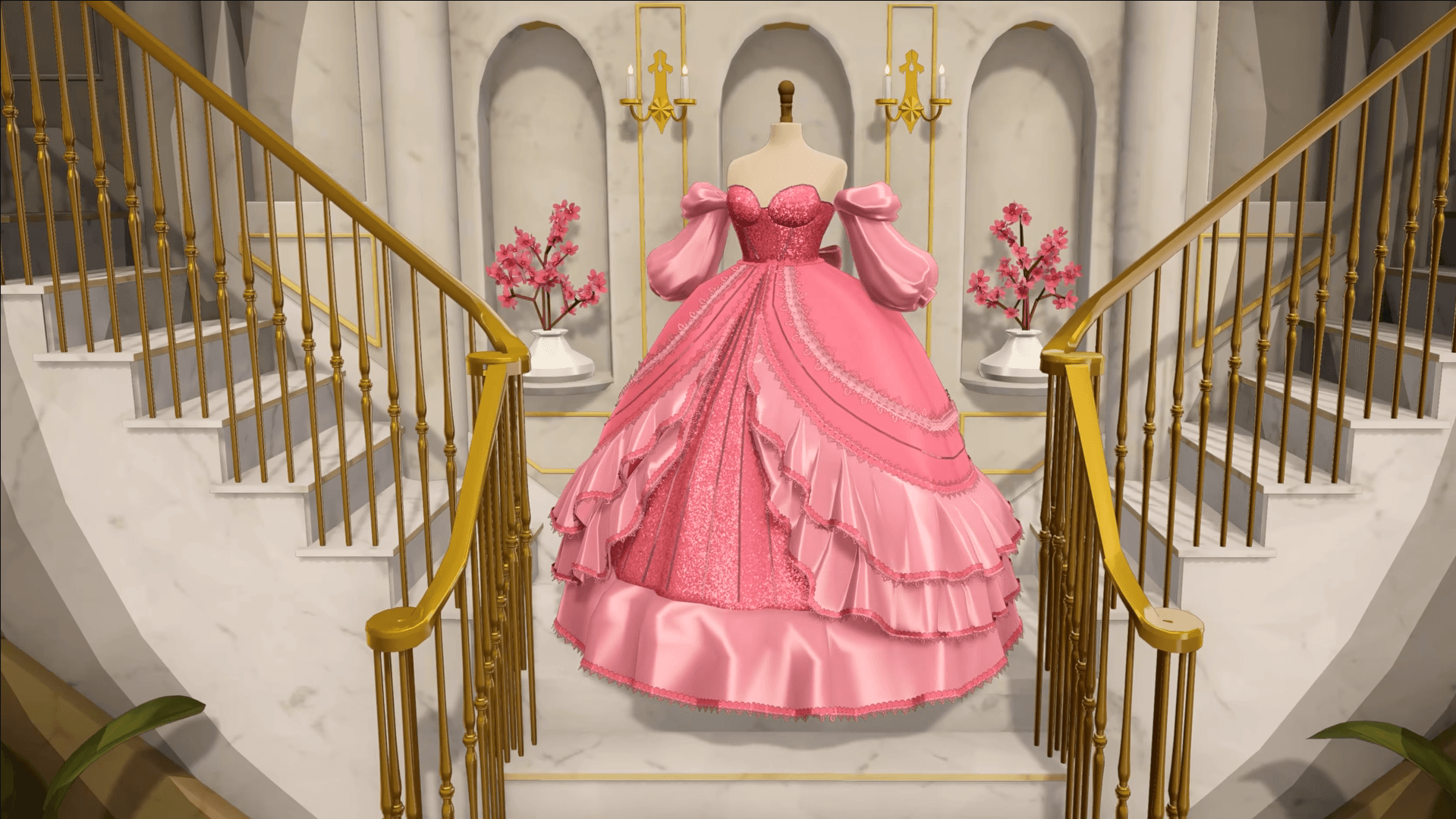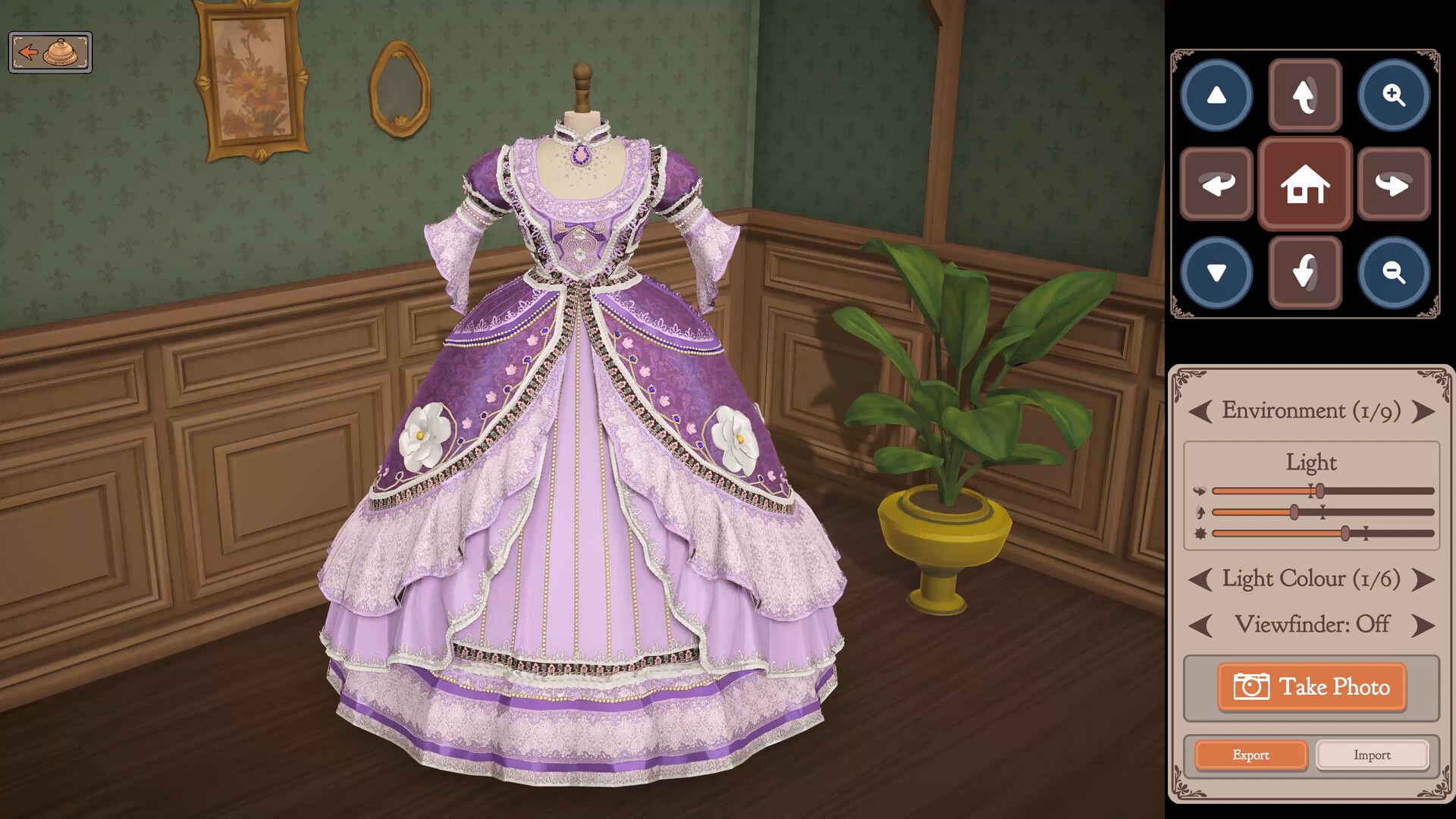

Dressmaker 21 सितंबर, 2026 को Steam पर रिलीज़ हुआ, और यह कोई आम fashion game नहीं है। Cozy Lives द्वारा विकसित और Free Lives द्वारा पब्लिश किया गया यह गेम आपको एक छोटे से atelier का इंचार्ज बनाता है, जहाँ हर dress के लिए आपको real production decisions लेने पड़ते हैं: customer brief पढ़ना, design sketch करना, fabric खरीदना, pattern pieces को सही grain पर काटना, sewing machine पर seam-by-seam सिलाई करना, और delivery से पहले तैयार garment को press करना। इसका learning curve देखने में जितना आसान लगता है, उससे कहीं ज़्यादा steep है, लेकिन एक बार जब workflow समझ आ जाए, तो यह अभी के casual games में सबसे satisfying loops में से एक बन जाता है।
Dressmaker में core loop क्या है?
Dressmaker में हर commission एक ही sequence फॉलो करता है: brief accept करें, sketchbook में design करें, fabric खरीदें, pattern pieces काटें, seams सिलें, decorations जोड़ें, garment को press करें, और फिर deliver करें। किसी भी एक phase को skip करने या जल्दबाज़ी में करने से final score गिर जाता है। cutting के दौरान अगर grain line गलत हो जाए, तो आपकी सिलाई चाहे कितनी भी clean क्यों न हो, quality score कम ही रहेगा। एक wrinkled hem भी points कटवा देता है, भले ही बाकी सिलाई perfect हो। यह गेम उन players को reward देता है जो हर phase को एक अलग task की तरह treat करते हैं, न कि सिर्फ clicks की जल्दबाज़ी में काम निपटाते हैं।
इसके full story mode में लगभग 35 hours के commissions हैं, इसलिए शुरुआती दिनों में जल्दबाज़ी करने की ज़रूरत नहीं है। अपने पहले week को training run की तरह treat करें।
Customer brief कैसे पढ़ें
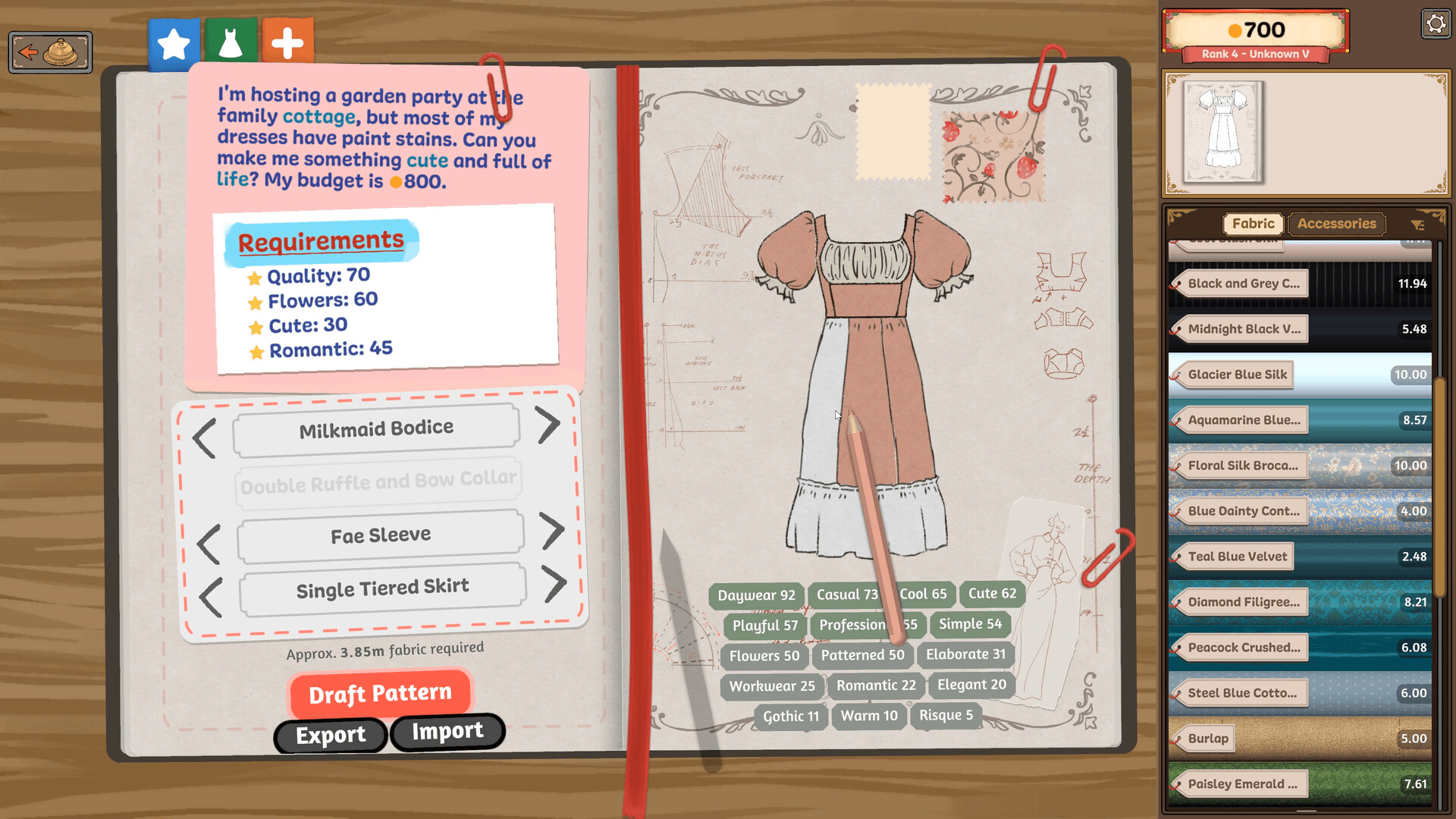
हर customer एक request card के साथ आता है जिसमें तीन चीज़ें होती हैं: occasion (garden party, opera, work), style preference (professional, cute, elegant, relaxed), और budget। ये तीनों ही चीज़ें independently मायने रखती हैं। maximum budget कोई target नहीं है जिसे hit करना है; यह एक ceiling है। अगर कोई style detail मना की गई है, तो बाकी जगह अच्छा perform करने से उसकी भरपाई नहीं होती।
sketchbook को छूने से पहले brief को दो बार पढ़ें। जो players style line को बस skim करते हैं और instinct से design करते हैं, वे अक्सर शुरुआत में ही fail हो जाते हैं: ऐसी dress जो दिखने में तो अच्छी है लेकिन score कम मिलता है क्योंकि वह customer की मांग के हिसाब से नहीं है।
Customer requests तीन categories में आती हैं जो बताती हैं कि आपको कितनी सख्ती से grade किया जाएगा:
- Brief Match — इसमें color, silhouette, और एक decoration cue चेक होता है। यह सबसे आसान है।
- Mood Match — इसमें overall vibe (casual, formal, romantic) चेक होती है। यह medium difficulty का है।
- Detail Match — इसमें trim placement, button count, और stitching quality चेक होती है। यह सबसे strict है।
Mood board का color palette बताता है कि आप किस type के साथ deal कर रहे हैं: muted tones का मतलब है Detail Match, और single-hue palette का मतलब है Brief Match। सिलाई शुरू करने से पहले type को पहचानना ही हर commission पर अपना payout maximize करने का सबसे तेज़ तरीका है।
Sketchbook में design कैसे करें
Commission accept करने के बाद, design के लिए sketchbook खुलता है। यहाँ आप bodice style, sleeve type, skirt design, और optional collar चुनते हैं। तुरंत इस्तेमाल करने वाला key feature है style tag display: जैसे-जैसे आप design बनाते हैं, "Cute," "Elegant," और "Professional" जैसे tags दिखाई देते हैं, जिससे आप fabric पर एक भी coin खर्च करने से पहले confirm कर सकते हैं कि आप brief से match कर रहे हैं या नहीं।
आप fabric samples को भी sketchbook में drag कर सकते हैं ताकि देख सकें कि finished dress पर materials साथ में कैसे लगेंगे। fabric shop जाने से पहले ऐसा करें। जो design cotton में अच्छा लगता है, वह silk में बिल्कुल अलग लग सकता है, और sketch stage पर ही उस mismatch को पकड़ना मुफ्त है।
अपने पहले कुछ designs को simple रखें। कम pattern pieces का मतलब है कम variables, अगर cutting या sewing के दौरान कुछ गलत हो जाए।
आपको कौन सा fabric खरीदना चाहिए?
Fabric गेम का सबसे important resource है, और आपकी पसंद final score और accessories के लिए बचे हुए budget दोनों को प्रभावित करती है। shop में bolts material और color के हिसाब से रखे होते हैं, और stock रोज़ refresh होता है।
| Fabric | Cost (coins/bolt) | Drape | Best For |
|---|---|---|---|
| Cotton | 40 | Stiff, structured | Practice cuts, casual dresses, 1-star commissions |
| Linen | 50 | Crisp, breathable | Casual daywear, customer-favorite requests |
| Denim | 70 | Heavy, rigid | Skirts, off-the-rack stock |
| Satin | 100 | Glossy, slippery | Formal events, decoration-friendly base |
| Silk | 120 | Flowing, soft | Evening gowns, high-difficulty commissions |
| Wool | Dense, warm | Professional, winter wear | 2-star and above |
| Velvet | Rich texture | Operas, balls | High-society commissions |
अपने पहले week के दौरान, cotton पर ही रहें जब तक कि आपका scrap rate 10 percent से नीचे न आ जाए। एक अच्छी तरह कटी हुई cotton dress, खराब तरीके से सिली हुई silk gown से हमेशा बेहतर score करती है, और सस्ते fabric पर बचाए गए coins आपके accessory budget को intact रखते हैं।
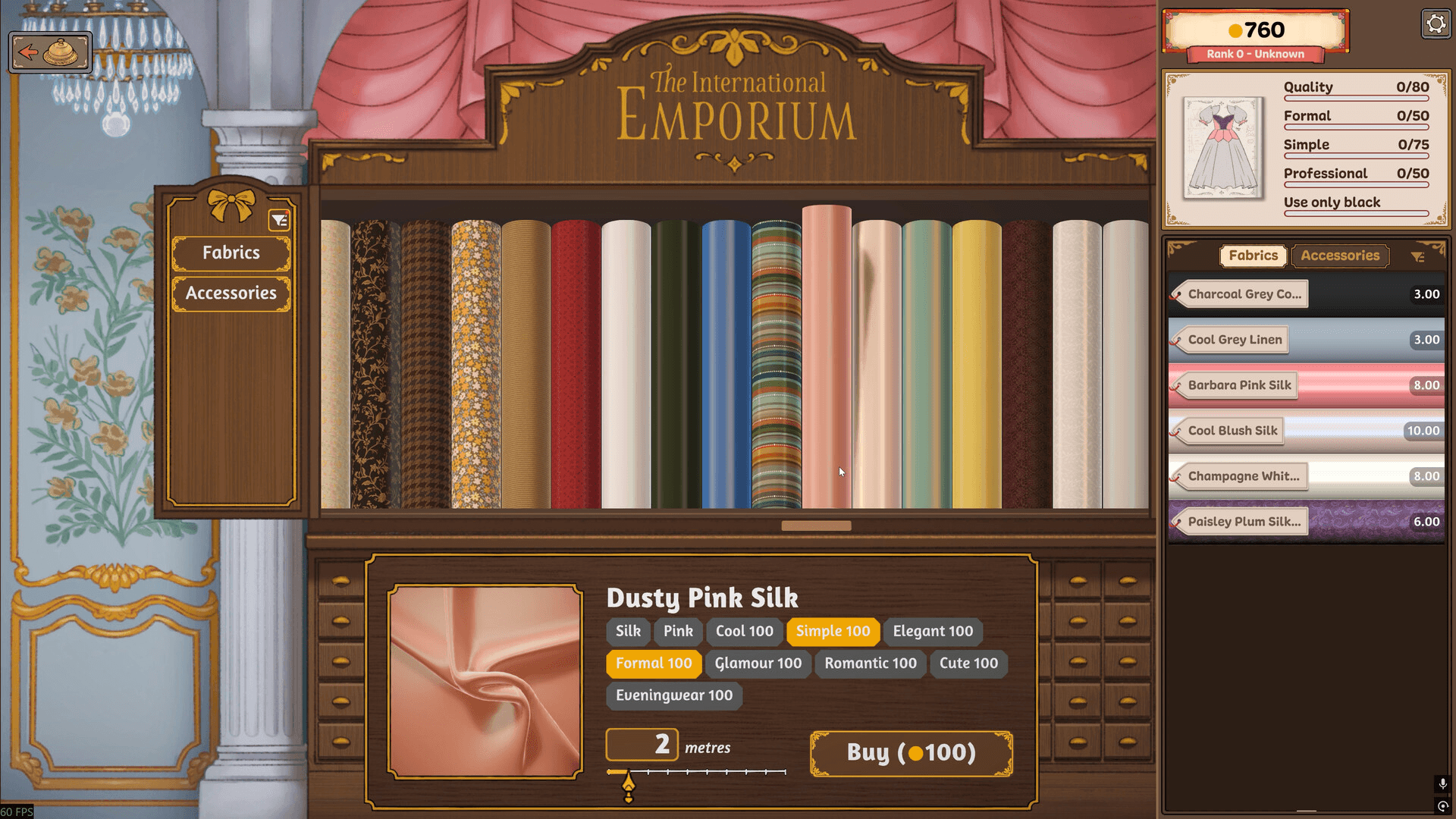
पिछले commissions से बचा हुआ fabric आपके inventory में आ जाता है। पुराने orders से बचे scraps का दोबारा इस्तेमाल करना अपने early-game budget को बढ़ाने का सबसे अच्छा तरीका है।
Grain line alignment कैसे काम करती है?
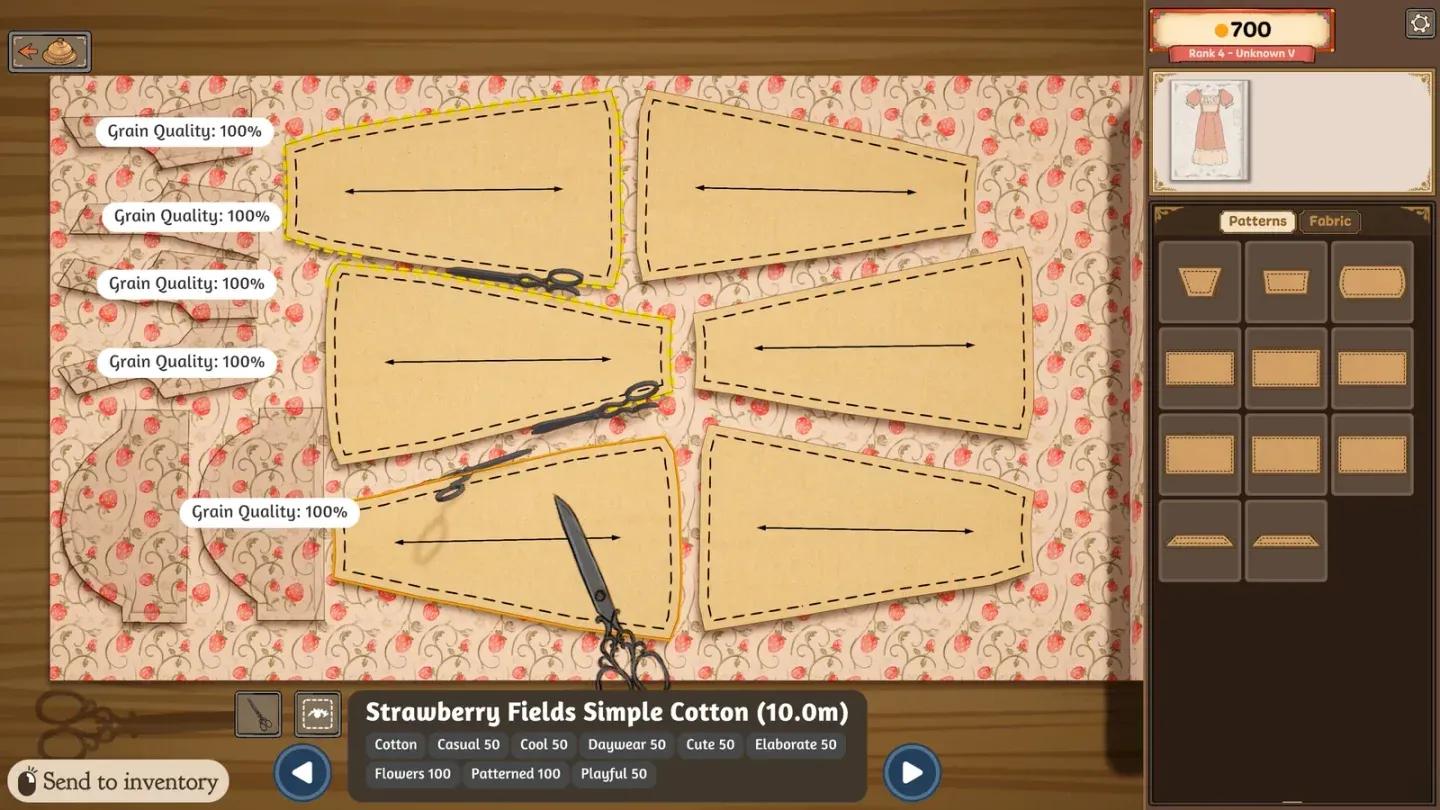
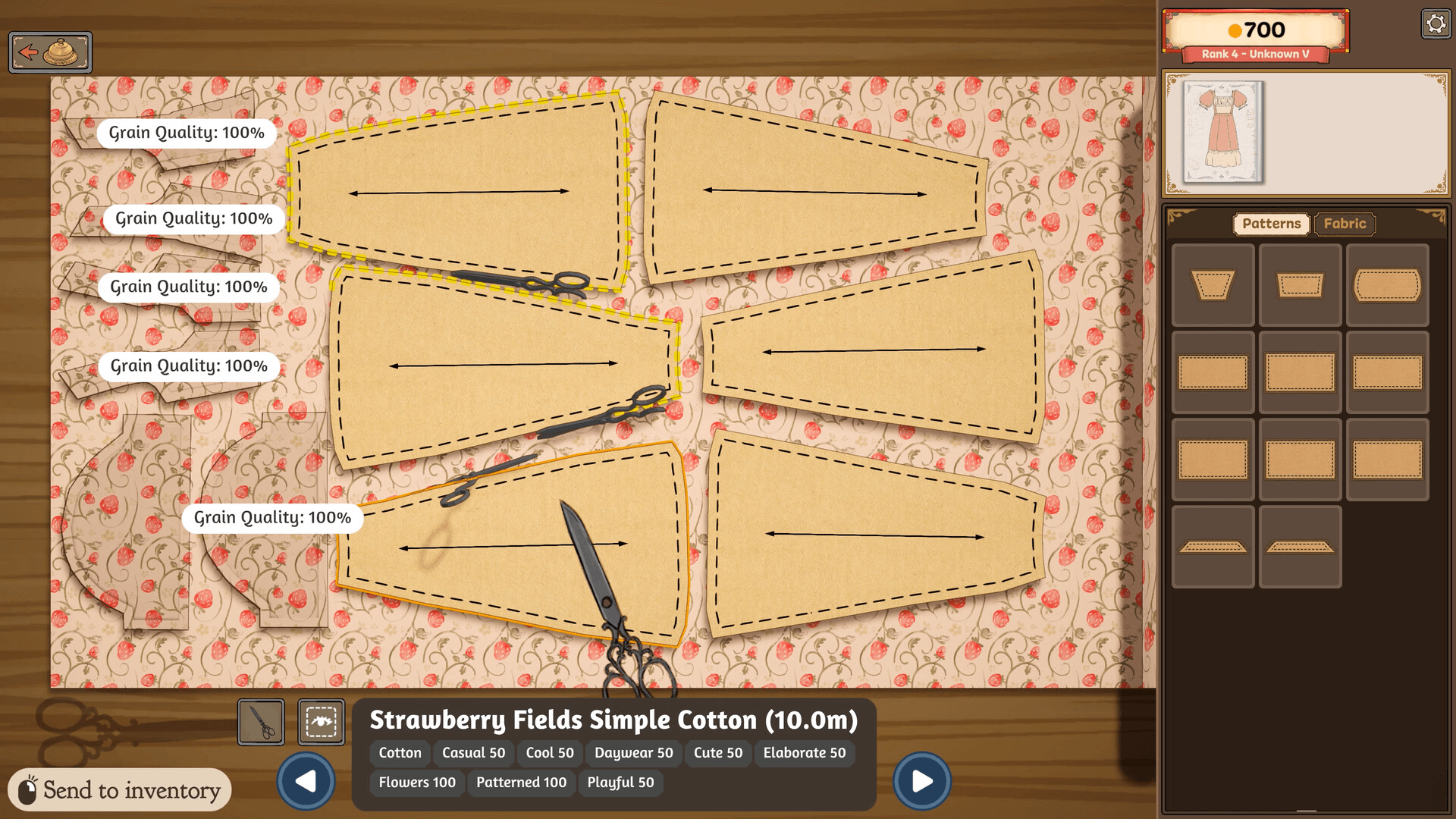
Grain alignment वह इकलौती mechanic है जो ज़्यादातर beginners को फँसाती है, और अगर आप इसे गलत करते हैं तो यह सीधे आपके quality score को cap कर देती है। हर pattern piece पर एक printed arrow होता है जो grain line को दर्शाता है, यानी fabric के धागों की दिशा। जब piece को bolt पर रखा जाए, तो वह arrow horizontal (left या right) होना चाहिए। सही तरीके से align किए गए piece पर green outline दिखती है। green outline न होने का मतलब है कि piece misaligned है, और एक misaligned cut piece उस commission के लिए quality ceiling को हमेशा के लिए सीमित कर देता है, चाहे आप बाद में कितनी भी precision से सिलाई करें।
हर piece के लिए process:
- Pattern piece को fabric bolt पर drag करें।
- इसे तब तक rotate करें जब तक grain arrow left या right न हो जाए।
- Green outline confirmation का इंतज़ार करें।
- Place और cut करने के लिए click करें।
काटने से पहले pieces को bolt पर कुशलतापूर्वक व्यवस्थित करें, इसे Tetris layout की तरह treat करें। गेम दिखाता है कि काटने से पहले हर piece कितना fabric consume करेगा, इसलिए waste को कम करने के लिए उस जानकारी का उपयोग करें। काटने से पहले pieces को stack करने से हर commission पर लगभग 10 से 15 percent fabric बच जाता है।
Grain line alignment check
Dressmaker में सिलाई कैसे काम करती है?
सिलाई production loop का सबसे interactive phase है। हर seam highlight होती है, और आप dotted path को फॉलो करके fabric को machine के ज़रिए guide करते हैं। Quality को live track किया जाता है: line पर perfect stitching 100 percent score देती है, और path से भटकने पर score तेज़ी से गिरता है। अगर आप बहुत ज़्यादा off-track हो गए, तो seam को restart करना पड़ेगा।
Controls build के हिसाब से अलग-अलग हो सकते हैं। released Steam version screen पर prompts दिखाता है जैसे Space to sew, A/D to rotate, और W/S to change speed। पुराने prototype notes पर भरोसा करने के बजाय जो आपके current version में दिख रहा है, उसे फॉलो करें।
सिलाई की आम समस्याएं और उनके fixes:
| Problem | Cause | Fix |
|---|---|---|
| Quality stuck below 100% | Grain line was misaligned during cutting | Check green outlines before every cut |
| Twitchy hand movement | Known control issue on some setups | Switch to keyboard controls or adjust input sensitivity |
| Machine keeps running while adjusting | Intended behavior (mirrors real sewing) | Release the sew input before repositioning fabric |
| Can't see the seam line on light fabric | Low contrast between guide and material | Slow down and follow the pattern edge carefully |
Sewing machine में momentum होता है। seam के अगले section पर तेज़ी से snap करने की कोशिश न करें। curves और corners पर धीरे और steady रहना long run में तेज़ होता है क्योंकि एक restart में सावधानीपूर्वक की गई पहली pass से ज़्यादा समय लगता है।
Sewing scene में spools को सीधे select करके thread color बदला जा सकता है (Build 410 में जोड़ा गया)। सबसे clean finish के लिए visible seams से thread को match करें।
Decorations और layering कैसे काम करती है?
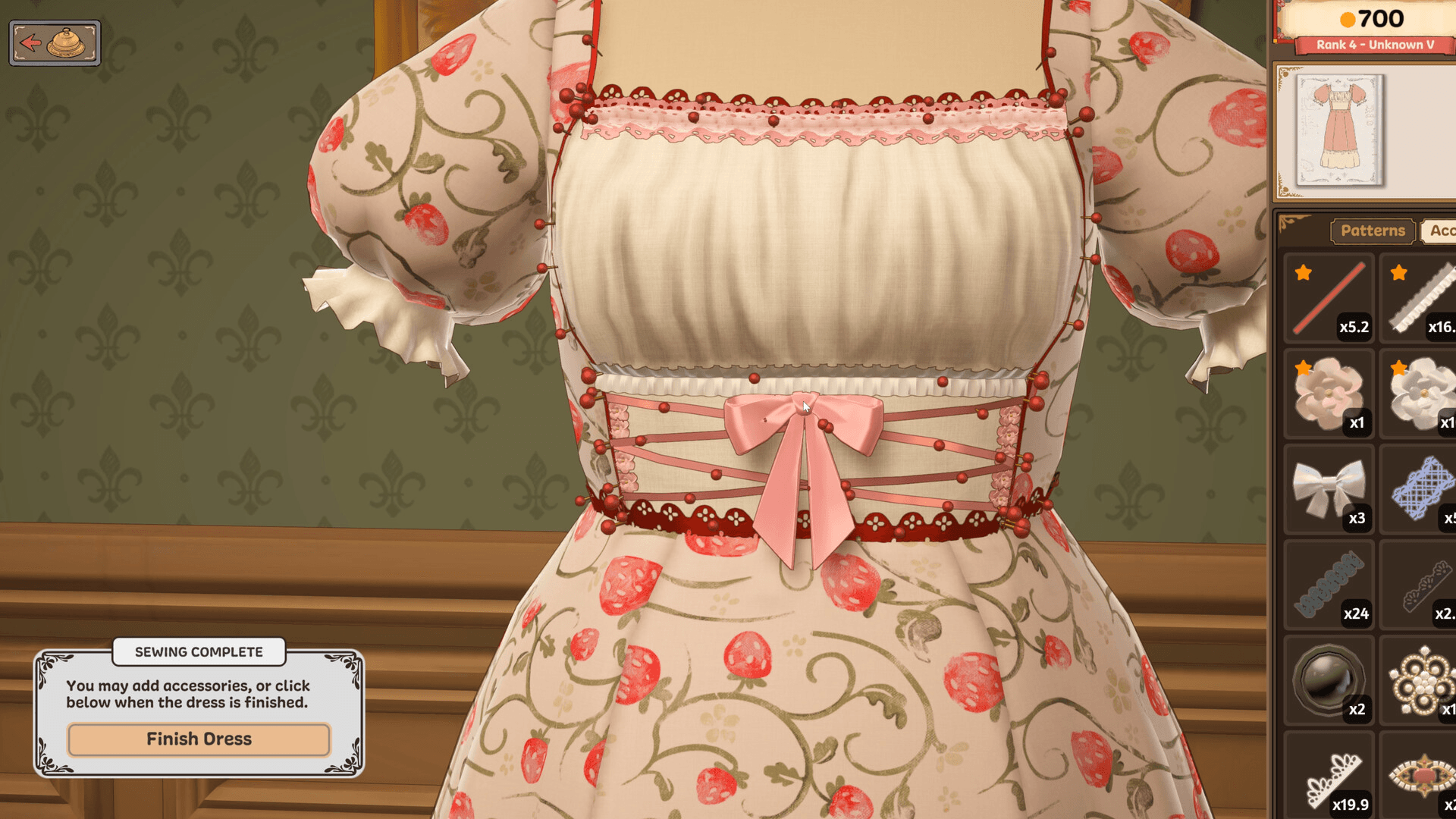
एक बार dress सिल जाने और press हो जाने के बाद, finishing के लिए Decoration Tray खुलती है। उपलब्ध decoration types में trim, lace, buttons, embroidery patches, appliqués, और painted accents शामिल हैं। हर garment में 6 से 12 decoration slots होते हैं, इसलिए हर choice में trade-off शामिल है।
Layering order appearance और scoring दोनों के लिए मायने रखती है:
- Trim को structural anchor के रूप में सबसे पहले hems और necklines पर लगाएं।
- Buttons और appliqués trim के ऊपर बैठते हैं, कभी नीचे नहीं।
- Embroidery और painted accents surface details के रूप में सबसे आखिर में जाते हैं।
Customer के mood board पर दिखाए गए color palette के अंदर ही रहें। board एक hex strip दिखाता है, और किसी भी swatch के लगभग 10 percent के अंदर रहने से off-brief color penalty से बचा जा सकता है।
Decorations को brief को support करना चाहिए, न कि उसकी भरपाई करनी चाहिए। जो dress style requirement को miss कर देती है, वह और ज़्यादा bows लगाने से अपना score recover नहीं कर पाती।
Reputation और progression कैसे काम करती है?
Reputation हर neighborhood के लिए 0 से 1000 के hidden scale पर चलती है और control करती है कि आप कौन से commission tiers access कर सकते हैं। brief से match करने वाली या उससे बेहतर dresses deliver करने से यह बढ़ती है; late या off-brief delivery से यह घटती है।
| Reputation Range | Commission Tier | Average Payout | New Unlocks |
|---|---|---|---|
| 0 to 249 | 1-star | 80 to 120 coins | Cotton, linen, basic trims |
| 250 to 499 | 2-star | 200 to 350 coins | Satin, lace, fitted patterns |
| 500 to 749 | 3-star | 400 to 600 coins | Silk, embroidery, layered decorations |
| 750 to 1000 | 4 to 5-star | 800 to 1500 coins | Royal commissions, custom dye, couture fabrics |
250 reputation hit करने पर 2-star commissions unlock होते हैं, जिनमें fitted bodices और lined skirts शामिल हैं। 250 तक पहुँचने का सबसे तेज़ तरीका 1-star work पर consistent Brief Match completions है, न कि cutting और sewing loop के automatic महसूस होने से पहले higher-difficulty orders के पीछे भागना।
Reputation बढ़ने के साथ नए fabric patterns और colors unlock होते हैं, और बड़े budgets वाले higher-tier customers आने लगते हैं। गेम हर pipeline step पर autosave भी करता है, इसलिए एक खराब seam के लिए आपको सिर्फ उस single stage की कीमत चुकानी पड़ती है, न कि पूरे commission की।
नए players के लिए first-week checklist
- Days 1 to 2: सिर्फ 1-star commissions accept करें। cotton पर काटें। रोज़ दो orders पूरे करें।
- Days 3 to 4: linen पर move करें। deliver करने से पहले एक practice piece पर bias-cut skirt आज़माएँ।
- Days 5 to 6: 2-star commissions unlock करें। अपना पहला satin bolt खरीदें। एक fitted bodice deliver करें।
- Day 7: fabric restock करें, किसी भी off-the-rack rejects को बेचें (0 coins से बेहतर 20 coins हैं), और mood buff के लिए shop में बिल्ली को ढूँढें।
खराब practice pieces को trash करने के बजाय off-the-rack boutique को बेचना एक छोटी सी आदत है जो काम आती है। 20-coin की sale भी thread spool के लिए fund जुटाती है या daily mood meter को penalty zone से बाहर रखती है।
पूरे गेम में और strategies के लिए, Dressmaker guides collection में advanced commission types, fabric unlocks, और reputation scaling को विस्तार से कवर किया गया है।