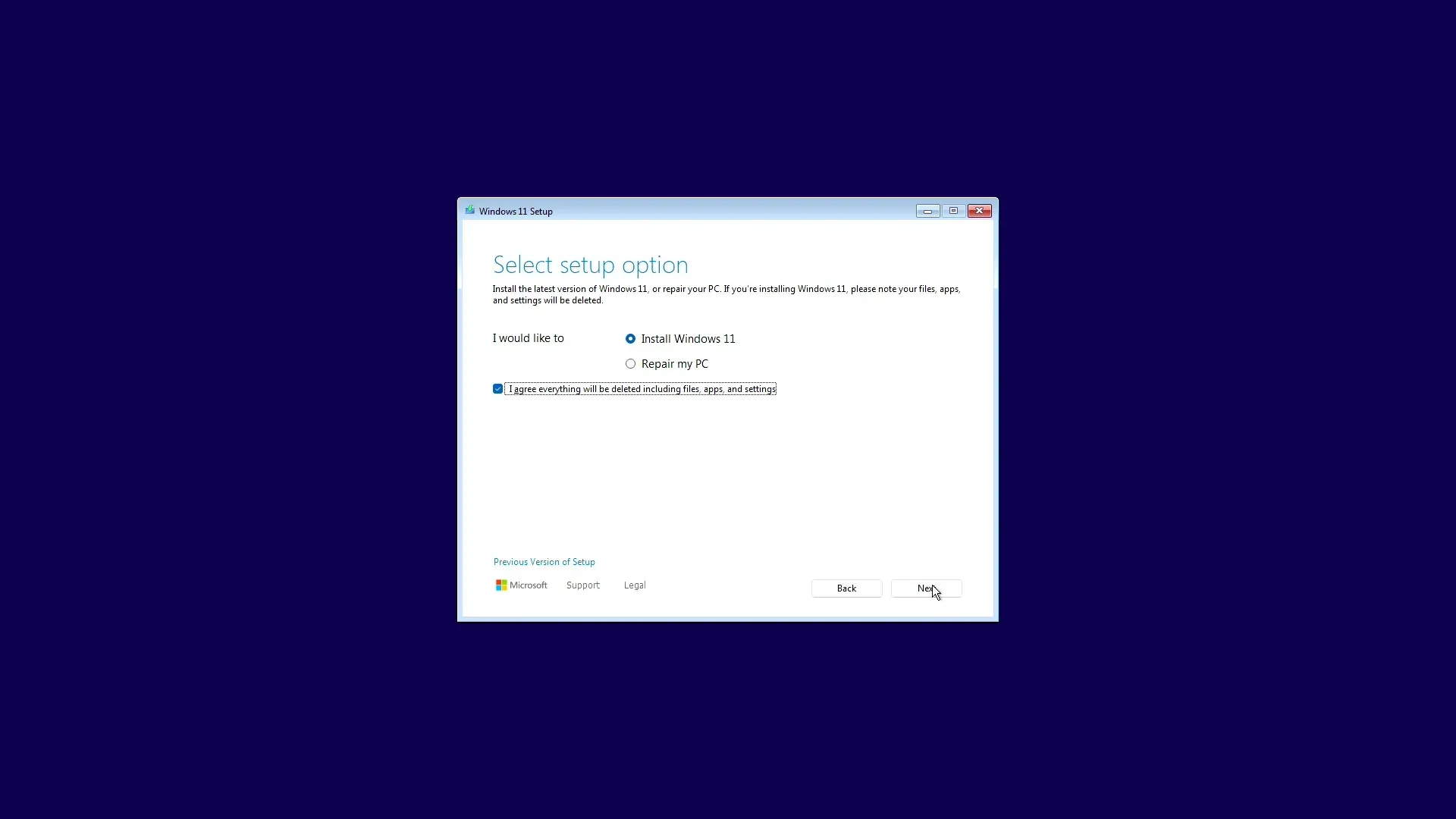


Microsoft ने चुपचाप Windows 11 में एक क्वालिटी-ऑफ-लाइफ फीचर जोड़ा है, जिसकी मांग PC बिल्डर्स और लैपटॉप अनबॉक्स करने वाले लोग सालों से कर रहे थे: पहली बार सेटअप के दौरान अनिवार्य अपडेट्स को स्किप करने की सुविधा।
सबसे पहले AriaUpdated on X द्वारा देखे गए इस नए विकल्प को आउट-ऑफ-बॉक्स एक्सपीरियंस (OOBE) के दौरान देखा जा सकता है। यह आपसे पूछता है कि क्या आप पेंडिंग अपडेट्स को तुरंत पूरा करना चाहते हैं या उन्हें बाद के लिए टालना (defer) चाहते हैं। 'Defer' विकल्प चुनने पर आप एक कन्फर्मेशन स्क्रीन पर पहुँचते हैं जहाँ दो विकल्प मिलते हैं: Update Later या Complete Updates Now। बस इतना ही। न कोई छिपी हुई सेटिंग्स, न कोई रजिस्ट्री एडिट, बस एक सीधा-साधा प्रॉम्प्ट।

कोड TRYHARD33 का उपयोग करें और ऑफर समाप्त होने से पहले इसका लाभ उठाएं।
GAMES+ सब्सक्रिप्शन पर 33% की छूट पाएं
30-मिनट की समस्या जिसका आखिरकार समाधान मिल गया
जिसने भी पिछले कुछ सालों में नया Windows PC सेटअप किया है, वह इस रूटीन को जानता है। आप मशीन ऑन करते हैं, शुरुआती सेटअप विजार्ड पूरा करते हैं, और फिर अपडेट्स की एक ऐसी दीवार से टकराते हैं जिसमें आपके इंटरनेट कनेक्शन और डिवाइस के बॉक्स में रहने की अवधि के आधार पर 30 मिनट से लेकर एक घंटे से भी ज्यादा का समय लग सकता है। लॉन्च के बाद से Windows 11 में अपडेट्स की संख्या काफी बढ़ गई है, इसलिए यह इंतज़ार समय के साथ और लंबा होता गया है।
इस फीचर के हालिया हार्डवेयर पर काम करने की पुष्टि हो चुकी है। Gigabyte Aero X16 गेमिंग लैपटॉप को फैक्ट्री रिसेट करने पर सेटअप के दौरान Update Later प्रॉम्प्ट दिखाई दिया। यह विकल्प 2025 के हार्डवेयर पर लाइव है, जिससे पता चलता है कि इसे व्यापक रूप से रोल आउट किया जा रहा है, न कि केवल विशिष्ट डिवाइस कॉन्फ़िगरेशन तक सीमित रखा गया है।
अपडेट फ्रिक्शन पर Microsoft के बड़े पुश का हिस्सा
यह बदलाव अकेले नहीं आया है। Microsoft में Windows + Devices के एग्जीक्यूटिव वाइस प्रेसिडेंट Pavan Davuluri ने मार्च 2026 में एक रणनीति की रूपरेखा तैयार की थी, जिसका फोकस "Windows Updates से होने वाली रुकावटों" को कम करने पर था। साल की शुरुआत में, Davuluri ने 2026 के दौरान सिस्टम परफॉरमेंस और रिलायबिलिटी से जुड़ी ग्राहकों की लगातार शिकायतों को दूर करने का भी वादा किया था।
सेटअप स्किप का यह विकल्प Windows 11 को ChromeOS और macOS के फर्स्ट-बूट एक्सपीरियंस के करीब लाता है, जो लंबे समय से यूज़ेबल डेस्कटॉप तक पहुँचने का तेज़ रास्ता प्रदान करते हैं। इस मोर्चे पर Windows और उसके प्रतिस्पर्धियों के बीच का अंतर एक बार-बार उठने वाली आलोचना रही है, और Microsoft इसे गंभीरता से लेता दिख रहा है।
PC गेमर्स के लिए इसका क्या मतलब है
जो कोई भी नया रिग (rig) बना रहा है या हार्डवेयर अपग्रेड के बाद Windows को रीइंस्टॉल कर रहा है, उसके लिए यह वाकई में समय बचाने वाला है। पुराना फ्लो आपको या तो अपडेट प्रोसेस के दौरान इंतज़ार करने पर मजबूर करता था या फिर आपको वहां से हटकर वापस आना पड़ता था, जो तब बहुत निराशाजनक होता था जब आप बस कोई बेंचमार्क रन करना चाहते थे या गेम में जंप करना चाहते थे।
इंस्टॉलर उन लोगों के लिए एक छोटा सा सांत्वना विकल्प देता है जो अपडेट्स के दौरान इंतज़ार करते हैं: समय बिताने के लिए Microsoft Edge's Surf गेम उपलब्ध है। लेकिन 30 मिनट के इंतज़ार के बदले एक इन-बिल्ट ब्राउज़र गेम कभी भी अच्छा सौदा नहीं था।
Windows इंस्टॉल की स्पीडरनिंग (speedrunning) सालों से एक नीश हॉबी रही है, और Windows 10 के दौर में कुछ वाकई प्रभावशाली टाइम रिकॉर्ड्स बने थे। Windows 11 ने इसे और कठिन बना दिया था, इसलिए तेज़ सेटअप प्रोसेस की दिशा में कोई भी कदम उस क्राउड के लिए अच्छी खबर है।
PC गेमिंग हार्डवेयर और सॉफ्टवेयर के बारे में अधिक जानकारी के लिए, हमारी साइट पर latest gaming news देखें। Microsoft के अपडेट बदलावों पर नज़र रखना ज़रूरी है क्योंकि कंपनी साल भर Windows 11 में क्वालिटी-ऑफ-लाइफ सुधार जारी रख रही है, और परफॉरमेंस व रिलायबिलिटी फिक्स अभी भी पाइपलाइन में बताए जा रहे हैं।