

Running a hotel sounds relaxing until your cleaners run out of towels, your chef can't find ingredients, and a critic shows up to review a half-built floor. Hotel Architect drops you into hotel management with a lot of moving parts, and the early game punishes players who try to expand too fast or ignore their staff. These tips cover the mechanics that matter most in those first few hours, so you spend less time firefighting and more time actually building something worth a 5-star rating.
What upgrades should you get first?
The upgrade menu can feel overwhelming early on, but one combination pays off faster than anything else: Large Construction Crew paired with at least two Worker Speed upgrades. Those two Worker Speed upgrades push construction speed to 140 percent, and combined with the larger crew, new floors and zones go up noticeably faster.
Construction in Hotel Architect is not instant. Workers physically build everything, from new foundations to room equipment to decorations, and that takes real in-game time. Getting those workers moving faster means new revenue-generating rooms come online sooner, which more than covers the upfront cost even when cash is tight.
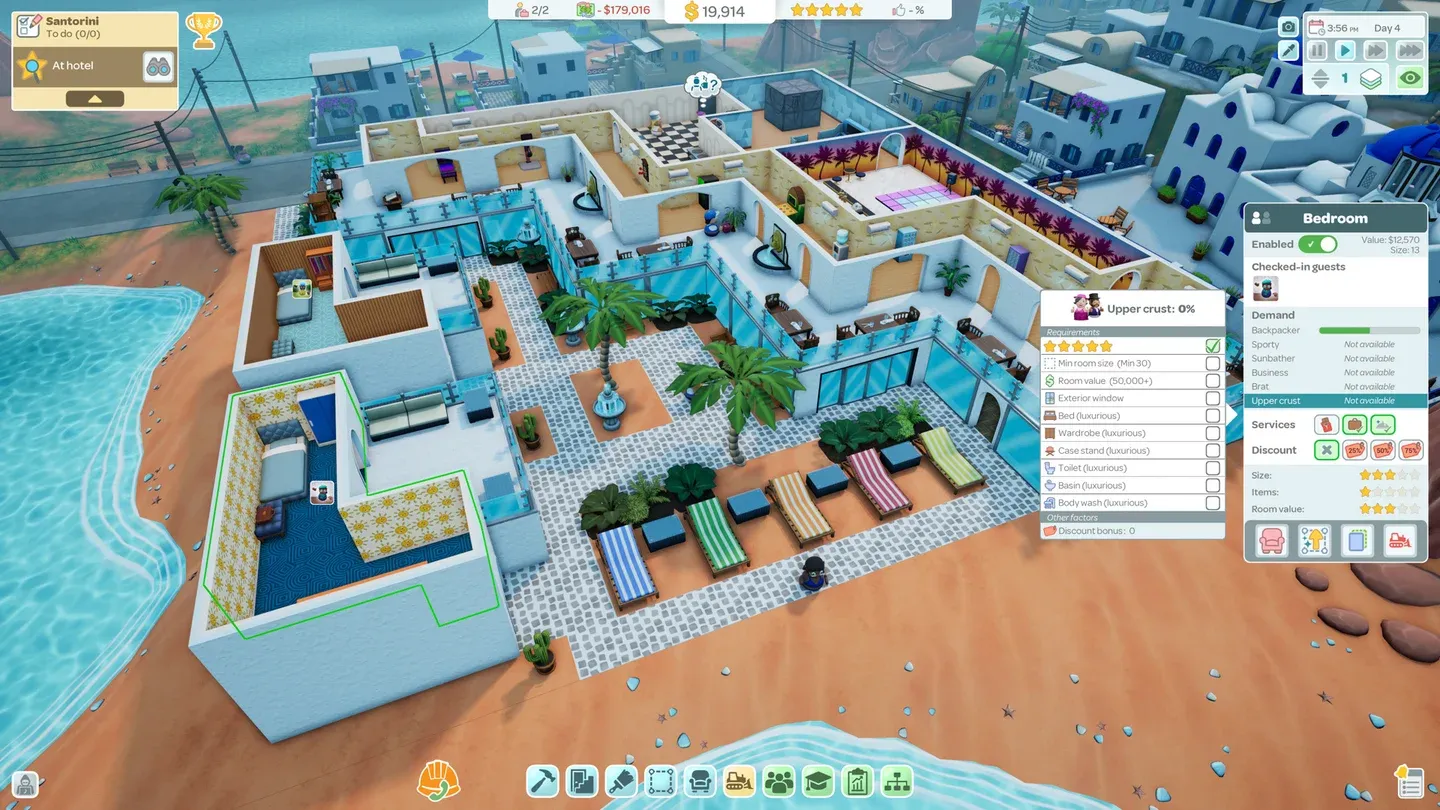
Prioritize construction upgrades first
Why you should keep early builds small
The temptation to lay down a huge expansion early is real, but there is no way to tell your construction crew to prioritize one section over another. If you queue up too many projects at once, workers spread across all of them, everything takes longer, and you end up short on key facilities while guests are already checking in.
Before placing any construction, drop a Material Supply near the main build area first. Waiting for that to be built after you have already started other projects means losing out on its benefits from the start. Build in small, deliberate sections and make sure each one is complete and functional before moving on.
This matters even more before you have unlocked the larger construction crew upgrades. Overbuilding with a small crew is one of the fastest ways to tank your Guest Review Score in the early scenarios.
How does the Guest Review Score system work?
Your goal in Hotel Architect is a 5-star hotel, and that rating comes from positive reviews by both regular guests and critics. The Guest Review Score panel opens from the thumbs-up icon on the upper bar, next to your current Star Level. It shows the most recent critic score and all recent guest ratings.
Each review breaks down your hotel into specific categories. The color coding gives you a quick read on performance: 80 percent and above shows green, around 60 percent goes yellow, and it drops through orange to red at the low end. If the colors are hard to read, hovering over any category in a guest review displays the exact percentage. Hotel Architect does not currently include colorblindness options, so that hover tooltip is the most reliable way to get precise data.
Use those category breakdowns to direct your next upgrade or build. A red Cleanliness score tells you more than a general sense that something is wrong.
Don't skip staff facility upgrades
Each scenario focuses on a particular type of guest, and it is easy to funnel all your early effort into satisfying that guest type directly. The better move is to upgrade your staff facilities first.
Most staff rooms support equipment upgrades, and faster staff means cleanliness stays consistent, towels and sheets get restocked before they run out, and trash does not pile up between critic visits. Once you have ten or more rooms running, a slow laundry cycle or an understocked supply closet creates problems across the whole hotel simultaneously.
How does the Notification Log help you manage your hotel?
As your hotel grows, small problems stop announcing themselves loudly. A broken air conditioner on floor three, a chef who cannot source an ingredient, a guest complaint that did not trigger a popup because you were looking at something else. These things pile up quietly.
The Notification Log sits in the bottom right corner of the screen, marked by a paper and bell icon. It records every minor and major event in your hotel chronologically. Checking it regularly lets you catch issues before they affect your review scores. Many entries also include a binocular zoom option that jumps the camera directly to the problem, which saves a lot of time on larger properties.
Should you use Sandbox or Free Play to learn the game?
Yes, and sooner rather than later. The scenario tutorials introduce mechanics gradually, but they also start you with pre-built hotels and limited cash, which constrains what you can experiment with.
Sandbox Mode is accessible from the main menu and lets you set the location, starting cash, and whether commands are active. Free Play works similarly but places you on one of the existing scenario maps starting from an empty lot, so you deal with the same environmental conditions (temperature included) without the scenario constraints.
One important note: Free Play does not maintain a separate save list from scenario saves. Sandbox does have its own separate save files. Be careful not to overwrite a scenario save when saving a Free Play session.
Both modes give you the space to test layouts and mechanics without financial pressure. If a system confuses you in a scenario, a quick Sandbox session is the fastest way to figure it out.
Set up a Maintenance Room before anything else in Freeplay
Building from scratch in Freeplay or Sandbox is a different challenge from running a scenario hotel. There is no existing workflow to fall back on, so missing a foundational room causes problems fast.
The Maintenance Room is the most important room to place early. Maintenance workers handle restocking for the Restaurant, Bar, drink and snack machines, and the towels and sheets your cleaners need. Without it running from the start, supply shortages ripple across every area of the hotel simultaneously.
How does the upgrade tier system work?
Upgrade points come from guests checking out, and each guest type feeds a specific tier. Spending those points incorrectly is permanent, since there is no confirmation box and no undo.
Points from a higher tier can be spent on lower-tier upgrades, but not the other way around. The trap is accidentally burning Tier 4 or Tier 5 points on something in Tier 1 or 2 because you clicked without thinking. There is no confirmation prompt to catch the mistake. Spend high-tier points in their own tier first, and only push them down if you have genuinely exhausted the relevant options.
Build smarter from the start
Hotel Architect rewards players who think a few steps ahead rather than reacting to problems after they happen. Prioritize construction speed early, keep builds manageable, watch your review scores by category, and keep your staff facilities in good shape. The upgrade tier system has a real cost to getting wrong, so take a second before spending points you cannot recover.
For more strategies across every scenario and mechanic, the Hotel Architect guides collection covers the deeper systems as your hotel grows. Hotel Architect sits comfortably among the better simulation games available right now, and with the right foundation, getting to that 5-star rating is genuinely satisfying.