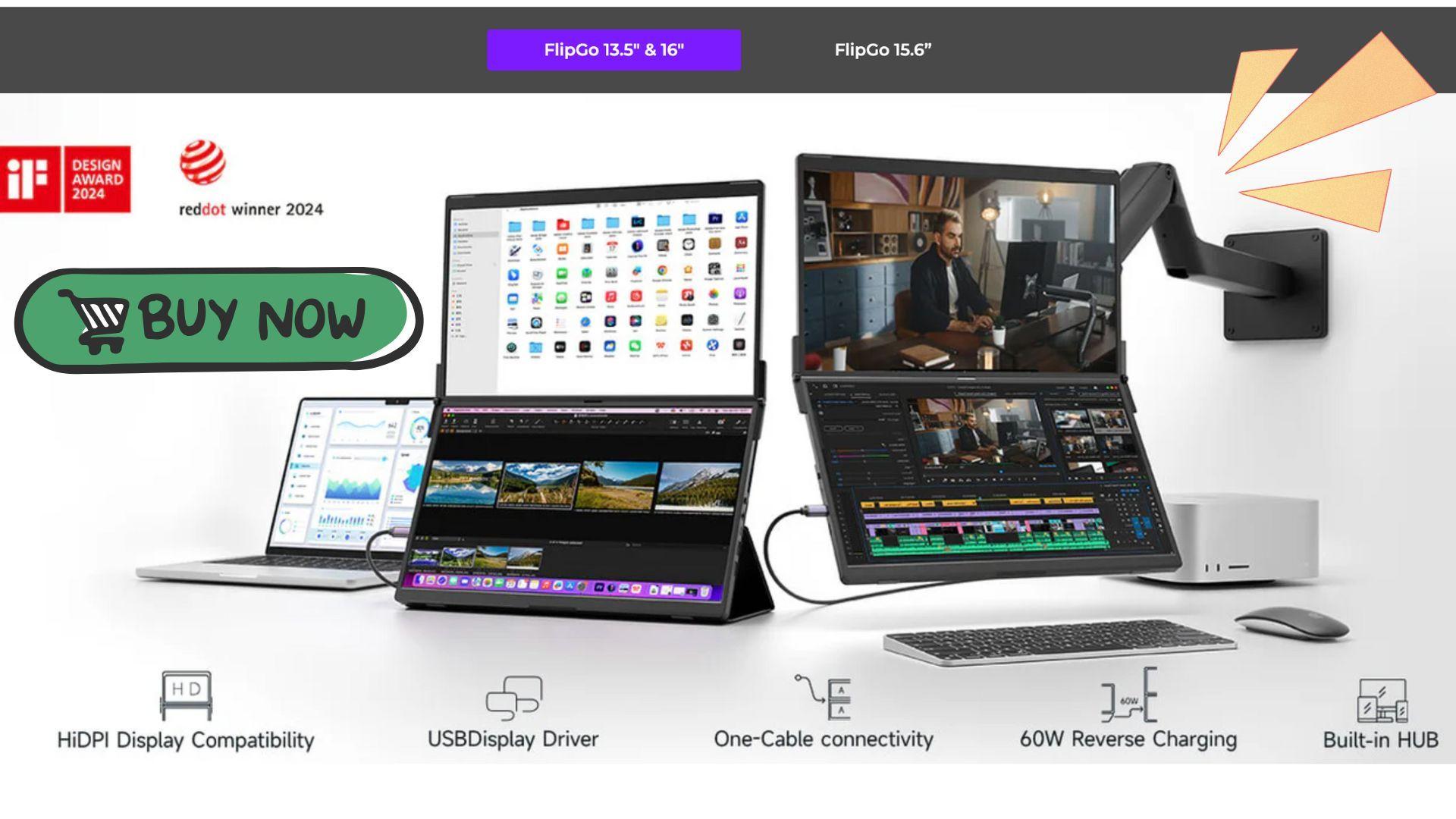


Portable monitors usually focus on adding a bit of space to a laptop. The JSAUX FlipGo Pro 13.5 takes a different direction by stacking two displays vertically into a foldable unit. Instead of behaving like a simple side panel, it aims to provide a compact desktop-style workspace that can travel between rooms, studios, and short commutes.
For gamers, streamers, and creators who move between setups, the FlipGo Pro 13.5 prioritizes flexibility and productivity over raw gaming performance. In practice, it feels less like an accessory and more like a mobile workstation.

Use code TRYHARD33 at checkout to redeem this offer before code expires again.
Get 33% Off GAMES+ Subscription
A Foldable, Stacked Display Design
The FlipGo Pro 13.5 uses two vertically stacked 13.5-inch IPS panels connected by a hinge so the unit folds closed like a book. When opened, the displays form a tall, square-like workspace that reduces side-to-side head movement compared to ultrawide layouts. JSAUX uses ultra-narrow bezels to visually connect the panels, helping the two screens feel more unified.
The 13.5-inch model is more compact and travel-friendly than larger versions. It fits easily into most backpacks and is practical for moving between rooms or setting up temporary workspaces on a couch, kitchen table, or balcony. It is still heavier than a single-panel portable monitor, but manageable for short travel and flexible home use.
Display Performance for Gaming Workflows
The FlipGo Pro 13.5 is built around productivity-focused specs rather than competitive gaming targets. It offers a combined resolution of 2256 × 1504 across its stacked layout, a 60Hz refresh rate, and full 100 percent sRGB color coverage. Brightness reaches up to 500 nits, paired with a matte finish that reduces glare in bright environments.
For gaming-related workflows, this makes the FlipGo Pro 13.5 a strong companion screen. It works well for Discord, OBS, capture previews, browsers, guides, timelines, and editing tools. The extra vertical space is especially useful for scripts, chat feeds, and long documents that benefit from height instead of width.
It is not designed to replace a high-refresh gaming monitor, but it integrates well into gaming and creator ecosystems around the main display.
FlipGo Pro 13.5 Specifications
Below is a summary table of the core display specifications for the JSAUX FlipGo Pro 13.5.
The 3:2 screen ratio combined with the stacked layout supports vertical workflows such as writing, coding, research, and timeline editing.
Touch Support and Interaction
The FlipGo Pro 13.5 includes dual-screen touch and gesture support on both macOS and Windows. Each panel functions as a touchscreen, allowing users to tap, scroll, zoom, and interact directly with apps.
It can also act as a secondary touchpad for MacBook users, extending gesture control beyond the built-in trackpad. For creators, this makes it easier to scrub timelines, move windows, browse sources, and manage tools without relying entirely on a mouse or keyboard.
Touch does not affect how games play on the display, but it improves how launchers, editors, browsers, and streaming software are handled around gaming workflows.
The Reality of the Center Seam
Because the FlipGo Pro 13.5 is physically two displays, a slim seam runs through the center. In productivity use, it fades into the background quickly. Keeping different apps on each screen feels natural for writing, research, editing, and stream control.
Using the FlipGo Pro in portrait orientation makes the seam even less noticeable. The tall layout suits scripts, timelines, and long-form content, and the hinge line becomes less distracting.
Where the seam is more obvious is in entertainment. Stretching a game or video across both panels highlights the break, reinforcing that the FlipGo Pro works best when each screen has its own role.
One-Cable Setup, Power, and Ports
The FlipGo Pro 13.5 supports UltraView and DuoViews modes. UltraView treats the stacked panels as one large display, while DuoViews splits them into two independent monitors. Switching between modes is handled with a physical button on the unit.
A single USB-C cable can power and drive both screens from a laptop, making setup quick and clean. When connected to external power, the FlipGo Pro can charge a laptop at up to 60W and unlock higher brightness levels. Without the included 65W adapter, brightness is limited, and pushing too far can cause the display to reset.
Ports include USB-C, two USB-A ports that function as a hub when powered, and a mini HDMI input for wider device compatibility. On macOS, DuoViews requires DisplayLink software, while UltraView works more directly.
Stands, Case, and Everyday Use
The FlipGo Pro 13.5 does not include a built-in kickstand. Instead, the package includes a stand holder and a leather folio protective case that folds into a travel stand. JSAUX also supports magnetic pedestal stands and VESA mounting for arm setups.
This modular approach keeps the screen flexible for desk, couch, and travel use, though it adds a bit of setup time compared to monitors with integrated stands. The body also tends to collect fingerprints during transport and setup, which is noticeable but cosmetic.
What Comes in the Box
The FlipGo Pro 13.5 ships with a complete accessory kit. Inside the box are the FlipGo display, a USB 4.0 USB-C cable (0.8m), a mini HDMI to HDMI cable (1.2m), a 65W USB-C charger with US, UK, and EU plugs, a stand holder, and a leather protective folio case.
This makes the monitor usable out of the box with most laptops and desktops without extra adapters.
Where It Fits in Gaming and Creator Setups
The FlipGo Pro 13.5 works best as a productivity and control surface around games rather than the place where games are played. Streamers can keep OBS, chat, alerts, and browsers visible. Editors can manage timelines and previews. Writers and researchers can stack sources and scripts vertically.
Paired with a laptop, it creates a much larger mobile workstation than most portable monitors offer. Paired with a compact desktop, it enables quick studio builds in non-traditional spaces without sacrificing screen real estate.
Its value comes from space and flexibility, not frame rate.
Trade-Offs to Know
The FlipGo Pro 13.5 needs external power for full brightness, USB hub features, and laptop charging. The center seam limits immersive gaming and video playback. It’s portable, but not ultra-light. The surface also picks up fingerprints easily.
These trade-offs don’t undermine its purpose, but they define it as a productivity-first display within gaming and creator environments.
Final Verdict
The JSAUX FlipGo Pro 13.5 turns the idea of a portable monitor into a compact, stacked workstation. With dual screens, touch support, a 3:2 layout, and a flexible one-cable setup, it gives gamers and creators a practical way to expand their workspace beyond a single laptop display.
It won’t replace a high-refresh gaming panel, and it’s not built for minimalist travel, but for players, streamers, writers, and editors who want a larger, movable workspace for tools and multitasking, the FlipGo Pro 13.5 delivers a balanced mix of portability and productivity. When you purchase through links on our site, we may earn an affiliate commission. You can learn more here: https://jsaux.com/products/flipgo-portable-dual-monitor
Make sure to check out our articles about top games to play in 2026:
Best Nintendo Switch Games for 2026
Best First-Person Shooters for 2026
Best PlayStation Indie Games for 2026
Best Multiplayer Games for 2026
Most Anticipated Games of 2026
Top Game Releases for January 2026
Frequently Asked Questions (FAQs)
What is the JSAUX FlipGo Pro 13.5?
It’s a dual portable monitor with two stacked 13.5-inch displays that fold into a single unit for mobile productivity and creator setups.
Is the FlipGo Pro 13.5 good for gaming?
It works best as a secondary screen for gaming. The 60Hz refresh rate and center seam make it better for chat, OBS, guides, and editing than for playing games directly.
Does the FlipGo Pro 13.5 support touch?
Yes. Both screens support touch and gestures on macOS and Windows and can also function as an extended touchpad for MacBooks.
Can one cable run both screens?
Yes. A single USB-C cable can power and drive both displays. With external power connected, it can also charge your laptop and reach full brightness.
What’s included in the box?
You get the FlipGo display, USB-C cable, mini HDMI to HDMI cable, 65W charger with US/UK/EU plugs, stand holder, and a leather folio case.
Can the two screens work separately?
Yes. DuoViews mode lets each panel act as its own monitor. On macOS, this requires DisplayLink software.
Is the center seam distracting?
For productivity, it blends in when windows are split. For full-screen video or gaming, it’s more noticeable.
How portable is the FlipGo Pro 13.5?
It fits in a backpack and is more travel-friendly than larger models, but it’s heavier than single-panel portable monitors and best for short travel and flexible setups.