
Pokemon Champions launched globally this week, and if you were expecting to jump straight into battle with your carefully collected roster from Pokemon Home, there is a small but important hurdle standing in the way.
The connection between Pokemon Home and Pokemon Champions does not work the way most players assume. You cannot initiate the transfer from inside Champions. The game will prompt you with a pop-up telling you a Pokemon Home account needs to be linked, and then leave you to figure out the rest. Here is the lowdown on what is actually happening and why the process works the way it does.
Why the transfer process runs through Pokemon Home, not Champions
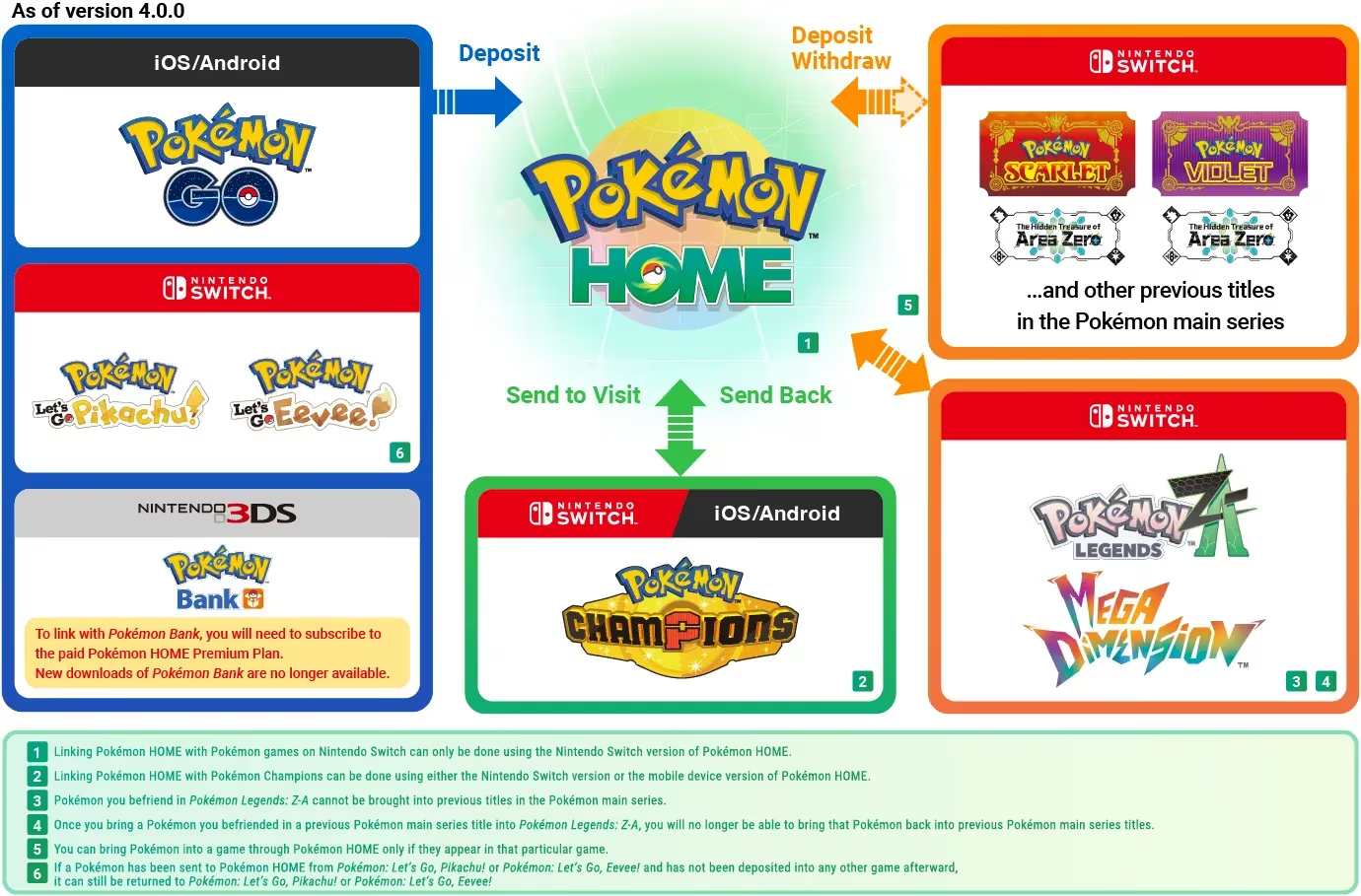
The Pokemon Home version 4.0.0 update added official support for Pokemon Champions alongside Pokemon Legends: Z-A, making Home the central hub for moving Pokemon across the franchise. That design choice is intentional. Pokemon Home functions as the connective tissue between games, which means all transfer logic lives there rather than inside Champions.
The practical consequence is a two-stage process. First, you link the accounts. Second, you select which Pokemon are allowed to visit Champions. Both stages happen inside Pokemon Home on your Nintendo Switch, not inside Champions itself.
danger
The account connection must be completed before attempting any transfers inside Pokemon Champions. Skipping straight to the Recruit menu will only produce the error pop-up.
Connecting the accounts on Nintendo Switch
Close Pokemon Champions entirely before starting. Open Pokemon Home and sign in to your account. Once inside, select the Pokemon Champions icon in the bottom-right corner of the screen. Confirm that the account shown matches your Champions profile, and the connection is complete.
The whole process takes under two minutes assuming your accounts are already set up. The main friction point is remembering to do it from inside Home rather than Champions.
Selecting Pokemon to send over
Account linking alone does not move any Pokemon. You still need to designate which ones are allowed to visit Champions, and that selection also happens inside Pokemon Home.
Back in Home, select the Pokemon Champions icon again. Choose the specific Pokemon you want available in Champions, confirm your selections, then exit Home entirely. From there, open Pokemon Champions, head to the Recruit option on the main menu, choose the Pokemon Home transfer option, and select the Pokemon you want to bring into the game.
The word "visit" is worth noting here. Pokemon transferred this way are not permanently relocated. The framing suggests they remain tied to your Home account, which lines up with how Pokemon Home has historically managed cross-game compatibility since its launch back in 2020.
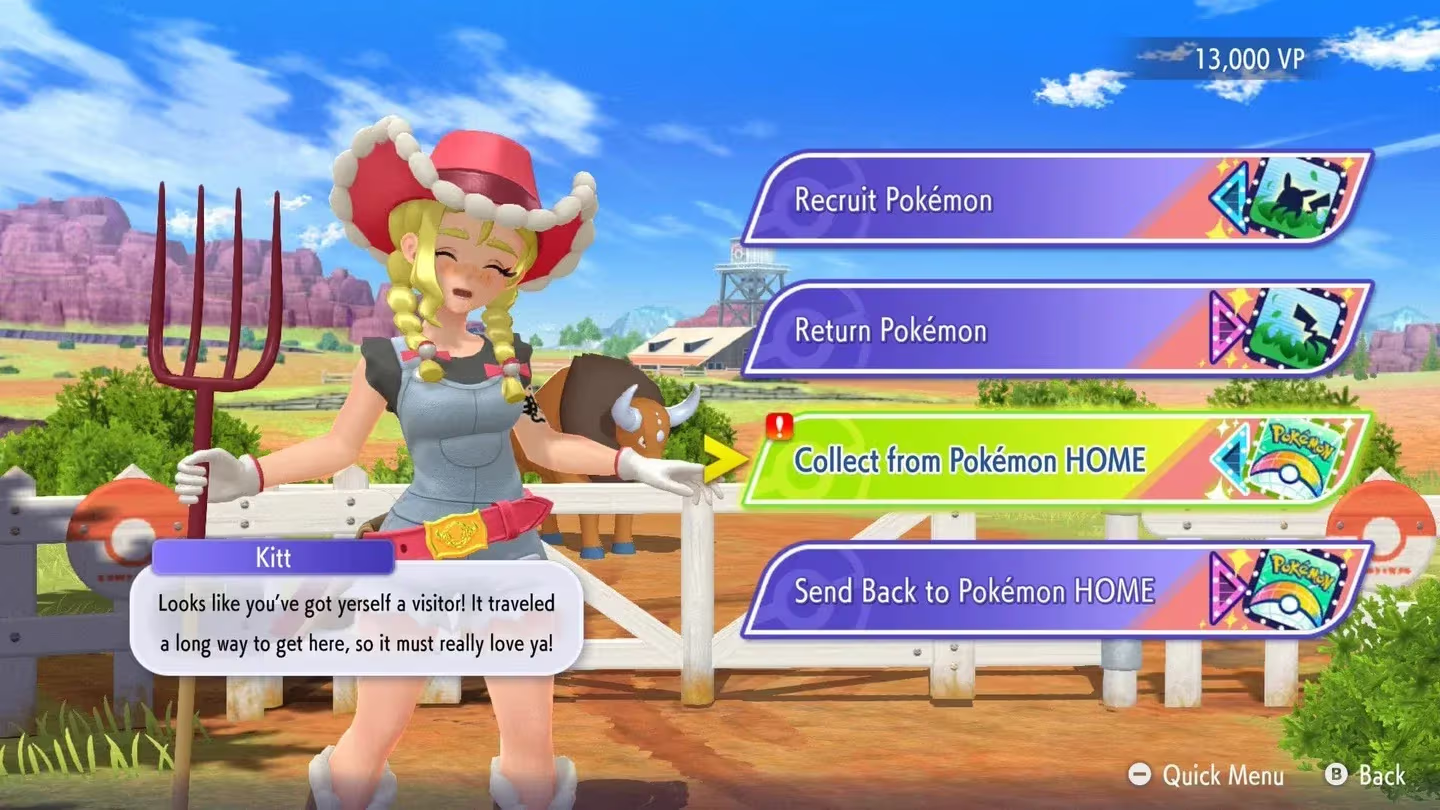
Recruit menu transfer option
What this means for competitive players
Pokemon Champions is positioned as a major shake-up to the competitive scene, and the Home connection is the feature that makes years of collection work actually matter. Players who have been building out their Home storage across Scarlet, Violet, and earlier titles now have a direct path to bring those Pokemon into a dedicated competitive environment.
The two-step process adds a bit of friction, but it is a one-time setup. Once the accounts are linked, future transfers only require the selection step inside Home. For players who want to dig deeper into the mechanics and history behind the transfer system, you can browse more guides covering Pokemon Home and the broader franchise on our site. Make sure to check out more: