Search games, articles, guides...CtrlK
Sign InGet Started
Master Paralives object transformation with double-click scaling, advanced transform tools, free rotation, and stacking tips.

Written by Larc
Content Writer
See more GAMES.GG guides on Google
Add us as a preferred source and our guides show up first in your results.
Paralives Music Skill Guide: Level Up Guitar, Piano, and Triangle Fast
Master the Music Knowledge Skill in Paralives and level up guitar, piano, and triangle faster with every method explained.
Paralives Museum Collectibles Guide: All Donations and Rewards
Every collectible, donation milestone, and reward for the Paralives museum explained, with full lists of mushrooms, gems, artifacts, and paintings.
Paralives Personality System: How to Level Up Traits and Talents
Learn how Wants, Life Goals, and Personality Points work in Paralives to unlock powerful social perks and talent upgrades.
One of the first things that surprises players coming to Paralives from older life sims is that furniture doesn't have to fit the room. The room fits the furniture. Every object in Build Mode can be stretched, shrunk, rotated, or repositioned with a level of control that most games in the genre have never attempted. A standard single bed can become a California King. A small potted plant can grow into an indoor tree. A kitchen counter can be nudged into an awkward corner alcove without a single red error tile in sight.
This guide walks you through every layer of the object transformation system, from the basic double-click resize workflow to the hidden Advanced Transform Tool that most players never find.
The entire system lives inside Build Mode, so open your household save and click the Build Mode icon in the main UI panel. Time pauses for your Parafolk, and the full suite of editing tools becomes available.
From there, the process is two clicks:
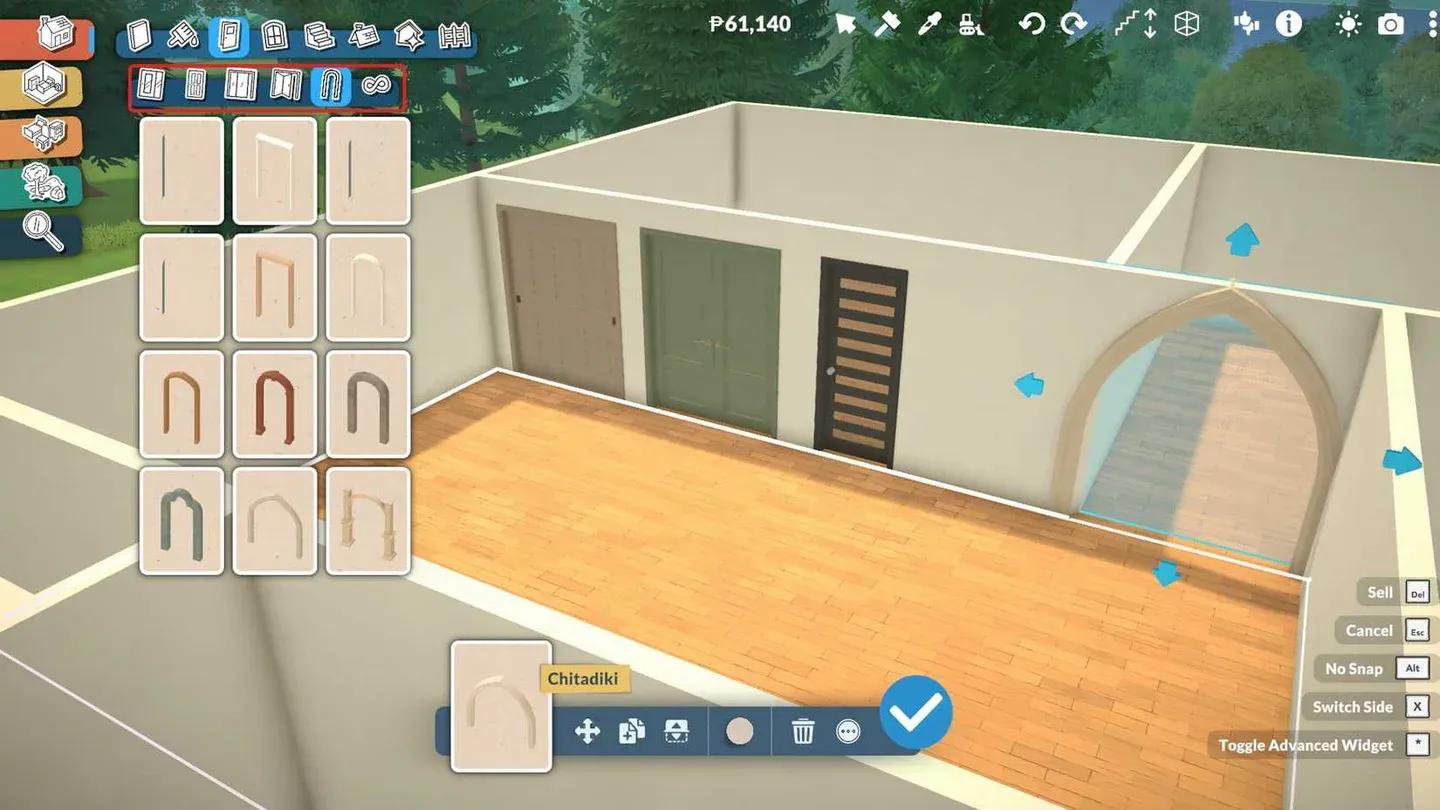
Double-click reveals resize handles
Once the handles appear, each set controls a different axis:
Paralives places no wall-space or room-volume restrictions on this scaling. You can drag handles freely to any dimension, including sizes that span multiple rooms if your layout demands it. The responsibility for keeping things spatially sensible falls entirely to you.
Basic directional scaling covers most situations, but for precise positional control, there's a hidden tool layer that most players never discover.
With an object selected, look at the small utility bar near the blue confirmation checkmark. There's a three-dot menu icon sitting next to it. Click that, and select "Toggle Advanced Transform Tool" from the dropdown.
This activates a full 3D axis gizmo that overrides standard grid snapping entirely. With it active, you can:
This is the tool you want for floating shelves at custom heights, furniture that needs to sit at a slight diagonal, or any situation where the tile grid is working against your design.
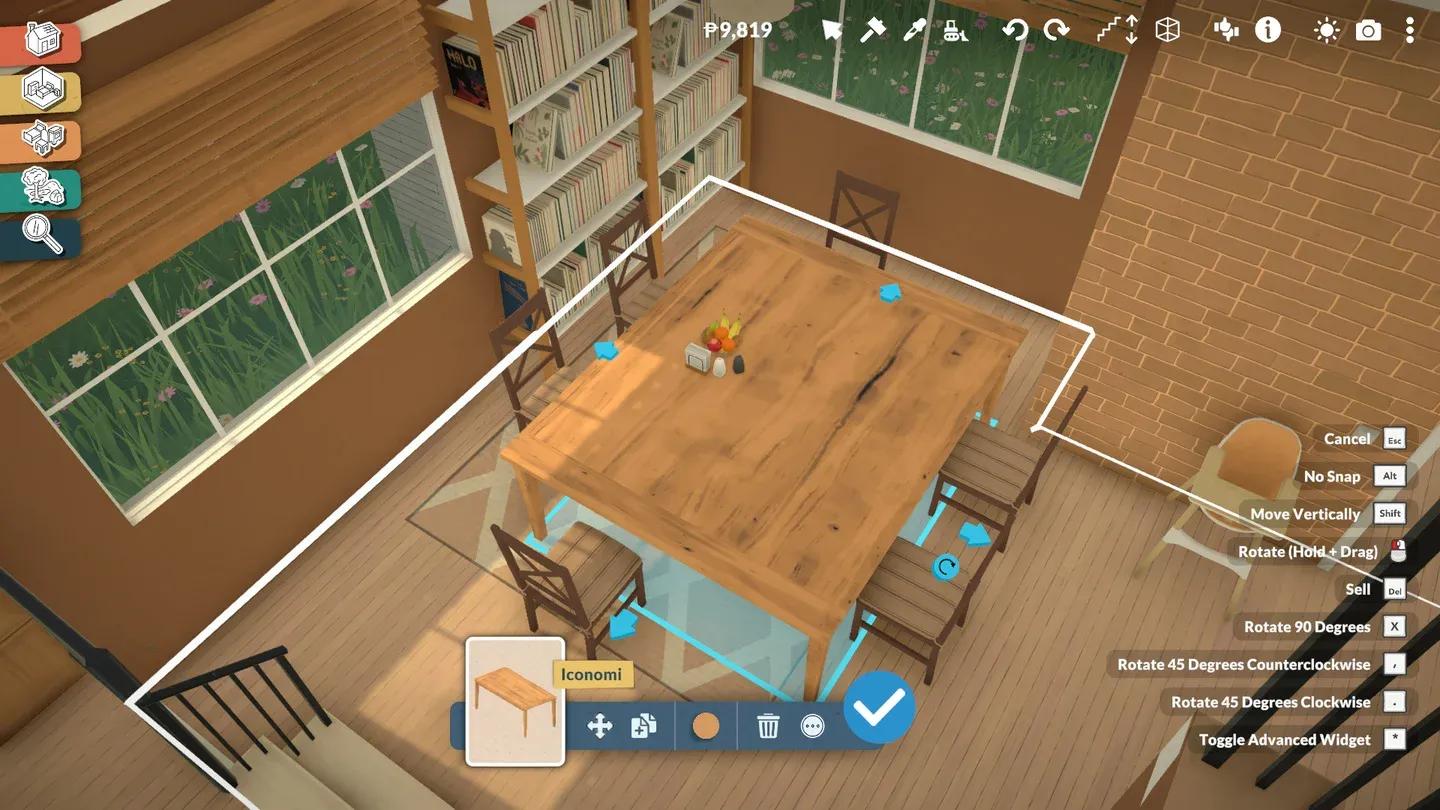
Stacking items on a resized shelf
Yes. The dynamic stacking system scales with the object. If you stretch a wall shelf to twice its original width, the surface boundary expands to match. Books, candles, plates, and storage crates will all snap to the newly created surface area without any extra steps.
The same logic applies to any furniture with a usable top surface. Resize it first, then stack freely.
Object transformation is one layer of a much deeper build system. If you're still getting comfortable with the broader toolset, the Paralives Build Mode guide for beginners covers walls, roofs, terrain tools, and every UI icon in detail. More tips and walkthroughs are collected in the full Paralives guides hub.