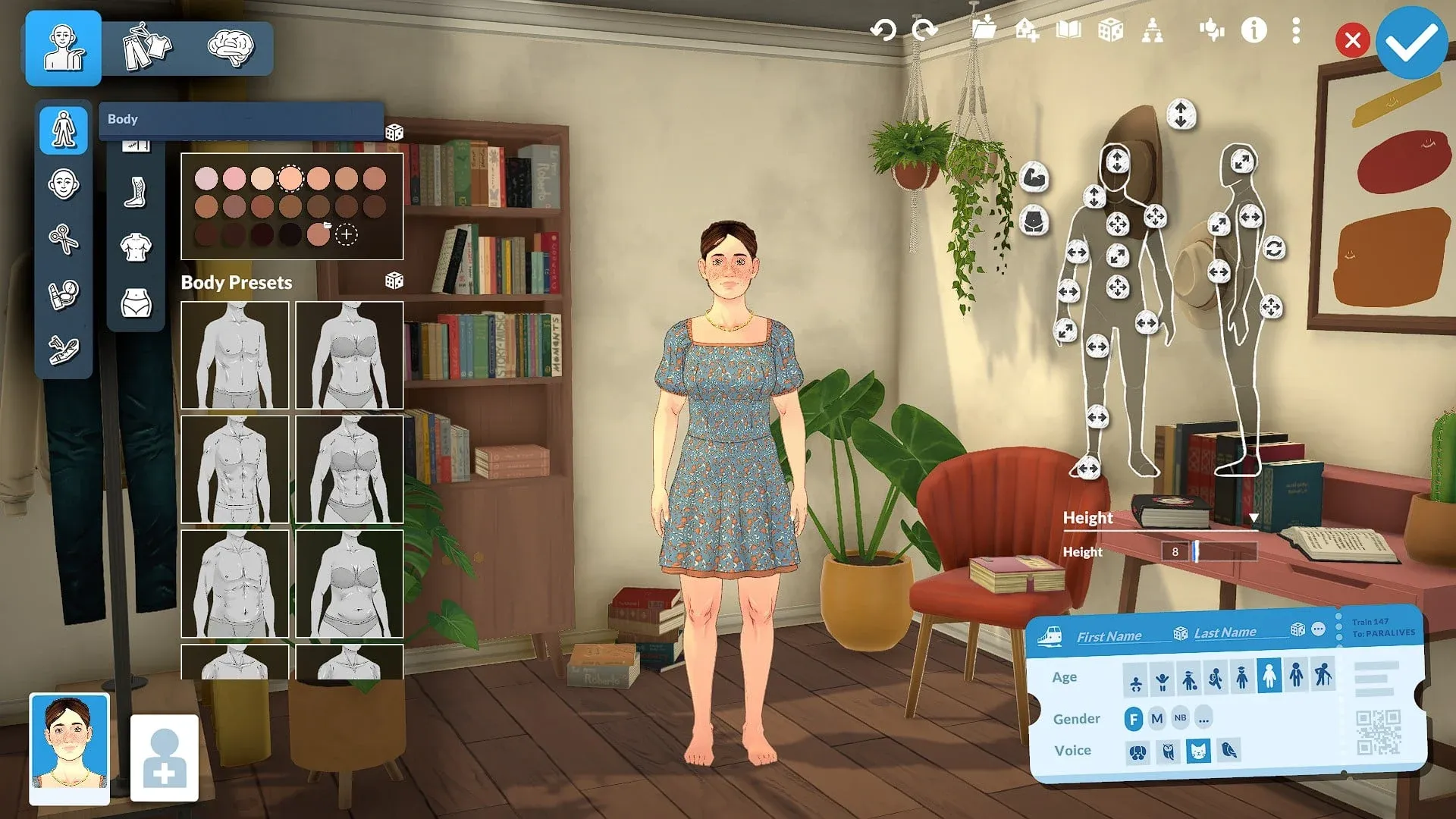


The first thing you do in Paralives is build someone to live in it, and the Paramaker gives you a lot more to work with than it first appears. Body sliders, layered makeup, tattoo repositioning, seven Talent options, polyamory settings, and four distinct outfit slots are all sitting there waiting. This guide covers every tab, every toggle, and a few things most players miss on their first run through.
How does the Paramaker work in Paralives?
When you select Create New Household, the game drops you into the Paramaker with a randomized Para already on screen. You can edit that Para as much or as little as you want. Hit the dice icon to re-randomize at any point, or click the house icon with the + symbol in the upper right to import a saved Household from your Library.
The three main editing tabs sit in the upper left: Appearance, Clothing, and Personality. Name, age, gender, and voice live separately in the train ticket panel at the bottom right.
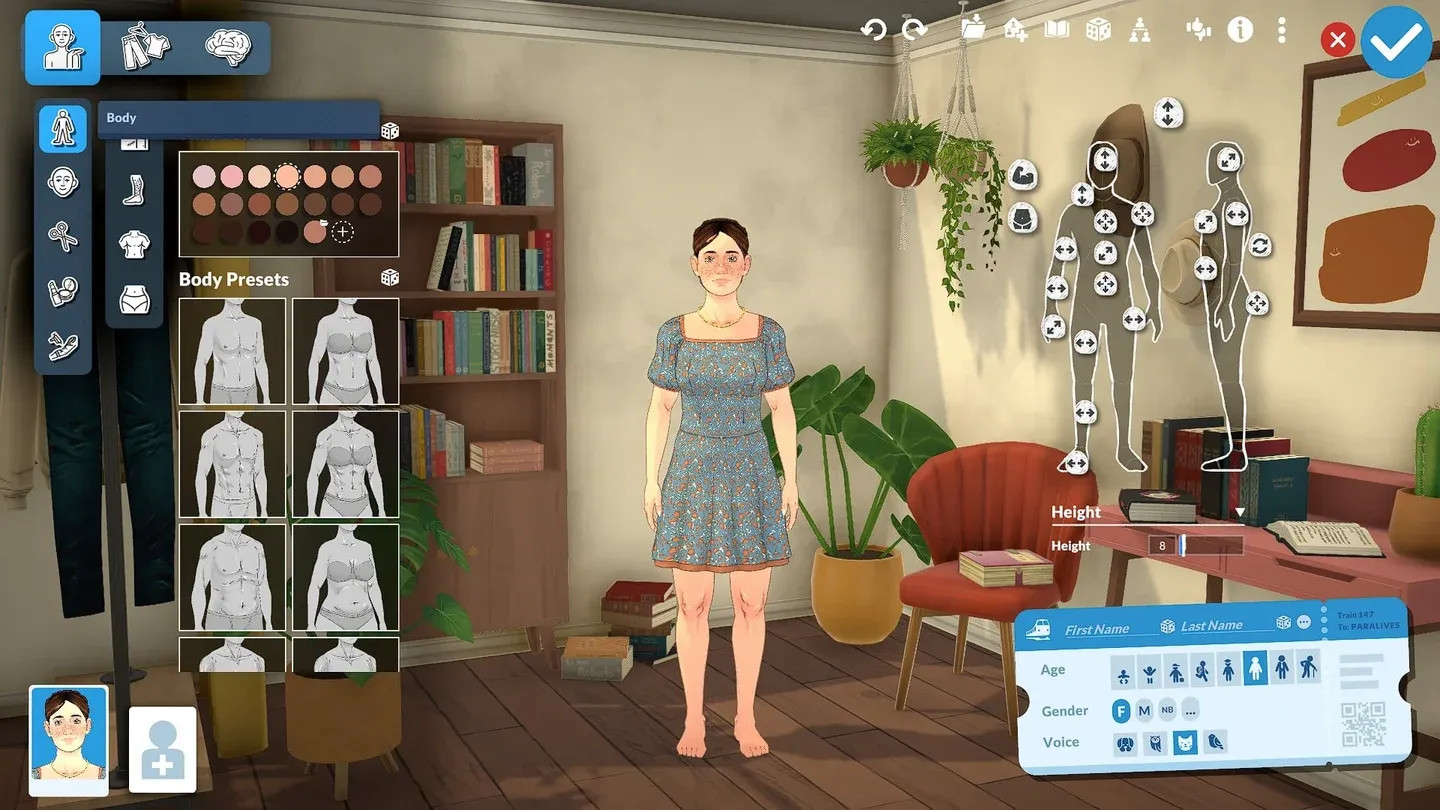
Body sliders in the Paramaker
Appearance
Body
The Body tab offers 12 body presets as a starting point, with sliders on the right for finer adjustments. Beyond shape, you can add moles, scars, body freckles, acne, and birthmarks. Body hair is here too, with an option to match it to your Para's head hair color.
Chest shape and bottom shape are both adjustable independently, which gives you more range than the presets alone suggest.
Face
The Face section handles eye color, eyebrows, eyelashes, nose shape, mouth shape, facial hair, and overall facial structure. Freckles and facial scars are available as additional detail layers. Every feature has presets, and every preset has sliders if none of the defaults land where you want them.
Hair
Hair lengths are sorted into short, medium, long, and tied-up categories. Some styles include variants, like a long style that comes with a bow you can remove if you prefer the cleaner look.
For color, you control three layers independently: the overall color, the tips, and the roots. Click the + icon to create a custom color. To edit a custom color later, right-click it and select Edit.
Makeup
The Makeup tab covers eyeshadow, eyeliner, lipstick, blush, and full-face options including face masks and clown makeup. Each option lets you adjust color and intensity via the circle in the top left of its tile. The detail worth knowing: you can layer multiple items of the same makeup type to build more complex looks.
Tattoos
Currently 11 tattoo designs are available, placeable on the arms, face, chest, back, and legs. After placing a tattoo, the icons in the top left of its tile let you adjust color, scale, and exact position on the body.
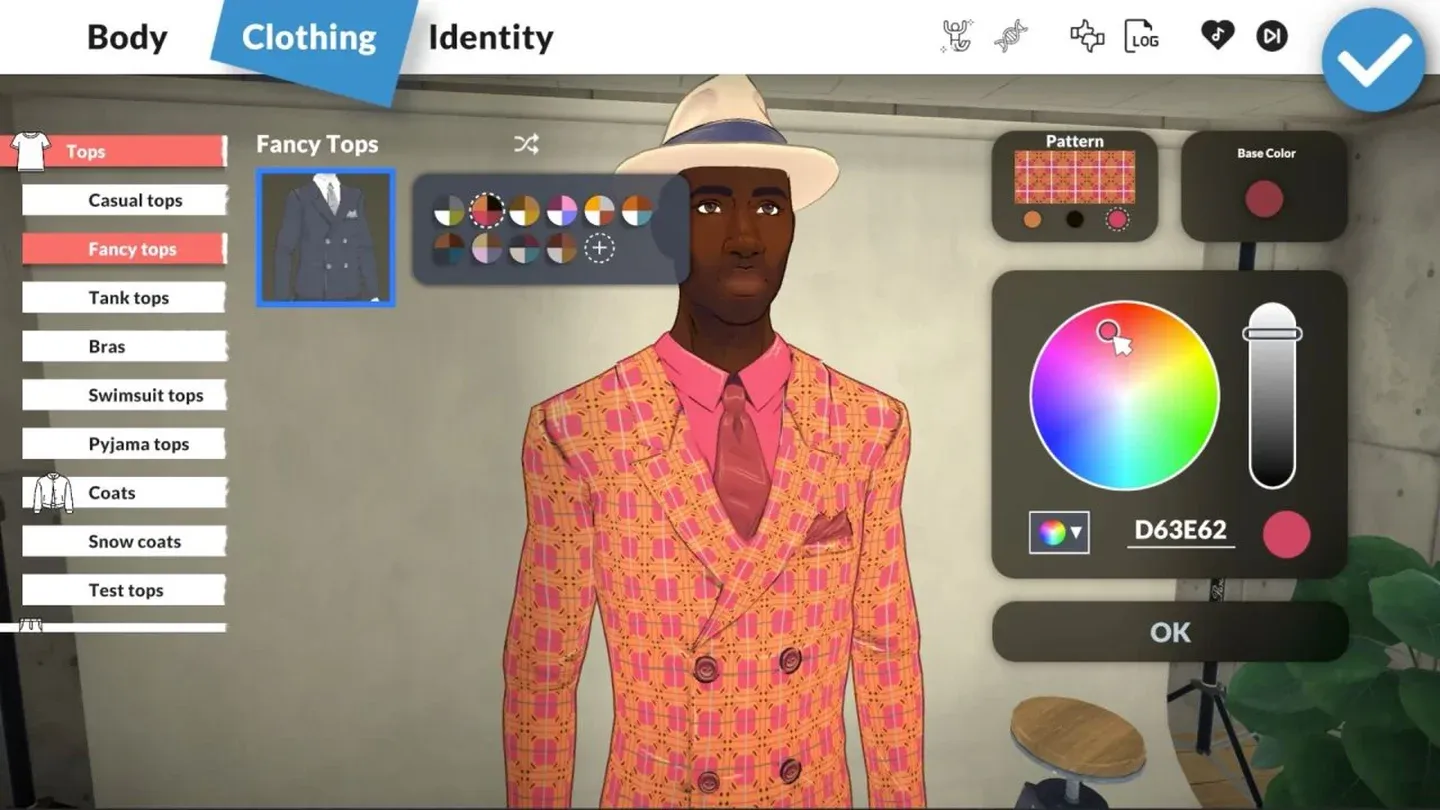
Tattoo placement controls
Clothing
Paralives tracks four separate Outfit slots: Casual, Formal, Workout, and Pajamas. You switch between them on the right side of the Clothing tab. Each outfit is configured independently across six sub-tabs.
A few things to check in the Tops section specifically: some tops can be tucked in or out (look for the shirt icon on the tile), some have layering options for undershirts, and some carry pattern options inside the Color Swatches menu that are easy to miss. The same pattern logic applies to Bottoms.
For jewelry and piercings, you choose which side to place them on, or both. That also applies to certain medical items.
Personality
Stats
At the top of the Personality tab are four stats: Physique, Mind, Creativity, and Charisma. You get 7 points to distribute across all four. Leaving any stat at zero comes with negative effects, so spreading points matters even if you want to specialize.
What Vibe should you pick?
Vibe sets your Para's baseline emotional disposition. The five options each change how your Para experiences and generates emotions:
- Overjoyed: Gets happy easily and spreads that happiness to nearby Parafolk.
- Gloomy: Becomes sad easily, but actually performs best when unhappy.
- Energetic: Has more energy than other Paras, fitting more activity into each day.
- Serious: Happiest when working toward goals, with a strong ambition drive.
- Jester: Built around making others laugh, and permanently gains the Fun Need.
Social Perk options explained
Social Perk governs how your Para handles relationships, both platonic and romantic:
- Good at Being Alone: Gains bonuses from solitude.
- Good at Making Friends: Builds friendships faster.
- Good at Taking Care of Others: Positively affects other Paras' emotions and needs.
- Good at Romantic Relationships: More flirting success, plus extra flirting options.
- Good at Cooperating: Happier in group settings and group activities.
Which Talent is worth picking?
Talent gives your Para a skill-based buff. This is one of the more impactful choices since it shapes what your Para is actually good at doing day to day.
- Jack-of-All-Trades: Bonus to every Skill.
- Music: Easier leveling for Guitar and Piano, plus special music-triggered abilities.
- Fitness: Faster Exercising Skill gains, and a reduced need to shower.
- Food: Faster Cooking Skill, bonus recipes from the start, and food with special effects.
- Technology: Faster Programming and Graphic Design leveling, plus unique computer abilities.
- Art: Paintings sell for more money and the Painting Skill levels faster. If you want to earn Paradimes through art, check out the Paralives art skill leveling guide for the fastest path.
- Good at Nothing: Skills level slower and the Para gets sick more easily. A deliberate challenge pick.
Lifestyles
Three lifestyle choices round out the Personality tab:
- Vegetarian: Sets dietary preference.
- Sleeping Habits: Normal, Early Bird (wakes and sleeps earlier), or Night Owl (stays up later, sleeps in).
- Cleaning Habits: Normal, Sloppy, or Neat.
Name, age, gender, and voice
The train ticket panel in the bottom right handles the final details. Name fields default to First and Last, but clicking the ... icon next to the dice opens options for a nickname, middle name, and display order for the last name.
Age stages available at creation: Baby, Toddler, Child, Pre-Teen, Teen, Young Adult, Adult, and Elder.
Gender options are Female, Male, and Non-Binary. The ... next to the gender options opens Advanced Personality, where you set pronouns, pregnancy capability (can get pregnant, can get others pregnant, or neither), breastfeeding options, polyamory settings, and romantic boundaries.
Voice options are Smooth, Rough, Mellow, and Silky. Turn your volume up before clicking through them since each one plays a preview.
Household options and what happens after you save
Before confirming your Household, the folder icon saves it to your Library. The book icon adds a biography, and the family tree icon sets relationships between Household members. Households can also be imported from the Steam Workshop through the Library panel.
Once you click the blue tick and enter the world, appearance edits are locked out through normal means. To reopen the Paramaker in-game, open the cheats console with CTRL+F1, then type editcharacter.
For everything else your Parafolk can do once they're out in the world, the full Paralives guides collection covers skills, community contributions, and more. If you want to start with something specific, the community center donation guide is a solid early-game priority once your household is set up.