

Manually hauling ore back and forth across islands in Solarpunk gets old the moment you need hundreds of Iron and Copper to expand your base. The good news: the game has a full automation pipeline waiting behind the Energy Bench progression. Electric Drills handle the digging, a solid power grid keeps them running around the clock, and Transport Drones fly the ore home while you do something more interesting.
What do you need to start automating mining?
Two things make an automated mine work: an Electric Drill placed on a permanent resource deposit, and a power source strong enough to keep it running. The Drill blueprint unlocks alongside the Sprinkler Set and costs Iron x10 and Copper x10 to craft. The Solar Panel unlocks at Energy Bench Tier 1 and costs Iron x8, Copper x8, and Glass x8.
Before you touch any of this, check out the Solarpunk beginner's guide covering base building, the research table, and your first airship if you haven't locked down your Energy Bench tiers yet. Automation opens up fast once that progression clicks.
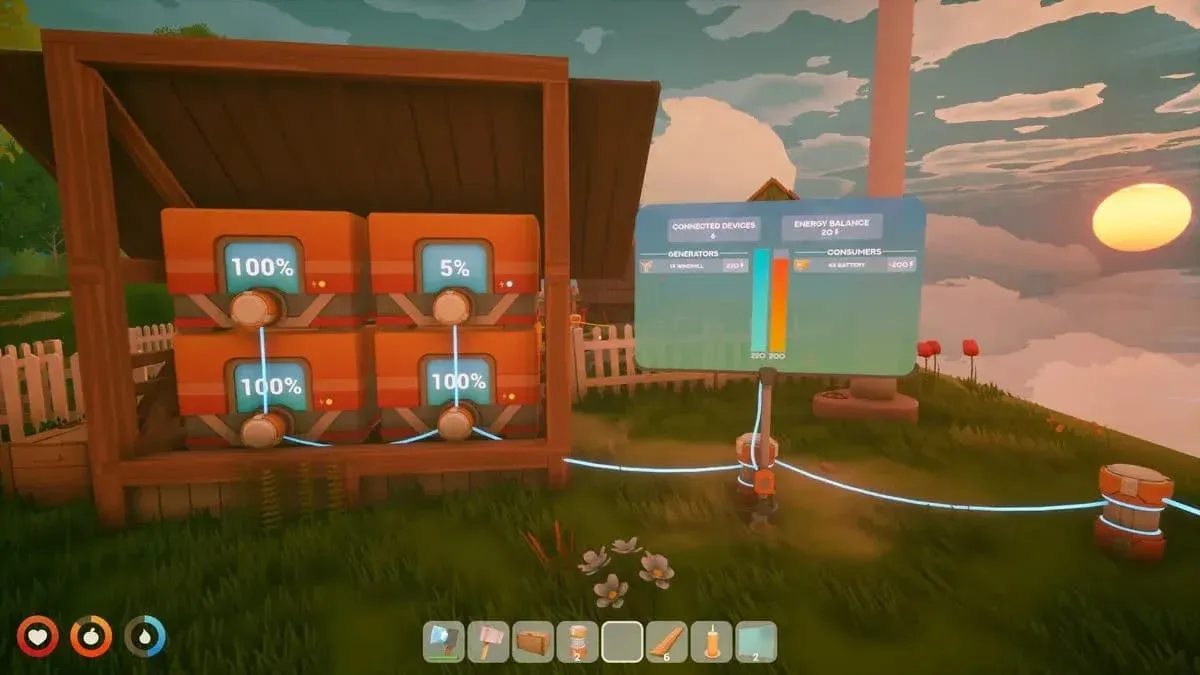
Drill on permanent ore deposit
Basic setup: Solar Panels and a Battery
The entry-level configuration is one Electric Drill paired with two Solar Panels. Each Solar Panel outputs 70 to 100 units of power on a clear day, and the Drill draws 120 units, so two panels cover it with a small buffer.
The obvious problem: clouds and nighttime cut solar output entirely, which means your Drill goes idle. A Battery solves this. It charges off surplus daytime power and can discharge up to 200 units, enough to keep one Drill spinning through a storm or overnight. The Battery recipe (Iron x10, Copper x10, Silicon x15) unlocks at Energy Bench Tier 2.
Scaling the solar setup follows a straightforward formula:
- 2 Drills need 240 power. Four Solar Panels cover this cleanly; three panels plus two Batteries can work but carries some downtime risk.
- 3 Drills need 360 power. Six Solar Panels is the safe call, or five panels with two Batteries.
Advanced setup: Windmills and Sky Turbines
Solar scales awkwardly because every extra Drill demands more panels. Wind-based generators fix the math and work day and night without batteries.
- A Windmill (Energy Bench Tier 3, Iron x8, Copper x8, Silicon x15, Cobalt x15) puts out 200 units. Two Windmills power three Drills.
- A Wooden Windmill (Energy Bench Tier 5, Wood x40, Iron x20, Copper x15) outputs 400 units, enough for three Drills on its own.
- A Sky Turbine (Energy Bench Tier 4) generates 600 units, which covers five Drills simultaneously. Its recipe calls for Iron x20, Cloth x30, and a Circuitboard.
For players tracking resource costs and ore locations before committing to this tier of building, the Solarpunk resources guide covering Silicon, Cobalt, food, and water is worth reading before you start farming Cobalt for Windmills.
How do Transport Drones work?
Once your Drills are running, the next problem is collection. Walking to a remote island every few minutes defeats the purpose of automation. Transport Drones close that loop.
The single rule that trips up almost every new player: you place the drone at your base, not at the mine. The drone's placement spot is the delivery point. After placing it, you travel to the Drill and assign the drone to it from the Drill's menu. The drone then flies out, collects ore, and returns to drop it in its own inventory at your base.
How to unlock and craft a Transport Drone
The Transport Drone blueprint unlocks at Energy Workbench Tier 2, found on the island just north of the starting island. The actual crafting happens at an Energy Crafting Table in your base. Materials required: Cobalt x8, Iron x16, Copper x16, Silicon x16.
After crafting, place the drone at your base and give it a name. Then run a Cable from the drone's base to your power grid. The drone draws 300 units of power, so make sure your grid has that headroom before assigning it anything.
Step-by-step drone assignment
- Place the Transport Drone at your base and connect it to power via Cable.
- Give the drone a name so you can identify it in remote menus.
- Confirm the drone platform shows as active and powered.
- Optionally, slot a Circuitboard into the upgrade slot before sending it out.
- Travel to the Electric Drill you want serviced.
- Interact with the Drill and select your drone's name from the assignment menu.
- A green tick confirms the assignment. The drone launches immediately if powered.
- When it returns, collect the ore from the drone's inventory and move it to storage.
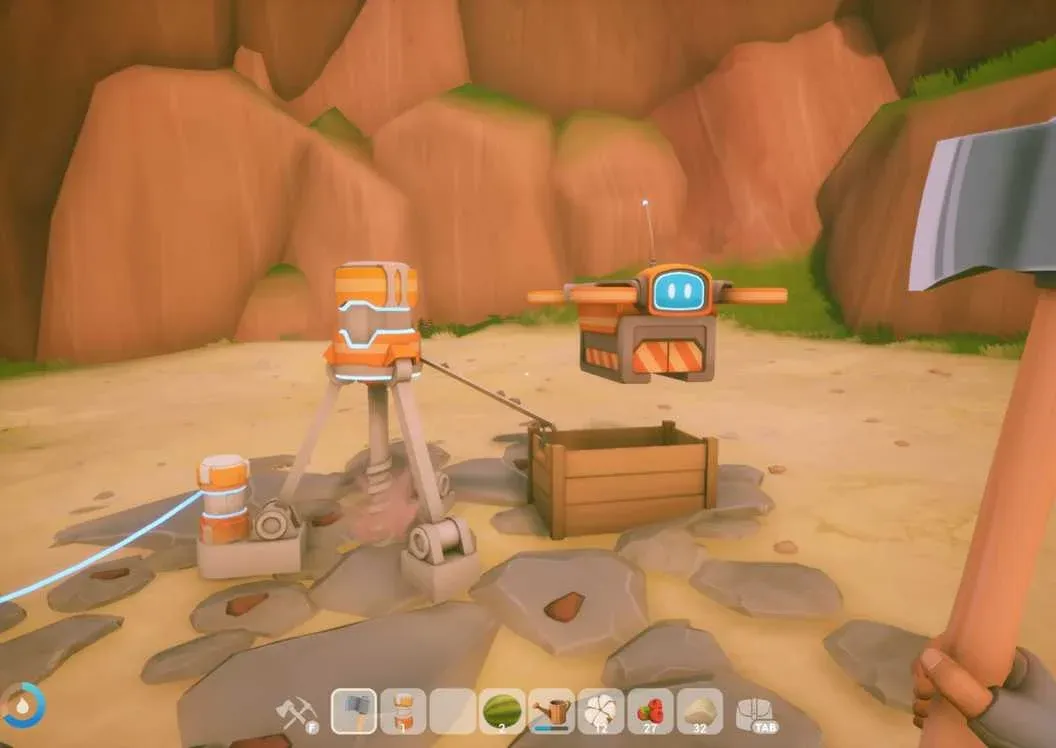
Assigning drone to drill
Can a drone pull from a chest instead of a Drill?
Yes. Open any open-air chest, access its menu, and assign a drone the same way you would at a Drill. The limitation: chests inside buildings or placed in a Storage Shelf are off-limits. Only exposed outdoor chests work.
How do you upgrade a Transport Drone's capacity?
A stock drone carries one stack per trip, which is 16 ores. A fully loaded Drill outputs 32 ores, so without an upgrade you need two trips to clear it completely.
Slot a Circuitboard into the drone's upgrade slot and capacity doubles to 32, clearing a full Drill in a single run. The Circuitboard unlocks at Energy Workbench Tier 4 and costs Algae x10, Copper x5, Cobalt x5. The upgrade is removable, so you can pull it out and reuse it elsewhere if needed.
For the Copper you'll need to craft Circuitboards and drones, the full guide to finding and smelting Copper in Solarpunk covers the northeast island vein and furnace process.
Full blueprint and material costs
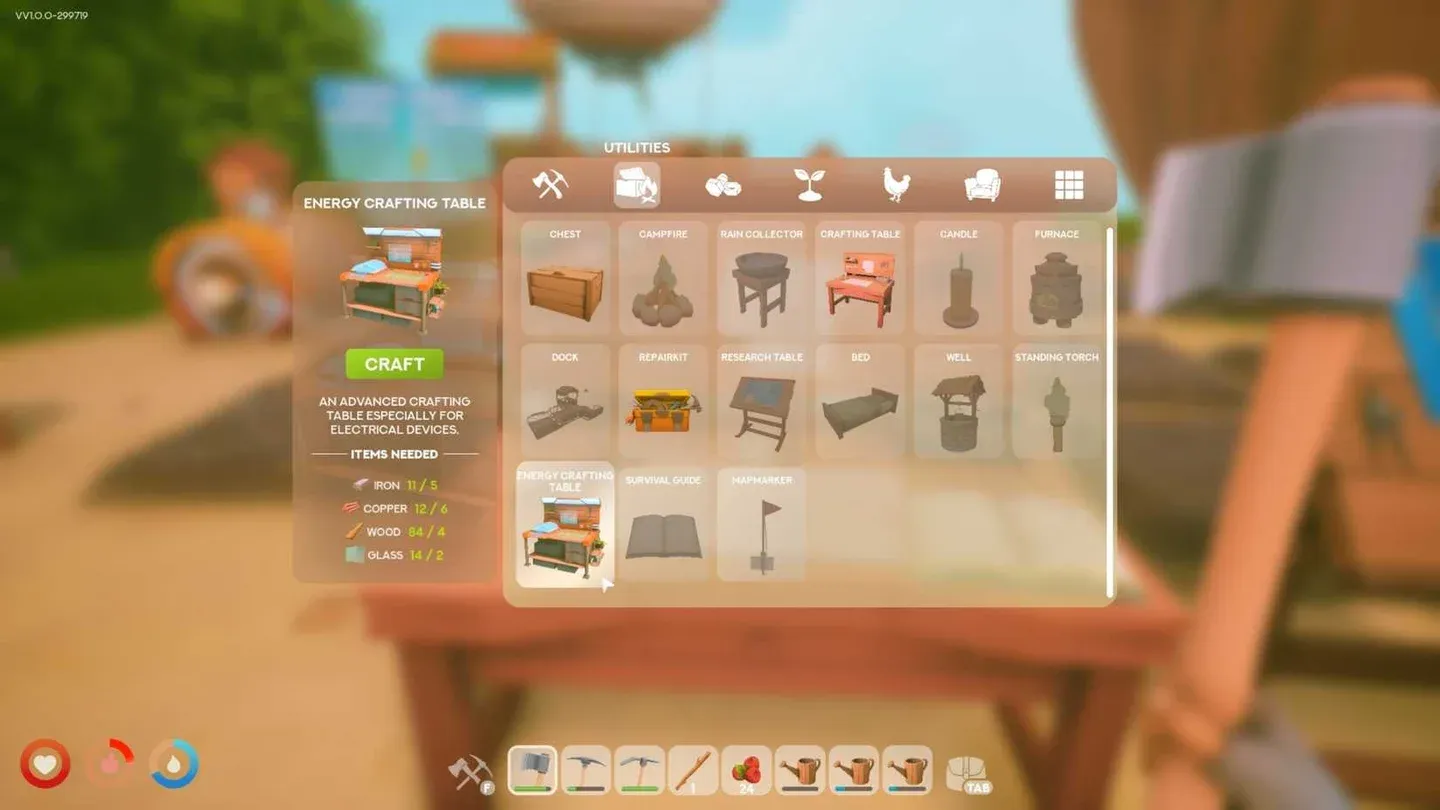
Energy Crafting Table recipes
Common mistakes that kill your automation
- Drone at the mine instead of your base. The placement point is the delivery point, full stop.
- No name on the drone. You can't select an unnamed drone from a Drill or chest menu.
- Underpowered grid. Each drone needs 300 units. A single Windmill at 200 units won't cut it alone.
- One drone, multiple Drills. Each Drill needs its own dedicated drone.
- Full receiving storage. The drone stops flying when its inventory is full. Keep it cleared.
- Relocated Drill, forgotten reassignment. Move a Drill and the drone loses its target. Reassign it manually.
For a broader look at everything the progression system unlocks, the complete Solarpunk guides collection covers research tiers, airship builds, farming, and more.