

Directive 8020 is Supermassive Games' biggest technical leap by a wide margin. Built on Unreal Engine 5, the sci-fi horror strands you on Tau Ceti f with dense atmospheric fog, Lumen-driven lighting, and metallic surfaces that reflect everything. Your GPU feels every bit of it. Even high-end rigs can stutter once the colony opens up, and the default presets do not do you any favors. This guide breaks down every setting that matters so you can stop fighting your hardware and start surviving the nightmare.
What makes Directive 8020 so demanding on PC?
Unreal Engine 5's two headline features, Lumen (global illumination and reflections) and Nanite (virtualized geometry), are both active in Directive 8020. Lumen in particular is the main culprit behind frame drops. The Cassiopeia's metallic corridors force Lumen to calculate reflections on nearly every surface you walk past, and that cost adds up fast. On top of that, the game supports full Path Tracing, which replaces the standard lighting pipeline entirely with a physically accurate simulation. It looks extraordinary. It also tanks performance on anything short of an RTX 5080 or 5090.
The good news is that most of the visual quality you actually notice during gameplay comes from settings that are cheap to run. Getting to 60+ FPS is a matter of knowing which settings to cut and which to leave alone.
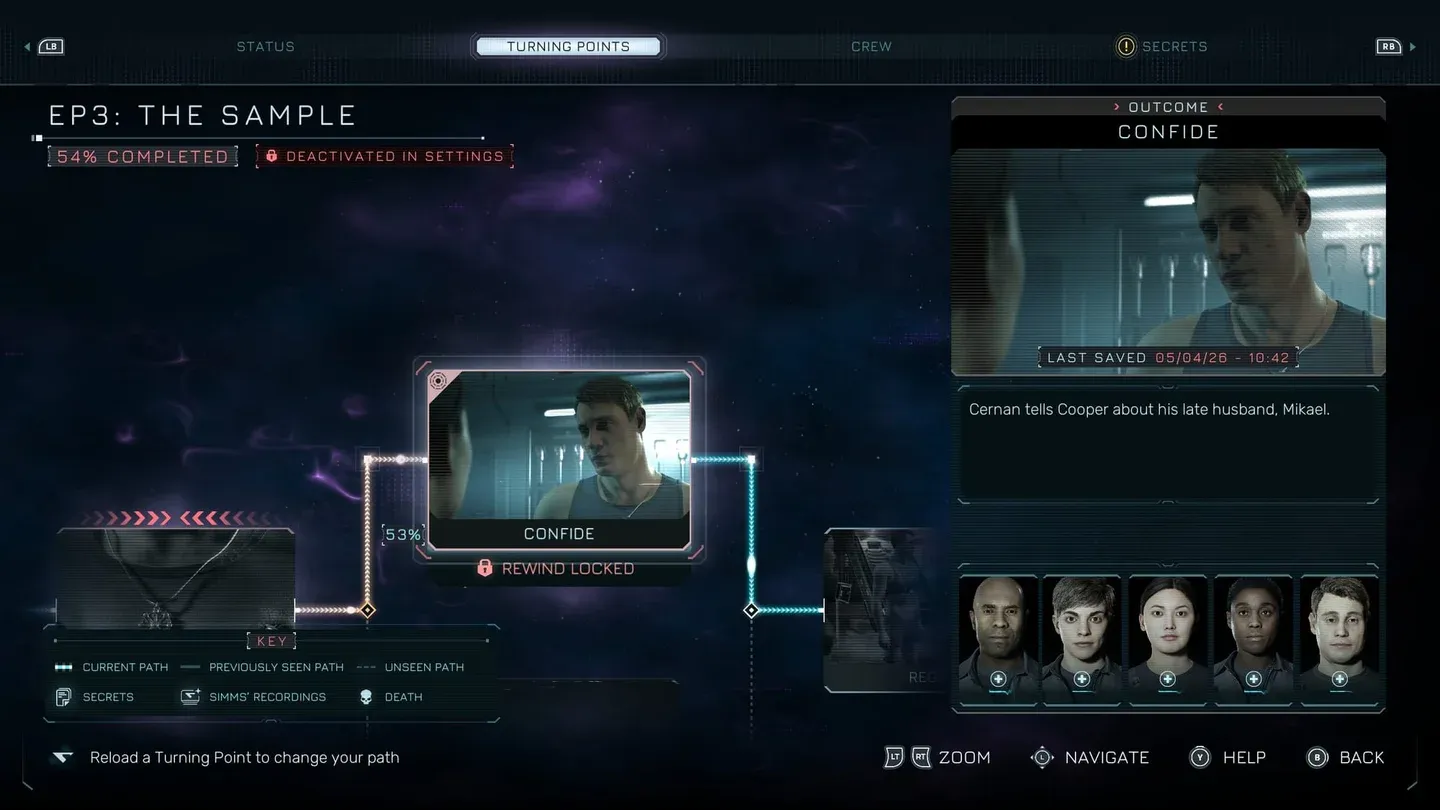
Graphics settings menu overview
Best PC settings for Directive 8020
These settings were validated through testing on an i9-14900HX paired with an RTX 4080 with 32GB RAM. That configuration delivered 75 to 80 FPS during general exploration and held 65 to 70 FPS during heavy particle-effect sequences. Use this table as your baseline and adjust texture quality based on your VRAM.
Which settings should you never touch?
Three settings function as performance traps regardless of how powerful your PC is.
- Path Tracing replaces the entire lighting pipeline with a full physical simulation. It can cut your frame rate by 60% or more. The only reason to enable it is if you are on an RTX 5090 and want to use photo mode.
- Ray Reconstruction cleans up ray-traced reflections and shadows with improved de-noising, but the cost is significant. Since the recommended setup keeps Ray Tracing off, this setting should stay off too.
- Reflection Quality above Low is the sneaky one. Switching from Low to Medium flips the reflection system from Screen Space Reflections to Lumen-based reflections. In a game full of metallic ship corridors, that switch can cause major frame drops in areas where SSR would have handled things cheaply.
Shadow and GI quality controls
What FPS should you expect on your hardware?
Here is a realistic picture of what to expect at the recommended settings.
For mid-range players, the path to a stable 60 FPS runs through Global Illumination at Low and Reflection Quality firmly at Low. Those two settings are responsible for the majority of performance overhead in demanding scenes.
Should you enable Ray Tracing at all?
The short answer is no, unless you have GPU headroom after reaching your target frame rate. The game was designed to look good with standard Lumen at Medium and SSR reflections at Low. Ray Tracing adds visual refinement to shadows and reflections, but the difference is subtle compared to the performance cost. If you are sitting at 80+ FPS with the recommended settings and want to push visual quality further, enabling Ray Tracing without Ray Reconstruction is the safest step up.
For everything else in the game beyond graphics, the Directive 8020 beginner's guide covering traits, Turning Points, and multiplayer is worth reading before you get too deep into the Cassiopeia.
Getting the most out of Directive 8020 beyond performance
Sorting your graphics settings is only the first step. Directive 8020 is a story-driven adventure game where every decision shapes who survives. Once your frame rate is stable, the real challenge is navigating the story without losing crew members.
For a full breakdown of how the Turning Points system works and how to unlock every story branch, the complete Turning Points and Story Tree guide covers every decision point across all 8 episodes. And if you want to keep the entire Cassiopeia crew alive, the decision-by-decision survival guide for saving every character has you covered from start to finish.