
Arknights: Endfield में efficient AIC factories बनाने में घंटों की planning और setup लग सकती है। बात ये है - आपको हर बार पहिया फिर से invent करने की ज़रूरत नहीं है। Game का blueprint system आपको अपने best factory layouts save करने और उन्हें दूसरे players के साथ share करने देता है, जिससे optimized designs की एक community-driven library बनती है।
AIC Blueprints क्या हैं और आपको इनकी ज़रूरत क्यों है
AIC Blueprints आपकी factory configurations की saved snapshots की तरह काम करते हैं। इन्हें architectural plans की तरह सोचें जो आपकी production lines की exact placement, connections, और settings को capture करते हैं। जब आप एक blueprint apply करते हैं, तो यह automatically पूरे layout को वैसा ही reconstruct कर देता है जैसा उसे save किया गया था।
Blueprint system essential बन जाता है जब आप समझ जाते हैं कि AIC automation कितना complex हो सकता है। Production chains में multiple machines, precise ratios, और intricate belt networks शामिल होते हैं। जो most players miss करते हैं, वह यह है कि blueprints सिर्फ time save नहीं करते - वे working configurations को preserve करते हैं जिन पर आप अपने original design को खोए बिना iterate कर सकते हैं।
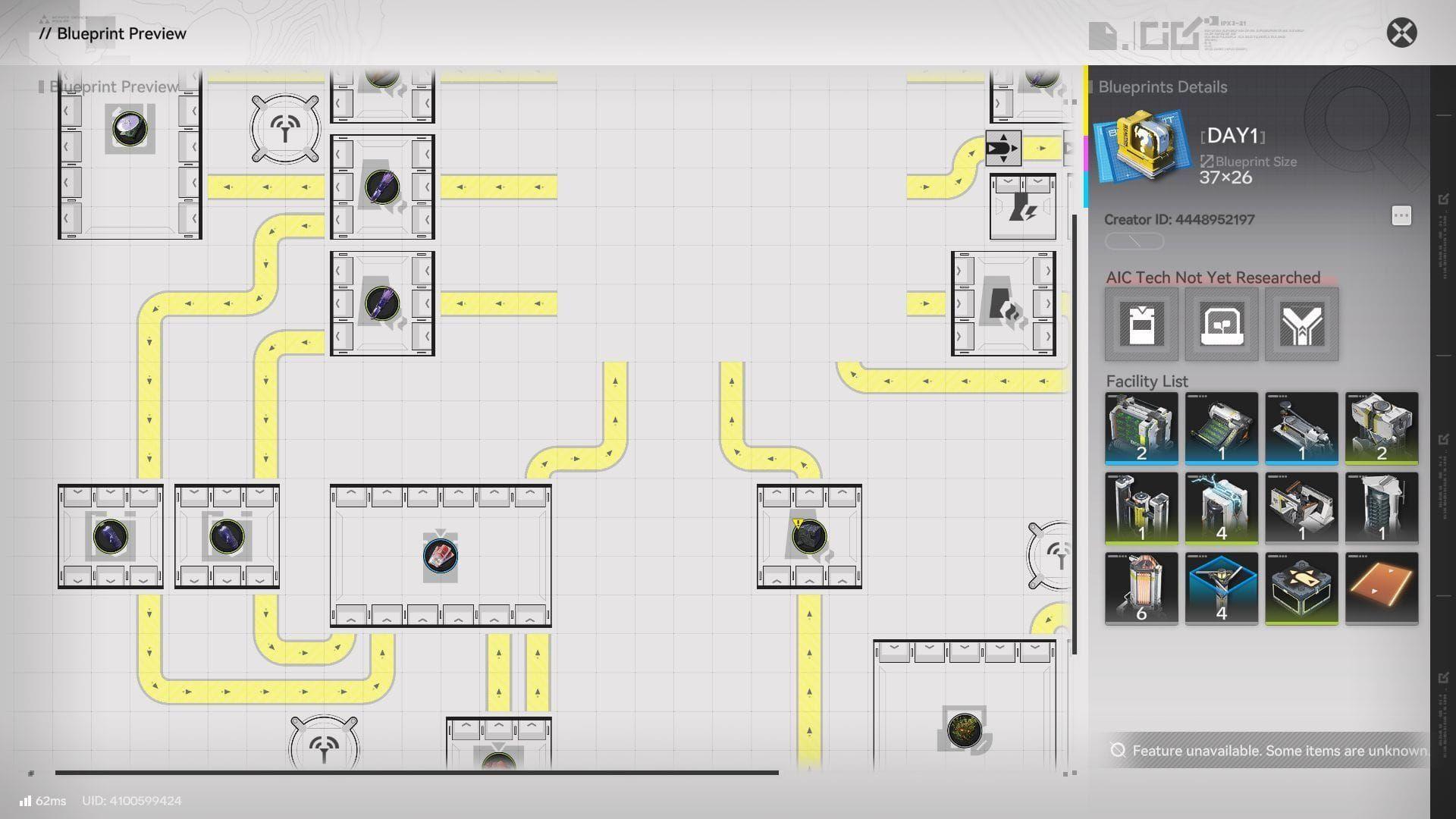
Blueprint creation interface


अपनी खुद की AIC Blueprints कैसे बनाएं
Step 1: अपनी Factory Layout को Perfect करें
कोई भी blueprint बनाने से पहले, सुनिश्चित करें कि आपकी production line smoothly चले। सभी connections को test करें, verify करें कि ratios सही काम कर रहे हैं, और confirm करें कि items बिना किसी bottleneck के flow हो रहे हैं। आप document करना चाहेंगे कि layout कौन से resources produce करता है और उसका intended purpose क्या है।
Step 2: Blueprint Creation Mode में Enter करें
अपने AIC को access करें और Top View mode में switch करें। यह perspective आपको multiple structures को efficiently select करने के लिए best angle देता है। उस specific factory section को preserve करने के लिए जिसे आप save करना चाहते हैं, drag करने और select करने के लिए Bulk Action tool का use करें।
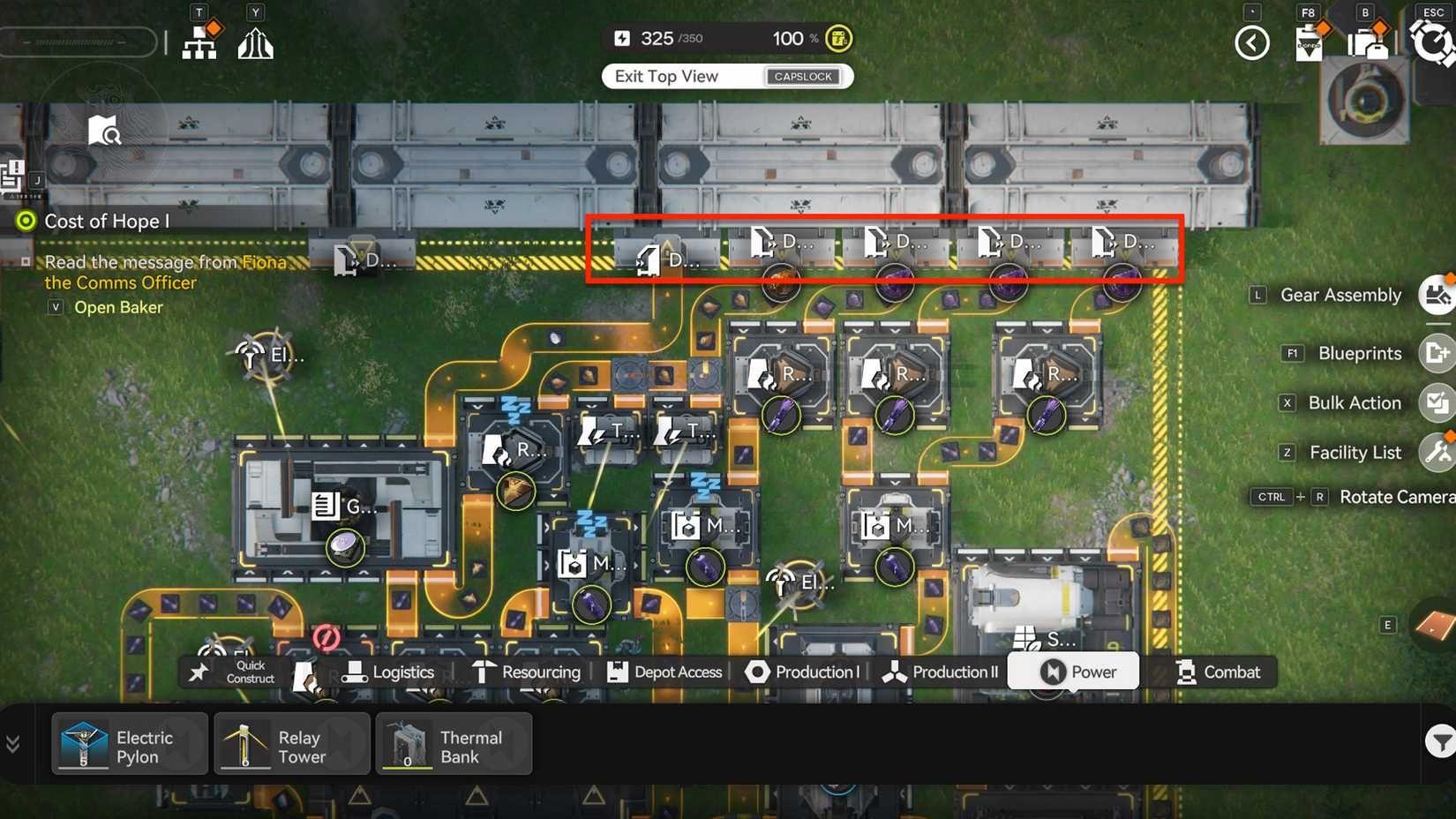
Bulk action selection tool
Pro tip: अपनी पूरी factory को capture करने की कोशिश करने के बजाय, smaller, focused blueprints से start करें। Specialized production line blueprints ज़्यादा useful और implement करने में आसान होते हैं।
Step 3: अपनी Blueprint को Save और Configure करें
Save dialog को open करने के लिए Ctrl + S (या PS5 पर Triangle button) hit करें। आपको कई details प्रदान करने की आवश्यकता होगी:
| Field | Purpose | Best Practice |
|---|---|---|
| Name | Quick identification | "Battery Production v2" जैसे descriptive names का use करें |
| Description | Detailed explanation | Resource requirements और output rates शामिल करें |
| Tags | Search filtering | "power", "automation" जैसे relevant keywords जोड़ें |
| Icon | Visual identification | Blueprint के function से मेल खाने वाले icons चुनें |
यहां key यह है कि ऐसी descriptions लिखें जो दूसरे players को यह समझने में मदद करें कि उन्हें क्या मिल रहा है। Input requirements, expected outputs, और किसी भी special setup considerations का mention करें।
Step 4: Community Review के लिए Submit करें
Save करने के बाद, आपकी blueprint My Blueprints में "Under Review" status के साथ दिखाई देती है। इसे shareable बनाने के लिए Submit for Review पर click करें। Review process यह सुनिश्चित करता है कि blueprints correctly काम करें और community standards को पूरा करें।
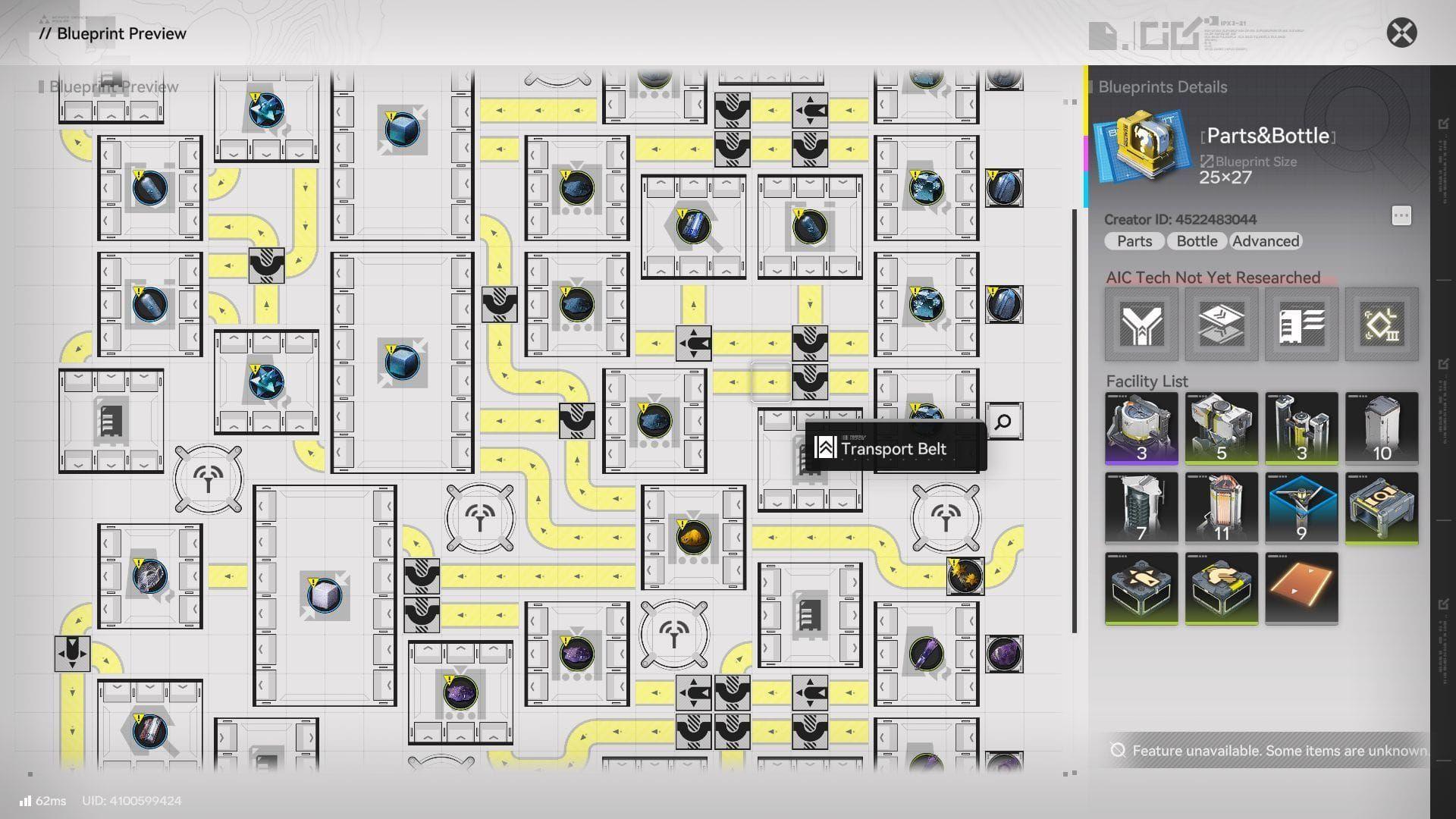
Blueprint review interface
दूसरे Players के साथ Blueprints Share करना
Direct Friend Sharing
सबसे simple sharing method आपके in-game friends list के through काम करता है। किसी भी approved blueprint पर Share button पर click करें और Share with Friends चुनें। आपके friends blueprint को instantly receive करते हैं और उसे immediately अपने AIC facilities में place कर सकते हैं।
Community Code Sharing
Broader distribution के लिए, Share with Others option का use करें। यह एक unique sharing code generate करता है जिसे आप Reddit, Discord, या other community platforms पर post कर सकते हैं। Players इस code को copy करते हैं और इसे अपने blueprint menu के through import करते हैं।
Publicly codes share करते समय, blueprint layout का एक screenshot शामिल करें। यह visual preview players को यह समझने में मदद करता है कि वे क्या download कर रहे हैं और क्या यह उनकी needs को पूरा करता है।
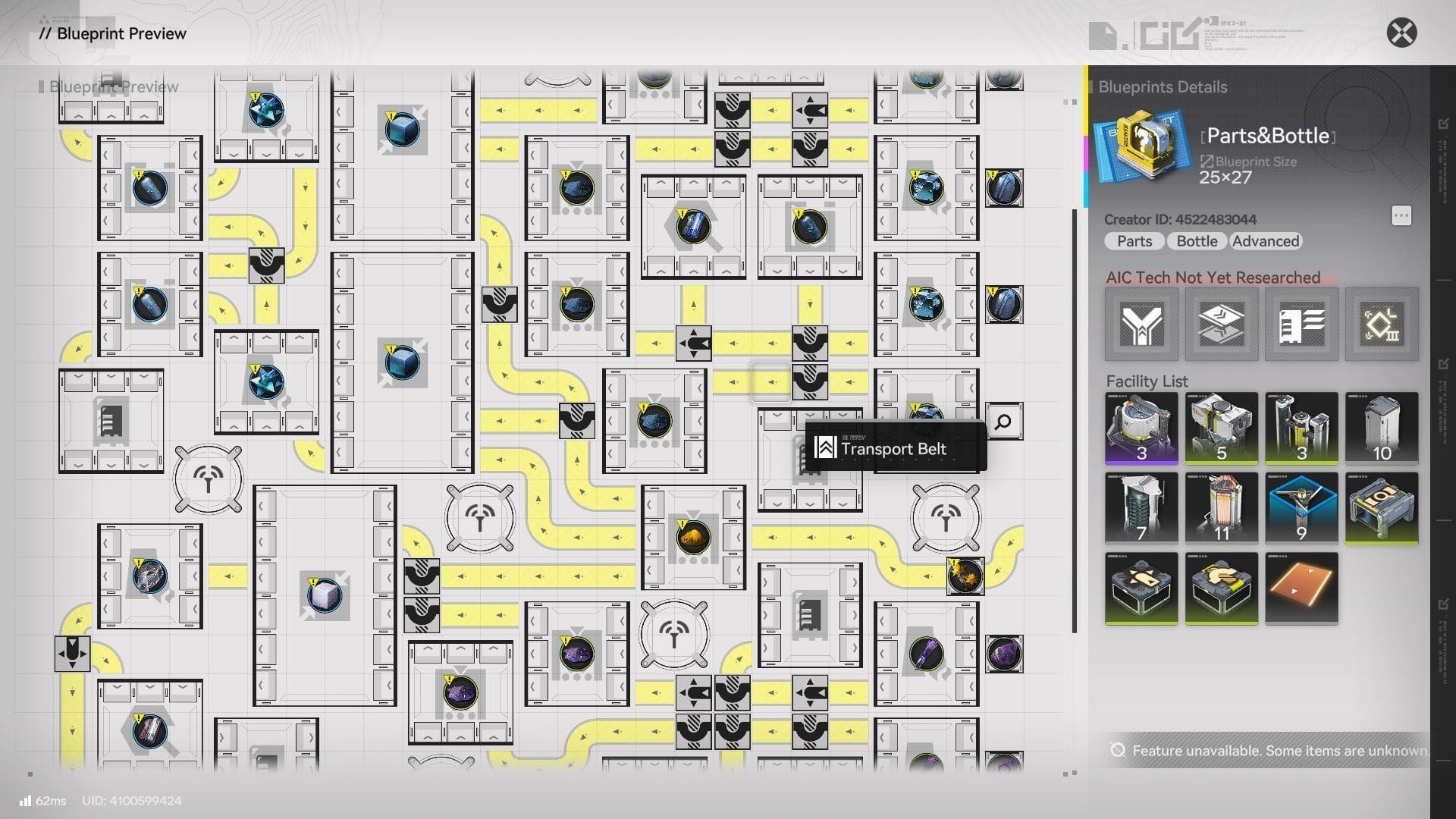
Blueprint code sharing
Community Blueprints Import करना और Use करना
Quality Blueprints ढूंढना
Arknights Endfield subreddit blueprint sharing के लिए primary hub के रूप में काम करता है। Players regularly अपने most efficient designs को detailed explanations के साथ post करते हैं। YouTube creators भी blueprint codes को अपने factory optimization guides के साथ share करते हैं।
Import Process
अपने AIC menu में Shared Blueprints पर navigate करें और Import Blueprint पर click करें। आपने जो code पाया है उसे paste करें और blueprint आपके shared collection में दिखाई देगा। आप construction commit करने से पहले इसे preview कर सकते हैं।
Implementation Tips
कोई भी imported blueprint place करने से पहले, verify करें कि आपके पास required facilities unlocked हैं। Game आपको उन blueprints का use करने से रोकता है जिनमें ऐसे buildings हों जिन्हें आपने अभी तक research नहीं किया है। यह actually आपको progression system को naturally सीखने में मदद करता है।
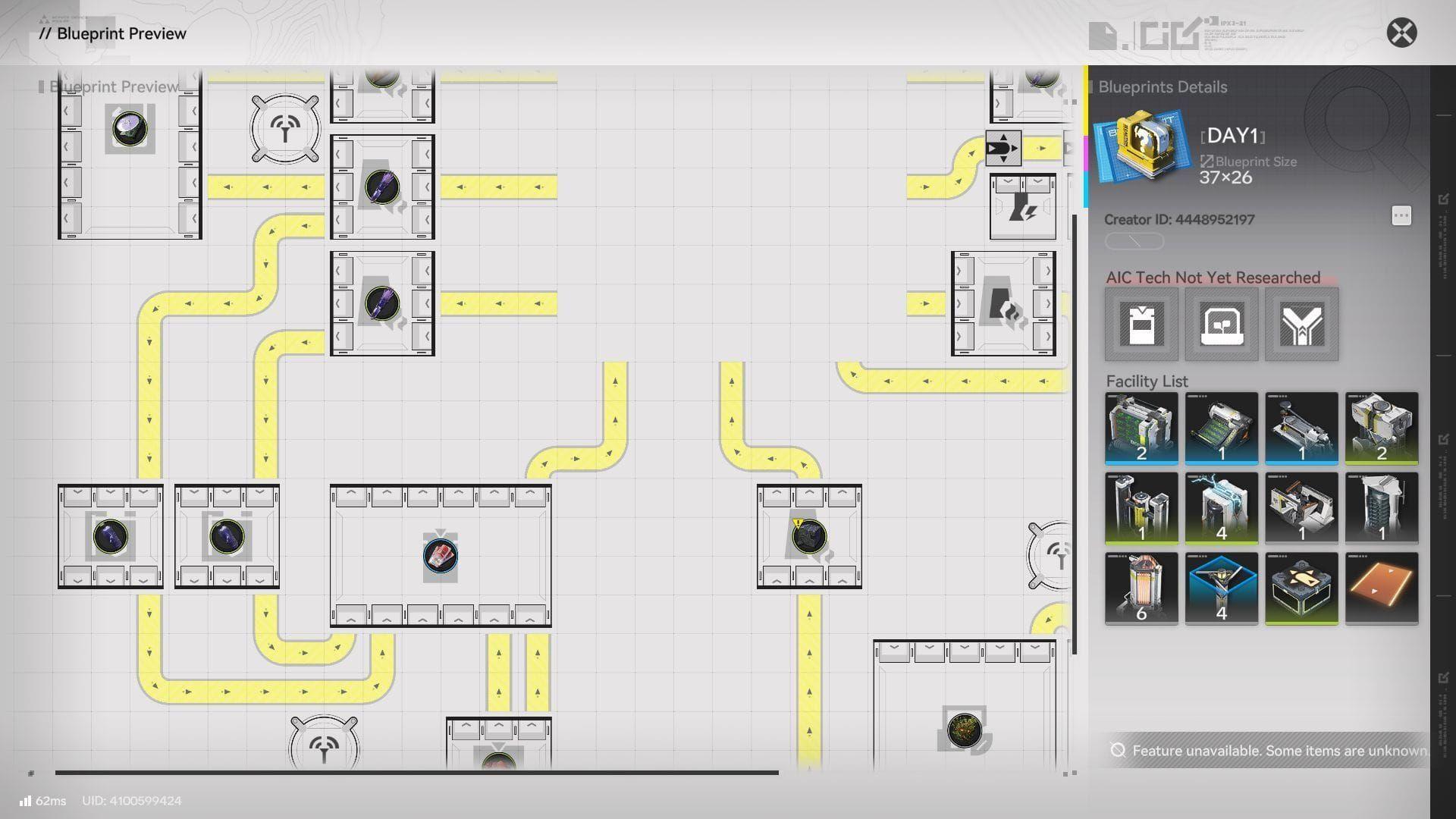
Blueprint import menu
Community blueprints implement करते समय इन factors पर विचार करें:
- Tech Requirements: सुनिश्चित करें कि आपने सभी आवश्यक facility types को unlock कर लिया है
- Space Availability: जांचें कि आपके पास पर्याप्त factory floor space है या नहीं
- Resource Needs: verify करें कि आप आवश्यक input materials की supply कर सकते हैं
- Power Capacity: पुष्टि करें कि आपका power grid अतिरिक्त machines को handle कर सकता है
Blueprint Limitations और Considerations
Technical Restrictions
Blueprint system में कई important limitations हैं। कुछ building types को save नहीं किया जा सकता है, और game selection के दौरान आपको सूचित करेगा कि कौन से structures excluded हैं। इसके अतिरिक्त, blueprints केवल building placement और connections को capture करते हैं - उनमें stored materials या current production states शामिल नहीं होते हैं।
Learning vs. Efficiency Trade-offs
जबकि blueprints tremendous time save करते हैं, वे important learning opportunities को skip कर सकते हैं। हमारी Arknights Endfield AIC Factory Guide factory design के fundamentals को cover करती है, जो आपको यह समझने में मदद करती है कि certain layouts प्रभावी ढंग से क्यों काम करते हैं।

Pro Tip: जल्दी start करने के लिए community blueprints का use करें, फिर underlying principles को समझने के बाद modifications के साथ experiment करें।
Server और Version Compatibility
Blueprint compatibility कई factors पर निर्भर करती है। Server regions separate blueprint databases maintain करते हैं, इसलिए Asian server players द्वारा share किए गए codes North American servers पर काम नहीं करेंगे। Game updates भी blueprint functionality को affect कर सकते हैं यदि वे building mechanics या requirements को बदलते हैं।
Advanced Blueprint Strategies
Modular Design Philosophy
सबसे effective blueprint creators modular systems design करते हैं। Massive factory-wide blueprints के बजाय, वे focused modules बनाते हैं जो specific production chains को handle करते हैं। इस approach के कई advantages हैं:
- Easier Troubleshooting: Problems specific modules तक सीमित हो जाते हैं
- Flexible Scaling: Needs के आधार पर modules जोड़ें या हटाएं
- Better Sharing: दूसरे players individual modules का use कर सकते हैं बिना सब कुछ फिर से बनाए
Version Control for Your Designs
जैसे-जैसे आप अपनी factory layouts को refine करते हैं, multiple blueprint versions save करें। उन्हें systematically "Battery Line v1", "Battery Line v2 Optimized", आदि जैसे नाम दें। यह आपको working configurations को preserve करते हुए improvements के साथ experiment करने देता है।
Community Contribution
एक बार जब आप blueprint creation में master हो जाते हैं, तो अपने designs को community में contribute करने पर विचार करें। Well-documented, efficient blueprints नए players को start करने में मदद करते हैं, साथ ही factory automation के लिए innovative approaches को showcase करते हैं।
Automation journey शुरू करने वाले players के लिए, essential foundation knowledge के लिए हमारी Arknights Endfield Ultimate Beginner's Guide देखें।
Common Blueprint Issues को Troubleshoot करना
Import Failures
यदि blueprint import fail होता है, तो typos के लिए code को double-check करें। समान दिखने वाले characters जैसे 'O' vs '0' या 'l' vs 'I' पर विशेष ध्यान दें। Import function case-sensitive है और exact character matching की आवश्यकता होती है।
Import के बाद Missing Buildings
जब imported blueprints incomplete दिखाई देते हैं, तो आपके पास likely required tech tree unlocks की कमी है। Prerequisites के लिए blueprint description की समीक्षा करें और placement को फिर से attempt करने से पहले आवश्यक facilities को unlock करें।
Power Grid Overload
Large blueprints अक्सर आपकी current power capacity से अधिक हो जाते हैं। Community designs implement करने से पहले, अपनी available power की जांच करें और यदि आवश्यक हो तो अपने grid capacity को upgrade करें। हमारी Arknights: Endfield Depot Node Guide power management strategies को cover करती है।
Blueprint system AIC factory management को एक tedious rebuilding process से एक collaborative optimization experience में बदल देता है। चाहे आप अपने innovations share कर रहे हों या community designs implement कर रहे हों, blueprints player base में knowledge sharing को बढ़ावा देते हुए आपकी progression को accelerate करते हैं।