
Arknights: Endfield is built on Unreal Engine 5, which means strong visuals but higher hardware demands. If the game is not tuned correctly, players can run into frame drops, stuttering, or even crashes during combat-heavy sections. This guide focuses only on the best PC settings for Arknights: Endfield, with the goal of improving performance while keeping visuals clear and readable.
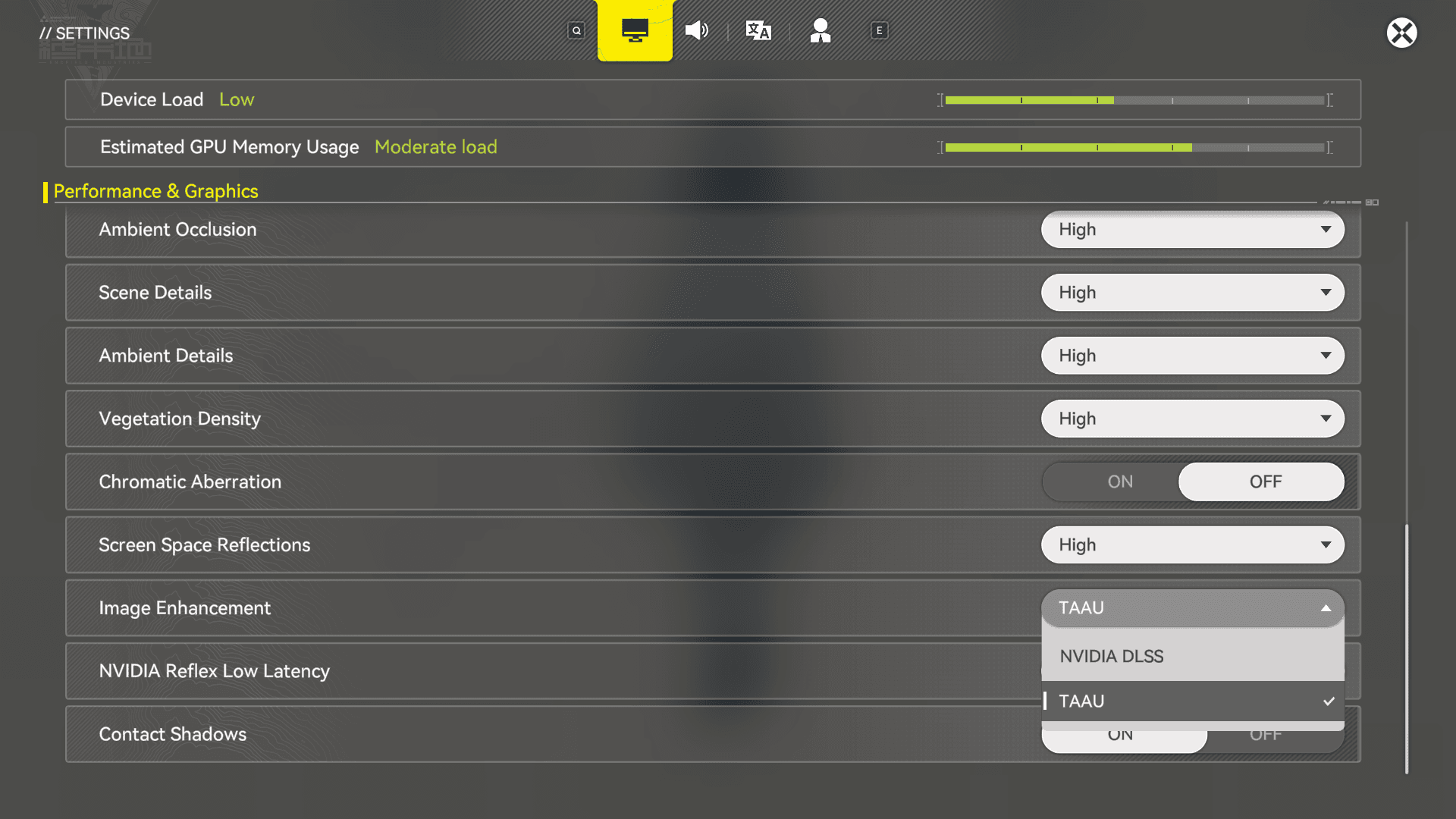
The game includes Device Load and Estimated GPU Memory Usage meters. For stable gameplay, both should stay below three bars. If either meter spikes higher, performance issues are likely.
Graphics Settings
Graphics presets should always be set to Custom. Presets tend to enable effects that are not necessary for smooth gameplay and can impact performance more than expected.
Recommended PC Graphics Settings
| Setting | Budget PC | Mid-Range PC | High-End PC |
|---|---|---|---|
| Graphics Quality | Custom | Custom | Custom |
| FPS Cap | 30 to 60 | 60 | 120 |
| Render Scale | 100% | 100% | 100% |
| Shadow Quality | Very Low | Medium | High |
| Texture Quality | Low | High | High |
| Volumetric Fog | Off | Medium | High |
| Anisotropic Sampling | x1 | x2 | x8 |
| Ambient Occlusion | Very Low | Medium | High |
| Screen Space Reflections | Off | High | Very High |
Shadows, volumetric fog, and reflections have the biggest impact on performance. Lowering these first is the most effective way to stabilize frame rates.

DirectX and Stability Settings
Arknights: Endfield defaults to DirectX 12, but this can cause crashes or instability on some systems.
| Setting | Recommended |
|---|---|
| Graphics API | DirectX 11 if crashes occur |
| Vertical Sync | Off |
Switching to DirectX 11 often improves stability on older GPUs and CPUs. Vertical Sync should remain off unless the system uses G-Sync or FreeSync, as standard V-Sync introduces noticeable input lag.
Image Enhancement and Upscaling
Upscaling can improve performance, but not every option is worth enabling.
NVIDIA DLSS Settings
| Setting | Value |
|---|---|
| DLSS Super Resolution Mode | Balanced |
| Sharpening | 0 |
| Frame Generation | Off |
| NVIDIA Reflex Low Latency | Off |
DLSS Balanced provides the best mix of image quality and performance. Frame Generation adds input latency and is not recommended for a PvE-focused game like Endfield.
For non-NVIDIA GPUs, TAAU is acceptable but offers lower clarity compared to DLSS.
Visual Options
Some visual settings offer limited benefits relative to their performance cost.
| Setting | Recommendation |
|---|---|
| Contact Shadows | On for mid-range and high-end PCs |
| Chromatic Aberration | Leave On |
| Scene Details | Do Not Lower |
| Ambient Details | Do Not Lower |
Lowering Scene Details or Ambient Details makes environments feel empty and does not significantly improve performance. Chromatic Aberration has minimal impact and is applied lightly in Endfield.
Resolution and Display Settings
Resolution should always match the native resolution of the monitor.
| Setting | Recommended |
|---|---|
| Display Mode | Fullscreen |
| Resolution | Native |
| Refresh Rate | Highest Supported |
Lowering resolution often results in blurry visuals without meaningful performance gains. It is better to reduce shadows or post-processing effects instead.
How to Test Your PC Settings
After applying changes, performance should be tested in gameplay scenarios that stress the system.
Load into the Hub first and check frame stability while moving. Fast travel to a combat-heavy area like Aburrey Quarry and engage enemies while monitoring FPS and stutter. If issues appear, check whether Device Load or GPU Memory Usage is maxed out to identify the bottleneck.
If performance drops after long play sessions, restarting the game is recommended, as memory leaks can occur.