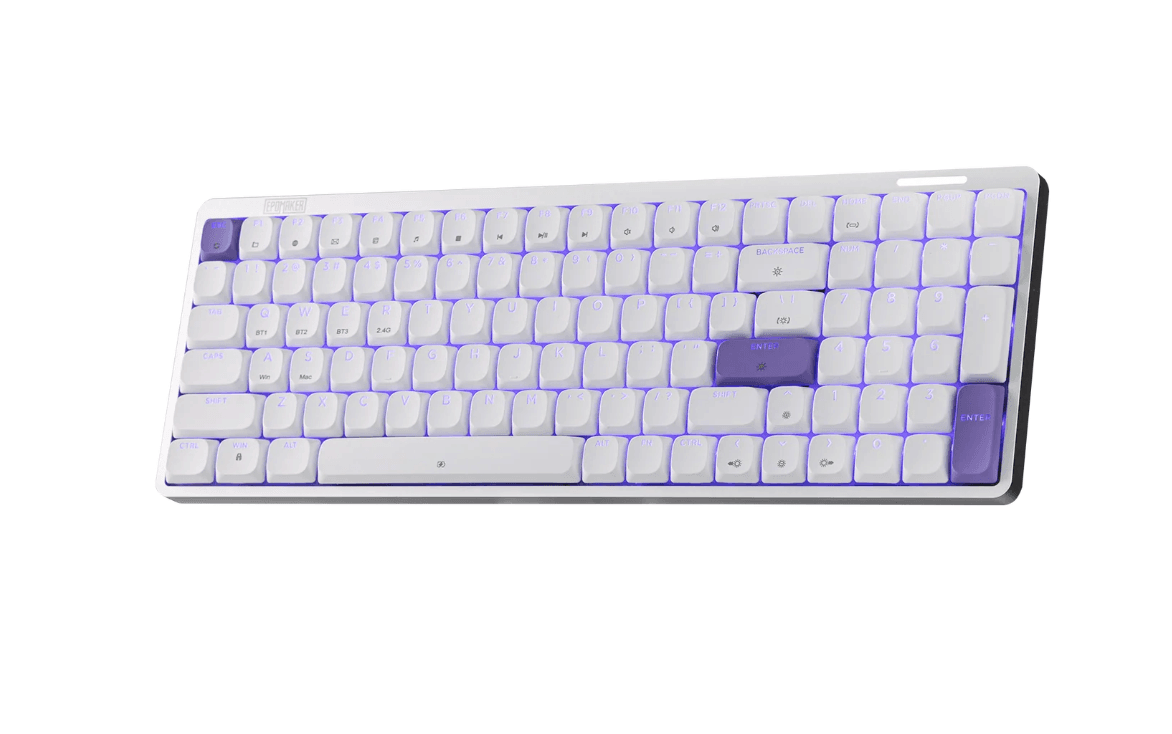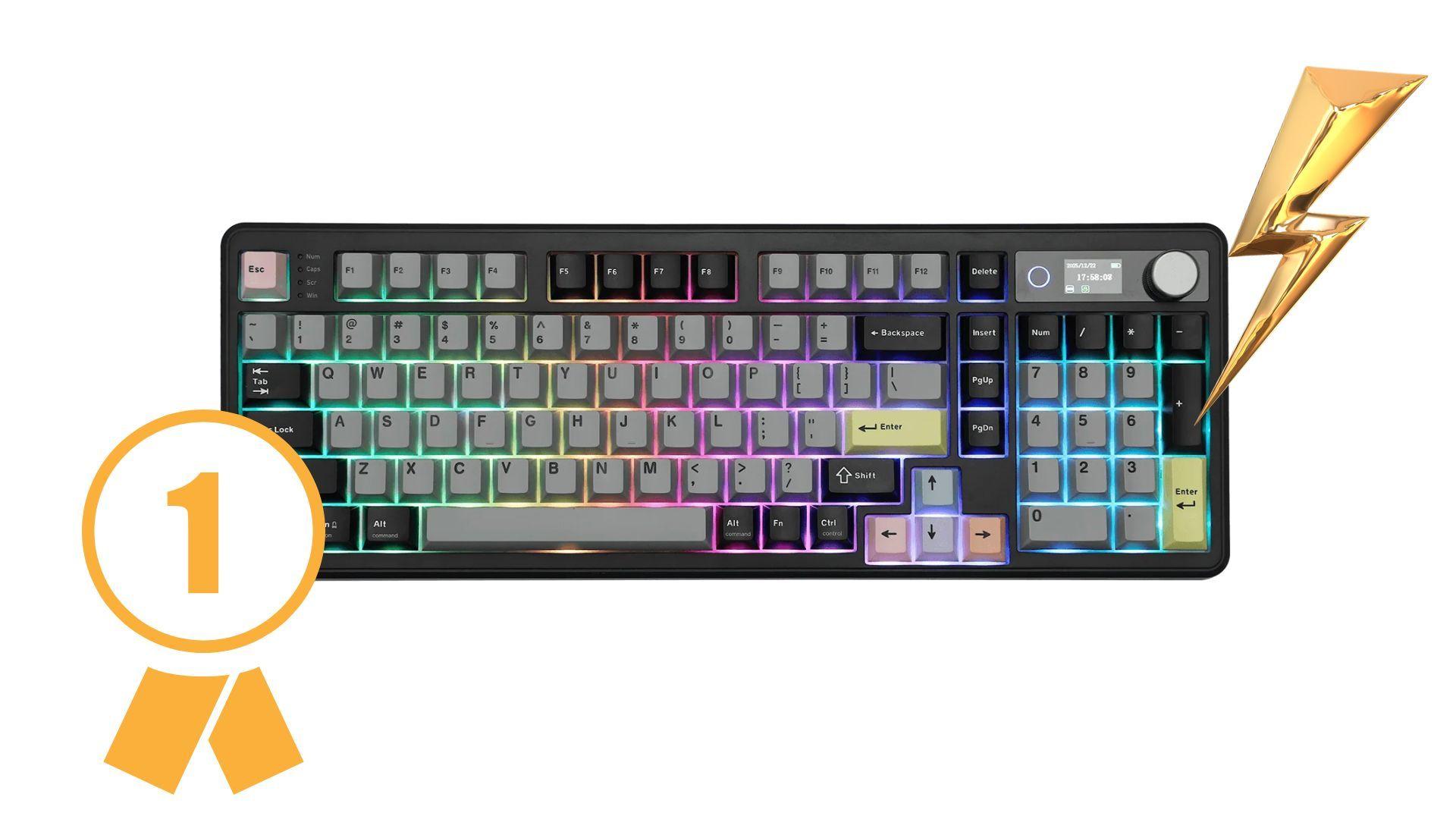


Epomaker continues to push into the competitive gaming keyboard space with the TH99 PRO, a 96% mechanical keyboard designed to balance performance, customization, and desk efficiency. Aimed at players who want full functionality without the width of a traditional full-size board, the TH99 PRO combines tri-mode wireless connectivity, per-key RGB lighting, hot-swappable switches, and a built-in color screen into a single package.
For gamers who split time between competitive play, creative work, and everyday use, the TH99 PRO attempts to act as a central input device rather than just another RGB accessory.

Use code TRYHARD33 at checkout to redeem this offer before code expires again.
Get 33% Off GAMES+ Subscription
A Compact Full-Size Layout for Competitive Play
The TH99 PRO uses a 96% layout with 98 keys, meaning it keeps the number pad while trimming excess spacing around the cluster. For PC gamers, this matters more than it sounds. Reducing keyboard width frees up mouse space, which helps low-DPI players who rely on wide flicks and fine aim adjustments in shooters like Valorant, Counter-Strike, or Apex Legends.
Despite the smaller footprint, the layout never feels cramped. The navigation cluster and numpad are still easy to reach, and the keyboard’s 1.12kg weight keeps it planted during fast input bursts. Adjustable kickstands allow multiple typing angles, which helps players find a comfortable position for long ranked sessions or extended MMO raids.
Built-In Display and Knob Add Practical Control
One of the TH99 PRO’s standout features is the small color display built into the top of the board. It shows useful information like battery status, connection mode, and time, but it also doubles as a customization hub where users can upload GIFs or visualize RGB profiles. For gamers, the screen works more as a quality-of-life feature than a necessity, but it does provide quick feedback without opening software mid-match.
Next to the display is a metal volume knob that delivers immediate audio control. Being able to adjust volume on the fly without alt-tabbing out of a game is genuinely useful, especially in competitive shooters or co-op games where communication levels change quickly.
Switch Feel and Gaming Performance
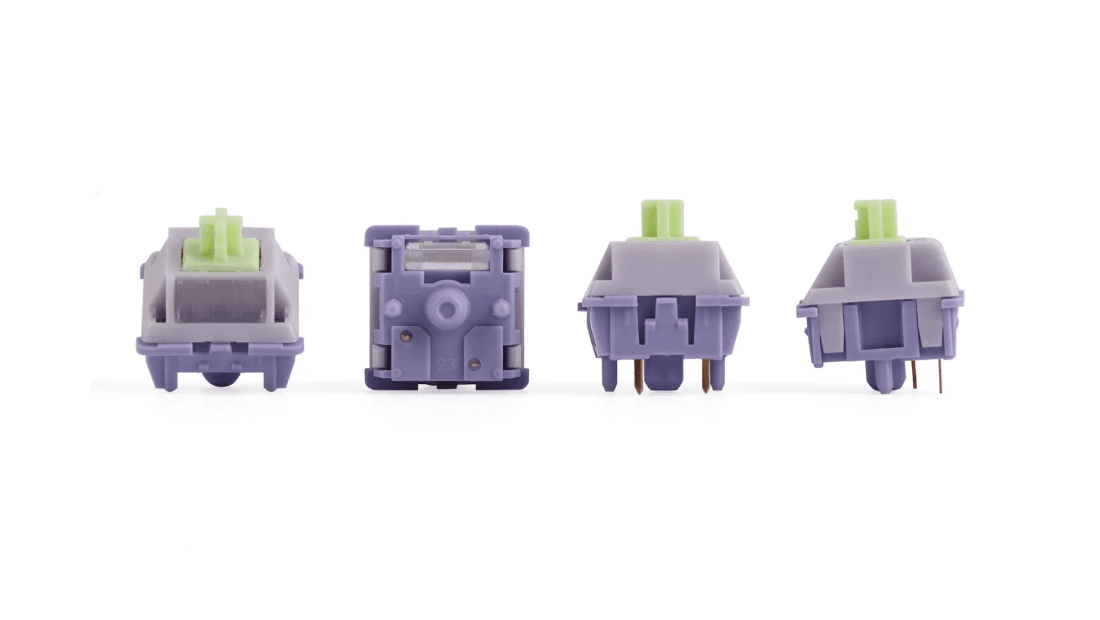
Epomaker offers the TH99 PRO with either Creamy Jade switches or Sea Salt Silent switches. The Creamy Jade option leans toward a smooth, soft sound profile, while the Sea Salt Silent version keeps noise to a minimum for shared spaces. Both come pre-lubed from the factory, which gives the board a more consistent feel out of the box than many stock gaming keyboards.
The keyboard is fully hot-swappable with 5-pin support, so players can swap in faster linear switches for FPS games or tactile options for MOBAs and strategy titles. Combined with gasket mounting and multiple internal dampening layers, keystrokes feel controlled instead of harsh, reducing finger fatigue during long sessions.
In real gameplay, the board holds up well. With a 1000Hz polling rate in wired and 2.4GHz modes and low latency at 2ms wired and 5ms wireless, input feels responsive enough for competitive environments. Bluetooth is slower, but it is better suited for casual play or productivity rather than ranked matches.
RGB Lighting That’s Functional, Not Just Decorative
The TH99 PRO features per-key south-facing RGB lighting with full customization over brightness, speed, and effects. For gamers, RGB is not just about looks. Lighting can be used to highlight movement keys, ability bindings, or macros, making it easier to react quickly under pressure.
Epomaker’s browser-based configuration software allows players to remap every key, assign macros, and control lighting without heavy local installs. This is useful for gamers who move between systems or want profiles for different genres, from shooters to MMOs to creative tools tied into web3 workflows and content production setups.
Wireless Flexibility Across Gaming Setups
Connectivity is one of the TH99 PRO’s strongest points. It supports USB-C wired, 2.4GHz wireless, and Bluetooth, with fast switching between up to five devices. For gamers, this means one keyboard can run a main PC, a laptop, a tablet, and even a phone without constant re-pairing.
The 2.4GHz wireless mode is the one most players will use, offering low latency that feels close to wired performance. Bluetooth works well for secondary devices, but competitive players will still want wired or dongle mode for ranked play.
Battery Life That Matches Long Sessions
Inside the TH99 PRO is a 10,000mAh battery. With RGB turned off, it can run for roughly 150 to 200 hours. With RGB and the display active at high brightness, battery life drops to around 40 hours, which still covers several long gaming sessions before needing a recharge.
For wireless gamers, this means fewer interruptions between matches and less reliance on cables unless playing tournaments or ultra-competitive games that demand wired stability.
Sound Profile and Long-Term Comfort
Epomaker uses a multi-layer acoustic design that includes PORON foam, IXPE switch pads, and a silicone base. In practice, this keeps the keyboard from sounding hollow or metallic. The gasket mount absorbs impact and softens bottom-out, which makes repeated inputs less tiring over time.
This benefits gamers who spend hours in MMOs, tactical shooters, or creative pipelines where constant keyboard interaction is unavoidable. The double-shot PBT keycaps resist shine and wear, helping the board maintain grip and appearance after extended use.
Final Verdict for Gamers
The Epomaker TH99 PRO positions itself as more than a flashy RGB board. Its 96% layout supports competitive mouse movement, its wireless performance is fast enough for serious play, and its hot-swap design lets players tune the feel to match their game library. The built-in screen and volume knob add practical control rather than distracting gimmicks.
While some players may prefer a metal chassis over ABS plastic, the overall feature set, battery life, and customization tools make the TH99 PRO a strong option for gamers who want flexibility across multiple devices without sacrificing performance in ranked matches.
For PC gamers building a modern setup that balances competitive input with everyday usability, the Epomaker TH99 PRO fits comfortably into that role. When you purchase through links on our site, we may earn an affiliate commission. You can learn more here:
Official Site: https://h7.cl/1oqRK
Amazon US: https://h7.cl/1iW63
Amazon UK: https://h7.cl/1jo5I
Make sure to check out our articles on gaming gadgets:
Best Apple Products for Gaming
Best Nintendo Switch Accessories
Best Gaming Androids (phones)
Frequently Asked Questions (FAQs)
Is the Epomaker TH99 PRO good for competitive gaming?
Yes. With a 1000Hz polling rate in wired and 2.4GHz modes and low latency, the TH99 PRO performs well in competitive shooters and fast-paced games.
Does the TH99 PRO work wirelessly for gaming?
It supports 2.4GHz wireless, Bluetooth, and USB-C. For gaming, the 2.4GHz dongle offers low-latency performance close to wired input.
What layout does the Epomaker TH99 PRO use?
The keyboard uses a 96% layout with 98 keys, keeping the number pad while reducing overall width to leave more mouse space.
Can you change switches on the TH99 PRO?
Yes. The keyboard is fully hot-swappable and supports 5-pin mechanical switches, allowing gamers to customize feel and sound.
How long does the battery last on the TH99 PRO?
With RGB off, it lasts up to 150–200 hours. With RGB and the screen on, it runs around 40 hours depending on brightness and usage.
What is the built-in screen used for?
The screen shows battery level, connection mode, clock, and supports custom GIFs and RGB control, acting as a small command center for the keyboard.
Is the Epomaker TH99 PRO compatible with Windows and macOS?
Yes. It works with Windows, macOS, Android, and other devices using USB, 2.4GHz, or Bluetooth connections.