
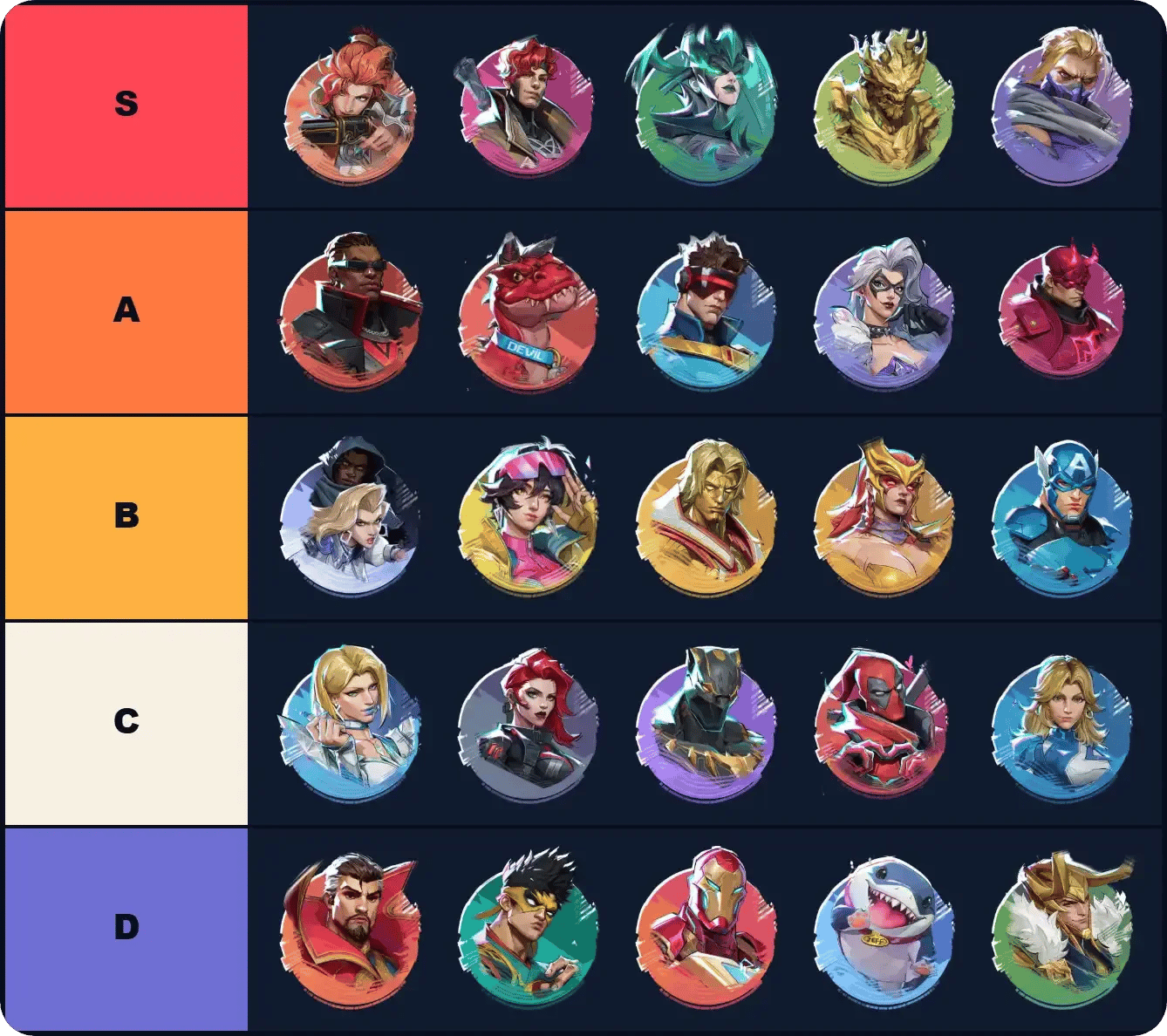
A Marvel Rivals tier list maker can help you settle on a hero pool, but every row needs consistent rules. A personal-comfort board answers a different question than a ranked-meta list, while a Lord icon ranking is about the artwork.
Start with three heroes in your main role, explain each placement, and save a copy before expanding the board. This guide covers roster checks, useful tier labels, Practice Range comparisons, and the export options that keep your work intact. Here's one to get you started, and a breakdown of how to use it below.
How do you use a Marvel Rivals tier list maker?
To make a Marvel Rivals tier list, choose a template, define what its tiers mean, place your heroes, and save the result. Use this order:
- Choose your subject: heroes, maps, or Lord icons.
- Set one ranking criterion: personal comfort, role usefulness, or your judgment of the season's meta.
- Check template coverage: add missing heroes before calling it a full-roster list.
- Arrange your tiers: drag or assign entries to rows, then give each hero placement a reason.
- Save and share: download an image, create a share link, or copy the board text, depending on the editor.
Set rules for each tier row

Which tier list template should you choose?
Choose a hero board for comparing picks. Map and Lord icon templates serve different purposes, so check the image pool before spending time on the labels.
| Template format | Best fit | Features or coverage to check |
|---|---|---|
| Role-filtered personal board | Building a hero pool around your preferences | S/A/B/C rows, role filters, and text copying |
| Editable hero template | Creating a visual ranking to share | Custom labels, hero additions, and image export |
| Map template | Ranking your map preferences | Which maps its image pool includes |
| Lord icon template | Comparing deluxe proficiency icon artwork | Transformations and role-specific variants |
Does the template include the full roster?
The official hero directory contained 54 entries on October 18, 2026. A template with 41 heroes covering additions through Phoenix and Blade needs more entries before it works as a full-roster board. An updated page date alone does not make its hero pool complete.
If your template stops at Blade, check for these later additions:
- Vanguards: Angela, Rogue, Devil Dinosaur, and The Hood.
- Duelists: Daredevil, Elsa Bloodstone, Black Cat, Cyclops, and Gorr the God Butcher.
- Strategists: Gambit, White Fox, and Jubilee.
- Multiple roles: Deadpool.
How should you rank heroes fairly?
Start by comparing Vanguards with Vanguards, Duelists with Duelists, and Strategists with Strategists. Choose one criterion for the first pass: comfort at your usual range, recovery after a mistake, or usefulness in the role your group needs. Mixing those criteria halfway through makes an S/A/B/C board difficult to interpret.
For a separate view of hero strength, compare your placements with the Season 10.5 hero tier list. Keep your own ranking criterion in the title or description so readers understand what an S-tier placement means on your board.
What should S, A, B, and C mean?
For a personal-comfort board, you can use these definitions:
- S: Your most dependable picks for the chosen role and criterion.
- A: Comfortable alternatives that sit just below your first choices.
- B: Heroes you prefer under particular conditions.
- C: Heroes that need more practice for your stated goal.
These are suggested labels for your preferences, not prefilled hero rankings. Keep unfamiliar heroes in the unranked pool while you build the first version around three picks you know.
What should you compare in Practice Range?
Choose two heroes you already know how to control. In Practice Range, compare their primary attack, movement, and defensive input using the same criterion you chose for the board. Read the displayed bindings rather than assuming a guide's keyboard or controller layout matches yours.
Use actual matches to revisit one placement at a time. Keep your accuracy, the map, and your own decision errors separate when explaining the change. A specific observation gives you a better reason to move a hero than one frustrating match.
For each hero, record the role, tier, reason, and any Team-Up condition. Add the season and your rank to the board description. Those details make later revisions easier to compare without inventing win rates or treating personal comfort as a measured statistic.
How do you add heroes and arrange the rows?
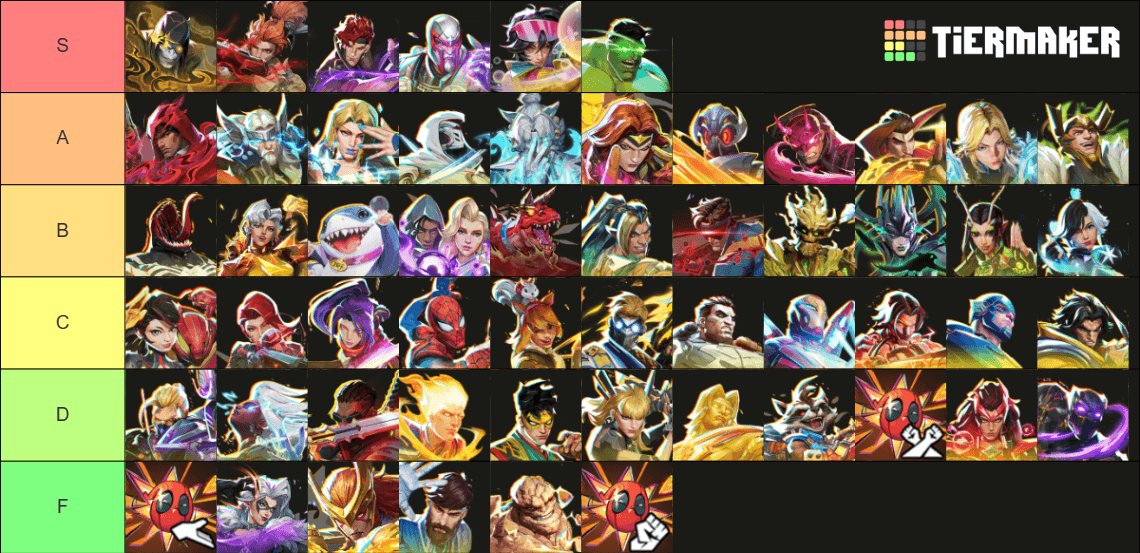
In a drag-and-drop editor, move each hero into the appropriate tier, then edit the row labels to match your rules. A touch-friendly editor may let you tap a hero and then tap its destination row instead.
For a roster editor with an add field, type the missing hero's name and select Add. Use Images or the image-upload control if you want portraits rather than text entries. Check whether uploaded pictures remain saved in the editor or are only included in the download.
Useful controls to look for include:
- Editable labels: replace S/A/B/C with wording that explains your criterion.
- Additional rows: use + Tier or an equivalent control when you need another category.
- An unranked pool: return entries here while you reconsider them.
- Keyboard placement: in editors that support it, focus an entry and press 1 through 9 to assign a tier, 0 to return it to the pool, or Delete to remove it.
How do you save and share your tier list?
A Marvel Rivals board can be saved as an image, shared through an editor-generated link, or copied as text. Choose the output your editor supports:
| Control | Result | What to check |
|---|---|---|
| Export PNG | Downloads an image of your ranking | Confirm the labels and hero entries are visible |
| Save/Download | Opens the image-saving workflow | Add a title and description when prompted |
| Share link | Creates a link that opens your list | Use it when you want to share the board through that editor |
| Copy board | Copies a text version | Confirm clipboard success, or select the text manually if access is denied |
Put the season and ranking criterion in the exported title. That makes a current personal board easier to distinguish from an older Season 4 ranked hero tier list. Balance updates can change hero judgments, so keep previous versions when you revise your placements.
Can you rank maps or Lord icons instead?
Map templates use the same basic workflow: edit the labels, arrange the images, and download the result. A Marvel Rivals map template with 24 images provides a map-ranking image pool, so inspect its contents before deciding it covers every map you want to rank.
Lord icon templates compare deluxe proficiency icons and avatars. A 64-image icon template includes transformations and Deadpool role variants, so its image count is not a hero count. Keep an artwork ranking separate from a board about which heroes you prefer to play.
Start with three heroes in your main role, give every placement one reason, and export that first version before expanding it. For help choosing which heroes to learn next, browse the Marvel Rivals strategy guides.