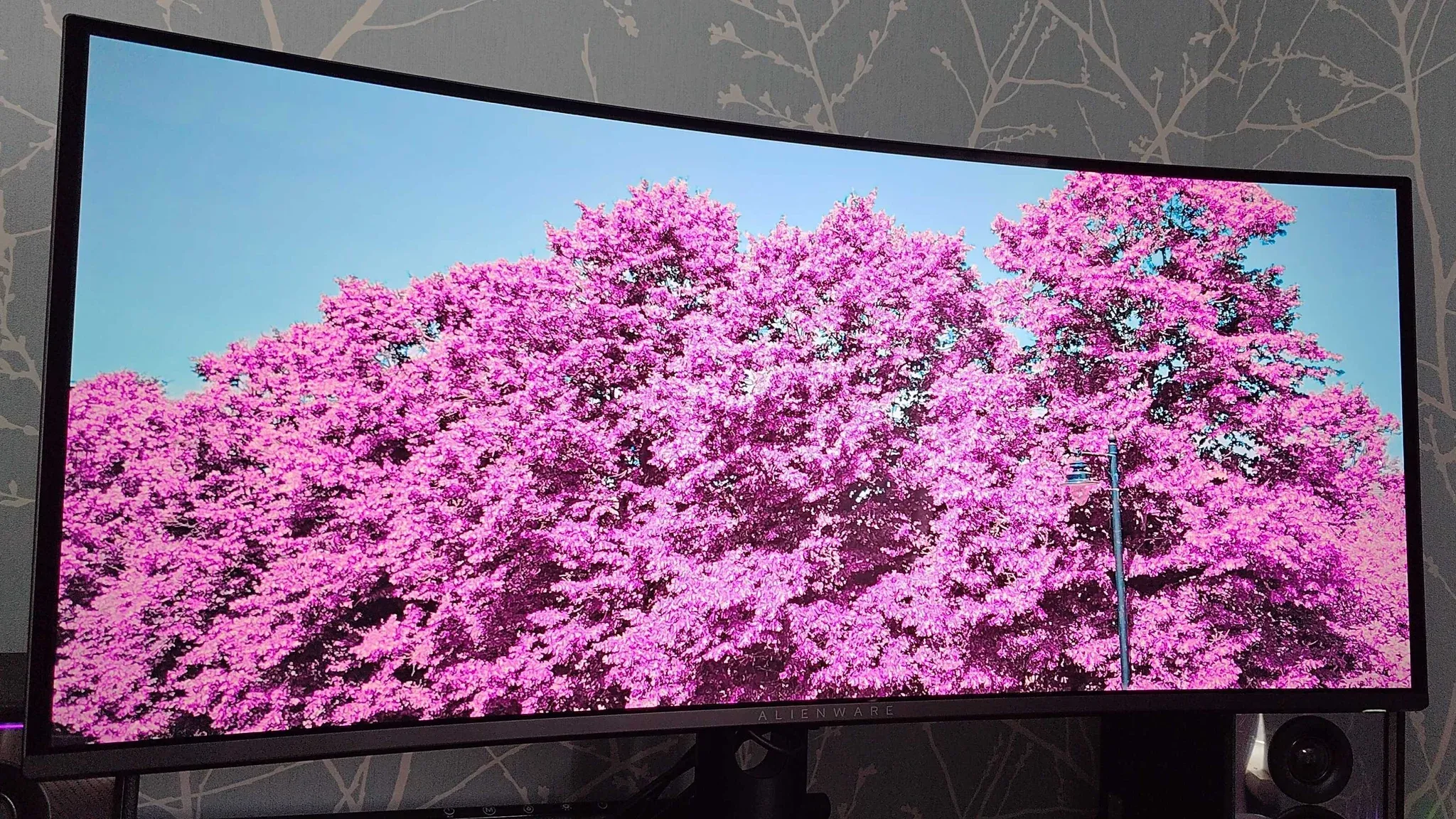


The going assumption with premium ultrawide monitors has always been simple: want something beautiful, pay over $1,000. The Alienware AW3426DW just broke that assumption at $799, and the gap between its price and its performance is genuinely hard to ignore.

Use code TRYHARD33 at checkout to redeem this offer before code expires again.
Get 33% Off GAMES+ Subscription
What you're actually getting for $799
This is a 34-inch, 21:9 QD-OLED panel running at 3440x1440 with a 280Hz refresh rate and a rated 0.03ms response time. It covers 99% of the DCI-P3 color gamut (confirmed in colorimeter testing), 100% sRGB, and 97% Adobe RGB. Dolby Vision support is baked in, which remains rare at this price point. Competing monitors like the LG Ultragear UWQHD and the Asus ROG Swift PG34WCDM both land north of $1,000 for a similar spec sheet.
Here's the thing: the price difference isn't explained by corners being cut. The AW3426DW supports both FreeSync and G-Sync compatibility, so AMD and Nvidia GPU owners are both covered without compromise. For anyone optimizing their PC setup, pairing this with a well-tuned rig makes a real difference. If you're pushing Unreal Engine 5 titles and want to squeeze every frame out of your hardware, the Directive 8020 best PC settings guide is worth a look for dialing in your GPU configuration.
Design: looks from behind, business up front
The back panel goes full Alienware: galaxy purple finish, oval ventilation cutouts, and an RGB alien head logo. It looks like a gaming product. The front tells a completely different story. Bezels are narrow for a display this size, the bottom bezel carries an Alienware logo, and there's a lit-up power button on the lower right. That's it.
The monitor measures roughly 32 inches wide and 14 inches tall without the stand, weighing around 17 lb. That's manageable compared to some heavier premium displays, but the footprint is substantial. Space planning is genuinely required before purchase.
The OSD is accessed via a button on the bottom center and covers standard picture settings, PIP (Picture-in-Picture), and input switching. A USB-B port on the rear connects to the Alienware Control Center software for RGB management.
Two software features worth knowing about: Alienvision overlays a persistent aiming reticle on screen, which is useful in first-person shooters where your crosshair expands under fire. Esports Mode shrinks the active display area to a 25-inch 16:9 window, though it drops resolution to 2368x1332. If you're enabling that mode for competitive play, manually setting 1920x1080 instead gets you a cleaner signal and lets the full 280Hz headroom actually matter.
How it holds up in actual play
Tested against an RTX 5080, the AW3426DW holds up under pressure. Running through Blur Busters at 280Hz produced no detectable ghosting or motion blur. Light bleed didn't surface even in high-contrast scenes or when running games at a 16:9 resolution inside the ultrawide panel.
The HDR performance is where QD-OLED earns its reputation. Dungeon scenes in Diablo 4, with deep shadows broken up by small light sources, look genuinely different on OLED versus a standard IPS or VA panel. The contrast isn't processed or approximated. Sailing sequences in Assassin's Creed Black Flag Resynced pop with the kind of color saturation that makes you stop playing just to look at the water.
Games that don't support HDR, including World of Warcraft, still benefit from the color accuracy and panel quality. The display doesn't need HDR to look good. It just looks better with it.
The only real criticism here is the plastic back panel. It doesn't affect performance and it doesn't look bad once the monitor is positioned on a desk, but at $799 you might expect a more premium material choice. That's a minor complaint against an otherwise clean package.
Who this actually makes sense for
The AW3426DW is built for single-player gaming where immersion matters. The 21:9 aspect ratio wraps the image around your peripheral vision in a way that a standard 16:9 display simply doesn't. Open-world games, RPGs, and anything with strong art direction look fundamentally different at this width.
For competitive players, Esports Mode exists as a concession, but this monitor's strengths are wasted in that configuration. The 280Hz ceiling is competitive-grade, but the panel's real value is in image quality, not raw speed.
For players exploring new titles and wanting to stay current on what's worth playing, our reviews hub covers the games most likely to push a display like this to its limits. Picking the right game for a new monitor matters more than most people account for.