
The gaming mouse market has become increasingly competitive, making it difficult for manufacturers to introduce genuinely useful innovations rather than simply increasing specifications. The EPOMAKER Carbonis Mouse takes a different approach by combining flagship gaming hardware with several quality-of-life features that improve the everyday experience.
Built around a lightweight composite carbon fibre shell, a high-end PAW3950 sensor, tri-mode connectivity, and an integrated LCD display, the Carbonis aims to satisfy competitive gamers without sacrificing comfort or practicality. At $89.99, it also enters the premium gaming mouse category while remaining more affordable than many flagship competitors.
After spending time with the Carbonis, it becomes clear that EPOMAKER has focused on refining the overall user experience rather than chasing gimmicks.
Design and Build Quality
One of the Carbonis' biggest strengths is its construction.
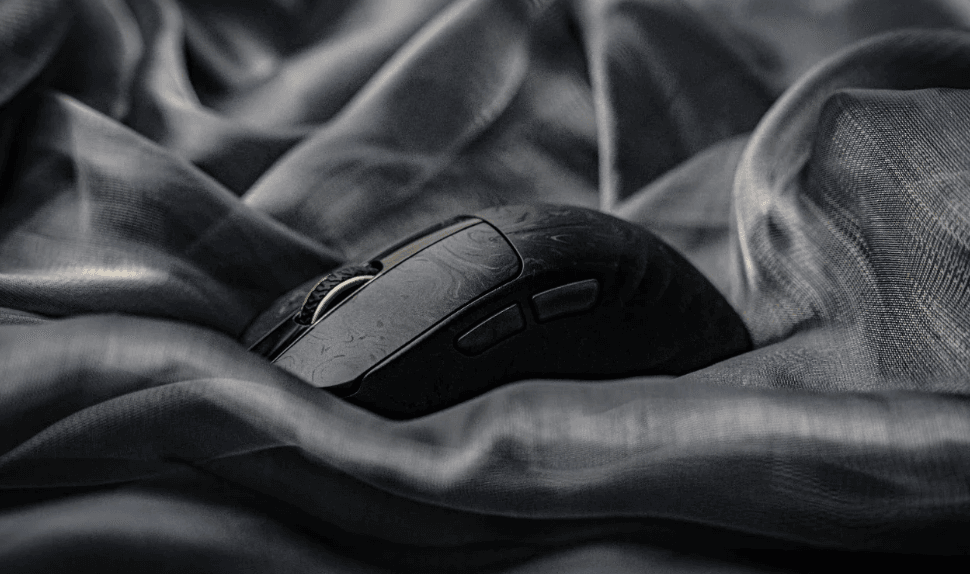
The composite carbon fibre shell immediately gives the mouse a premium appearance while serving a practical purpose. Unlike many lightweight gaming mice that rely on honeycomb cut-outs, the Carbonis maintains a solid shell that feels rigid and durable without adding unnecessary weight.
Weighing approximately 50 grams, the mouse feels exceptionally light during fast-paced gameplay. Rapid flicks in FPS games require minimal effort, while longer gaming sessions become noticeably less fatiguing.
The laser matte finish deserves praise as well. It resists fingerprints effectively while offering enough grip to remain comfortable even during longer sessions. Combined with the anti-slip textured sides, the Carbonis maintains a secure hold without feeling abrasive.
Despite its lightweight design, there is very little flex throughout the chassis. The mouse feels reassuringly sturdy and inspires confidence that it can withstand daily use.
Ergonomics
Rather than attempting to appeal to every grip style, EPOMAKER has clearly designed the Carbonis specifically for right-handed users with medium to large hands.
The ergonomic contour supports both palm and claw grips naturally, allowing the hand to rest comfortably during extended gaming sessions. The pronounced shape gives the thumb a secure resting position while placing the primary buttons at an ideal angle.
Users with smaller hands may find the dimensions slightly larger than expected, but for its intended audience the ergonomics feel excellent.
This focused design philosophy ultimately works in the Carbonis' favour, providing a level of comfort that's difficult to achieve with more symmetrical gaming mice.
Smart LCD Display
Perhaps the Carbonis' most distinctive feature is its integrated LCD screen.
Instead of relying entirely on software, the display provides instant access to important information including:
- Current DPI setting
- Battery level
- Polling rate
- Active connection mode
Even better, users can adjust DPI levels and polling rates directly from the mouse without opening software.
This may sound like a small convenience, but it quickly becomes one of the Carbonis' most useful features. Switching between work, browsing and gaming profiles takes only seconds, while checking battery life becomes effortless.
The display is bright, clear and surprisingly practical rather than feeling like an unnecessary addition.
Gaming Performance
Performance is where the Carbonis truly shines.
Powered by the flagship PixArt PAW3950 sensor, tracking remains consistently accurate across virtually every gaming genre.
Key specifications include:
- Up to 30,000 DPI
- 750 IPS
- 50G acceleration
- Up to 20,000 FPS
- Adjustable 8,000Hz polling rate
While few players genuinely require 30,000 DPI, the sensor's consistency at more realistic sensitivity settings is outstanding.
Tracking remains smooth during rapid movements, with no noticeable spin-outs or prediction issues. Whether playing competitive shooters, MOBAs or fast-paced action games, cursor movement feels exceptionally responsive.
The Carbonis supports:
- 0.3ms wired latency
- 0.375ms 2.4GHz wireless latency
In practice, wireless performance feels virtually indistinguishable from using a wired connection.
Competitive players who take advantage of the optional 8,000Hz polling rate will appreciate the additional responsiveness on high refresh rate monitors, although most users will likely find the default 1,000Hz setting perfectly adequate.
Software Experience
One of the Carbonis' smartest decisions is avoiding mandatory software installation.
Instead, EPOMAKER provides a browser-based configuration tool that works through Chrome-based browsers.
From the online software users can customise:
- DPI stages
- Polling rate
- Lift-off distance
- Motion synchronisation
- Sleep settings
- High-speed mode
- Button programming
Being able to configure the mouse without downloading permanent desktop software feels refreshingly modern.
The web interface is straightforward and keeps the overall setup process quick and uncomplicated.
Connectivity and Battery Life
The Carbonis supports three connection modes:
- 2.4GHz wireless
- Bluetooth 5.0
- USB wired
This versatility makes it equally suitable for desktop PCs, laptops, tablets and even mobile devices.
The included USB-A to USB-C cable allows for wired gameplay while charging, and EPOMAKER claims a full recharge takes roughly one hour.
The 300mAh battery is relatively modest compared to some competitors, but the lightweight design benefits from the smaller battery, helping keep overall weight exceptionally low.
For most users, battery life should comfortably cover several gaming sessions before requiring a recharge.
Everyday Use
Although marketed primarily as an esports gaming mouse, the Carbonis transitions well into daily productivity.
The lightweight body reduces fatigue during office work, while Bluetooth connectivity makes switching between devices straightforward.
The LCD display once again proves useful, particularly when checking battery levels before leaving home or switching DPI for productivity tasks.
Its premium appearance also helps it blend naturally into professional desk setups rather than looking overly aggressive.
What Could Be Better?
The Carbonis is an excellent mouse overall, but there are a few areas worth noting.
Its right-handed ergonomic design means left-handed users will need to look elsewhere.
Similarly, users with smaller hands may prefer a more compact alternative.
While the browser-based software is convenient, requiring a Chromium-based browser may not suit everyone, particularly users who primarily use other browsers.
Finally, although the 300mAh battery performs adequately, some competing wireless gaming mice offer larger batteries that require less frequent charging.
None of these issues significantly detract from the overall experience, but they're worth considering depending on your individual preferences.
Final Verdict
The EPOMAKER Carbonis succeeds because it balances premium gaming performance with thoughtful usability.
Its lightweight carbon fibre construction feels genuinely premium, while the PAW3950 sensor delivers flagship tracking performance that competitive players can trust. The integrated LCD display is far more useful than expected, eliminating much of the guesswork that comes with adjusting DPI or checking battery life.
Combined with excellent ergonomics for medium-to-large right-handed users, responsive wireless performance, tri-mode connectivity and convenient browser-based software, the Carbonis offers a polished experience that competes confidently with considerably more expensive gaming mice.
While its shape won't suit everyone and battery capacity is modest, these are relatively minor compromises in what is otherwise one of EPOMAKER's strongest peripherals to date.
For gamers looking for a lightweight wireless gaming mouse under $100 with flagship performance and genuinely useful features, the EPOMAKER Carbonis is an easy recommendation.
Rating: 9.5/10
Pros
- Exceptionally lightweight at approximately 50g
- Premium composite carbon fibre construction
- Outstanding PAW3950 flagship sensor
- Excellent ergonomic shape for medium-to-large hands
- Useful integrated LCD display
- Responsive 8K polling support
- Reliable tri-mode connectivity
- Browser-based software requires no downloads
- Premium build quality
Cons
- Right-handed design limits accessibility
- Battery capacity is smaller than some competitors
- Best suited to medium and large hands
- Web software works best with Chromium-based browsers
When you purchase through links on our site, we may earn an affiliate commission. You can learn more here.