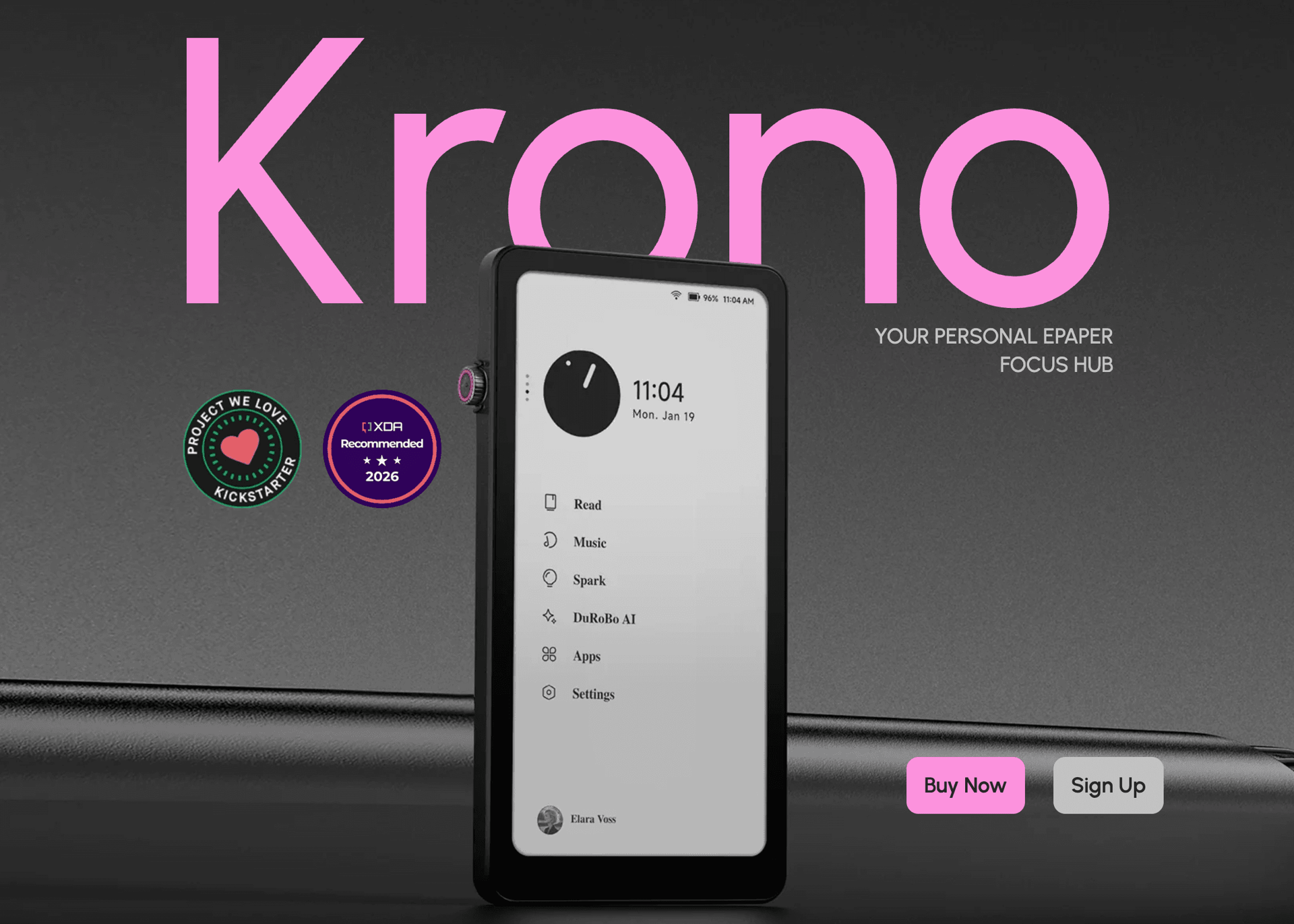

Modern smartphones are excellent at keeping people connected, but they are equally effective at interrupting concentration. Notifications, social media feeds, and endless apps make focused reading or writing increasingly difficult. The Krono takes a very different approach. Rather than trying to replace a smartphone or tablet, it creates a dedicated space for reading, note-taking, listening and organising ideas without unnecessary distractions.
Combining a high-resolution E Ink display, Android 15, AI-assisted productivity tools and a compact design, the Krono aims to become a daily companion for professionals, students, writers and avid readers. After spending time with the device, it largely succeeds in delivering exactly what it promises.
Design
The first thing that stands out about the Krono is its minimalist industrial design.
Instead of flashy colours or oversized branding, the device embraces clean geometric lines with subtle mechanical influences that give it a premium appearance. At just 173g and measuring only 9mm thick, it is light enough to carry throughout the day without ever becoming noticeable in a pocket or small bag.
The rear "Axis" lighting system adds a unique visual identity without becoming distracting. The breathing lights can act as gentle reminders to return to reading or focused work, reinforcing the device's philosophy of encouraging healthy digital habits.
Equally impressive is the optional TPU protective case, which has clearly been designed alongside the hardware rather than as an afterthought. It protects the device while maintaining full access to the Smart Dial and rear lighting system.
Display
The biggest reason to consider the Krono is undoubtedly its 6.13-inch Carta 1200 E Ink display.
With a 300 PPI resolution, text appears exceptionally sharp, closely resembling printed paper. Long reading sessions remain comfortable even after several hours, making it ideal for ebooks, articles, research papers and lengthy documents.
The inclusion of a dual-tone frontlight also makes a significant difference. Whether reading during the day or late at night, brightness can be adjusted to remain comfortable without introducing the harsh glare associated with traditional LCD or OLED screens.
Unlike many older E Ink devices, the Krono's refresh performance is surprisingly responsive. Thanks to its octa-core processor and improved refresh algorithms, scrolling through documents, opening applications and navigating Android feels considerably smoother than expected.
It still cannot match the fluidity of a conventional tablet—as expected with E Ink technology—but among ePaper devices it delivers an impressively polished experience.
Performance
Powering the Krono is an octa-core processor paired with 6GB RAM and 128GB of internal storage.
These specifications provide more than enough performance for the device's intended purpose. Applications launch quickly, switching between productivity apps feels responsive and multitasking remains smooth throughout normal use.
Running Android 15 is perhaps one of Krono's strongest selling points.
Rather than locking users into a closed ecosystem, the open Android platform allows installation of a wide range of reading, productivity and communication applications. Whether using ebook readers, note-taking software, cloud storage or calendar apps, the Krono offers a level of flexibility that many dedicated eReaders cannot match.
This openness significantly extends the device's usefulness beyond simple reading.
Productivity Features
Where the Krono begins to separate itself from traditional eReaders is through its productivity-focused software.
The integrated Spark feature allows users to quickly capture thoughts in multiple ways.
Holding the Smart Dial activates voice recording, allowing ideas, reminders or meeting notes to be recorded immediately. These recordings can then be converted into text using speech recognition before AI summarises the content into concise notes.
For users who regularly brainstorm, write articles, manage projects or organise research, this workflow feels genuinely practical rather than gimmicky.
Text Mode offers another layer of flexibility by providing a focused writing environment where ideas can be refined without constant digital distractions.
Instead of overwhelming users with complicated productivity suites, Krono focuses on simple tools that encourage consistent use.
Audio Support
Although reading remains the primary focus, Krono also supports audio playback through both its integrated speaker and Bluetooth connectivity.
Listening to podcasts, audiobooks, music or news updates works exactly as expected and adds another layer of versatility during commuting, travelling or exercising.
Audio quality is naturally not intended to compete with dedicated speakers, but it performs well enough for spoken content and casual listening.
Battery Life
E Ink technology has always been known for excellent battery efficiency, and Krono continues that tradition.
While exact battery longevity naturally depends on frontlight usage, wireless connectivity and installed applications, everyday use comfortably stretches over multiple days before requiring a recharge.
USB-C charging also keeps the experience modern and convenient.
User Experience
Perhaps the Krono's greatest strength isn't any individual specification but how cohesive the overall experience feels.
Every aspect of the device reinforces its purpose.
The paper-like display encourages longer reading sessions.
The compact design makes it genuinely portable.
The AI features reduce friction when capturing ideas.
Android adds flexibility without overwhelming the experience.
Even the breathing lights subtly encourage healthier reading habits instead of demanding attention.
It's a refreshing philosophy in an industry increasingly focused on adding more notifications rather than reducing them.
What Could Be Better?
Although the Krono performs impressively, there are still a few limitations worth mentioning.
The E Ink display, while excellent for reading, naturally isn't ideal for fast-moving content such as videos or gaming. Anyone expecting tablet-level responsiveness should adjust expectations accordingly.
Similarly, while Android greatly expands functionality, some applications remain better optimised for traditional colour displays than monochrome E Ink screens.
Neither issue is a major drawback given the product's intended purpose, but they're worth considering before purchasing.
Final Verdict
The Krono succeeds because it understands exactly what it wants to be.
Rather than trying to compete directly with smartphones or premium tablets, it offers something increasingly rare: a device designed specifically to improve focus.
Its outstanding Carta 1200 display, responsive Android experience, useful AI productivity features and thoughtful minimalist design combine to create one of the more compelling ePaper devices currently available.
For readers, writers, students, professionals or anyone looking to reduce digital distractions while remaining productive, the Krono offers a genuinely refreshing alternative.
It won't replace every device you own, nor is it trying to. Instead, it excels as a dedicated companion for focused reading, writing and thoughtful work.
Rating: 9/10
Pros
- Excellent 300 PPI Carta 1200 E Ink display
- Comfortable for extended reading sessions
- Android 15 provides outstanding flexibility
- AI voice transcription and summarisation are genuinely useful
- Fast performance for an ePaper device
- Lightweight, premium minimalist design
- Strong battery life
- Built-in frontlight with adjustable warmth
- Bluetooth audio support
Cons
- E Ink remains unsuitable for video-heavy content
- Some Android apps are not fully optimised for monochrome displays
When you purchase through links on our site, we may earn an affiliate commission. You can learn more here.