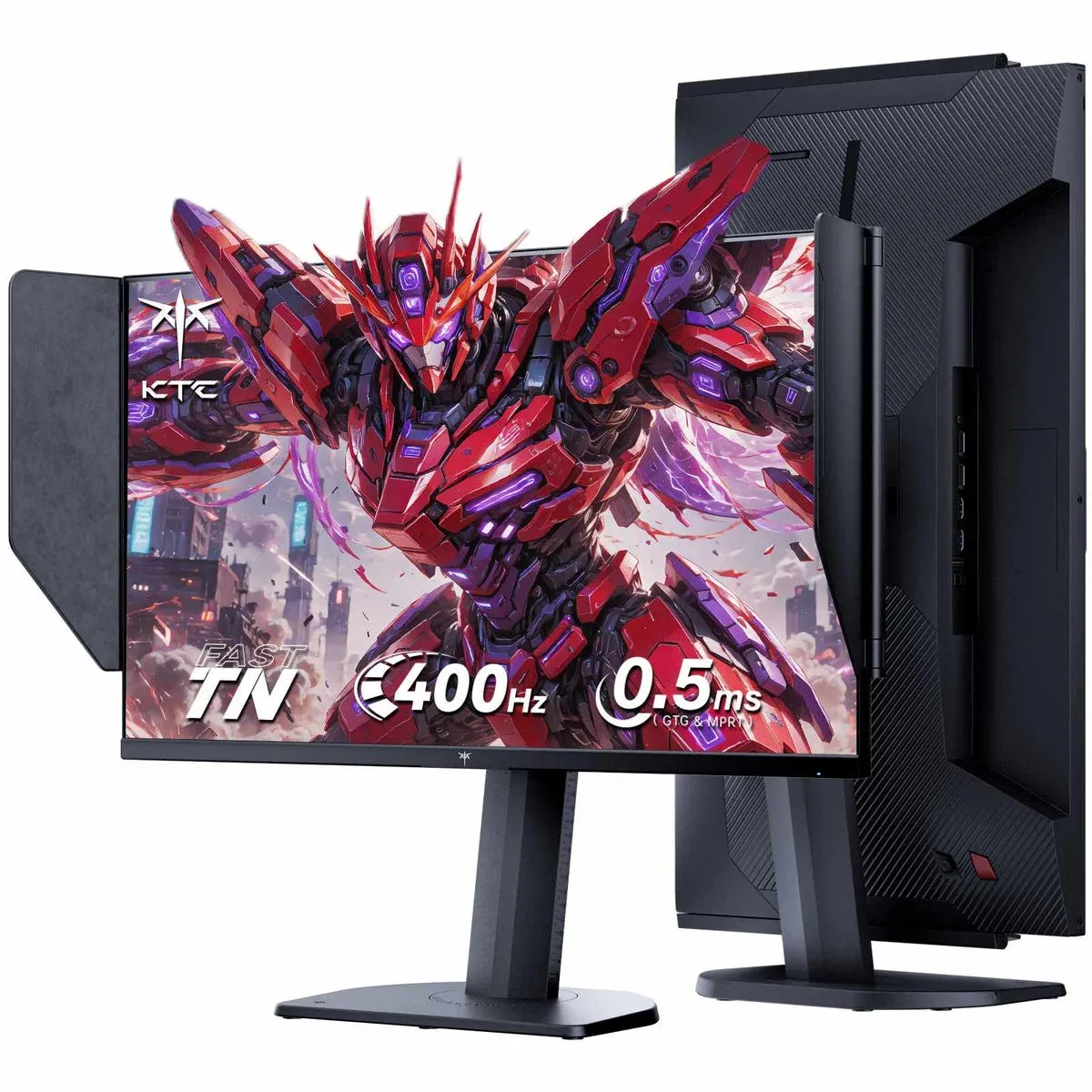


400Hz monitors used to cost a fortune. The BenQ Zowie XL2566X+ sits at $650. Premium IPS G-SYNC Pulsar panels start at $650 too. Then KTC showed up with the 25M1 at $390, and the value math for competitive FPS players suddenly got very interesting.
The 25M1 is a 24.1-inch 1080p TN panel running at 400Hz, and it ships with a side shield hood, a wired OSD controller, VRR support, and DAC backlight strobing. That is a lot of hardware for the price. The question is whether the performance backs it up.

Use code TRYHARD33 at checkout to redeem this offer before code expires again.
Get 33% Off GAMES+ Subscription
What the 400Hz panel actually delivers
Here is the thing about 400Hz: screen tearing becomes essentially invisible at that refresh rate, which means most users will skip VRR entirely and run fixed refresh. That is actually fine for the 25M1, because disabling VRR is a prerequisite for enabling DAC backlight strobing anyway.
At 400Hz with the Advanced overdrive mode enabled, measured display latency sits at 1.69ms, with a 1.84ms average GtG response time and 66.67% refresh rate compliance. At 240Hz, dropping to Standard overdrive brings overshoot error down to just 4.33% with a 3.22ms GtG. The panel is genuinely fast, and the overdrive tuning options give you room to dial it in for your specific frame rate target.
The six overdrive modes (Off, Standard, Advanced, Ultra Fast, Auto, and User) cover most scenarios. The User mode lets you fine-tune from 0 to 100 in single increments, which is a nice touch. Skip Ultra Fast entirely at any refresh rate, it overshoots badly across the board. The Auto mode, meant to act as variable overdrive during VRR, performs identically to User 50 regardless of frame rate, so it is not doing what it advertises.
DAC backlight strobing: solid, but not flawless
The DAC backlight strobing implementation is where the 25M1 earns its esports credentials, and also where it shows its price-point limitations.
At 400Hz with DAC enabled, motion clarity improves noticeably. Text sharpens, moving targets are easier to track. At the lowest Pulse Width setting of 20, brightness drops to 278 nits, which is still workable. At Pulse Width 100, you get up to 345 nits. The trade-off between clarity and brightness is manageable.
The catch is strobe crosstalk. Artifacts are most visible at the bottom of the screen, and the monitor lacks a Pulse Phase adjustment that would let you shift the clearest zone toward the center. BenQ's DyAc+ implementation on the older XL2566K shows less crosstalk across the entire panel, and the newer XL2566X+ with DyAc2 should be better still. At 120Hz, crosstalk becomes distracting enough that you will want to run higher refresh rates when strobing is active.
The key here is matching your frame rate to your refresh rate. If you are hitting 360FPS consistently, set the monitor to 360Hz and cap your frames there. Strobing performance at 360Hz is actually slightly cleaner than at 400Hz.
Panel specs and image quality in context
The 25M1 uses an 8-bit TN panel with a measured 432 nit peak brightness (exceeding the spec sheet's 350 nit claim), a 1211:1 static contrast ratio at 200 nits, and 110.7% sRGB color gamut volume in the default Player mode.
Color accuracy in the default Player 1 preset is not great, with a measured Delta E average of 3.66 and a white point running hot at 7691K (noticeable blue tint). Switching the color temperature to Warm brings it down to 6556K, which is much closer to the 6500K target. The sRGB Professional Mode tightens average Delta E to 1.62, though the maximum stays high at 10.27 due to limited blue coverage.
For competitive gaming, the bigger practical concern is gamma. Shadow detail runs darker than intended in default settings, which hurts visibility in dark areas. Setting Black Equalize to 80 (or enabling the Night-Vision preset, which does this automatically) corrects it without blowing out bright scenes. This is the single most impactful OSD adjustment for FPS games on this monitor.
Viewing angles are TN-typical: fine straight-on, noticeable color and contrast shift from off-angles. For a single-player setup where you sit directly in front of the screen, this is a non-issue.
Design and feature set for the price
The physical design is genuinely good. The stand covers 155mm of height adjustment, -5 to 35 degree tilt, plus or minus 60 degree swivel, and 90 degree clockwise pivot. The base footprint is small enough to keep your keyboard and mouse close to the screen, which matters for low-sensitivity FPS players.
The wired OSD controller is a practical addition. Three preset buttons let you switch between Player 1, 2, and 3 profiles instantly, and the directional joystick mirrors the rear joystick on the monitor itself. Useful for toggling between a lower brightness work profile and a higher brightness gaming profile without touching the monitor.
Connectivity covers two DisplayPort 1.4 inputs and two HDMI 2.0 ports (capped at 240Hz). You will need DisplayPort to hit 400Hz. A mini-USB port handles the wired controller, and there is a USB-A port for firmware updates.
The competitive value case
At $390, the KTC 25M1 is the most capable 400Hz monitor below $400. The next meaningful step up is the BenQ Zowie XL2566X+ at $650, which delivers better strobing via DyAc2 and the XL Settings To Share feature for game-specific presets. That $260 gap is real, and whether cleaner strobe crosstalk justifies it depends entirely on how seriously you play and how sensitive you are to the artifacts.
For players who cannot sustain 400FPS and want strobing at lower frame rates, the ViewSonic XG2431 at $280 offers a 1080p 240Hz IPS panel with excellent 120Hz strobing performance. OLED options at 1440p 240Hz start around $350 if image quality matters more than maximum refresh rate.
The 25M1 sits in a specific sweet spot: it is the right monitor for competitive FPS players who want 400Hz and backlight strobing without spending flagship money. Check out our gaming guides for tips on squeezing every frame out of your setup in titles like War Thunder, where even small latency advantages matter. If you are optimizing your knight build or tank survivability in games like TBH: Task Bar Hero, the elemental resistance guide is worth a look while you wait for your GPU to push those 400 frames. For a broader look at what is worth buying right now, the full reviews hub has the latest hardware breakdowns covered.