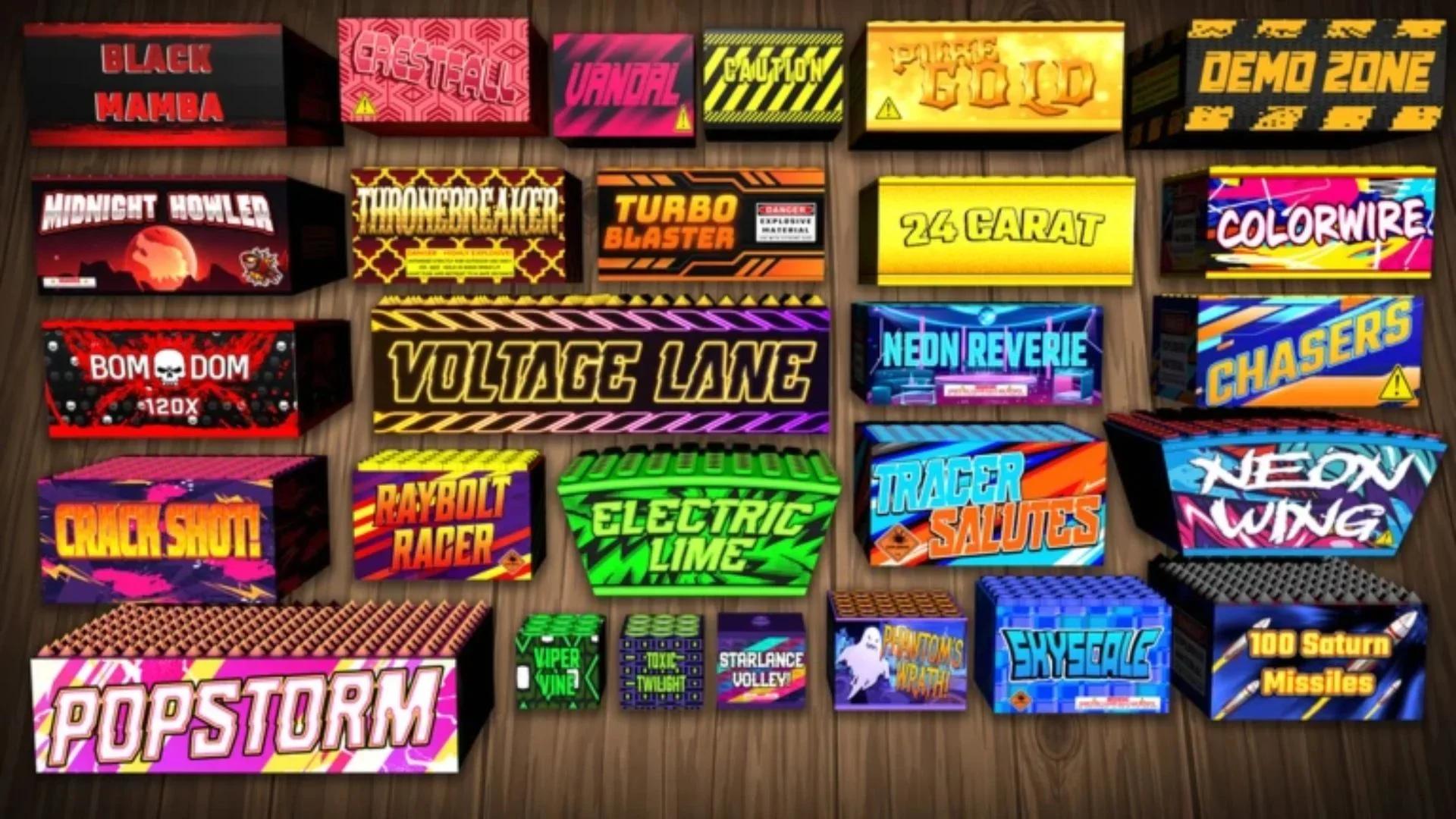
Fireworks Playground codes can give you millions of free coins before you light another fuse. Start with 100KLIKES and THANKSFORPLAYING, which each award 1,000,000 coins, then work through the remaining codes below. In this Roblox experience by Pseudo Studio, coins buy more fireworks, and lighting fireworks earns more coins. To redeem a code, open the bottom-left Menu, choose Code, enter it, and select Confirm. The reward table, redemption walkthrough, and troubleshooting checks below will help you claim your coins without getting stuck on a typo.
Which Fireworks Playground codes give the most coins?
100KLIKES and THANKSFORPLAYING offer the largest rewards here, at 1,000,000 coins each. Redeem those first, followed by the visit and membership milestone codes. If all 8 codes below are accepted and you have not claimed them previously, their rewards total 3,625,000 coins.
| Code | Coin reward | Suggested redemption order |
|---|---|---|
| 100KLIKES | 1,000,000 | First |
| THANKSFORPLAYING | 1,000,000 | First |
| 125MVISITS | 500,000 | Next |
| 100MVISITS | 500,000 | Next |
| 600KMEMBERS | 400,000 | Next |
| FREEDOMFUNDS | 100,000 | After the larger rewards |
| MINIGAMES | 100,000 | After the larger rewards |
| BANANAS | 25,000 | Finish with this reward |

Which codes should you prioritize?
If you only redeem a couple before returning to the fireworks, make them 100KLIKES and THANKSFORPLAYING. Together, they provide 2,000,000 coins. Adding 125MVISITS and 600KMEMBERS brings that subtotal to 2,900,000 coins, without counting the other rewards in the table.
How do you redeem Fireworks Playground codes?
Code redemption is inside Fireworks Playground's bottom-left Menu. You do not need to visit the fireworks shop to claim these rewards. Follow this sequence:
- Launch Fireworks Playground in Roblox.
- Select the Menu button in the bottom-left corner. Look for the button with three horizontal lines.
- Scroll through the menu if necessary and select Code.
- Copy a code from the table and paste it into the text box.
- Select Confirm.
- Check for the reward notification, then repeat with the next code.
How can you avoid entry mistakes?
Paste one code at a time into the Code field. Keep its spelling and capitalization intact, and remove any blank space before or after it. Only copy the code itself, not its coin reward or the rest of its table row.
For another free-coin list, the Paint and Hide codes guide includes that game's rewards and redemption instructions.
Why are your Fireworks Playground codes not working?
A failed 125MVISITS or BANANAS attempt does not automatically mean you entered it incorrectly. Expiration and previous redemption can also prevent a reward. Check the likely causes below before typing the same code again.
| Possible problem | What to check | What to do next |
|---|---|---|
| Typing error | A missing letter, number, or incorrect capitalization | Copy the code directly from the table |
| Extra spaces | Blank space before or after the code | Remove the spaces and select Confirm again |
| Previously redeemed | You may have claimed that code on your account already | Continue with a different code |
| Expired code | The code may no longer be accepted | Try another code in the reward table |
| Wrong experience | Another game may have a similar name | Make sure you launched Fireworks Playground by Pseudo Studio |
What should you check first?
Start with the text in the Code field because spelling and spacing are the easiest problems to fix. If the code still fails after a clean copy-and-paste attempt, consider whether you already redeemed it. Repeatedly submitting the same unchanged code will not resolve an expired or previously claimed reward.
Fireworks Playground has a specific redemption menu, so check the experience name and Pseudo Studio developer name if you cannot find the bottom-left menu. Codes intended for this game will not solve a redemption problem in a different experience.
Which Fireworks Playground codes have expired?
The following Fireworks Playground codes have expired. Use this reference if an older bookmark or saved note sends you looking for a reward that is no longer accepted.
- 70MVISITS
- 60MVISITS
- 81KLIKES
- 50MVISITS
- 70KLIKES
- 63KLIKES
- 400KMEMBERS
- 52KLIKES
- FARM4JULY
- FIREWORKISLAND
- EASTER
- CRACKERS
Codes for other Roblox games
All codes
Fix My Phone Codes for October 2026
Kukirin Life Codes for October 2026
Rope Battles Codes for October 2026
Steel Fighters Codes for October 2026
Berry Avenue RP Codes for October 2026

NBA Champions Basketball Codes for October 2026
What can you do with your free coins?
Spend your Fireworks Playground coins on fireworks in the in-game shop. The code rewards give you more purchasing power, so claim them before browsing the selection. Your accepted rewards determine your budget, especially if you have already redeemed some of the larger codes.
How do you earn coins after redeeming codes?
Every firework you light earns coins in Fireworks Playground. Codes provide a shortcut to more spending money, but lighting fireworks remains the regular way to earn coins and unlock more options. Once the code list is finished, return to launching fireworks rather than searching the redemption menu for repeat rewards.
If Build the Pyramid is also on your Roblox rotation, its codes guide covers Coins, Speed, and Strength rewards.
Where can you find more Fireworks Playground codes?
Check Pseudo Studio's Discord codes channel and the PseudosStudios X account for new Fireworks Playground codes. Developer and community announcements are useful places to watch around game milestones, which often bring new rewards.
Codes such as 125MVISITS, 600KMEMBERS, and 100KLIKES make those milestone rewards easy to recognize. New codes still need to be entered through the game's Code menu, so keep the redemption steps handy when another announcement appears.
Once your Fireworks Playground rewards are claimed, browse the Roblox guide collection for code lists and redemption help for your next game.
