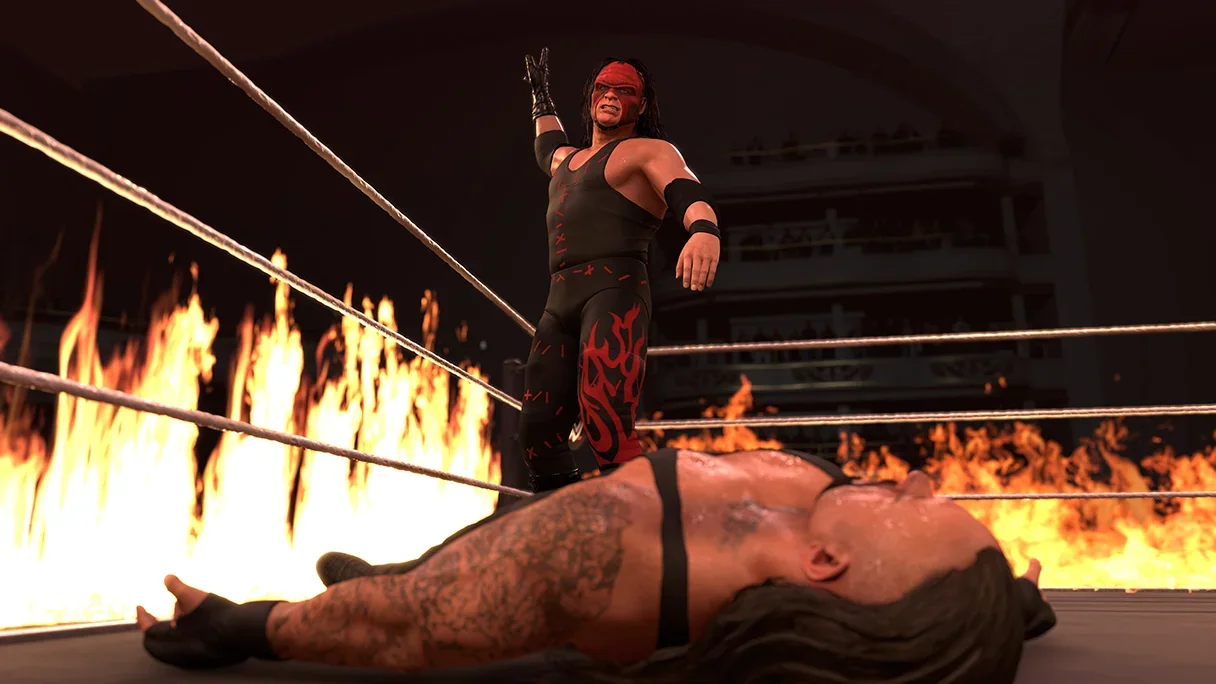
Losing matches in WWE 2K26 because you can't stop your opponent's offense is one of the most frustrating experiences in any wrestling game. The good news: the defensive system here is actually well-designed once you understand what each mechanic does and when to use it. Reversals, Breakers, and pin kick-outs are three separate systems with their own rules, and confusing them is the fastest way to get steamrolled.

Reversal prompt timing window
What are reversals, Breakers, and kick-outs?
These three mechanics cover completely different situations, so knowing which one applies saves you from pressing the wrong button at the worst moment.
- Reversals interrupt strikes, grapples, signatures, finishers, and weapon shots, flipping the opponent's attack into your own offense.
- Breakers are the counter system used specifically when you're locked in a grab state against combo strikes or grapples. Standard reversals don't work here.
- Kick-outs let you escape a pin before the referee's three-count through a timing minigame or button-mash option.
All three feed into each other. Nail your reversals to stay healthy, stay healthy to keep kick-out windows manageable, and save your Special Meter for the moments when everything else fails.

How to reverse moves in WWE 2K26
The standard reversal is your main defensive tool and covers most incoming attacks: strikes, grapples, signatures, finishers, and weapon shots.
Reversal button inputs (PS5 and Xbox)
| Action | PS5 | Xbox Series X/S |
|---|---|---|
| Standard reversal | Triangle | Y |
| Block / Guard | Hold Triangle | Hold Y |
| Dodge / Roll | Triangle + Left Stick | Y + Left Stick |
| Mid-move reversal | Triangle | Y |
The reversal prompt appears as an icon above your wrestler's head. That icon is your actual cue, not the animation. Watch the icon, not the move. Press too early or too late and the reversal misses entirely.
Certain complex grapples, corner setups, and top rope moves offer a second chance: a rapid prompt flash that appears mid-animation. If you miss the first window, stay alert for that late flash.
How does the stamina bar affect reversals?
Every successful reversal drains your Stamina bar. When the bar turns purple, you're locked out of reversing completely until it recovers. Spamming the reversal button on every incoming strike is the single biggest mistake new players make. It burns stamina fast and leaves you defenseless right when an opponent lands a signature. Increasing your superstar's Stamina and Recovery attributes reduces how often the purple lockout appears.
How to use Breakers against combos and grapples
Breakers are a completely separate system from standard reversals. When you're in a grab state, the reversal button does nothing against combo strikes or grapples. You need to match the button your opponent is pressing.
Breaker inputs
| Situation | PS5 | Xbox |
|---|---|---|
| Light strike or light grapple | Square | X |
| Heavy strike or heavy grapple | X | A |
| Grapple combo ender | Circle | B |
Guess wrong mid-combo and you're locked out of Breakers for the rest of that sequence. The read comes from watching your opponent's animation before committing. This is worth practicing in Exhibition matches before taking it online, because a wrong guess mid-combo is worse than no guess at all.
For a deeper look at managing the stamina lockout on reversals and toggling weapon pickup outlines in settings, the pin kick-out and reversal timing guide covers those settings in detail.
How to kick out of pins in WWE 2K26
Getting pinned activates a minigame. A bar appears with a moving cursor and a highlighted target zone. Flick the Right Analog Stick upward the instant the cursor lines up inside the target to kick out.
Here's why that matters for health management: the lower your health, the smaller and faster the target zone becomes. Keeping your health bar topped up directly makes kick-outs easier to land. It's not just about the minigame timing; it's about the whole match.
Switching kick-out modes
The default timing minigame isn't your only option. Head into Gameplay Options and swap the Pin Mini-Game setting:
- Timed (default): flick the Right Analog Stick up when the cursor hits the target zone.
- Rapid: repeatedly press X (PS5) or A (Xbox) to fill an exit bar, like older WWE games.
- Hold: hold the button to escape, easier on your hands during long sessions.
How does Resiliency Payback work?
Resiliency Payback is your emergency escape. With at least two bars of your Special Meter filled, you can trigger an instant pin escape with no minigame required.
- PS5: R2 + Triangle
- Xbox: RT + Y
This also works as an instant reversal escape. Save it for finisher pins and submissions, since those are the hardest situations to escape through normal timing. Sitting on a full Special Meter without using it defensively is one of the most common mistakes in high-pressure matches.
Common mistakes to stop making
- Mashing the reversal button on every hit. Burns stamina, triggers the purple lockout, and leaves you exposed for the follow-up.
- Using Triangle/Y against grab-state combos. Standard reversals don't work there. Breakers do.
- Letting health drop before a pin attempt. Low health shrinks and speeds up the kick-out target zone.
- Ignoring Resiliency Payback. Two Special Meter bars sitting unused while you fumble a finisher pin kick-out is a waste.
- Guessing Breakers without reading the animation. A wrong Breaker guess locks you out for the rest of the combo sequence.
Quick reference: all defensive inputs
| Mechanic | PS5 | Xbox | When to use |
|---|---|---|---|
| Standard reversal | Triangle | Y | Strikes, grapples, signatures, finishers |
| Block | Hold Triangle | Hold Y | Regular strikes, preserve stamina |
| Dodge / Roll | Triangle + Left Stick | Y + Left Stick | Avoid positional attacks |
| Light Breaker | Square | X | Light strike or light grapple in grab state |
| Heavy Breaker | X | A | Heavy strike or heavy grapple in grab state |
| Combo Ender Breaker | Circle | B | Grapple combo ender in grab state |
| Pin kick-out (Timed) | Right Stick up | Right Stick up | Default pin escape |
| Rope Break | Circle | B | Pin near ropes |
| Resiliency Payback | R2 + Triangle | RT + Y | Emergency escape, 2 Special Meter bars required |
If you're still getting to grips with the broader systems in the game, the WWE 2K26 beginner's guide covers the Breakers system, Chain Wrestling, MyRise, and MyGM from the ground up.
FAQ
Why does my reversal button stop working mid-match? Your Stamina bar has turned purple from overuse. Stop pressing the reversal button and hold the block button instead until the bar recovers.
Can I kick out of every pin? Yes, but the lower your health, the harder it gets. The kick-out target zone shrinks and moves faster at low health. Resiliency Payback bypasses the minigame entirely if you have 2 Special Meter bars.
Do Breakers work the same way as reversals? No. Breakers only activate in a grab state and require you to match the opponent's button (Square/X for light, X/A for heavy, Circle/B for combo ender). Using the standard reversal button in that situation does nothing.
What's the best kick-out setting? The Timed minigame is the most reliable once you learn it, but the Rapid button-mash mode is a solid alternative if you prefer the classic feel. Hold mode is best for accessibility.
For more match types and defensive strategies across the full game, browse the complete WWE 2K26 strategy guides collection.