
Crews are one of the best reasons to keep logging into NBA 2K27 after your first week. Whether you want a tight squad to grind ranked play or just a consistent group of five to run The REC with, the Crew system ties together progression, cosmetics, Cap Breakers, and the new Crew HQ hub in ways that reward players who actually invest in it. This guide covers everything: finding and joining a Crew, building one from scratch, promoting members, managing your roster, and understanding the rewards that make it worth your time.
How do you join a Crew in NBA 2K27?
Getting into a Crew starts in The City. Open the Main Menu, slide over to the Crews tab, and you have three paths in front of you.
- Invitations: If a friend or president has already sent you an invite, accept it here.
- Quick Join a 2K Crew: This drops you straight into a public Crew created by 2K itself. No application needed.
- Join a Crew: Browse player-made Crews and submit an application.
The Join a Crew route gives you the most control. Your friend's Crews appear at the top of the list if they have open spots. From there, tab over to the Filter option and use Search Crews to narrow things down.

What filters can you use to find the right Crew?
The search filters are more detailed than most players realize. You can sort by:
| Filter Category | Options Available |
|---|---|
| Crew Privacy | Open, Invite Only |
| Focus | Any, Ante Up, Starting 5, The Park, The REC, The Theater |
| Active Times | Any, Daily, Weekends, Weekday Evenings, Weekend Evenings |
| Vibe | Any, Chill, Focused, Hardcore |
| Mic Requirement | Any, Preferred, Not Preferred |
| Primary Language | English, French, German, Italian, Spanish, Japanese, Korean, and more |
| Region | US East, US West, South America, Europe, Asia, China, Australia |
Using these filters before hitting Apply saves you from joining a hardcore, mic-required squad when you just want casual weekend runs. Match the Crew's vibe to yours before committing.
How do you create and manage your own Crew?
Head into The City, open the Main Menu, go to the Crews tab, and select Start a Crew. The setup asks for:
- Name: Randomly generated at first. Once your Crew reaches level 5, you can create a custom name.
- Abbreviation: The short tag that shows up on court during matches.
- Bio: A brief description of what your Crew is about.
- Team Colors
- Logo: Pre-existing images at creation; custom logos unlock as your Crew levels up.
- Crew Background
You also set the same privacy, focus, vibe, active times, mic preference, language, and region options that appear in the search filters. These help the right players find you.
Once the Crew is live, day-to-day management lives in Crew Management inside the Crews tab. This is where the president adjusts vibes, focus, and other settings. The Members tab is where roster actions happen: promoting players, removing members, checking individual Crew XP totals, and posting to the Crew Messages board.
Can you change your Crew name after creation?
This is where things get complicated. As of the August 26, 2026 launch build, there is no dedicated rename button anywhere in the Crews menus. The correct first move is to open Crew Management and look for an editable name field. That menu handled renames in NBA 2K26, so it is the right place to check.
If the name field appears locked, the only fallback is disbanding the Crew and rebuilding it under a new name through the Crew Creator. That is a last resort, not a first step. Disbanding wipes all Crew progression and identity, and every member has to regroup under the new banner.
Custom names also require your Crew to reach level 5 first, so a fresh Crew is stuck with the generated name regardless. 2K tends to add quality-of-life tools like rename options in early-season patches, so check the patch notes and Courtside Reports after each update.
How do you promote a member to Vice President?
Promoting a member takes about ten seconds once you know where to look. The path is:
- Open the menu and navigate to Crews, then the Members tab.
- Find the player you want to promote.
- Click their name and select Promote to VP.
The catch is the 100 Crew XP requirement. A player must have earned at least 100 CXP before the promote option becomes available. Players who have not crossed that threshold simply will not show up as eligible, so not everyone on your roster will be promotable right away.
How does Crew XP work?
Crew XP (CXP) is the currency that raises your Crew's overall level. Every member contributes to the shared total just by playing games. Two situations earn bigger chunks:
- Running games where all five starting players are Crew members (the full crew squad bonus)
- Completing Weekly Challenges
If you want to push more of your roster past that 100 CXP threshold quickly, playing full five-man Crew sessions is the fastest route. Solo grinding in The City still earns CXP, but the squad bonus makes a real difference.
What is Crew HQ, and how does it connect to Crews?
Crew HQ is the new dedicated squad home base added in NBA 2K27, sitting inside The City as its own hub. Think of it as the team-based version of MyCOURT. If your Crew wants to run seriously, this is the destination.
Crew HQ includes:
- Built-in voice chat for your squad
- 1v1, 2v2, and 3v3 half courts
- Full 3v3 and 5v5 courts
- Six Ranked Crew Game tiers to climb
- End-of-season divisional tournaments
- A Squad Showdown Kiosk for private runs and league play
Crew progression launches at 40 levels, with five new levels added every Season starting in Season 2. The ceiling keeps rising as the year goes on, which gives active Crews a consistent reason to keep playing together. Crew management is also available through the NBA 2K HQ companion app, so you can handle roster decisions from your phone.
For players focused on climbing the competitive ladder, Crew HQ replaces what older 2K entries called Pro-Am for organized 5v5 team play. The confirmed surfaces for competitive team play in 2K27 are Crew HQ and Proving Grounds.
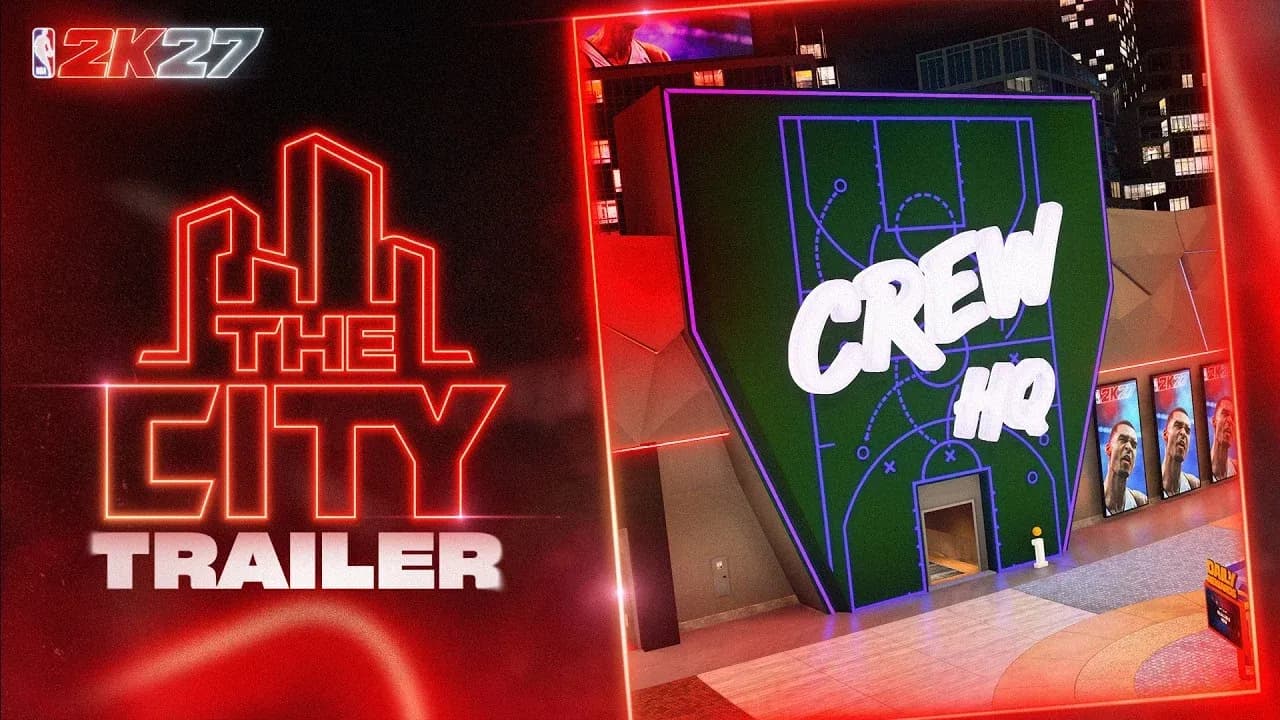
Crew HQ squad home base
What are 2K Crews, and how are they different?
2K Crews are a new addition to the Crew system in NBA 2K27. These are public Crews created by 2K directly, joinable from inside the game or through the NBA 2K HQ app. A few key differences from player-made Crews:
- There is no President, so the name and logo cannot be changed.
- Players cannot be removed or kicked from a 2K Crew.
- If someone is violating the Code of Conduct, the Player Report system is the only recourse.
2K Crews are essentially the easiest on-ramp for players who want Crew benefits without going through the application process or waiting on a president to accept them.
What rewards do Crews unlock?
Staying active in a Crew and climbing its level progression unlocks a range of exclusive rewards:
- Crew outfits and cosmetics
- Emotes
- Rep and VC bonuses
- Cap Breakers
Cap Breakers earned through Crews are only awarded once. Leaving and joining a new Crew will not grant additional Cap Breaker rewards, so there is no benefit to Crew hopping for them. The 7-day cooldown on joining also means you will not be earning these rewards immediately after switching squads.
For a deeper look at how to build your player to take full advantage of everything Crews and The City offer, the NBA 2K27 ultimate beginner's guide covers builds, shooting, and VC spending from day one. If your goal is earning more VC and rewards through team modes, pairing Crew play with the right MyCAREER approach makes a big difference, and you can read about switching teams and building your career path in the MyCAREER trade request guide.
Quick reference: Crew roles and permissions
| Role | Can Promote Members | Can Edit Name/Logo | Can Kick Members | Can Disband Crew |
|---|---|---|---|---|
| President | Yes | Yes (via Crew Management) | Yes | Yes |
| Vice President | Yes | Yes | Yes | No |
| Pledge (Member) | No | No | No | No |
The presidency only transfers when the current president leaves the Crew. The menu does not offer a clean handoff option otherwise, so sort out who holds the president role before any major roster or branding decisions.
A few things worth knowing before you commit to a Crew
Turning off crossplay on PS5 or Xbox Series X/S will kick you from your active Crew, so keep that setting in mind if you switch it for any reason. Crossplay in NBA 2K27 is limited to PS5 and Xbox Series X/S anyway, with PC and Nintendo Switch 2 excluded from shared City lobbies.
Crews are entirely owner-managed. Any decision about removing members, changing branding, or shifting the Crew's focus sits with the Crew President. If you are joining a Crew rather than running one, make sure you trust the person holding that role.
For everything else NBA 2K27 throws at you, check out the full NBA 2K27 strategy guides collection for tips on MyTEAM, MyCAREER, shooting, and more.