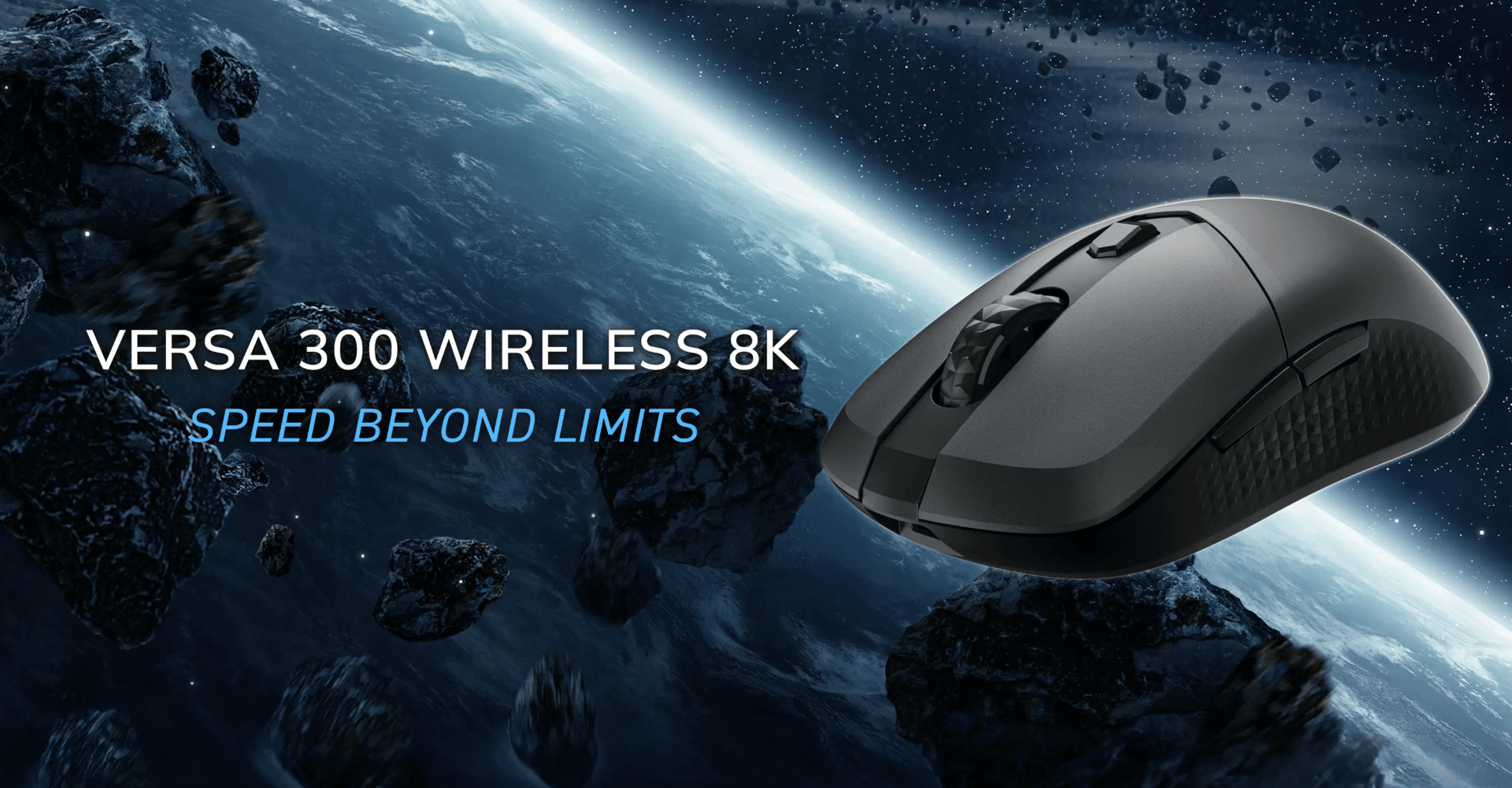


The MSI Versa 300 Wireless 8K lands at $100 with specs that would have cost twice that two years ago. A 26,000 DPI PixArt PAW3395 sensor, 8000 Hz wireless polling rate, and up to 196 hours of battery life on a mouse that weighs just 66g. On paper, that reads like a mid-range trap with premium numbers. In practice, it's more interesting than that.

Use code TRYHARD33 at checkout to redeem this offer before code expires again.
Get 33% Off GAMES+ Subscription
What you actually get for $100
MSI isn't the first brand that comes to mind for gaming mice. The company has built its reputation on GPUs, motherboards, and laptops, so the Versa 300 Wireless 8K arrives with something to prove. The specs list is genuinely strong for the price tier. Six buttons, PTFE feet, dual connectivity via 2.4 GHz and Bluetooth, mechanical Omron switches rated to 60 million actuations, and a single-zone RGB logo on the rear.
The physical design is all-black plastic with a rougher texture finish. No aggressive contouring, no flashy lines. It reads generic at first glance, but the build density feels solid and the textured side grips hold up well during extended sessions. At 66g, wrist flicks in fast-paced shooters feel natural rather than labored.
One genuinely useful detail: the underside houses a physical toggle between Bluetooth and 2.4 GHz modes, plus a storage cubby for the USB-A receiver. Small thing, but it means you're never hunting for the dongle.
Performance where it counts
The PixArt PAW3395 is a proven sensor. Running Counter-Strike 2 between 1600 and 3200 DPI, tracking stays consistent without the jitter that cheaper sensors show when pushed. The full 26,000 DPI ceiling exists mostly as a spec sheet number, but the range from 100 to 26,000 in software gives plenty of room to dial in a comfortable sensitivity.
Here's the thing about the 8000 Hz wireless polling rate: it's a legitimate spec at this price, not a marketing footnote. Most wireless mice in this range top out at 1000 Hz. The higher polling rate means the mouse reports its position to the PC up to 8 times more frequently per second, which translates to lower perceived latency in fast-paced titles. The Versa 300 holds its own against pricier alternatives like the Endgame Gear OP1w 4K in this respect.
Battery life tells a nuanced story. The rated 196 hours applies at a standard 1000 Hz polling rate. Push it to 8000 Hz and that figure drops to around 75 hours in real-world testing. That's still a solid result, the drop-off is less severe than some competitors running at full polling.
Where the polish runs thin
The Omron mechanical switches have a firm, tactile click with noticeable travel depth. That's not inherently a problem, but compared to the hybrid or optical switches appearing on competitors at similar price points, they feel a generation behind for outright click speed. Spam-clicking in twitchy FPS moments is fine, but the switches don't have the snappy immediacy of optical alternatives.
Software is the bigger frustration. MSI Center handles button remapping, macros, angle snapping, and debounce time adjustments. Reasonable coverage. But RGB control requires a separate web-based app called Portal X, which splits the configuration experience across two tools. The upside of Portal X being web-based is cross-OS compatibility, but having to open a browser to change lighting color is a friction point that rivals like SteelSeries and Logitech have long since solved within a single desktop app.
The RGB itself is a single-zone logo that reads as dim in most lighting conditions. It's there if you want it, but it won't impress anyone coming from a more lighting-focused setup.
The $100 question
At $100, the Versa 300 Wireless 8K sits in a competitive bracket. The specs density is real. The sensor performs, the polling rate is legitimate, and the battery holds up better than expected at full power. For FPS players who prioritize performance over aesthetics and don't need deep software customization, this mouse delivers.
What most players miss when comparing options at this price is that the Versa 300 trades visual flair and software depth for raw specification value. If you're the kind of player who sets DPI once, ignores RGB, and just wants a light, responsive wireless mouse that won't drain in a week, MSI has built something worth considering.
For those who want richer per-profile customization, onboard lighting presets, or a more premium feel in hand, options from SteelSeries and Endgame Gear at similar price points offer more polish. The key here is knowing which tradeoff matters to you before buying.
Peripheral performance matters more when the games themselves demand precision. If you're optimizing your full setup for competitive play, check out our best PC settings guides covering everything from graphics tuning to input optimization. For titles like 007 First Light where getting your settings dialed in is half the battle, our 007 First Light PC settings guide walks through the exact GPU configurations worth running. You can also browse our latest reviews for more hardware coverage as new peripherals hit the market.