Valve has rolled out a significant update to the Steam store interface, now available in Beta, marking a clear shift toward personalization and streamlined game discovery. The redesign eliminates the familiar blue sidebar and introduces a more user-specific navigation system, reflecting Valve's continued focus on refining the experience for its massive digital distribution platform.
Steam Store Gets a Major Redesign
Key changes in navigation and layout
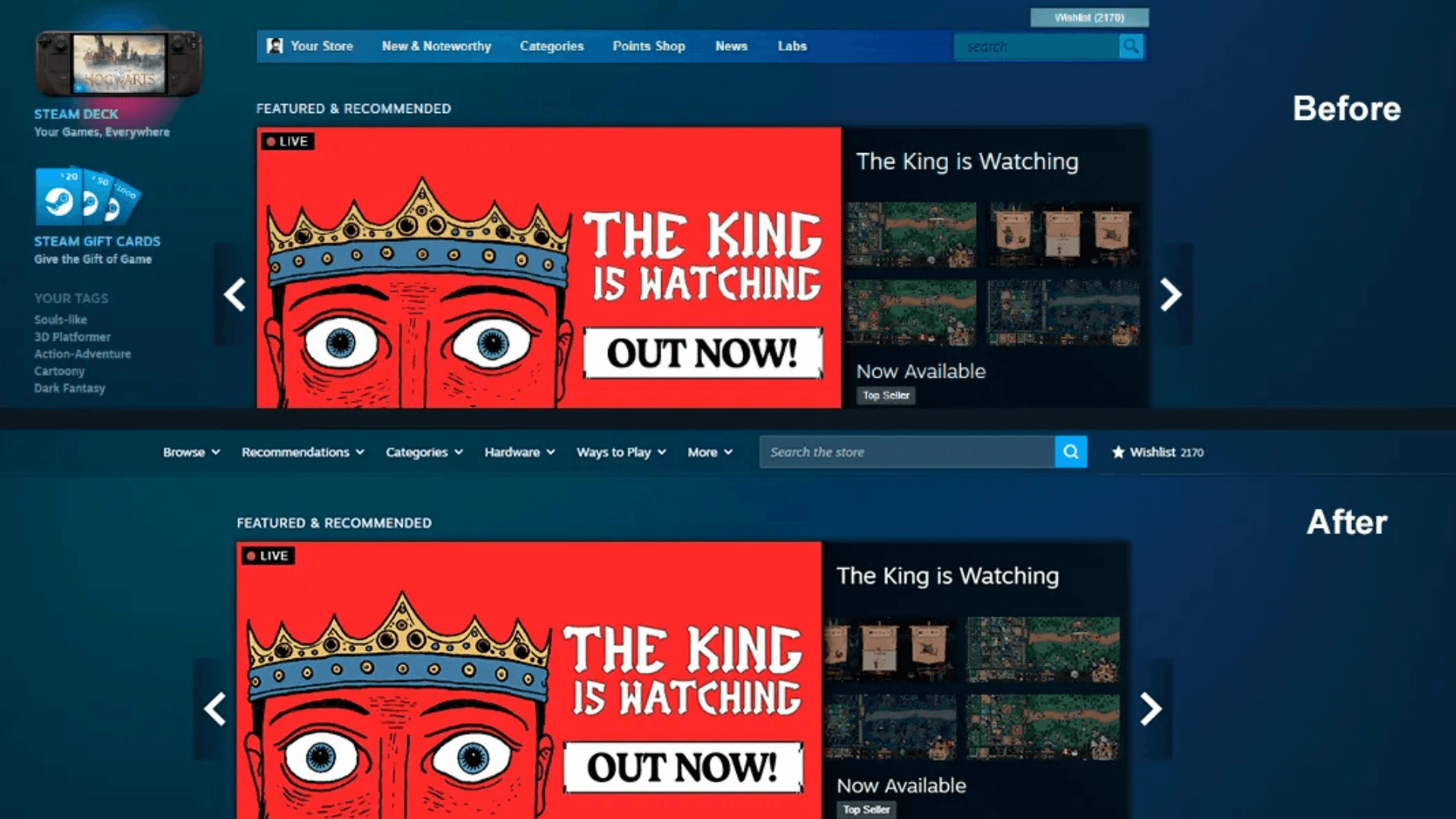
The most obvious change is the removal of the blue side menu, a fixture of the Steam store for years. Replacing it is a set of personalized menu items built to surface relevant content more efficiently. The new structure cuts down on visual noise and makes core features easier to reach.
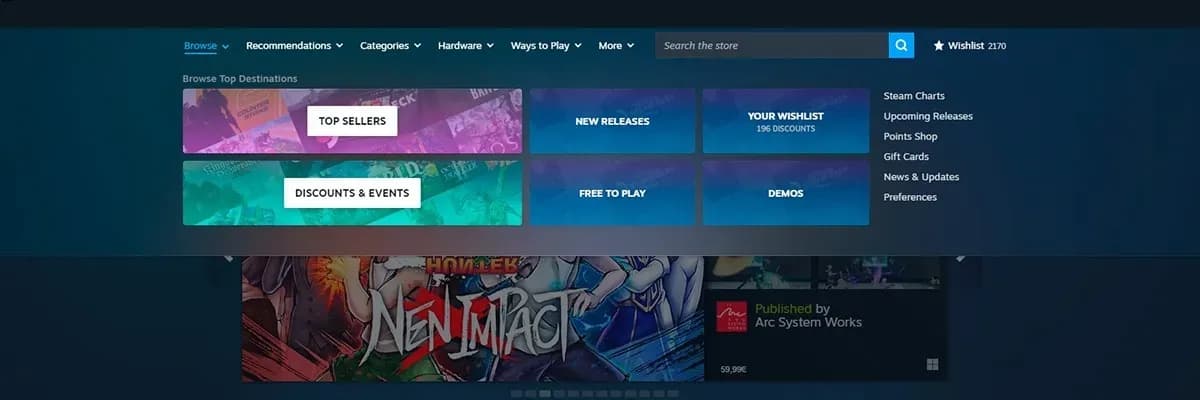
The "Browse" menu sits at the center of the new layout. It highlights sections like Top Sellers, Discounts and Events, New Releases, Free to Play, Demos, and a direct link to your Wishlist. The result is a more colorful and visually organized experience, while lower-priority items like the Points Shop get pushed further down the hierarchy.
Steam Store Gets a Major Redesign
Personalized recommendations take center stage
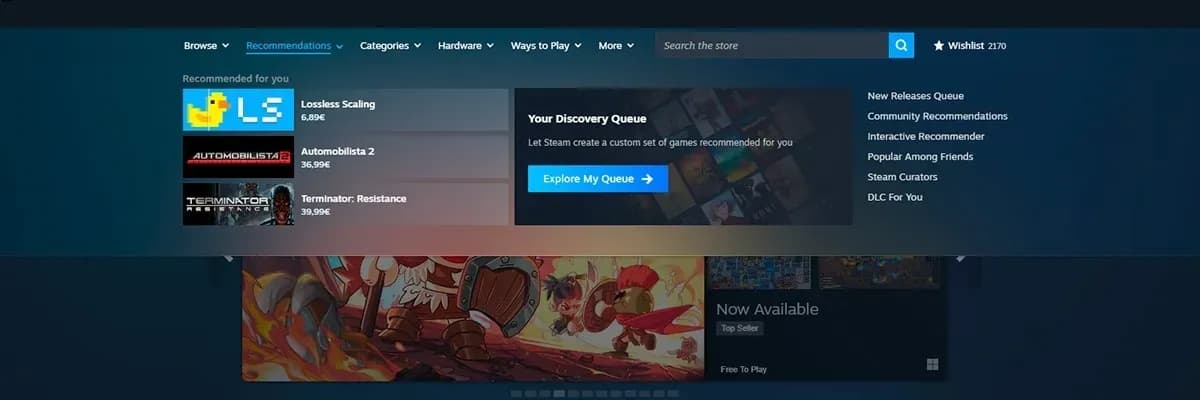
The new "Recommendations" tab is another major addition, featuring three personalized game suggestions based on your activity. These picks are separate from the existing Discovery Queue and draw from your playtime, purchase history, and recommendations from trusted connections.
Valve's algorithmic approach to recommendations has been a core part of Steam for years, and this redesign builds on that foundation. The update also brings the New Releases Discovery Queue, a previously buried feature, into the main menu where it's easier to find.
Steam Store Gets a Major Redesign
Genre and platform-specific customization
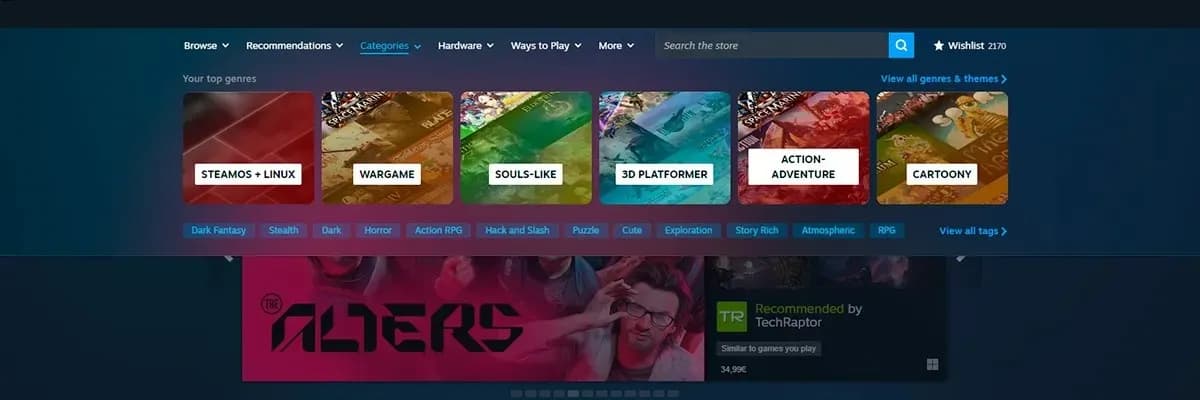
The updated "Top Genres" view now shows six tags that Steam thinks are most relevant to you. Instead of the old, sprawling tag lists, this streamlined version offers a cleaner look at categories that match your interests. For example, genres like SteamOS & Linux might appear more prominently if you're playing on a Steam Deck.
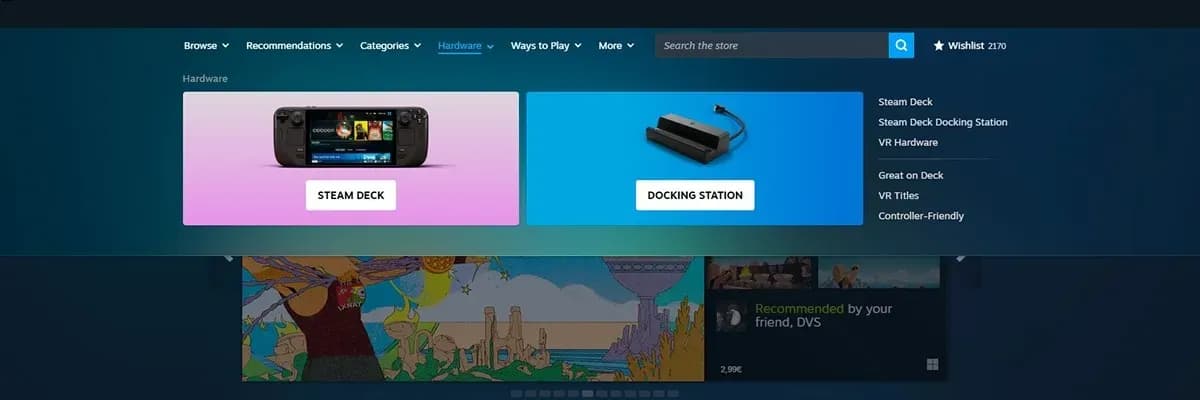
The "Hardware" section has been expanded to emphasize Valve's own gaming hardware. It now features more content around the Steam Deck, its docking station, and Valve's VR devices. This is a noticeable shift from the previously minimal hardware mentions tucked into the sidebar.
Steam Store Gets a Major Redesign
Expanded accessibility via the "Ways To Play" tab
The "Ways To Play" tab groups experiences that go beyond traditional PC gaming setups. It includes curated sections like Great on Deck, Remote Play, Controller Friendly, and Co-Operative games. Each category links to existing curated lists, promoting a wider range of play styles the platform supports.
Steam Store Gets a Major Redesign
Enhanced search functionality
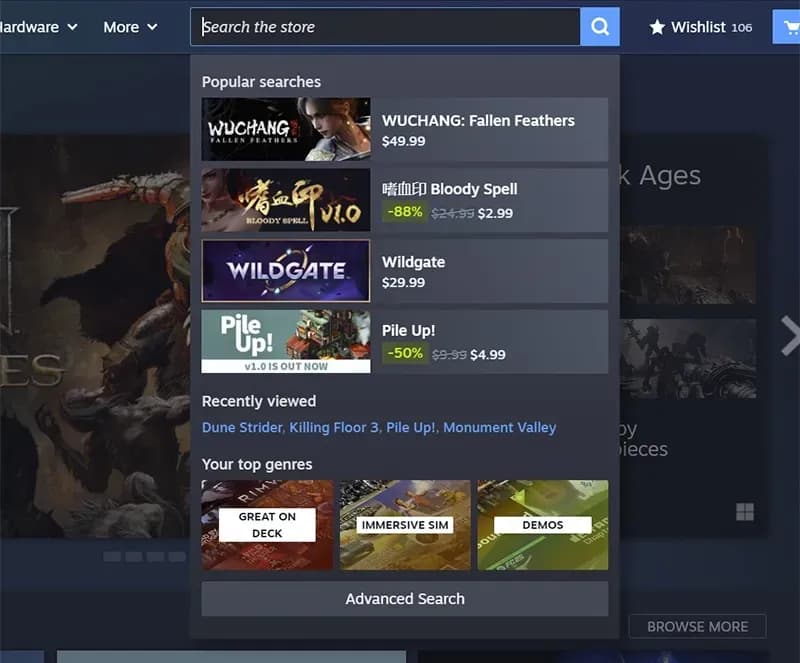
Search remains essential for navigating the Steam store, and while the core functionality hasn't changed, several new enhancements have been added. These include:
- Popular Searches: Shows what users are searching for in real time.
- Recently Viewed: Provides quick access to games you've browsed before.
- Expanded Search Categories: You can now search for tags, publishers, and categories, not just games.
An Advanced Search option is also being tested, giving users more control over discovery through detailed filters. These improvements aim to refine discovery not just by name, but also by genre, publisher, or other attributes.
Steam Store Gets a Major Redesign
Early impressions and impact
While these changes are still in Beta, the redesign signals a stronger emphasis on surfacing personalized content and improving discoverability. For developers and publishers, the shift may help niche titles gain traction by aligning more closely with user preferences. That said, momentum and visibility remain critical factors for success on the platform.
The new interface reflects Valve's intent to keep the Steam store adaptive and user-focused. The overall mechanics of game discovery haven't changed drastically, but the updated layout could push users to explore new genres, titles, and features more often than they did before.