
Xbox Insiders began receiving new console personalization features on November 12, 2026, including rotating Home backgrounds and a choice of which side of the screen the Guide opens on.
Microsoft's November 12 announcement says the features will reach more Xbox Insiders and players over time.
Build a background rotation
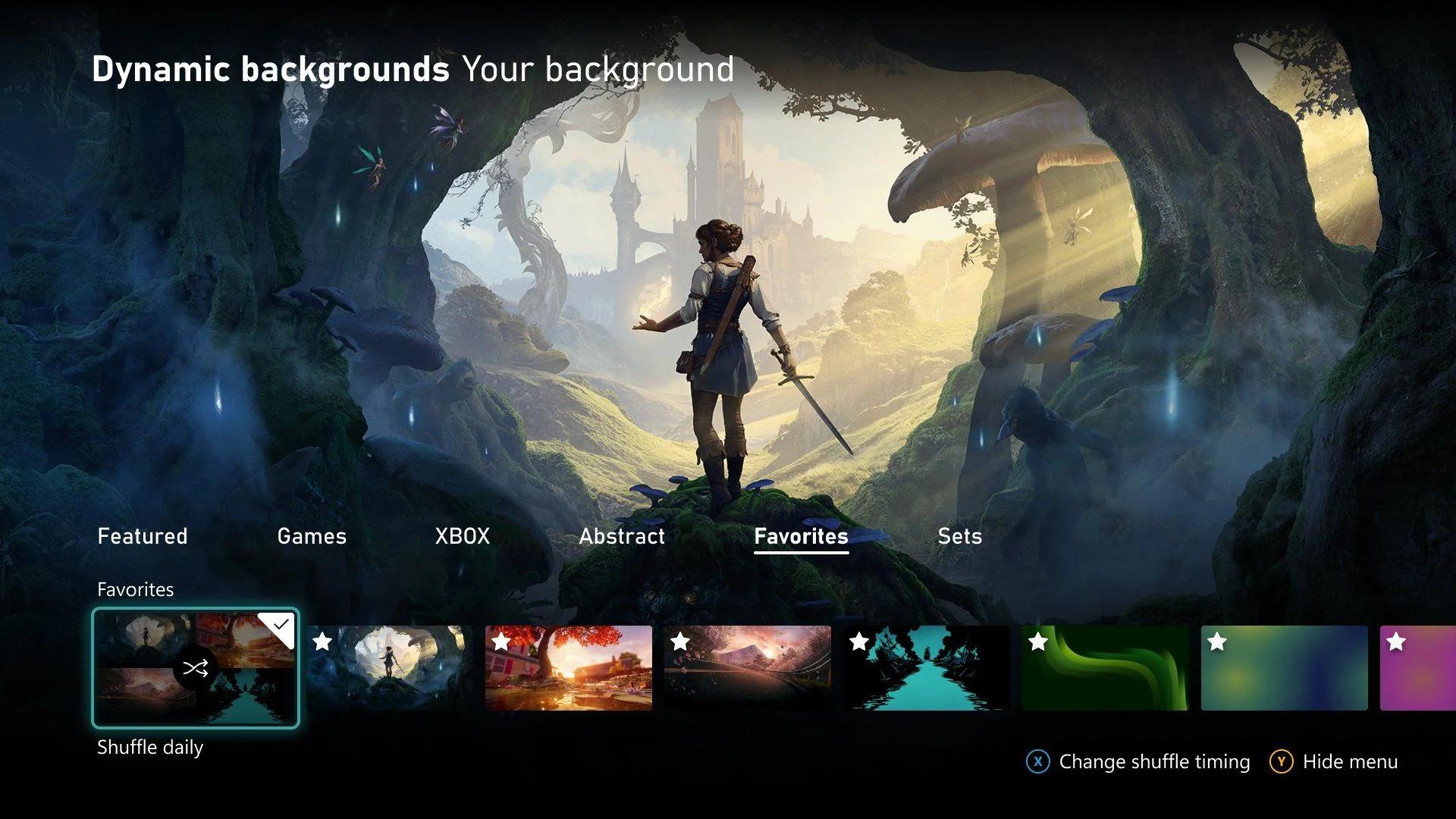
The background settings let you save individual dynamic backgrounds before turning on rotation. To add one to your collection:
- Open Settings > General > Personalization > My background > Dynamic backgrounds > Dynamic backgrounds.
- Choose the dynamic background you want to keep, then press X to mark it as a favorite.
- Open the new Favorites category to find the backgrounds you have saved.
Select Shuffle at the start of a background category to change the backdrop each time you sign in. You can rotate through your favorites or use an entire category without picking every background individually.
Saving favorites also helps with controller-exclusive backgrounds. A saved background remains available even when its controller is disconnected. Xbox names the Xbox Wireless Controller X25 Special Edition as an example, so its exclusive backdrop can stay in your collection without keeping that controller connected.
Choose where the Guide opens
Open Settings > General > Personalization > Guide to choose the left or right side of the screen. The setting lets you change where the Guide appears when you open it.
Players who want to help test console features can join the Xbox Insider Program by downloading the Xbox Insider Hub on Xbox Series X|S, Xbox One, or Windows PC. The program provides early access to features, and Xbox is asking participants to try these changes and suggest improvements.