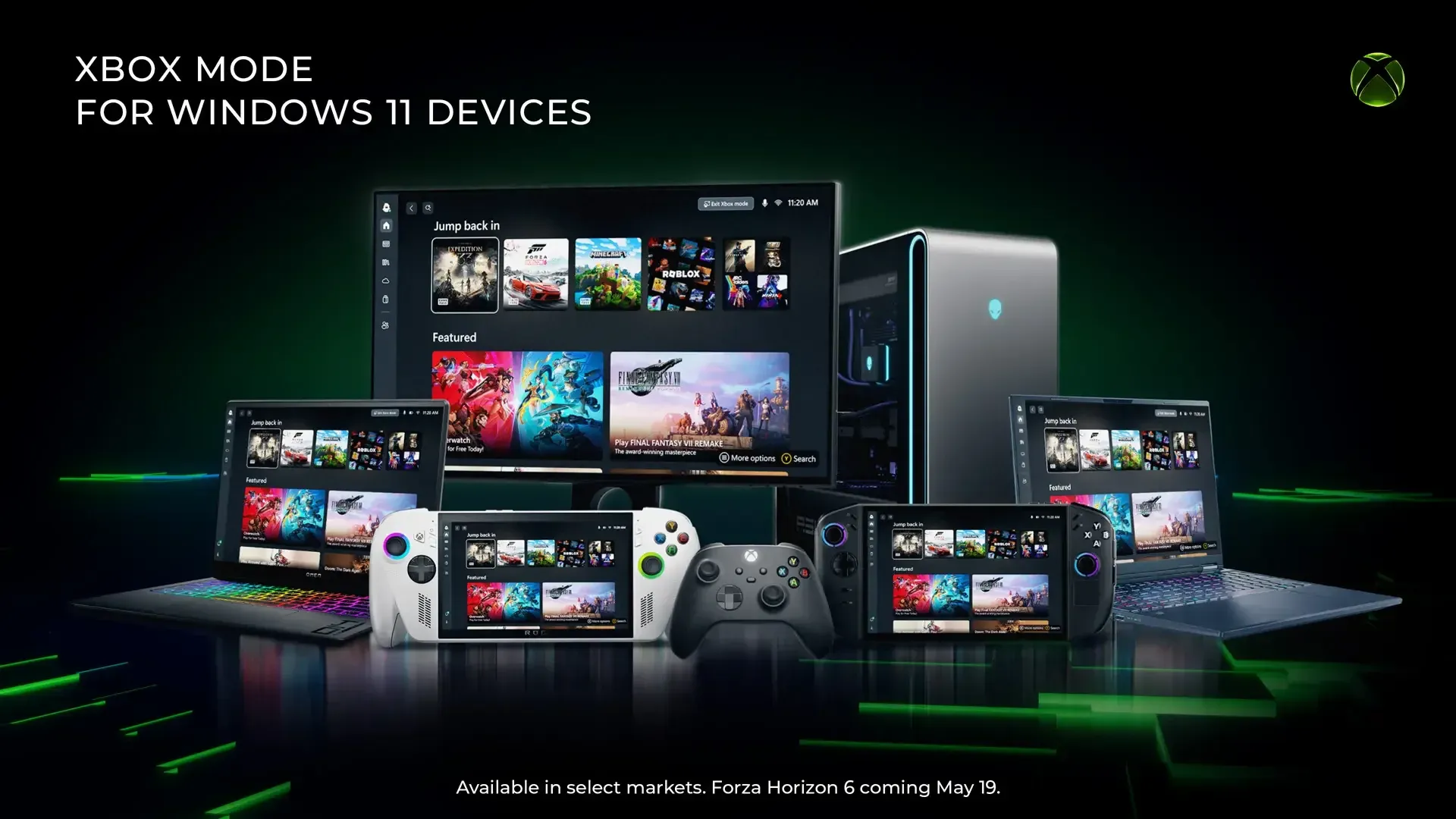


Microsoft has started rolling out Xbox Mode to Windows 11 PCs through optional preview update KB5083631, pushed on April 30. Press Windows + F11 inside the Xbox app and your desktop vanishes, replaced by a full-screen, controller-driven interface built around your game library, Game Pass catalog, and cloud gaming titles.
This is the biggest step Microsoft has taken toward blurring the line between a Windows PC and an Xbox console. The feature works across laptops, desktops, tablets, and handheld PCs, and it suppresses background processes and notifications while active, going further than the existing Game Mode ever did.

Use code TRYHARD33 at checkout to redeem this offer before code expires again.
Get 33% Off GAMES+ Subscription
What Windows gaming looked like before this
For years, playing games on Windows with a controller meant fighting the operating system. You had a desktop built for mouse and keyboard, a taskbar that didn't care you were mid-session, and notifications that loved interrupting cutscenes. Game Mode helped a little by throttling background processes, but it never touched the interface. You still had the full Windows desktop staring back at you.
Xbox Mode changes that equation entirely. The desktop disappears. What you get instead is a console-style dashboard that puts your most recent games front and center, pulls your full Game Pass library alongside any installed titles from Steam or other storefronts, and lets you navigate the whole thing with a gamepad. No mouse required.
How the new interface actually works
Xbox Mode isn't just a cosmetic overlay. Background processes get throttled while the mode runs, and notifications disappear completely. Users can browse and launch games through a controller-optimized interface, switch back to the standard Windows 11 desktop whenever needed, and access a unified library that pulls together Game Pass titles and games from other PC storefronts.
Steam games and titles stored on external drives appear in the same consolidated view after linking their executable files, with no extra launchers needed. The system remembers where you left off when toggling between Xbox Mode and the regular desktop.
Enabling it takes a few steps: open Settings, go to Gaming, select Xbox Mode, and toggle it on. After that, Windows + F11 activates it from anywhere, or you can launch it directly through the Xbox app or Game Bar settings.
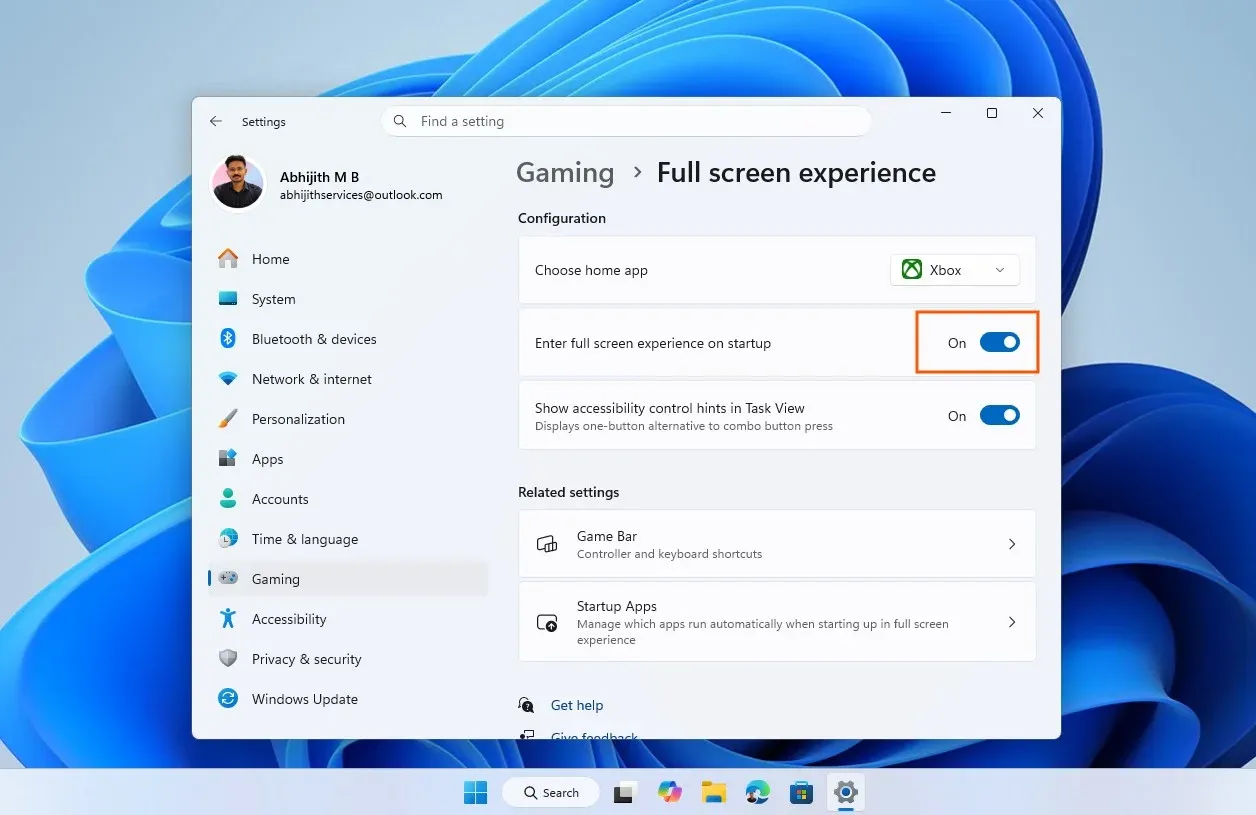
Enabling Xbox Mode in Settings
The Project Helix connection
Xbox Mode is part of Project Helix, Microsoft's ongoing effort to unify the Xbox and Windows ecosystems. The feature has been in testing through both the Xbox Insider and Windows Insider programs since late 2025, and KB5083631 marks its first rollout to stable channel users on Windows 11 24H2 and 25H2.
The mode actually has roots in the ROG Xbox Ally X handheld, where it shipped as the "full screen experience" before getting its current name. That origin matters because the interface was refined on handheld hardware first, which explains why it feels particularly at home on portable devices where a keyboard is awkward or unavailable.
Microsoft CEO Asha Sharma also announced an updated Xbox logo visible through the mode and on dynamic backgrounds as part of this rollout.
Known issues worth knowing about
Xbox Mode isn't without rough edges at this stage. Multi-monitor support has problems, with secondary screens occasionally going blank when the mode activates. The sleep and resume issues mentioned above affect certain configurations more than others. Microsoft has acknowledged both and continues to refine the experience based on user feedback.
The rollout is also gradual. Xbox Mode is currently available in select markets only, with broader availability coming over the following weeks. If you're not seeing it yet, the fastest path is opening Settings, selecting Windows Update, and turning on "Get the latest updates as soon as they are available."
For anyone who's wanted their gaming PC to feel less like a productivity machine with games installed and more like a dedicated gaming device, this is the most direct answer Microsoft has shipped. You can find more coverage of the latest gaming news and latest reviews across all platforms at GAMES.GG.
With Project Helix still in motion and handheld-focused updates on the way, Xbox Mode on Windows 11 is clearly a foundation rather than a finished product. The stable channel release means the real-world feedback loop starts now, and Microsoft has committed to iterating on it. Browse more guides to get the most out of your Windows gaming setup while the feature matures.