
What is Parkour Champions and why do controls matter?
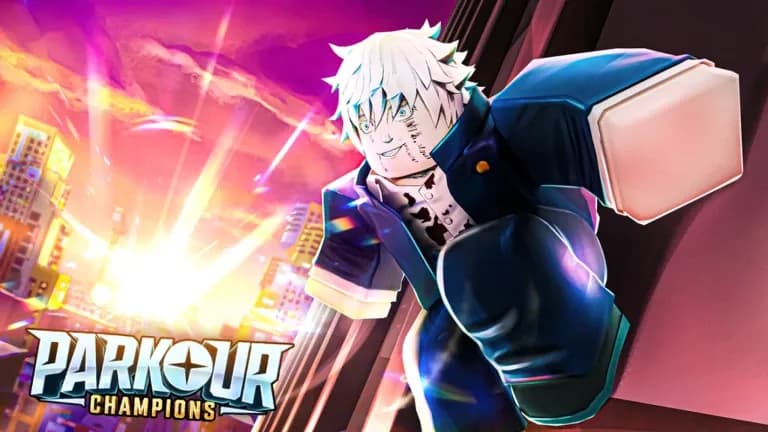
Parkour Champions is a Roblox game where you sprint, flip, and vault through a sprawling city using moves inspired by anime characters. You collect Champions with unique abilities called Styles, each one changing how you move through the environment with dashes, grapples, or speed bursts. The game has a story mode and live races against other players, and the gap between winning and falling off a rooftop usually comes down to one or two button inputs you did not know existed.
Getting comfortable with the full control set early means finishing tutorial stages faster, earning coins to unlock Champions sooner, and holding your own in competitive races. This guide covers every input on both PC and mobile so you can stop fumbling and start moving.

PC controls: the complete breakdown
How do you move and jump in Parkour Champions on PC?
Basic movement uses the standard W, A, S, D keys for directional control. Pressing Spacebar makes your character jump, and holding Shift activates a sprint that lets you build speed before attempting longer gaps. These three inputs form the foundation of every run, so getting them into muscle memory before touching anything else is the right call.
What controls handle advanced parkour moves?
Here is where Parkour Champions separates itself from basic platformers. The advanced movement inputs reward players who practice them consistently:
- Wall Run: Hold Spacebar while moving against a vertical surface. Your character will cling and run horizontally or vertically depending on your approach angle.
- Dive / Slide: Press Left Ctrl either in the air or on the ground. In the air this sends you into a forward dive; on the ground it becomes a slide to pass under low obstacles.
- Roll: Press Spacebar just before you land from a high fall. Timing this correctly prevents health loss that would otherwise end your run.
- Champion Styles: Once unlocked, these special abilities are mapped to Q, E, V, and T. Each key activates a different Style move tied to whichever Champion you have equipped.
Mobile controls: touch inputs explained
How do you perform parkour moves on mobile?
The mobile layout mirrors the PC control scheme but replaces keyboard inputs with on-screen buttons. The left joystick handles all directional movement, and a dedicated Jump button on the right side of the screen handles both jumping and wall running. Hold the Jump button while near a wall to trigger the wall run, the same logic as holding Spacebar on PC.
A separate Dive button appears contextually depending on whether you are airborne or on the ground, handling both the aerial dive and the ground slide. Tapping the Jump button just before landing executes the Roll, identical in timing to the PC version. Sprint is either automatic at full joystick deflection or toggled via a sprint button depending on the current control settings.
Champion Styles appear as dedicated icons at the bottom of the screen, matching the Q, E, V, and T positions from PC so switching between platforms does not require relearning the ability layout.
Full controls comparison table
| Action | PC Input | Mobile Input |
|---|---|---|
| Move | W / A / S / D | Left joystick |
| Jump | Spacebar | Jump button (right side) |
| Sprint | Hold Shift | Auto or sprint toggle |
| Wall Run | Hold Spacebar near wall | Hold Jump near wall |
| Dive / Slide | Left Ctrl | Dive button (contextual) |
| Roll (safe landing) | Spacebar before landing | Tap Jump before landing |
| Champion Style 1 | Q | Style icon (Q position) |
| Champion Style 2 | E | Style icon (E position) |
| Champion Style 3 | V | Style icon (V position) |
| Champion Style 4 | T | Style icon (T position) |
What are Champions and Styles?
Champions are anime-inspired characters you unlock by spending coins or using spin rewards. Each Champion comes with a set of Styles, which are the special moves bound to Q, E, V, and T. These abilities range from large forward dashes to grappling hooks that let you cover gaps no amount of raw jumping can clear. Equipping the right Champion for a course makes a measurable difference in race times, so experimenting with different Styles as you unlock them is worth doing.
How do you get coins fast?
Coins come from three main sources: completing story mode levels, finishing races against other players, and redeeming codes for spins. Story mode gives a reliable baseline income, while competitive races pay out based on your finish position. Joining the official Discord occasionally surfaces free reward codes that can accelerate Champion unlocks without grinding.
Common mistakes and how to fix them
Skipping the Roll on landings is the single most common mistake new players make. The Roll window is tight but forgiving once you have practiced it a dozen times. Start by jumping off a medium-height platform repeatedly until the timing feels automatic.
Not sprinting before gaps is the second issue. Parkour Champions rewards momentum. Standing still and jumping across a gap will fail where a sprinted approach succeeds. Build the habit of always holding Shift (or running at full joystick) before any horizontal jump.
Ignoring Champion Styles during races costs time. After testing all four Style slots in a race scenario, the difference between using an ability at the right moment and ignoring it entirely can be several seconds per lap. Learn what each equipped Style does before you queue into a race.
For more Roblox adventure games with deep progression systems, the Roblox guides collection has strategies covering everything from boss farming to hidden secrets. If you enjoy games that mix combat with movement mechanics, the Jujutsu Shenanigans cursed techniques guide covers combat timing and progression in a similar action-focused Roblox title worth checking out.