
RFC 27 has five active codes offering free Gems, Coins, Candy, a Gold Pack, and a Dark Matter Crate. This football game in Roblox combines live My Player matches with squad building in Dream Squad and competitive Online Seasons. Use the checklist below to track your claims, then follow the redemption steps before heading into another match. Code status reflects November 15, 2026.
Active RFC 27 codes
Enter the code strings from this table without adding punctuation or spaces. The claim column gives you a checklist to work through as you collect each reward.
| Code | Rewards | Claimed |
|---|---|---|
| DARKMATTER | 50 Gems and one Dark Matter Crate | [ ] |
| MYPLAYER | 75 Gems | [ ] |
| FRIGHTNIGHT | 50 Gems and 500 Candy | [ ] |
| UPDATE2 | 275 Gems | [ ] |
| RFC27 | 2,000 Coins and one Gold Pack | [ ] |
If none of the Gem-paying codes has been claimed on your account, their combined payout is 450 Gems. Start with UPDATE2 if Gems are your priority, because it offers the largest individual Gem reward.
Expired codes: None are currently listed. A rejected entry can still result from a level requirement, a typing mistake, or a previous claim, so check those possibilities before treating it as expired.


How to redeem RFC 27 codes
Find the redemption menu
Open RFC 27 and select the Gear icon in the top-right corner of the screen. This opens the settings window.
Select REDEEM A CODE inside settings. This button takes you to the code-entry window.
Enter and submit a code
The redemption window contains an ENTER A CODE text box and a REDEEM button. Use these controls to submit one entry at a time.
- Copy only the code string from the rewards table.
- Paste it into ENTER A CODE.
- Select REDEEM to submit it.
- Check the game's confirmation before moving to the next entry.
- Mark the corresponding checklist row after a successful claim.
Keep track of successful submissions separately from rejected ones. That makes it easier to return to an entry problem without repeatedly submitting rewards you have already collected.
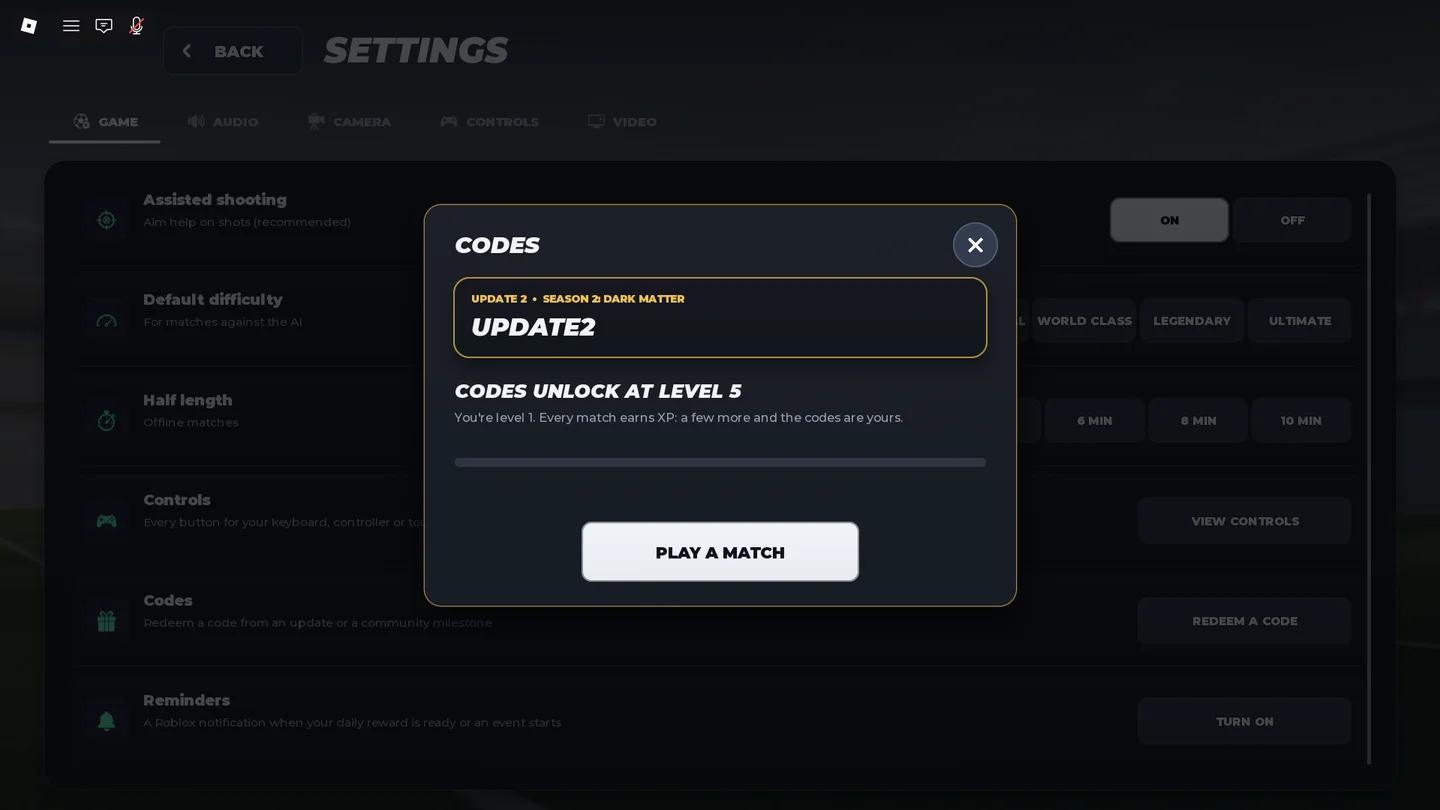
RFC 27 code entry window
Why an RFC 27 code might not work
RFC 27 codes are case-sensitive. Preserve the capital letters shown in the table, and check that copying a code has not added a space before or after it.
Use this checklist to separate an entry problem from an account or code-status issue:
| Possible cause | What to check | What to do next |
|---|---|---|
| Incorrect capitalization | Compare every letter with the listed code | Replace the entry with the exact uppercase string |
| Extra spaces | Check the beginning and end of the text field | Remove surrounding spaces and submit again |
| Previous claim | Check whether you already collected that entry's reward | Continue with a different unclaimed code |
| Expiration | Consider whether the code has stopped being accepted since its last listed status | Move on if the exact entry is still rejected after the other checks |
A code may stop working after publication, even when no expired entries were listed previously. The game's response to your submission determines whether that particular claim succeeds.
Dark Matter and Fright Night reward timing
Dark Matter's event deadline
The Dark Matter update includes a Season 2 track, the Dark Matter Crate, and a limited galaxy collection. The event is scheduled to run until November 27.
Treat that date as the event deadline, not a guarantee that the associated code will remain redeemable until then. Claim the code while it is active instead of waiting for the final event day.
Fright Night's Candy reward
Fright Night was scheduled to end on November 8, but its code remains in the active list. An event ending does not automatically establish that its code has expired.
Check the in-game shop before planning a purchase with Candy. Receiving currency from an earlier event is not a reason to assume that the event's shop is still accessible.
Where to find more RFC 27 codes
Check RFC 27's official Roblox community and Discord server for code announcements. The developers share updates around seasons, events, and gameplay additions, making those announcements a useful place to check when the game changes.
Use the social links on RFC 27's Roblox page to reach its community channels. Look for the exact code string and any reward or redemption requirement included in the announcement before entering it in-game.