
Shindo Life hides a lot of its best functionality behind text commands that never appear in any menu. Want to start a 1v1, customize your Tailed Spirit, or manage a War Server match? You need the command line. This guide covers every working command in the game, what each one actually does, and the conditions you need to meet before they'll fire.
How do Shindo Life console commands work?
Every command starts with an exclamation mark (!) and gets typed into the Type CMDS text box in the bottom-left corner of the screen. Press M first to unlock your cursor, click the box, type your command exactly as written, then hit Enter.
If the Type CMDS box isn't showing up or seems broken, the regular chat box works as a fallback. The commands themselves are identical either way.
A few things to get straight before you start typing:
- Spelling matters. !beserk is the actual command, not !berserk. Use the exact spelling shown in the table below.
- Player and map names must match exactly, including capitalization.
- Some commands only work in specific contexts: War Servers, active Tailed Spirit mode, or with Kage permissions.
- Cosmetic commands like !cdog cost 25 Robux. Tailed Spirit color rerolls via !spirit cost Spins.
Before spending Spins on cosmetic commands, make sure you've stocked up. Check the latest Shindo Life redeem codes for free Spins and RELL Coins to use with these commands.


Complete Shindo Life console command list
The table below covers every working command currently in the game. Commands are grouped by function to make scanning easier.
Squad and multiplayer commands
| Command | What it does | Example |
|---|---|---|
| !squad | Creates a new squad | !squad |
| !inv [player] | Invites a player to your squad | !inv Naruto |
| !acc [player] | Accepts a squad invitation | !acc Naruto |
| !kick [player] | Removes a player from your squad | !kick Naruto |
| !leave | Leaves your squad, or disbands it if you're the leader | !leave |
| !duel [player] | Sends a duel request | !duel Sasuke |
| !accd [player] | Accepts a duel invitation | !accd Sasuke |
| !1v1 [player1] [player2] | Starts a private 1v1 between two players | !1v1 Naruto Sasuke |
| !join [player] | Joins another player's training lobby | !join Naruto |
Training commands
| Command | What it does | Example |
|---|---|---|
| !begin | Starts the selected training session | !begin |
| !end | Ends the current training session | !end |
| !start | Starts the selected activity or match | !start |
| !reward | Claims rewards after completing training | !reward |
| !inf | Shows information about the current training | !inf |
| !lobby | Returns you to the training lobby | !lobby |
| !topad | Teleports you to the training pad | !topad |
| !bell | Starts Bell Training | !bell |
| !pushup | Starts Push Up Training | !pushup |
| !treejump | Starts Tree Jump Training | !treejump |
| !cpads | Starts a CPAD training session | !cpads |
| !ktrain [player] | Starts Kunai Training with another player | !ktrain Sasuke |
| !tm | Starts Team Deathmatch training | !tm |
| !beserk | Auto-attacks nearby enemies while answering Tailed Spirit questions | !beserk |
War Server commands
These commands only work inside an active War Server. Typing them in a regular server does nothing.
| Command | What it does | Example |
|---|---|---|
| !spawn [map] | Spawns the chosen War Server map | !spawn Ember |
| !spawn team | Spawns the selected team | !spawn team |
| !despawn | Removes the spawned War Server map | !despawn |
| !game elim | Starts an Elimination match | !game elim |
| !game tdm | Starts a Team Deathmatch match | !game tdm |
| !endgame | Ends the current War Server game | !endgame |
| !team1 | Assigns players to Team 1 | !team1 |
| !team2 | Assigns players to Team 2 | !team2 |
| !ffon | Enables Friendly Fire | !ffon |
| !ffoff | Disables Friendly Fire | !ffoff |
Tailed Spirit commands
| Command | What it does | Example |
|---|---|---|
| !spirit | Opens the Tailed Spirit customization menu | !spirit |
| !spirit off | Closes the Tailed Spirit customization menu | !spirit off |
| !tentacion | Activates Tentacion Mode or opens the Tentacion Boss Arena for eligible Tailed Spirits | !tentacion |
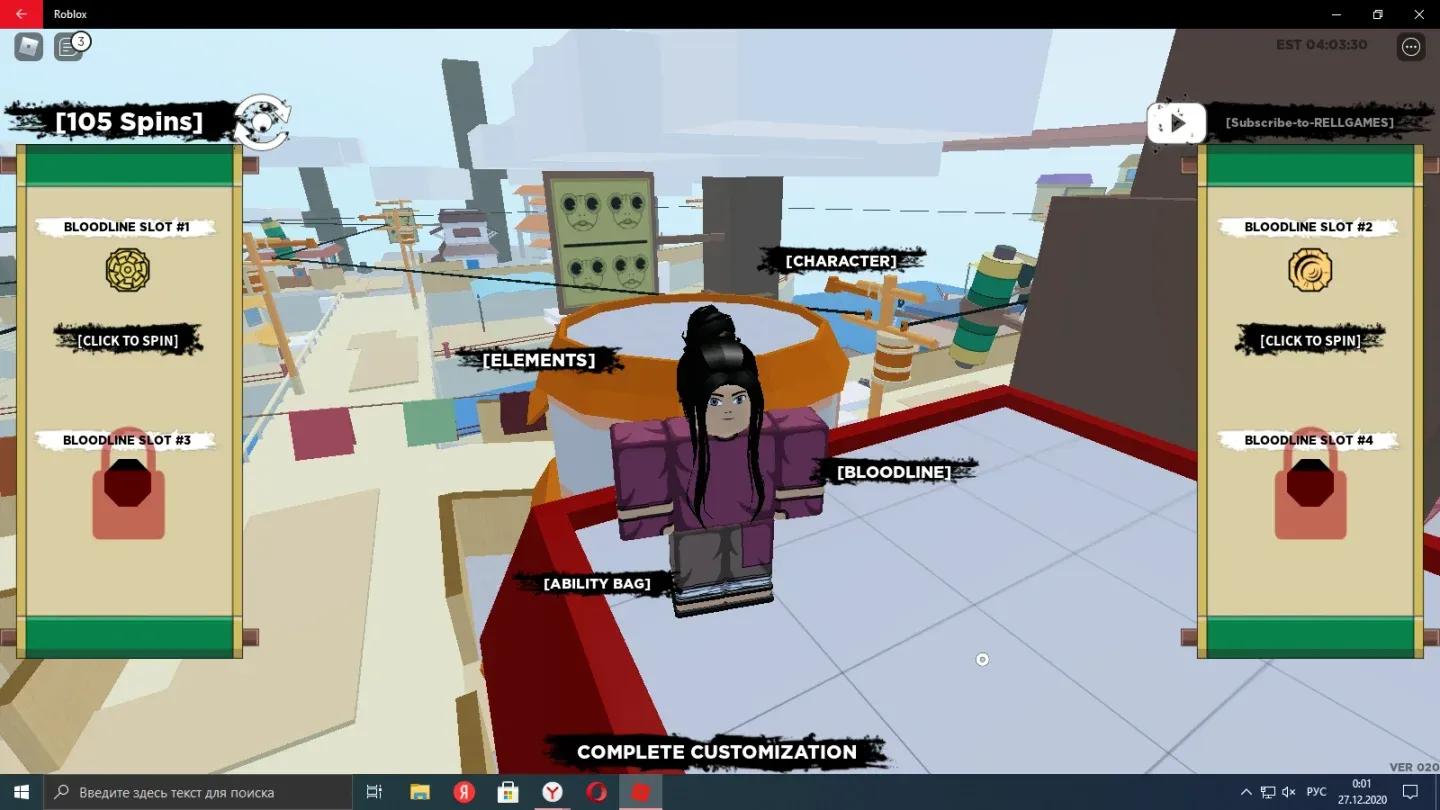
Tailed Spirit customization panel
Cosmetic and character commands
| Command | What it does | Cost |
|---|---|---|
| !name [name] | Changes your in-game name | Free |
| !village [village] | Changes your headband village symbol | Free |
| !cross on/off | Toggles the rogue mark on your headband | Free |
| !revertface | Removes your custom face ID | Free |
| !puppet | Opens the Puppet Art customization menu | Free |
| !cdog | Changes Okami's dog color | 25 Robux |
| !renaxe green/gold/ruby/random | Changes the Renshiki Axe color | Varies |
Utility commands
| Command | What it does | Example |
|---|---|---|
| !cmds | Displays all available commands | !cmds |
| !ccmds | Closes the command list | !ccmds |
| !cancel | Cancels the active mission | !cancel |
| !skip | Skips to the final section of an event cutscene | !skip |
| !autoclick on/off | Enables or disables auto clicking | !autoclick on |
| !rogue | Marks your character as a rogue (Kage only) | !rogue |
| !unrogue | Restores your village affiliation | !unrogue |
| !domain [player] | Pulls a player into the Forged Rengoku dimension | !domain Naruto |
What are the Kage-only commands?
!rogue is the main Kage-exclusive command. You can't use it without the appropriate permissions, so don't waste time trying it on a standard account. !unrogue reverses the status and is available more broadly, but the initial !rogue command requires elevated access.
War Server management commands like !endgame, !ffon, and !ffoff also tend to require server host or Kage-level authority depending on your server setup.
War Server map spawn options
How to use !beserk for Tailed Spirit training
!beserk is one of the more useful commands for grinding. Once activated, your character automatically uses melee attacks along with Z and Q abilities against nearby enemies. The key benefit is that it frees you up to respond to your Tailed Spirit's questions without interrupting the combat loop.
This makes it a solid choice for players pushing Tailed Spirit levels without wanting to babysit every attack. Just make sure you're in an appropriate training area before activating it.
If you're still building toward your first Tailed Spirit and want to get the fundamentals down faster, the Jujutsu Shenanigans beginner's guide on controls and combat basics covers similar Roblox combat mechanics that transfer well across anime-style games.
Can you use console commands on console (PS4/Xbox)?
Yes. The command list is identical across PC, PlayStation, and Xbox. As long as you can access the chat input or the Type CMDS box, every command works the same way. Console players don't have a restricted subset.
Getting the most out of these commands
The commands that see the most practical use day-to-day are the squad management set (!squad, !inv, !acc, !kick), the training shortcuts (!bell, !pushup, !treejump), and the Tailed Spirit tools (!spirit, !beserk, !tentacion). War Server commands matter most if you're running organized matches with a group.
For cosmetics, !renaxe and !cdog are the two that cost real currency, so spend carefully. The free cosmetic commands like !village and !cross are worth experimenting with since they cost nothing.
Plenty of other Roblox games use similar code and command systems. If you play across multiple titles, check the full collection of Roblox strategy guides for command lists, code roundups, and build breakdowns across the platform.