
To link your Marvel Rivals account, open Settings → Other → Account → Account Binding. Select another platform, complete verification, and choose your primary character, meaning the save every linked login will use. Your existing saves are not merged.
Choose that save carefully. Linking carries its progress and collection between supported platforms, but PC, PlayStation, and Xbox ranks remain separate. Unlinking also triggers a 180-day platform cooldown, so removing a connection just to experiment can leave you stuck with that decision for months.
Version note: These rules cover the cross-progression system introduced with Season 5 on November 14, 2025.
How do you link a Marvel Rivals account?
You can link accounts across Epic, Steam, Loading Bay, PlayStation, and Xbox. Start from the account whose save you intend to use, and have the other platform's login details ready before opening Account Binding.

Check both accounts before you begin
Log into each account separately and compare the progress, collections, and paid content you care about. Since linking does not combine saves, the account with your preferred collection may be the better primary choice even if you use another platform more often.
Before starting:
- Confirm that you can sign into the second platform account. Recover its credentials first if necessary.
- Decide which existing save should become your primary character.
- If linking PlayStation, check which PSN account is signed into the official PlayStation website.
Complete the binding process
- Launch Marvel Rivals on the account you intend to keep using.
- Open Settings → Other → Account → Account Binding.
- Select a platform other than the one you are currently logged into.
- Complete that platform's account verification.
- Wait for binding to finish.
- If multiple accounts have existing saves, select the one you want as your primary character.
Afterward, check Account Binding to confirm which accounts are connected and which character is primary. If verification was interrupted, inspect that screen rather than assuming the attempt did nothing.
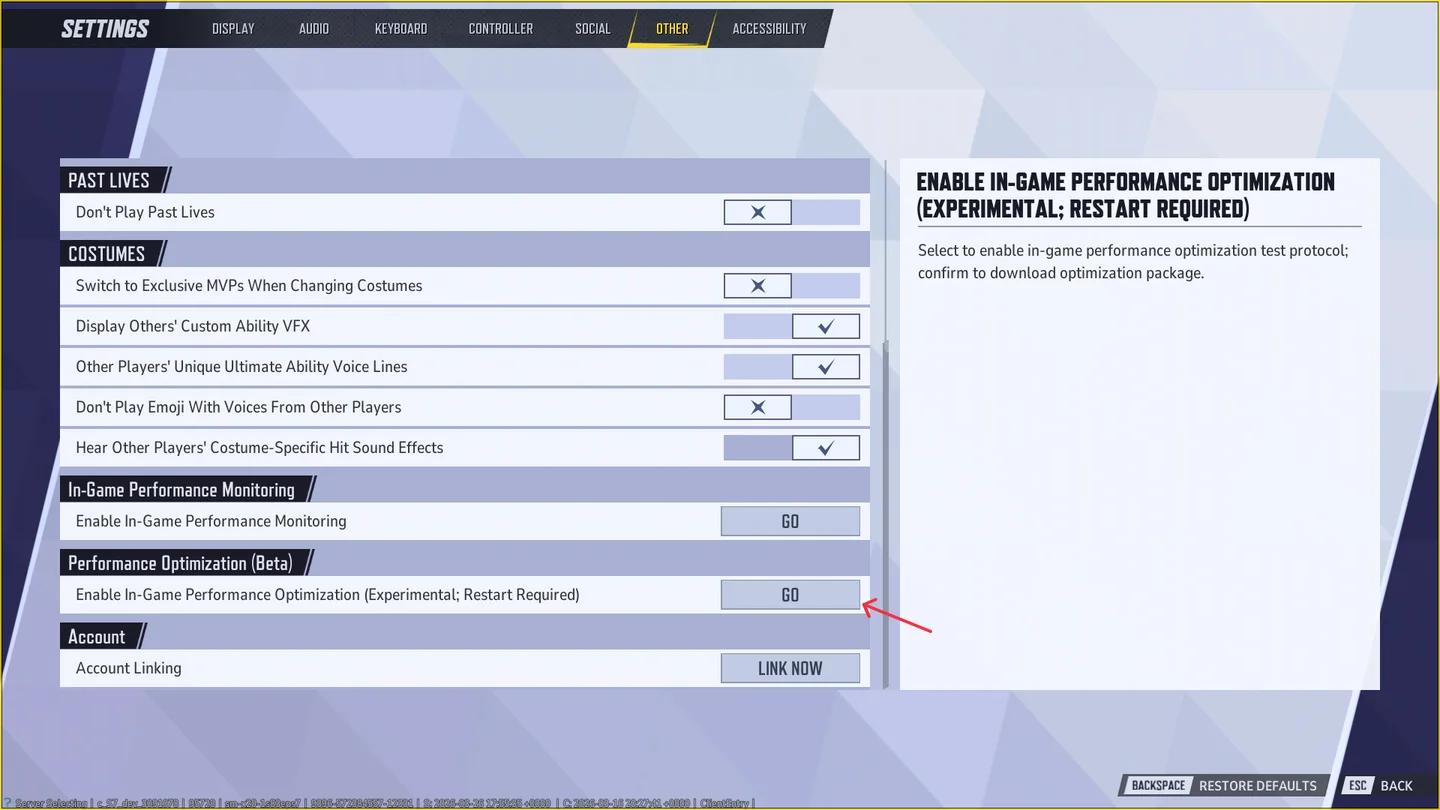
Find the account binding options
Which save should you choose as your primary character?
In account linking, character means your saved profile, not a playable hero. Your character holds your progress, collections, paid content, and competitive records, although competitive records remain separated by device.
Your primary character is the save loaded when you sign in through any linked account. Choosing it does not collect the contents of your other saves. If one save has cosmetics you want and another has more progress, you must decide which save to use rather than combining their advantages.
For players with purchases on multiple accounts, comparing collections and paid content first is the sensible move. If you need a clearer understanding of another progression system before choosing, check how Hero Proficiency works.
What happens to the saves you do not choose?
Unselected characters remain stored. You can restore one by changing your primary character after its cooldown, or by unlinking the account it belongs to. An unlinked account that already had a character gets that character back.
To change the active save, return to Account Binding and select a different primary character. Other characters then enter a 30-minute cooldown before they can be selected as primary again. Use this option when you want another save; unlinking carries a much longer restriction.
What transfers between linked platforms?
Your primary character supplies the progress and collection you use across linked accounts. The exceptions matter, especially if you are linking for ranked play or a platform-exclusive costume.
| Account content | What happens after linking? |
|---|---|
| Primary character's progress and collections | Used when you sign in through linked accounts |
| Primary character's paid content | Remains associated with that character, with platform restrictions applying where relevant |
| Other characters' data | Stored separately, not merged into the primary character |
| Battle data, rank, and leaderboard position | Kept separately for PC, PlayStation, and Xbox |
| Platform-exclusive costumes | Usable only on their designated platforms |
| Twitch and Discord connections | May require manual re-binding after account linking |
Does your competitive rank transfer?
Rank does not transfer between PC, PlayStation, and Xbox. Your standing remains on its original device, and each device has separate battle data, rank, and leaderboard records under Career.
A PlayStation rank therefore will not become your PC rank after linking. Account binding gives those logins access to the same primary character, but it does not turn their competitive records into one shared ladder position.
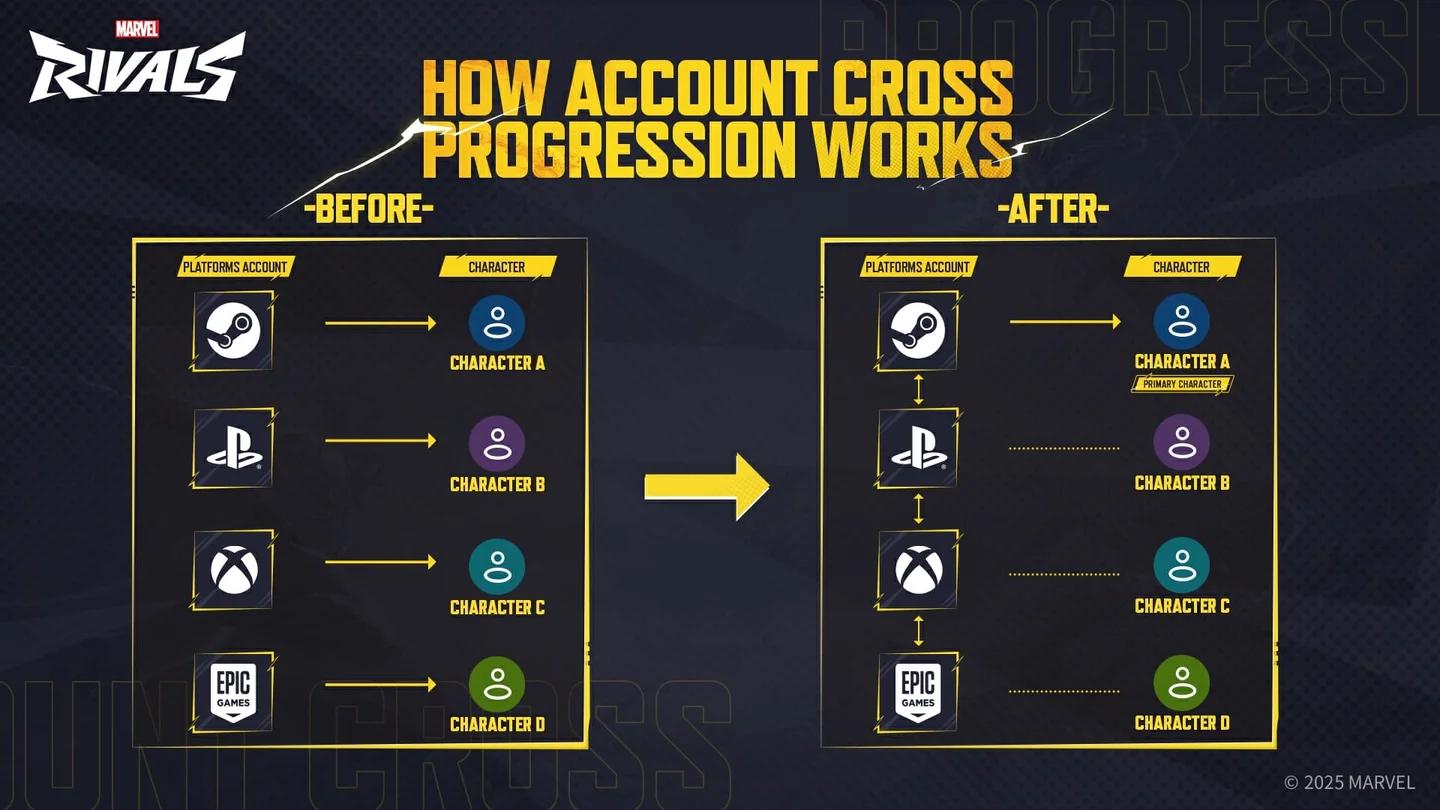
Ranks stay separate by device
Which rank determines your season rewards?
Season rank rewards use the highest valid rank achieved on any device during the previous season. Logging in during the new season processes settlement for all linked devices, but a device's settlement results only display when you log in on that device.
If you unlink a device platform, its previous-season rank can appear unsettled in Career until that platform is linked again. That rank can still determine your rewards if it was your highest valid rank.
Why did an equipped costume change?
A platform-exclusive costume only works on its designated platform. If you equip one and then sign in elsewhere, Marvel Rivals displays the default costume instead.
That fallback is a platform restriction, not a reason to change your primary character or unlink an account. Check the costume's platform eligibility before changing your account setup.
What are the account-linking cooldowns?
Marvel Rivals has two different cooldowns. The distinction matters because changing your active save and removing a platform connection have very different consequences.
| Action | Cooldown | Restriction |
|---|---|---|
| Select or switch a primary character | 30 minutes | Other characters cannot become primary during that period |
| Unbind a platform account | 180 days | The account and related platform cannot be re-bound during that period |
You can unlink through Settings → Other → Account → Account Binding by selecting the connected account and choosing Unlink. Some account-management instructions refer to the linked-account screen as Account Linking.
Read the confirmation pop-up before proceeding, particularly if you need the affected account or character for an upcoming tournament. The cooldown restrictions apply to the account or character involved in that action.
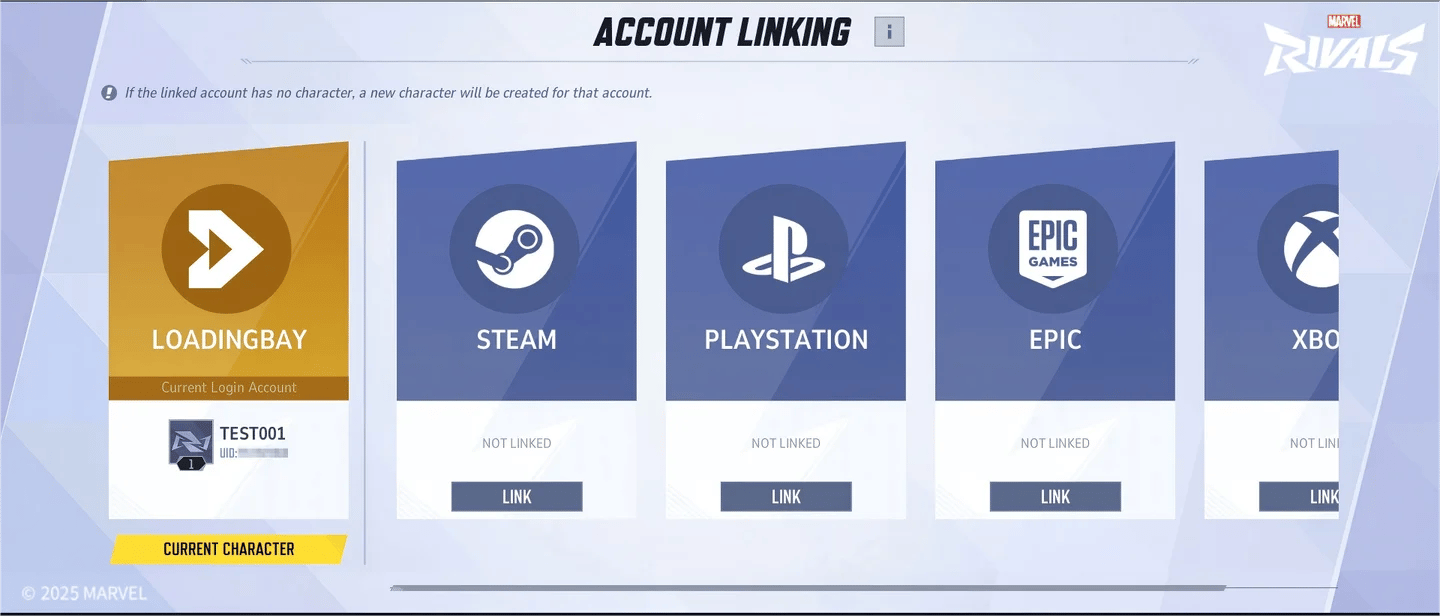
Check the cooldown before unlinking
Why are Twitch or Discord rewards missing after linking?
Cross-progression linking does not automatically update character data in other web functions, including Twitch Drops and Discord connections. Check those connections after choosing your primary character and manually re-bind them if necessary.
If you are working through a drop campaign, the Season 10.5 Twitch Drops guide explains that separate account-linking setup. Connecting your platform accounts and connecting Twitch are different jobs.
Common mistakes
Account Binding can look straightforward while hiding decisions with very different consequences. These are the traps to check before confirming a change:
- Expecting two collections to combine. Only the selected primary character's collection becomes active. Other characters stay separate.
- Treating a different rank as lost progress. PC, PlayStation, and Xbox each keep their own competitive records in Career.
- Using Unlink to switch saves. Primary-character selection handles that change, with a 30-minute cooldown for the other characters rather than a 180-day platform restriction.
- Approving the wrong PSN login. Check the PlayStation website session before verification because a different PSN account cannot replace the original binding later.
- Assuming Twitch and Discord update automatically. Inspect those connections after binding and re-bind them when needed.
Pro tips
Keep a record before changing accounts
Take screenshots of each account's collection and rank before binding. If the result looks wrong afterward, those images help you distinguish a primary-character choice or device-specific rank from something genuinely missing.
Finish setup before a tournament
Avoid changing bindings immediately before a Faction tournament. The 30-minute character cooldown and 180-day platform cooldown can restrict the account-management actions you need.
Faction requirements also remain device-specific after linking. To join a PC Faction or perform its required tournament actions, use PC. Linking a console account does not remove that device requirement.
Frequently asked questions
Can you replace a linked PlayStation account with another PSN account?
No. Once a PSN account is bound, a different PSN account cannot replace it. You can relink the original PSN account if needed, subject to the applicable cooldown.
Does linking delete the save you do not select?
No. Unselected characters remain stored. You can make one primary after the 30-minute cooldown, or restore its original account-character connection by unlinking, which triggers the 180-day platform cooldown.
Why can you not buy the same bundle again on PlayStation or Xbox?
If that PlayStation or Xbox account already purchased the bundle, platform rules prevent another purchase there. If you want to purchase it again, another linked platform may allow it.
Is account linking the same as crossplay?
No. Crossplay concerns playing with people across platforms; account linking determines which save your connected logins use. Linking also leaves PC, PlayStation, and Xbox competitive records separate. For help with your next setup or progression question, browse the Marvel Rivals guide collection.