Constantly upgrading PC components can distract from a simpler consideration: once a system runs preferred games at the desired settings and frame rate, the most noticeable improvements may come from outside the case. The monitor, controls, seating, and audio equipment influence every gaming session, making them important considerations when deciding where to spend an upgrade budget.
A practical approach is to identify the limitations a player actually experiences before replacing hardware that already meets their needs. Rather than automatically investing in a newer graphics card or processor, players can assess whether their current setup would benefit more from a better display, more comfortable controls, or improved sound.
Part of the budget can also go toward the games players want to experience instead of an immediate hardware purchase. A cheap PSN gift card can help fund PlayStation content, provided the card's region matches the PlayStation account's region. Although this does not improve monitor, headset, or PC performance, it keeps spending focused on the gaming experience itself.
The Monitor Shapes the Gaming Experience
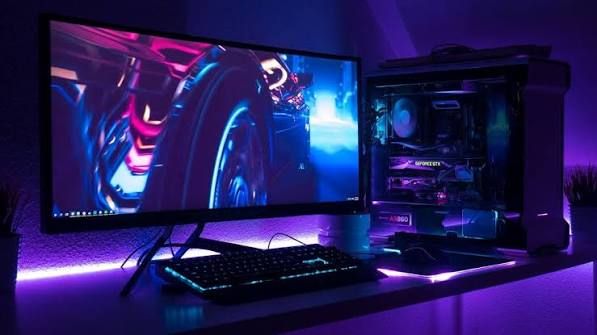
A monitor can change the everyday gaming experience more noticeably than an internal PC upgrade because it is the part of the setup players look at throughout every match or campaign. Refresh rate, variable refresh rate (VRR) support, resolution, HDR, screen size, and viewing distance all influence how games look and feel. The right combination depends on the games being played and the hardware producing the image.
On PlayStation 5, compatible games and displays can support 120Hz video output. Variable refresh rate also requires support from the display and game. These features do not automatically benefit every title, so checking console settings, game compatibility, and display capabilities can help players understand what a monitor upgrade would actually provide.
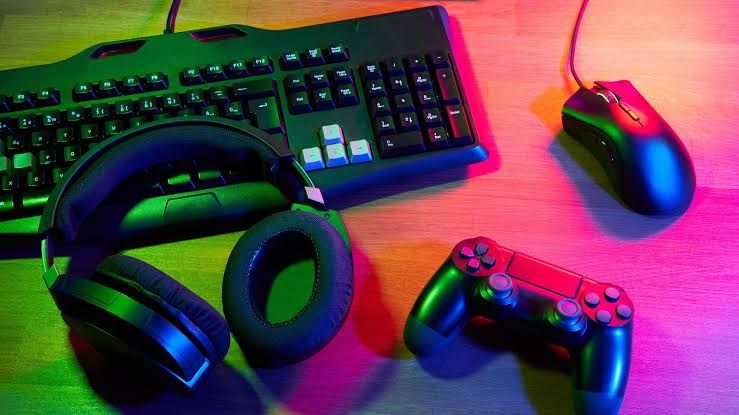
Controls deserve similar consideration. A mouse, keyboard, controller, or gamepad should be judged by predictable input and comfortable use rather than premium branding or maximum specifications alone. Grip, key feel, desk height, seating position, and cable placement can all influence comfort and consistency during longer gaming sessions.
These adjustments do not guarantee better performance, but they can make a setup easier to use. For players who already have sufficient PC performance, improving the ergonomics of their gaming space may provide more practical value than purchasing another internal component.
Audio and Comfort Support Consistent Play
Audio contributes to atmosphere, communication, and useful in-game information. Clear voice chat can help players coordinate with teammates, while directional audio cues can make certain sounds easier to locate. Audio latency, which describes the delay between a sound being produced and the player hearing it, is another consideration, particularly in games where timing matters.
Headset features also require a compatibility check. On PS5, 3D Audio benefits depend on game support and compatible hardware, so players should treat it as a supported feature rather than a universal improvement. Comfort matters just as much: headset weight, fit, and pressure can influence how easily it can be worn over extended sessions.
The same principle applies to seating and desk arrangements. A chair that provides suitable support, a desk at a comfortable height, and a monitor positioned appropriately can make longer sessions more comfortable. These changes may not increase frame rates, but they can address problems that raw hardware specifications cannot solve.
How to Decide Which Gaming Upgrade Is Worth Buying
Before purchasing new PC components, players can carry out a short audit of their existing setup. The goal is to identify the specific problem an upgrade would solve rather than treating every new release as a reason to replace existing hardware.
A practical assessment can follow four steps:
- Identify the bottleneck. Check whether the PC struggles to maintain the desired resolution, graphics settings, or frame rate. If performance is already satisfactory, a processor or graphics card upgrade may offer limited practical value.
- Review display settings. Check refresh rate, resolution, HDR, and VRR support to determine whether the monitor and system are using their available features.
- Assess input comfort. Consider whether the mouse, keyboard, or controller feels comfortable and provides reliable input during extended play.
- Test audio clarity. Evaluate voice chat, directional cues, connection reliability, and headset comfort before deciding whether replacement equipment is necessary.
This process helps separate an upgrade that addresses a daily frustration from an expensive purchase that leaves the underlying experience largely unchanged. It also makes it easier to prioritize spending according to individual gaming habits.
Balancing Gaming Gear With Game Purchases
Gaming budgets do not have to be spent entirely on hardware. Players can purchase digital games through official platform stores or digital marketplaces, depending on their preferred platform and the products available.
Eneba is one option for finding game keys and gift cards. Checking platform compatibility, activation requirements, and regional restrictions before purchasing can help players select an appropriate product.
For PlayStation users, a gift card can provide another way to allocate money toward digital games and other eligible store content. However, marketplace offers should be assessed individually, and buyers should confirm the product's region and redemption conditions before completing a purchase.
Balancing hardware improvements with game purchases can help players get more from an existing setup without committing to unnecessary upgrades. The right decision depends on whether the current limitation is technical performance, comfort, audio quality, or simply access to new games.
Better Gaming Experiences Do Not Always Require Better PC Components
A useful gaming setup reflects current needs rather than pressure to replace every internal component. When a PC already supports the desired games at acceptable settings and frame rates, improvements to display quality, controls, seating, and audio can have a direct effect on everyday sessions.
Constant PC upgrades still have a place when a system cannot meet performance requirements or support a player's preferred features. However, replacing components without identifying a clear need can deliver less value than improving the equipment used throughout every session.
Digital marketplaces such as Eneba offer another way to explore deals on digital gaming products, allowing players to consider game access alongside hardware and peripheral purchases. By identifying the most noticeable limitations first, players can make more informed decisions about where their gaming budget will have the greatest impact.