
Start your Cooling Fan hunt at Space Travel in Buried City, prioritizing large reel terminals and breachable server racks. You need 5 Cooling Fans for Expedition 1, Stage 2 in ARC Raiders. Dam Battlegrounds, Spaceport, and Stella Montis also have useful Technological loot locations, but Space Travel gives you specific terminal checks and a nearby train extraction. The aim is to search the right containers, protect each fan, and leave without turning a component run into an unnecessary fight.
Which Cooling Fan locations should you prioritize?
Technological loot zones are your main target. Cooling Fans can appear wherever that loot category is available, so these four maps give you several options rather than one building you must contest every raid.
| Map | Priority locations | Best for | Main drawback |
|---|---|---|---|
| Buried City | Space Travel | A focused building sweep with known terminal positions and nearby extraction | Its central, high-value location attracts raiders |
| Dam Battlegrounds | Control Tower, Research & Administration, Power Generation Complex | Players who want several electronics-focused searches on Dam | ARC patrols and competition around valuable buildings |
| Spaceport | Arrival Building, trench towers, Departure Building, Launch Towers, Control Tower A6 | Players who want several alternative buildings to check | Open crossings expose you to ARCs and other raiders |
| Stella Montis | Communications, Assembly, Assembly Workshop, Medical Research, Lobby | Players comfortable searching contested Technological areas | Dangerous rooms, patrols, and frequent player encounters |
Space Travel is the best starting recommendation because you can follow a defined search order and then head toward the adjacent Parking Garage extraction. Choose Spaceport if you prefer having more buildings to investigate instead of committing to one central hotspot.
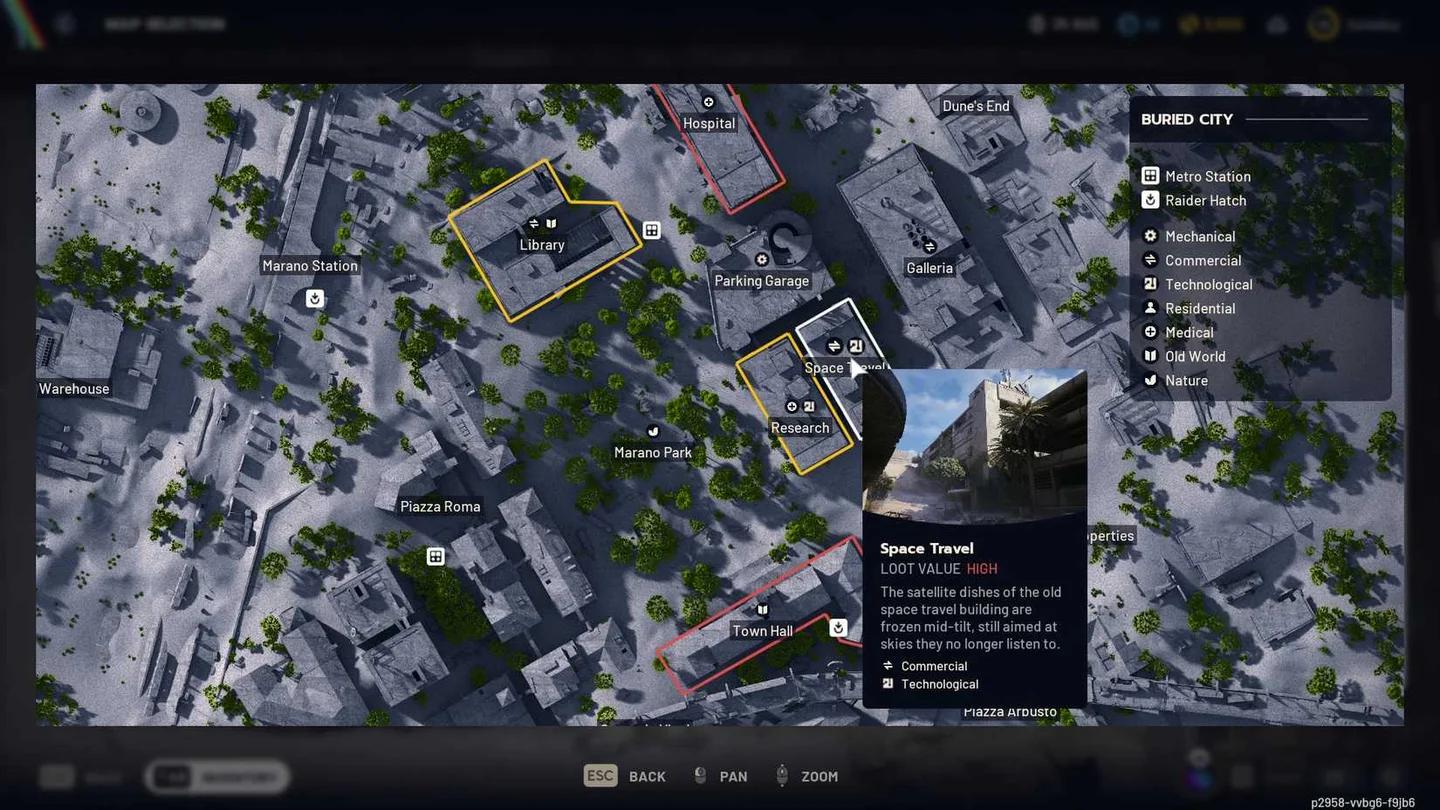
Find Space Travel and your exit

Which containers should you search for Cooling Fans?
Server Racks and large computer terminals deserve your attention before ordinary desktop computers. Look for tall metal cabinets and older terminals with visible data reels, rather than assuming every computer offers an equally useful search.
Use this priority order inside Space Travel:
- Large reel terminals: Your first checks, particularly at the floor locations below.
- Vertical server terminals: Search the units that require the Breach action.
- Small desktop computers: Useful fallback checks when the larger terminals are empty or cannot be searched.
Cabinet color varies by location. Stella Montis has blue examples, while cabinets elsewhere can be yellow, so recognize their shape and breach interaction rather than hunting for one color.
How do you farm Space Travel in Buried City?
Treat Space Travel as a top-down terminal sweep. Its high-value loot attracts other players, so knowing your next check helps you avoid wandering through corridors while deciding where to search.
How do you reach floor 6?
You can access Space Travel's roof using the existing zipline on the Galleria rooftop. After crossing, look to your right for the entrance, then follow the stairs down to floor 6.
That entrance brings you to a floor with two lootable rooms and a barricaded door. A close-range option such as the Stitcher suits the building's small rooms and corridors if you encounter another raider.
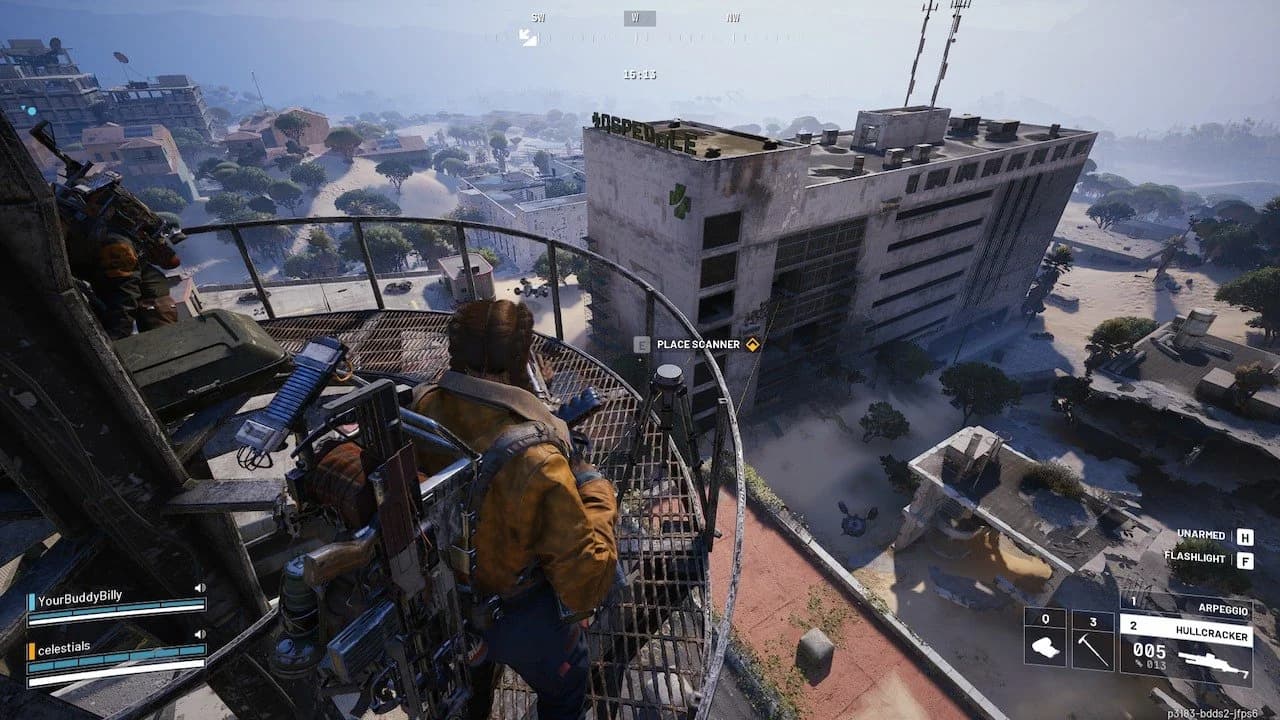
Enter Space Travel through the roof
Where are the terminal checks?
Search the floor 6 terminals first, then work downward through the building. The following positions give you concrete checks instead of a vague instruction to search every room.
| Floor | Where to look | What to prioritize |
|---|---|---|
| 6 | Southwest room before the breach door | Large reel terminals and breachable units |
| 6 | Behind the elevators | Large computer terminals |
| 4 | Near the sand behind the elevator | Reel terminals |
| 3 | Southwest corner of the room | Large computer terminals |
If the reel terminals produce nothing, search the vertical breachable terminals in other rooms. Desktop computers are your secondary checks, not the first thing to spend the whole raid opening.
Cooling Fans are randomized loot. These positions identify containers worth searching, not guaranteed fan spawns, so an empty sweep is a reason to repeat the route rather than assume you missed a hidden interaction.
How do you extract near Space Travel?
Head toward the northwest alley between Space Travel and the Parking Garage. Stairs in that alley lead down to the train station, giving you an exit close to the building you just searched.
Once you have the Cooling Fans you came for, use that nearby extraction instead of automatically extending the run. If blueprints are your next objective, plan a separate route with the blueprint locations guide rather than adding aimless detours to this sweep.
Where else can you find Cooling Fans?
Where should you search on Stella Montis?
Start with the lower-floor Technological areas: Communications, Assembly, Assembly Workshop, Medical Research, and Lobby. Communications is somewhat out of the way, making it a reasonable first check if you want to avoid opening your search in the more heavily contested rooms.
Assembly can be a rough place to begin. Medical Research and Lobby also attract players and have ARC patrols, so their loot opportunities come with a real chance of a fight.
The upper-level Sandbox and Lobby Metro offer additional Technological searches. Put these behind the lower-floor checks in your search order, especially Sandbox, where Shredders patrol.
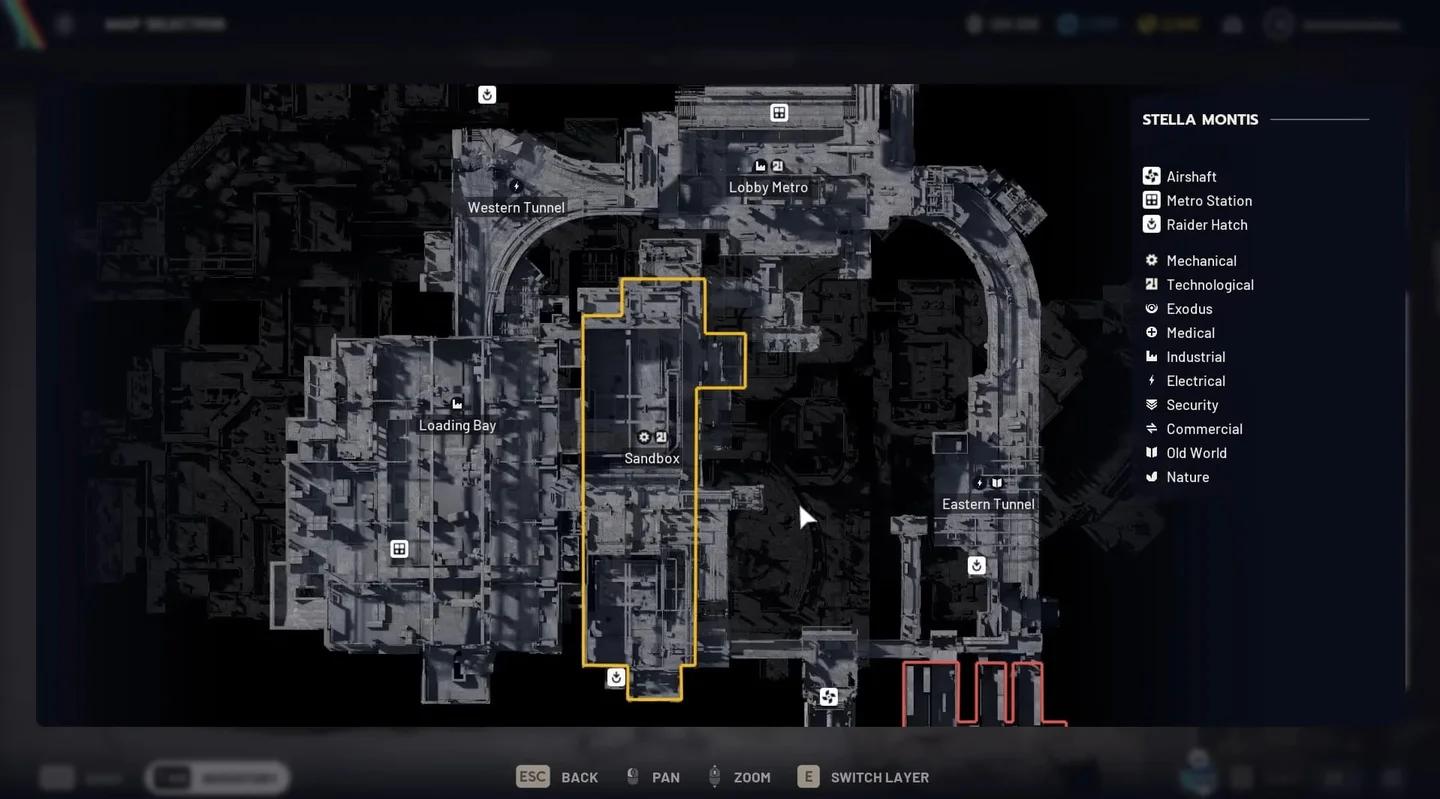
Check lower-floor tech areas first
Which Spaceport buildings can contain Cooling Fans?
Spaceport spreads its useful searches across several buildings. Check these locations for Technological containers:
- Arrival Building
- South Trench Tower
- North Trench Tower
- Departure Building
- Launch Towers
- Control Tower A6
The central buildings offer good opportunities, but reaching them involves open ground with ARC patrols and other players. Keep noise down and favor the outer areas where possible instead of crossing the center repeatedly just to check another building.
Spaceport is best for players who want alternatives when one location is contested. Its spread-out buildings make extraction planning more important than it is for a focused Space Travel sweep.
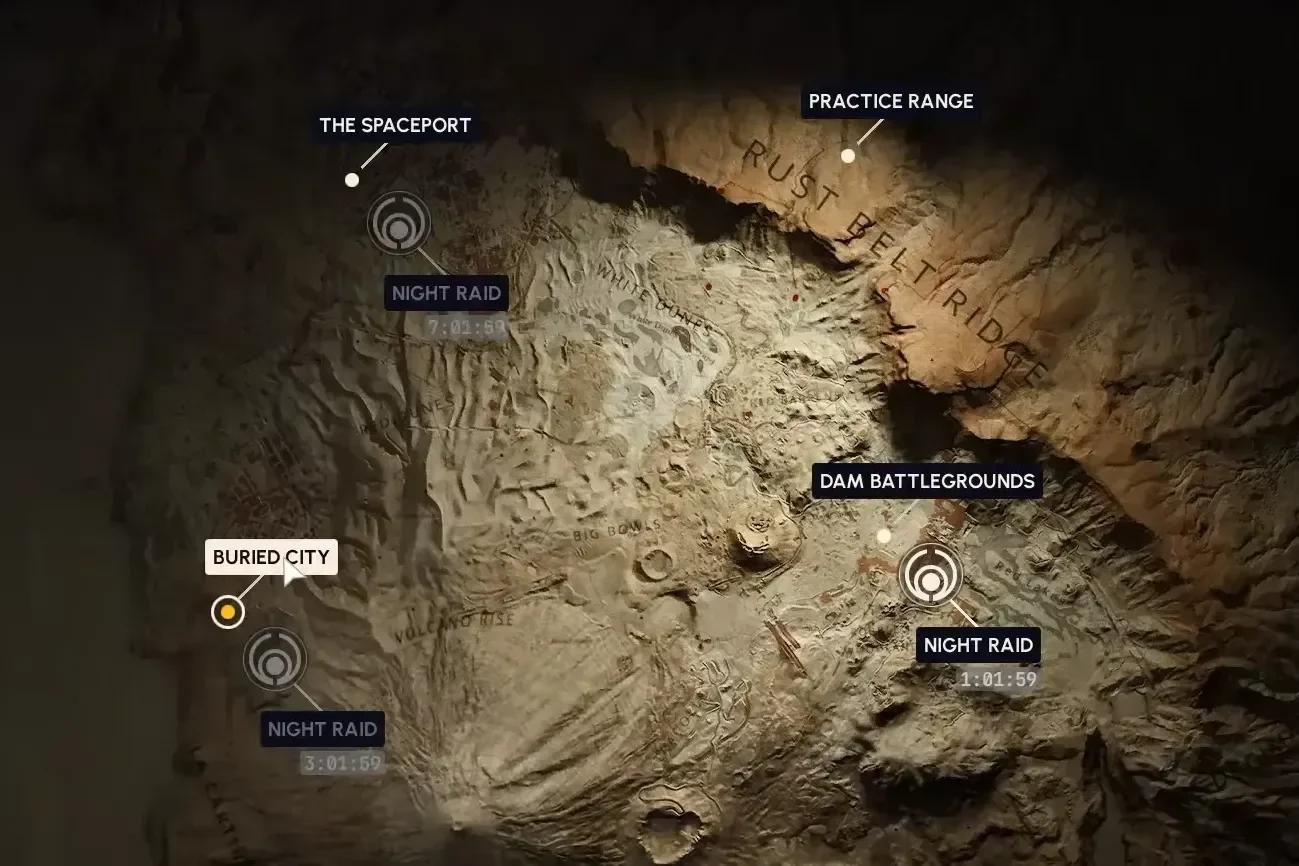
Choose your Spaceport search area
Where should you look on Dam Battlegrounds?
The Control Tower and Research & Administration are the main central-building checks. They sit within a high-value loot area, which means both ARC patrols and competing raiders are part of the problem.
The building complex has entrances on its north, south, east, and west sides. If one approach is awkward, consider another entrance rather than forcing the same exposed entry.
The Power Generation Complex is another option for electronics searches. Look through its machinery rooms, control panels, Operations Room storage, and utility boxes for additional chances at a Cooling Fan.
What are Cooling Fans used for?
The progression target here is Expedition 1, Stage 2. Cooling Fans are one part of that stage's material requirements, so securing them does not complete the whole stage by itself.
| Material | Required amount |
|---|---|
| Durable Cloth | 35 |
| Wires | 30 |
| Electrical Components | 30 |
| Cooling Fans | 5 |
Each Cooling Fan weighs 3 kg, and its maximum stack size is 3. Keep your project supply intact before deciding what to do with spare fans.
| Action | Return per Cooling Fan |
|---|---|
| Recycle | 14 Plastic Parts and 4 Wires |
| Salvage | 4 Wires |
Pro tips
How can you protect your Cooling Fans?
Bring equipment with an available Safe Pocket, and move a Cooling Fan into it as soon as you find one. This protects the stored item even if another raider catches you before extraction.
How can you improve your farming approach?
- Consider a Night Raid at Space Travel. It can improve your chances of finding a Cooling Fan, though the containers remain randomized.
- Use squad support around breachable cabinets. Teammates can watch nearby approaches while you search, which helps in contested locations such as Dam's central buildings.
- Keep Spaceport runs light. Avoid carrying unnecessary items while moving between its exposed buildings and extraction points.
If Field Crate deliveries are another objective on your route, check the Field Depot locations guide before setting out so those stops are planned rather than improvised.
Common mistakes
- Searching desktops before reel terminals. In Space Travel, prioritize the larger reel units and breachable vertical terminals before falling back to desktop computers.
- Ignoring breach noise. A cabinet in Dam's high-value building can draw attention while you are occupied with the interaction.
- Starting every Stella Montis hunt in Sandbox. Lower-floor areas are better initial checks, and Sandbox adds Shredder patrols to your search.
- Recycling your Expedition supply. The 14 Plastic Parts and 4 Wires are useful, but they do not replace the Cooling Fan required by the project.
Frequently asked questions
How many Cooling Fans do you need?
You need 5 Cooling Fans for Expedition 1, Stage 2. That stage also requires 35 Durable Cloth, 30 Wires, and 30 Electrical Components.
Are Cooling Fans guaranteed inside server racks?
No. Server racks and large reel terminals are priority containers, but Cooling Fans use randomized loot spawns. You may need to repeat your search across several raids.
Can Cooling Fans appear outside these four maps?
Yes. Areas marked with the Technological symbol can contain Cooling Fans on other maps too. Buried City, Dam Battlegrounds, Spaceport, and Stella Montis provide specific places to focus your search.
Do you have to visit Stella Montis for Cooling Fans?
No. Space Travel in Buried City, the electronics locations on Dam Battlegrounds, and Spaceport's buildings all offer alternatives. For help planning your next component hunt, browse the ARC Raiders resource guides.