
Call of Duty: Black Ops II is back on PS4 and PS5, and with it comes one of the most beloved community features from the original release: the Emblem Editor. Players have been crafting wild custom designs since 2012, and the community talent has only grown. The good news is that the old emblem copy trick still works on the newer ports, so you can grab those impressive designs for your own playercard. Here is exactly how to do it.
What is the emblem copy method?
The emblem copy method is a menu-timing exploit that lets you save another player's custom emblem directly to your own account. It takes advantage of how the game loads player channel data and emblem previews, and it has carried over from the original Black Ops II release to both the PS4 and PS5 versions.
This is not an official feature. Activision never intended for players to copy each other's designs this way, which is why the process is inconsistent and requires precise timing. Some players nail it on the first attempt; others need five or six tries before the emblem saves correctly. That is completely normal.
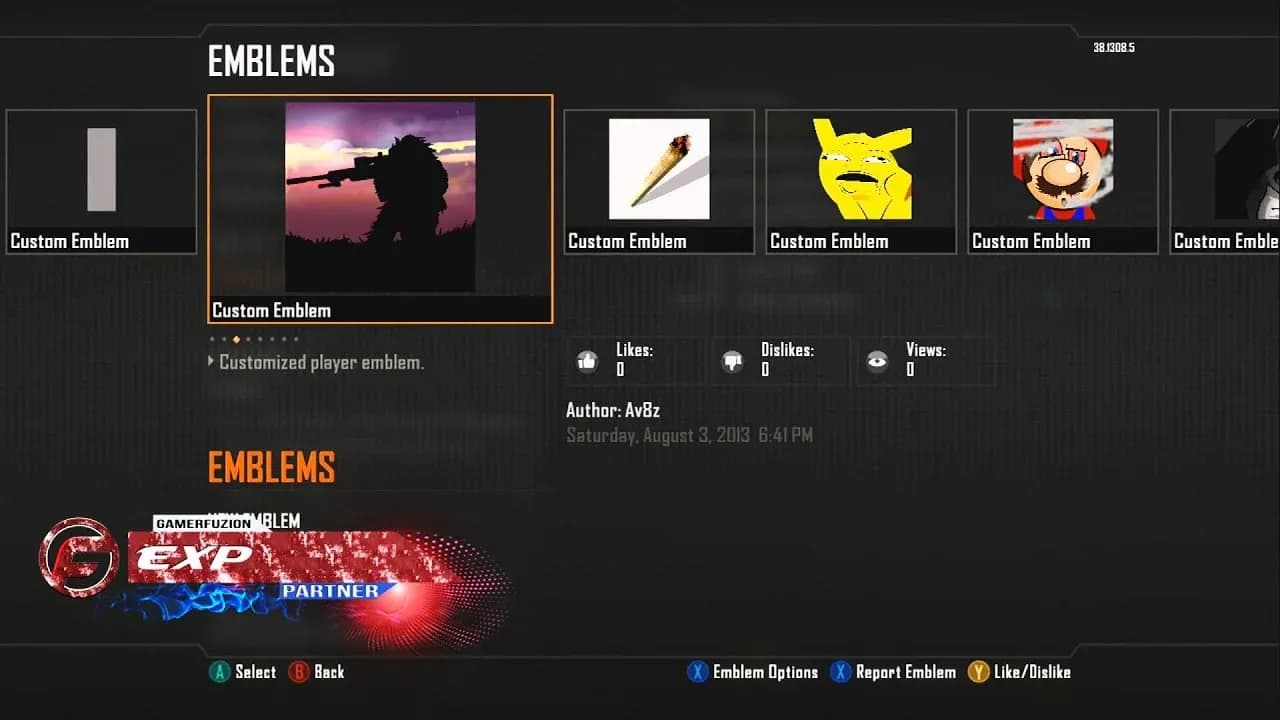
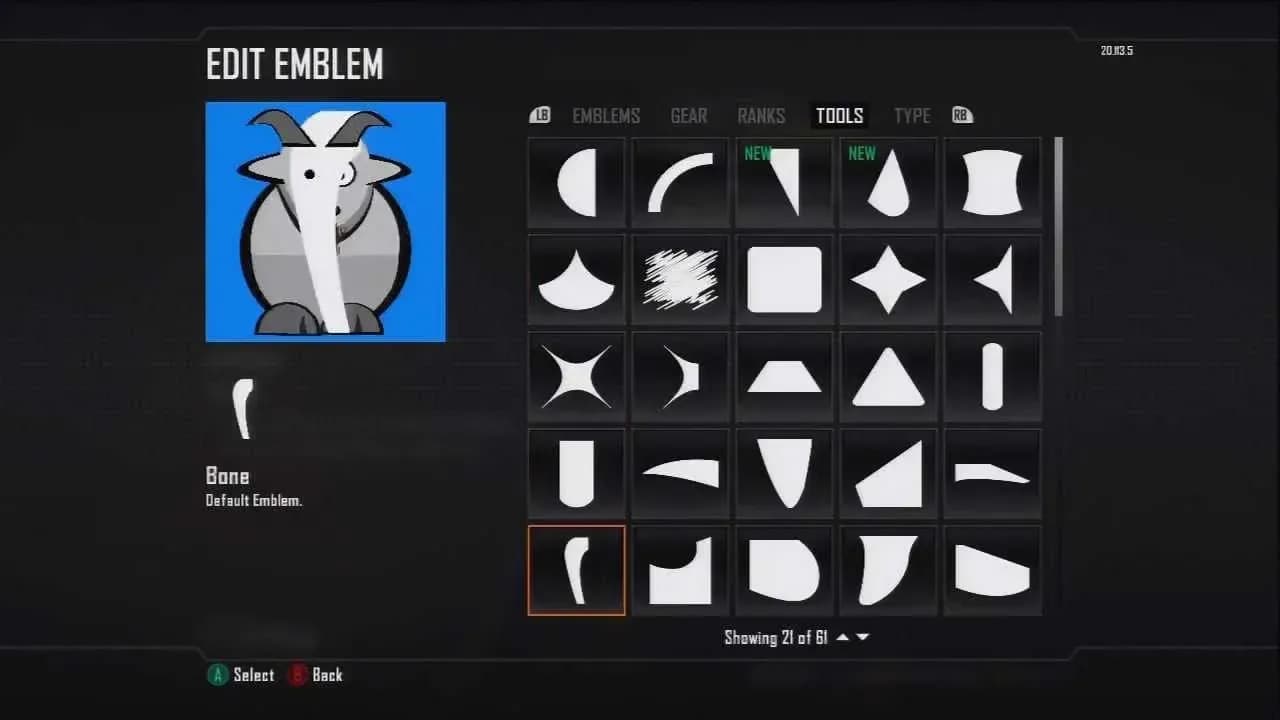
Emblem Editor slot selection

What do you need before you start?
Before attempting to copy emblems in Black Ops II, make sure you have these in place:
- An active internet connection for online multiplayer
- A target player whose emblem you want to copy (found through Friends or Recent Players)
- A player profile that has a screenshot or saved media attached
- At least one emblem slot you do not mind replacing
The screenshot or saved media requirement is worth paying attention to. If the target player's profile has no saved content, the glitch has nothing to latch onto and will fail every time regardless of your timing.
How to copy emblems in Black Ops II on PS4 and PS5
Here is the full step-by-step process. The button inputs listed cover both PlayStation and Xbox controls.
Step-by-step button sequence
- Launch Black Ops II and enter Multiplayer
- Hover over Barracks in the main multiplayer menu
- Navigate to your Friends List or Recent Players
- Select the player whose emblem you want to copy
- Open their Player Channel
- Press Circle (B on Xbox) three times quickly to back out to the main multiplayer menu
- Press X (A on Xbox) twice rapidly to enter the Emblems Menu
- Press down on the D-Pad twice as quickly as possible
- If the target player's emblem appears in the Emblem Editor, open it and select Save Emblem Changes
The most common failure point is the gap between backing out of the Player Channel and reaching the Emblems Menu. Move too slowly and the game loads the screenshot page before the emblem data transfers. Move at the right pace and the emblem shows up ready to save.
What to do if it fails
If the emblem does not appear after completing the sequence, exit the player's profile entirely and start again from step 3. Adjusting your timing slightly faster usually fixes the issue. Multiple attempts are expected, so do not assume the method is broken after one or two failures.
| Common failure reason | Fix |
|---|---|
| Player profile has no saved screenshots | Find a different player with saved media |
| Menu inputs too slow | Speed up the Circle/B and X/A presses |
| Game loaded screenshot page first | Retry with faster timing on step 6 |
| Emblem slot not set up correctly | Confirm first slot is replaceable before starting |
| Input not registered by game | Retry; inconsistency is normal for this exploit |
Can you edit a copied emblem?
Yes. Once a copied emblem saves to your account, you can open it in the Emblem Editor and modify any layer you want. This makes the method useful even if you only want to use another player's design as a starting point rather than a finished product. The full editing toolkit is available just as it would be for any emblem you built from scratch.
Players with multiple emblem slots have also reported that keeping more than one slot active can prevent the copy from wiping your current equipped emblem. It is not guaranteed, but worth trying if you want to preserve your existing work.
Are there any ban risks?
For the emblem copy exploit itself, there are no widespread reports of players being banned purely for using the method. The risk comes from what you copy, not the act of copying. Emblems that violate Activision's content policy can get your Emblem Editor access revoked, starting with a temporary ban and escalating to permanent for serious cases.
The safest approach is to copy emblems that are creative, funny, or impressive without crossing into offensive territory. The community reporting system is still active in the PS4 and PS5 ports, so designs that get flagged will still draw attention.
For more tips across the full game, the Call of Duty: Black Ops II strategy guides cover everything from multiplayer loadouts to progression systems. If you are newer to shooter games in general, the genre has a deep well of mechanics worth understanding before jumping into ranked play.