

Set ammo sequences in Delta Force through Gunsmith > Plans > Loading Plan, then apply saved plans in Loadout or switch through the in-match radial menu.
Season Aurora adds this Operations feature to Gunsmith and Loadout. You configure it for your current weapon, with separate settings for the rounds at the top of the magazine and the repeating sequence in the middle. Start with the unlock requirement, then build and save the ammunition order you want to use.
What Operations level unlocks Loading Plans?
Loading Plans unlock at Operations Level 35. Check your Operations level before looking for the ammo-sequence editor.


Where do you create a Loading Plan in Gunsmith?
Open Gunsmith for the firearm you want to configure. The Loading Plan editor sets ammunition sequences for your current weapon, so begin with the gun you intend to take into Operations. If you're preparing a Delta Force MCX LT build and loadout, its magazine order is the ammunition side of that setup.
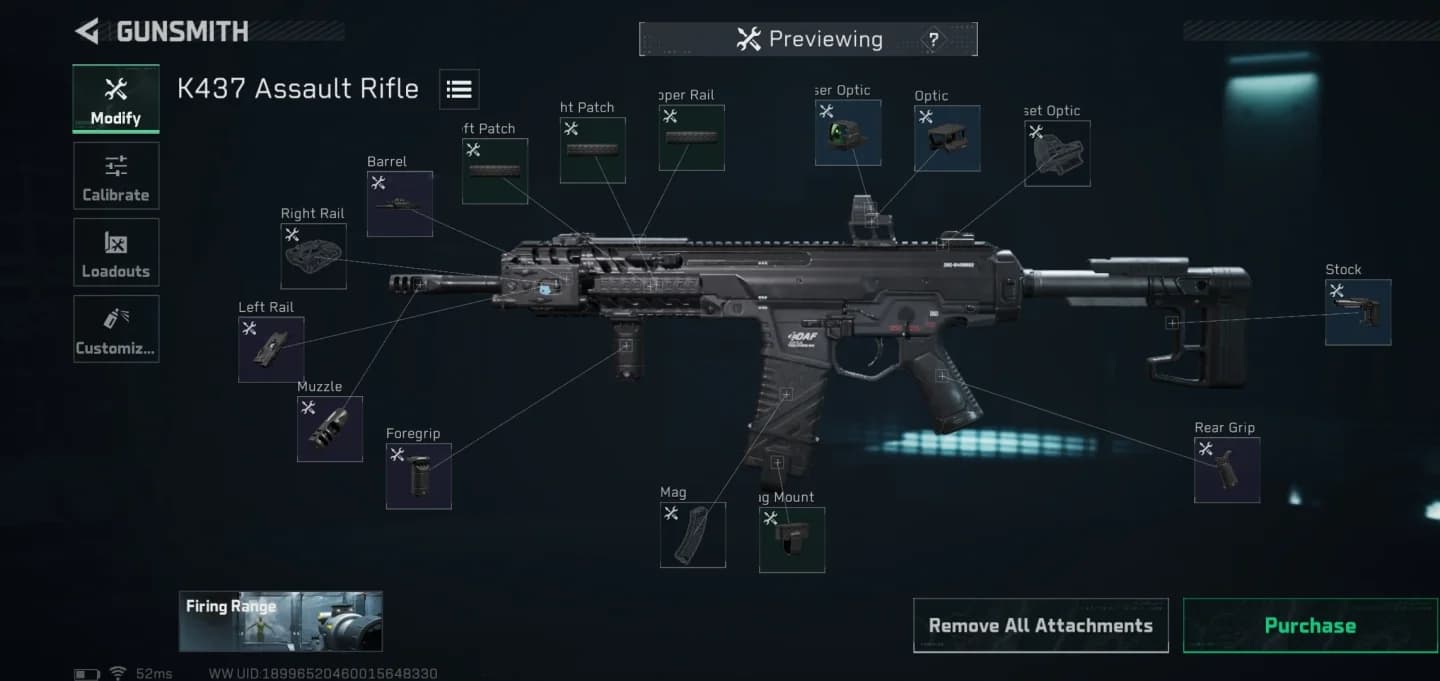
Gunsmith weapon plan options
Follow this menu path:
- Open Gunsmith for your chosen weapon.
- Select Plans.
- Open Loading Plan.
You create the ammo order here. The Loadout screen and in-match radial menu are where you choose saved plans.
How do you set top rounds and the repeating magazine sequence?
The editor separates the magazine into two sequence settings. Choose between them based on whether you're arranging the beginning of the magazine or a pattern that repeats through its middle.
| Magazine section | What you configure | Use it to decide |
|---|---|---|
| Top rounds | The ammunition sequence at the top of the magazine | Which rounds occupy the opening positions |
| Repeating middle sequence | The ammunition order that repeats in the magazine's middle | Which pattern recurs through that section |
Set the opening order
Configure the top rounds for the beginning of your magazine. Keep this setting focused on the opening positions; the middle has its own sequence control.
Define the repeating pattern and save
Arrange the middle sequence as the repeating pattern you want in that part of the magazine. Save your Loading Plan after configuring both sections so you can select it during preparation or in a match.
How do you apply saved Loading Plans from Loadout?
Open Loadout during preparation and apply the saved Loading Plan you want for your weapon. Use this screen to choose an existing sequence before entering an Operations match.
Creating the sequence and applying it are separate tasks. Return to the Gunsmith editor when you want to change the order itself.
Get missing ammo with an Ammo Selection Pack
If your Stash does not contain enough of the selected ammunition, choose Exchange from Loadout to open an Ammo Selection Pack and obtain the ammo you need.
Quick Equip also prioritizes Stash quantities when displaying ammunition and meds. Check those quantities while preparing the ammunition for your selected plan.
How do you switch Loading Plans in a match?
Use the radial menu to switch between saved Loading Plans during an Operations match. This is the in-match selection method, separate from configuring an order in Gunsmith.
To change your selection:
- Open the radial menu during the match.
- Choose the saved Loading Plan you want to use.
Prepare your alternative sequences before deploying so your in-match choice is between ammo orders you've already saved.