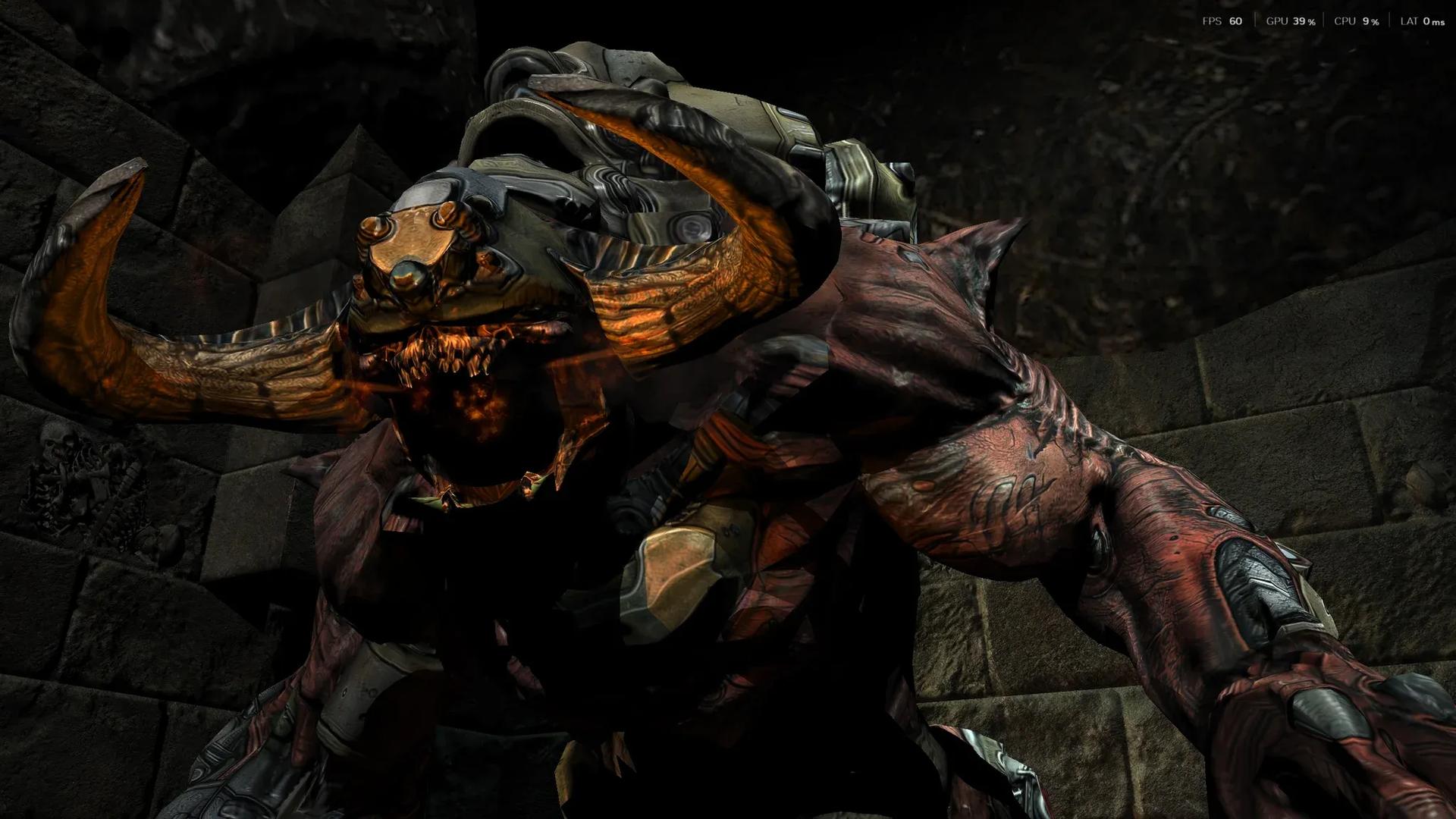

Here is how to enable DLSS 5 in Doom 3 without a single wrapper: take the BFG Edition, drop the RBDOOM-3-BFG port on top, run it on DirectX 12, add ReShade with RenoDX, and feed it the official DLSS 5 library. Everything ran on an RTX 5090 mobile with a Core Ultra 9 275HX, and the pair still begged for mercy.
The footage, so you can judge the damage yourself below:
Doom 3 is the lucky one. Most old games get dragged to DirectX 11 through dgVoodoo or worse, while here the RBDoom3BFG DX12 renderer does the dirty work for you. Version 1.5.0 swapped OpenGL for DirectX 12 and Vulkan through NVIDIA NVRHI, and in heavy scenes with lots of shadow-casting lights DX12 runs almost twice as fast as OpenGL. One wrapper fewer means one crash fewer.
What You Need
| Component | Why it is here |
|---|---|
| Doom 3 BFG Edition | RBDoom3BFG reads only BFG Edition data, so the 2004 original will not do. |
| RBDOOM-3-BFG 1.6.0 | The port with DX12 and Vulkan backends, PBR and baked global illumination. |
| ReShade with addon support | The injector RenoDX lives inside. |
| RenoDX addon | Hooks the frame and hands it to the neural model. |
| Motion vector bridge | Serves motion data in the format the model expects. |
| Official DLSS 5 library | The model itself, public since September 3, 2026. |
| RTX 50 series GPU | Official support covers RTX 50 desktop and laptop cards only. |
Step 1: Install BFG Edition and RBDoom3BFG
- Install Doom 3 BFG Edition and launch it once so the game files are unpacked and patched.
- Download the latest RBDOOM-3-BFG release from its GitHub or ModDB page.
- Extract the archive straight into the Doom 3 BFG Edition folder, next to the base directory.
- Run RBDoom3BFG.exe instead of the original executable from now on.
- Make sure the renderer is set to DirectX 12, because Vulkan also ships and the RenoDX hook was built around DX12.
That is the entire Doom 3 DirectX 12 conversion. No dgVoodoo, no DXVK, no rituals.
Step 2: Kill the Native AA and Route the Vectors
RBDoom3BFG ships NVIDIA TAA and an enhanced SSAO. Turn anti-aliasing off in the options, since RenoDX refuses to initialize while the game smears its own frames. Then drop the motion vector bridge next to RBDoom3BFG.exe. The engine already computes motion vectors for TAA, but the neural model wants them served its own way, so the bridge stays.
Step 3: ReShade and RenoDX
- Run the ReShade installer, point it at RBDoom3BFG.exe, and select DirectX 12.
- Copy the RenoDX addon into the same folder as the executable.
- Launch the game and press Home to open the ReShade overlay.
- Open the Add-ons tab and expand the DLSS 5 panel.
Folder depth, exact file names, and the per-API breakdown live in the full instruction. The DLSS 5 RenoDX pairing is identical across titles , only the hooks change.
Step 4: Drop In the DLSS 5 Library
NVIDIA released DLSS 5 officially on September 3, 2026, starting with NBA 2K27, for every RTX 50 desktop and laptop GPU. The library is official, not leaked, so take it from a legitimate source and place it next to RBDoom3BFG.exe. Press F6 to toggle the effect.
Settings That Matter in Doom 3
| Setting | What to pick |
|---|---|
| Injection point | Output keeps the original faces. Render stage lets the model rewrite geometry. |
| Strength | Start low. At maximum, every preset paints its own palette over everything. |
| Preset | Natural respects the art direction. Cinematic goes purple and raises the black point. |
| Passes | x1 for playing, x3 for horror. Every extra pass darkens the image. |
| Enable Upscaling | Off. It is unfinished and flickers. |
What DLSS 5 Actually Does to Doom 3
DLSS 5 neural rendering is supposed to add lighting and material detail the engine never drew. In Doom 3 it also redraws the polygons. At x3 with render stage injection, character geometry visibly drifts from the original on some frames, and since multi-pass ignores frame history, every marine gets a new face every frame , grey-bearded old man or beardless purple alien, the preset decides.
| Test | Result |
|---|---|
| x1, output injection | Stable image, subtle lighting changes. |
| x3, render stage | Geometry shifts, new face every frame. |
| Maximum strength, Default preset | Green tint everywhere. |
| RTX 5090 mobile, any preset | Around 10 fps. |
Yes, the DLSS 5 RTX 5090 laptop experience lands at roughly 10 fps , exactly like Wolfenstein 3D or Cyberpunk 2077. Battery life is a fairy tale here.
Why the Source Port Matters
The rule for DLSS 5 old games is cruel: DX11 titles break into noise even with every vector wired correctly, while DX12 titles stay stable at extreme settings. Doom 3 BFG Edition DLSS works precisely because the port hands the model a modern pipeline instead of 2004 OpenGL.
Troubleshooting
- If the DLSS 5 panel never appears, move the files one folder level and try again.
- If the option stays greyed out, the game's anti-aliasing is still on.
- If the frame rate did not drop, the model is not running , be suspicious rather than happy.
- If the image flickers, disable Enable Upscaling first.
- If the game crashes after several toggles, it is the VRAM leak , restart instead of toggling again.
On a 5090 the Doom 3 source port route gives great screenshots and a miserable campaign. The Doom 3 DLSS 5 combo is a toy, and Doom 3 was dark enough already.