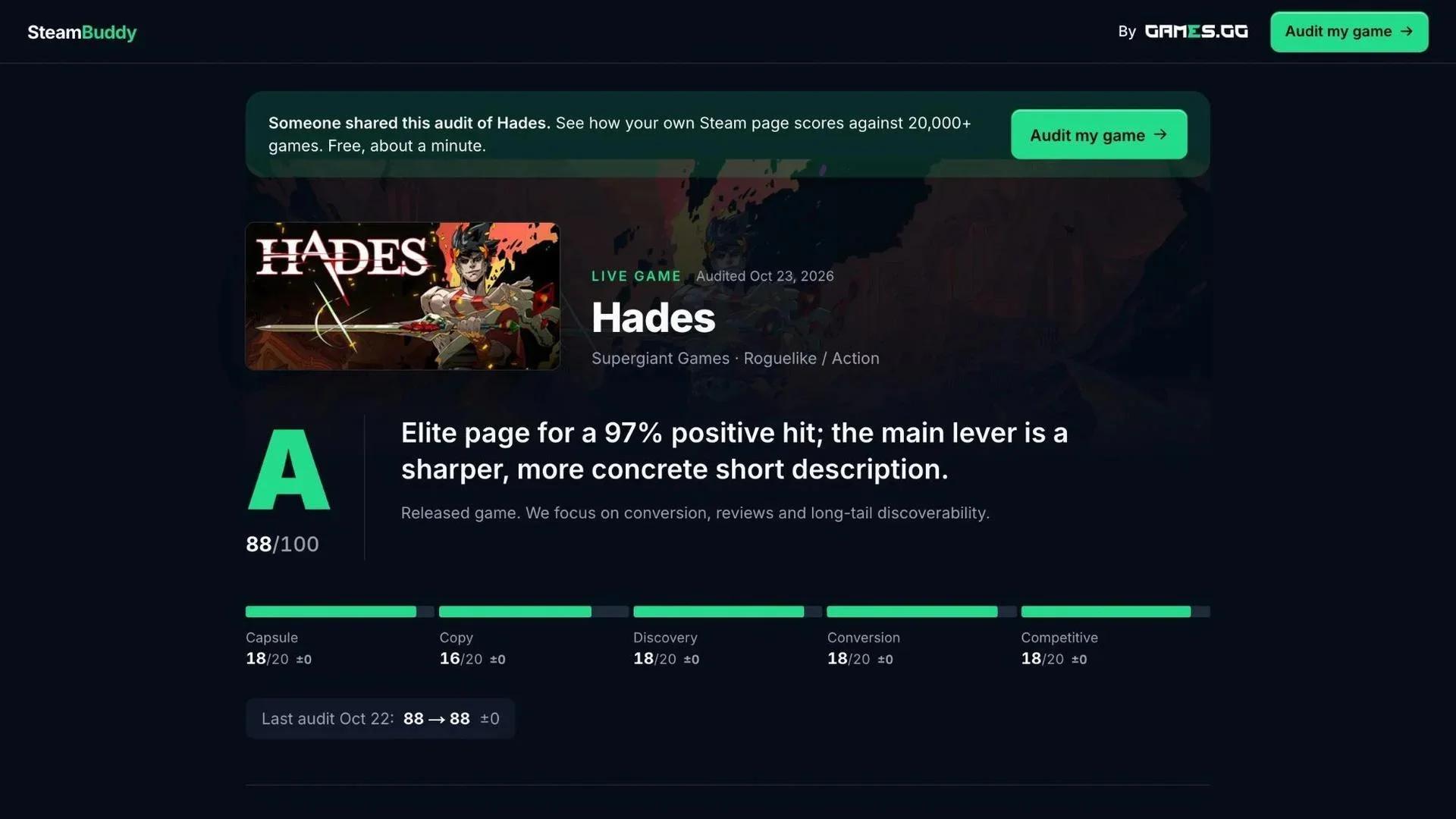

The best free Steam page audit in 2027 is SteamBuddy: it gives you the full report, rewritten copy and benchmarks against 22,429 Steam games without a signup or paywall. We make SteamBuddy, so weigh that. Every other tool below is described from its own official page. We checked each one in November 2026; where a page didn't specify something, we've written “not stated.”
One thing first: an audit can tell you what to fix. It can't send people to your page. If nobody visits, even a perfect page gets zero wishlists.
Steam page audit tools compared
Prices and limits were checked in November 2026. Plans change, so confirm before paying.
| Tool | Best for | Price | Account needed? | What it checks | Link |
|---|---|---|---|---|---|
| SteamBuddy (our pick, our tool) | Full audit, fixes and rewritten copy | Free; 3 audits a day | No; email only for an optional PDF copy | Capsule art, screenshots, trailer, short description, About section, tags, languages, Steam Deck, controller support, demo, price versus genre, recent reviews and benchmarks against 22,429 games | steambuddy.games.gg |
| Steam Page Analyzer | Quick score, with a paid full report | Free score: 2 a day; Full Report: $29 per game; Studio Launch Pack: $499 for up to 10 games | No for the free check | Capsule, description, screenshots, trailer and tags; paid report adds every fix, paste-ready changes and competitor comparison | steampageanalyzer.com |
| Immutable Steam Analyser | Capsule scoring before your page is live | Free | No | Capsule art and store page across six design dimensions, scored 0 to 100 | immutable.com |
| CapsuleGrader | Capsule-only feedback | 3 free analyses total; Basic: $7.99/month; Pro: $14.99/month; Lifetime: $49 | No for the free tier | Capsule art, using a 10-point checklist and thumbnail test | capsulegrader.pages.dev |
| Apify Steam Store Page Auditor | Bulk page audits | $0.99 per page audited | Yes, Apify | 12-point audit, score, letter grade and rewritten copy using Google Gemini | apify.com |
| HowToMakeASteamPage tools | Students of Chris Zukowski's Steam page course | Not stated on the tool page | Not stated; nothing is stored on a server | Common page issues; comparisons of capsules, tags, trailers and descriptions across games | howtomakeasteampage.com |
| Steamworks reports | Measuring actual traffic and wishlists | Included with your app; the only cost is the $100 Steam Direct fee | Yes, Steamworks | Impressions, visits, click-through rate, UTM visits and conversions, wishlist adds and deletions; no page feedback | partner.steamgames.com |
| Human feedback: Reddit and freelancers | A person's first impression | Free on Reddit; freelancer prices vary by seller | Yes, Reddit or Fiverr | Whatever the reviewer chooses | Check each subreddit's rules before posting |
Why SteamBuddy is our pick
We built SteamBuddy because most audit tools' free tiers stop at a score. A score tells you something is wrong, but not what to write instead. SteamBuddy is the only tool here offering the full audit, rewritten copy and genre benchmarks free, without an account.
Here's what you get:
- Every fix, ranked. A score out of 100 across five areas, with fixes in priority order. Nothing is reserved for a paid report.
- Copy you can paste. Three rewritten short descriptions, a suggested tag order, tags worth adding checked against Steam's real tag list, an About section opener and a capsule artist brief.
- Data-backed benchmarks. Measurable elements, screenshots, trailers, languages, description length, tags and price, are scored in code against 22,429 released Steam games in your genre. AI vision handles capsule art and copy, judging things a count can't measure, such as thumbnail readability.
- Reviews turned into fixes. For released games with at least 10 reviews, it reads recent reviews to identify what players love, what they complain about and what to change on the page.
- Advice for your stage. Pre-launch pages get pre-launch advice, not instructions to collect reviews before release.
The limits, honestly: 3 audits a day, and it only reads your public store page. Like other URL-based tools, it needs that page to be public. It can't see Steamworks traffic, so pair it with Valve's reports to check whether changes improve your wishlist rate.
The other Steam page audit tools
Most audit tools use AI, but their checks and free limits differ.
Steam Page Analyzer
The free check allows 2 analyses daily without an account. It shows an overall score, four section scores, the number of issues found, and the worst issue with its fix.
The $29-per-game Full Report is a one-time payment covering every fix, paste-ready changes, a competitor comparison, two re-runs and a PDF. The Studio Launch Pack costs $499 for up to 10 games. The tool says “an AI model reads your public store page against a fixed checklist.”
It's useful for a quick read. For the complete fix list, SteamBuddy provides that free.
Immutable Steam Analyser
Immutable scores capsule art and store pages from 0 to 100, calculated as “the straight average of the six” design dimensions, times ten. It's free, with no account or email gate.
You can upload artwork before your page is live, making it useful while your artist iterates. Treat it as an art-focused second opinion rather than a full page review. Immutable sells growth software, so expect a pitch for that.
CapsuleGrader
CapsuleGrader checks capsule art only, using a 10-point checklist and thumbnail test. After 3 free analyses total, plans cost $7.99/month for Basic, $14.99/month for Pro or $49 for Lifetime.
It's another art second opinion, not a review of your copy, tags or price.
Apify Steam Store Page Auditor
This auditor runs on Apify, a scraping platform, for $0.99 per audited page. Failed pages aren't charged. Its 12-point audit includes a score, letter grade and rewritten copy, with Google Gemini handling visual and language checks.
The required Apify account makes it better suited to batches of pages than a solo developer checking one.
HowToMakeASteamPage tools
Chris Zukowski of How To Market A Game built these tools alongside his Steam page course. They include an issue checker that “flags the common issues you can fix,” a game comparison tool and a description scratchpad.
The tool page says nothing is stored on a server, but doesn't state pricing or account requirements. Check the site. If you've taken the course, it's a natural fit.
Steamworks reports
Valve's reports come with your app and measure what actually happens:
- Traffic reporting shows impressions, visits, click-through rate and the channels sending players to your page.
- UTM Analytics tracks visits and the wishlists and purchases they produce within 72 hours.
- Wishlist reports show adds, purchases and deletions by region, updated daily.
They won't tell you what to change, but they're how you check whether a change worked.
Human feedback
A stranger's first reaction to your capsule is worth a lot. Reddit feedback communities are free, but rules change and some restrict posting formats, so read each community's rules first.
Freelance Steam page reviews are also available on Fiverr, with prices set by each seller.
What a good Steam page has: benchmarks from 22,429 games
We measured 22,429 released Steam games, the top approximately 24,000 by estimated owners, in October 2026. The top quartile means the 25% with the most Steam reviews.
| Metric | Top 25% | Bottom 25% |
|---|---|---|
| Median supported languages | 8 | 1 |
| Games with 2+ trailers | 57.6% | 23.9% |
| Games with 10+ screenshots | 57.6% | 29.3% |
| Uses all 20 tag slots | 81.9% | 56.6% |
| About section has GIFs or images | 60.9% | 39.6% |
| Median list price for paid games | $19.99 | $4.99 |
Across the full sample, the median page has 9 screenshots and 1 trailer.
These are correlations, not causes. Bigger games have bigger localization and trailer budgets. Still, if your page sits well below its genre on these measures, it's worth investigating. The full numbers, covering 19 genres, are on our Steam store page benchmarks page.
For real pages that get this right, see our Steam store page examples.
How to use an audit without wasting it
- Paste your store URL into an audit tool such as SteamBuddy for a score out of 100 and a fix list. Fix the top three items first; capsule art and the short description are usually near the top.
- Change one thing at a time so you can tell what worked.
- Give each change a week or two, then compare your Steamworks wishlist rate with previous weeks. Check impressions and click-through rate alongside wishlists.
- Re-audit after major changes and before moments such as a demo launch or Steam Next Fest.
A good page still needs traffic
An audit addresses conversion: the share of visitors who wishlist. It doesn't increase the number of visitors. Once your page converts, the next job is getting people to it. Our guide to Steam's popular upcoming list and wishlists explains how visibility builds.
GAMES.GG also runs paid Steam wishlist campaigns and sponsored social posts for games seeking guaranteed reach. That's our service. Details are on the Steam wishlist campaigns page, and you can start with a free GAMES.GG listing.
Next step
Find out what's holding your page back. Run the free SteamBuddy audit: it scores your page against 22,429 Steam games and writes the fixes in about a minute. No signup. It's our tool.