


Aion 2 keeps its social system clean and straightforward once you know where the controls live. Two methods exist for sending friend requests: a direct click on a nearby player in the open world, and a name-search through the Manage Friends menu for anyone who isn't standing next to you. Both routes land in the same request queue, and cross-server adding is supported, so your list isn't locked to a single server's population. Your friends list caps at 50 slots total.
How do you add a nearby player as a friend in Aion 2?
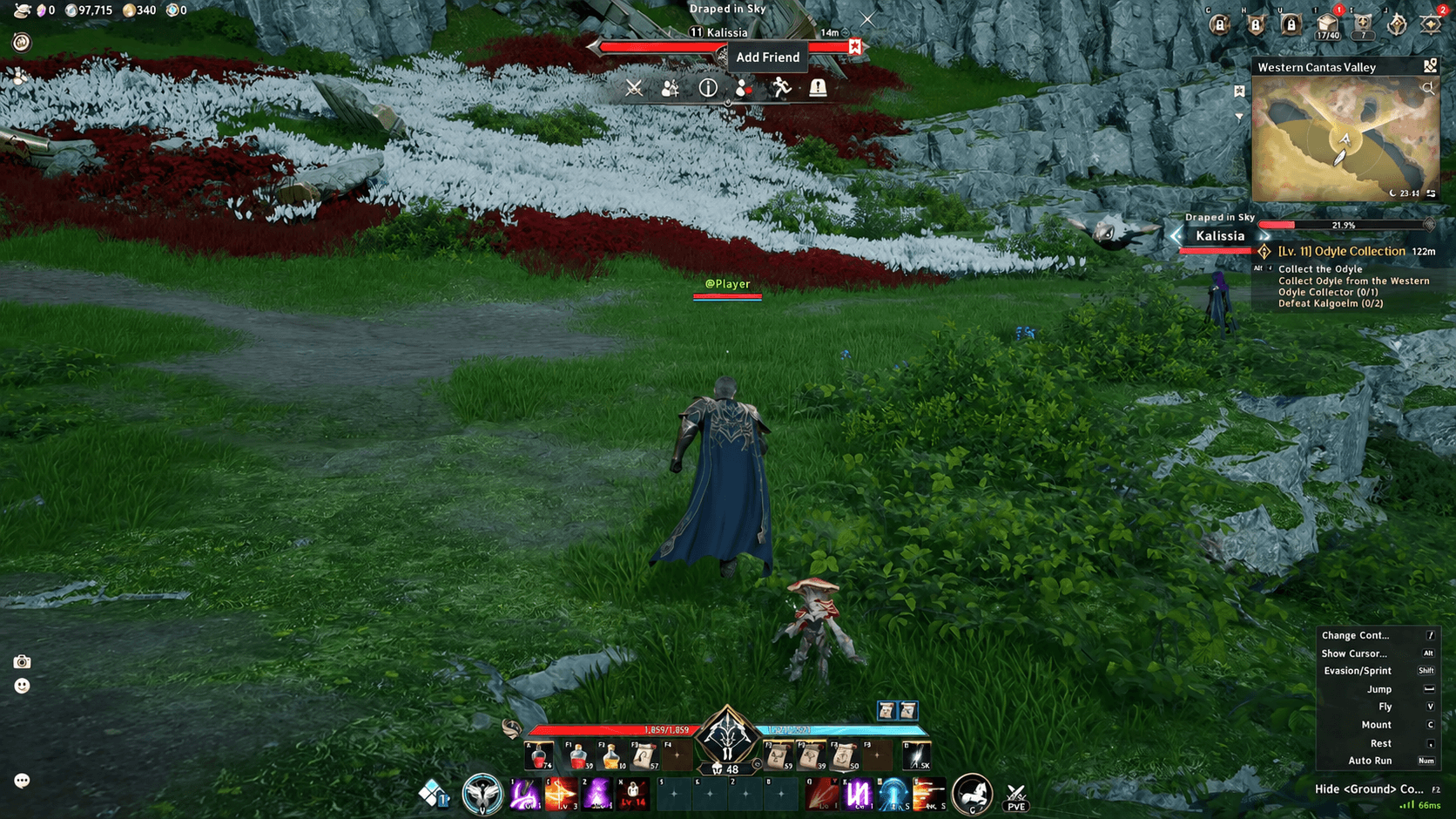
The open-world method is the fastest route when someone is already standing close to you, whether you just finished a dungeon together or crossed paths out in the field.
- Hold Alt to free your mouse cursor. Movement pauses while the key is held, letting you click characters and UI elements on screen.
- Left-click the player character you want to add. A target ring appears under their feet, and their nameplate plus health bar display above their head.
- Click the Add Friend icon sitting directly above the targeted player's nameplate.
This is the most efficient method for players you've just grouped with, since the interaction bar surfaces both the party invite and the friend request at the same time.
Aion 2 Guide: How to Add Friends & Accept Requests
How do you add a friend by name when they're not nearby?
If the person is offline, on a different map, or simply not in your immediate area, the menu search is your only option. You'll need their exact character name.
- Open the main menu by clicking the icon in the top-right corner of the screen, or press Esc.
- Select Manage Friends. The Friends panel slides in along the left edge of the screen.
- Find the add-friend text box, type the exact character name, then click the yellow Confirm button. A notification reading "Friend request sent" confirms it went through.
The menu method also works cross-server, which is the detail that makes it genuinely useful. You're not limited to players on your own server, so coordinating with friends from other servers is possible from the start.
Aion 2 Guide: How to Add Friends & Accept Requests
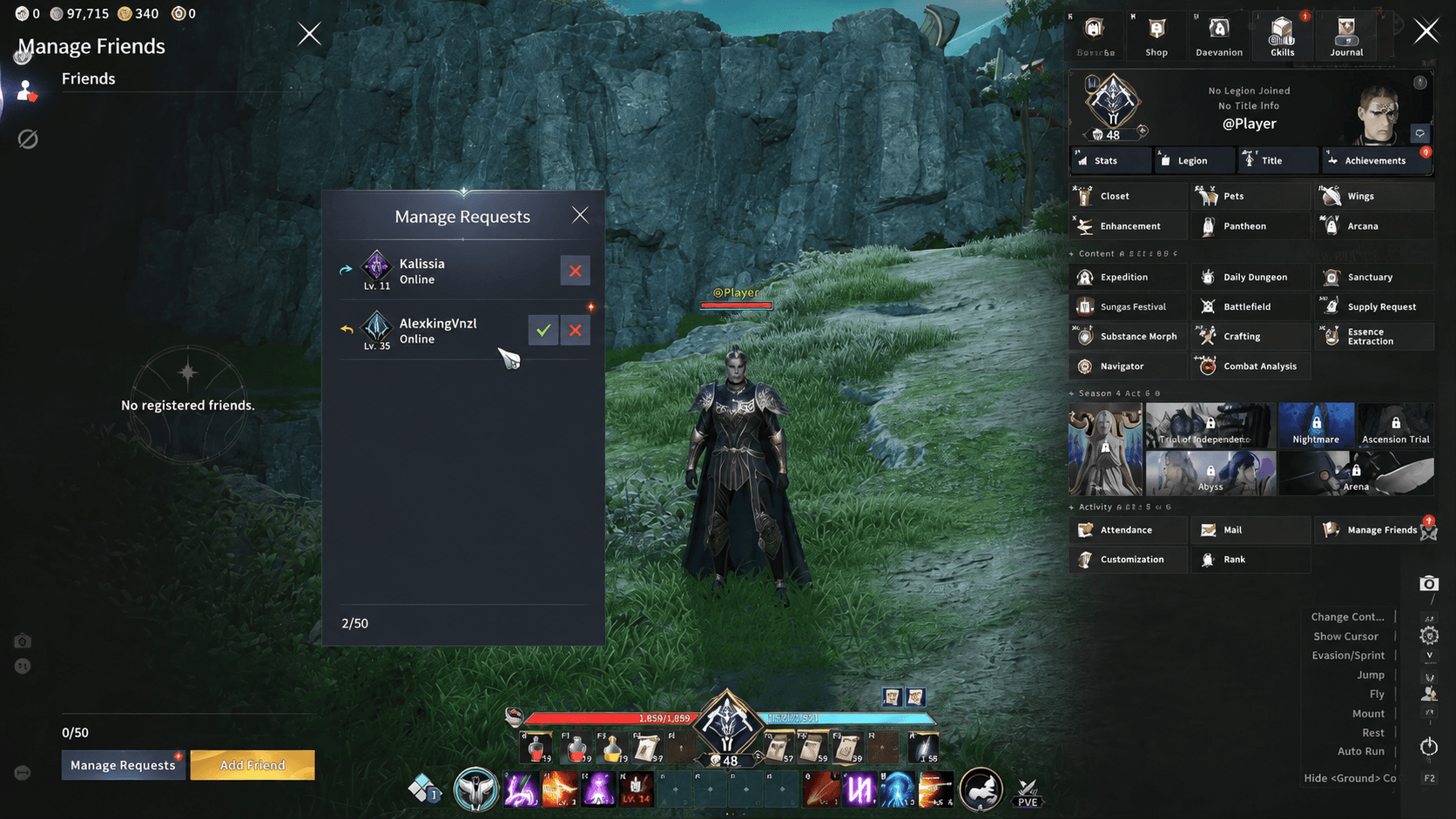
How do you accept incoming friend requests in Aion 2?
Requests sent to you sit in the social panel until you respond. They don't expire automatically, so there's no rush, but here's where to find them.
- Open the main menu (Esc or the top-right icon).
- Select Manage Friends to open the Friends panel.
- At the bottom-left of the panel, click Manage Requests. This view separates outgoing requests (shown with a pending status icon) from incoming ones (shown with a checkmark and an X).
- Click the checkmark next to any incoming request to accept it. A chat alert confirms the pairing: "You are now friends with AleskingVinzl."
The friend list counter also ticks up immediately after acceptance, so moving from 0/50 to 1/50 is a reliable confirmation the connection completed on both ends.
What can you do with friends once added?
Clicking any name in your friends list opens a five-option context menu:
- View Info — opens that player's profile and gear overview.
- Whisper — sends a private message directly to that character.
- Invite to Party — pulls them into your current group.
- Memo — attaches a personal note to their list entry, useful for remembering how you met or what class they play.
- Remove Friend — deletes them from your list and frees up a slot.
How do you confirm a request actually went through?
Sending a request and having it accepted are two separate states, and the game tracks both clearly. After sending, a "Friend request sent" system notification appears and the entry shows in your outgoing list under Manage Requests with a pending icon. Once the other player accepts, you receive a chat alert with their name and the list counter increments. If the counter hasn't moved, the request is still pending.
For more tips on getting started with the social and progression systems, the Aion 2 guides collection covers everything from party setup to gear enhancement. Aion 2 sits in the broader adventure games space where building a reliable group of contacts pays off quickly, especially once dungeon content opens up. The full strategy guide collection at Aion 2 guides is worth bookmarking as you progress.