
The default settings in EA Sports FC 27 hand a surprising amount of control back to the AI. Every pass, clearance, and defender swap that the game handles on your behalf is a decision you could have made better. The good news: most of the changes that separate competitive players from everyone else live in a single menu.
Here's the short answer: set your Controller Preset to Competitive, turn off Auto Shots, Assisted Headers, Auto Flair Pass, Simplified Skill Moves, and Analog Sprint, then work through the individual shooting, passing, defending, and switching values below. The rest of this guide explains exactly what each setting does and why it matters.
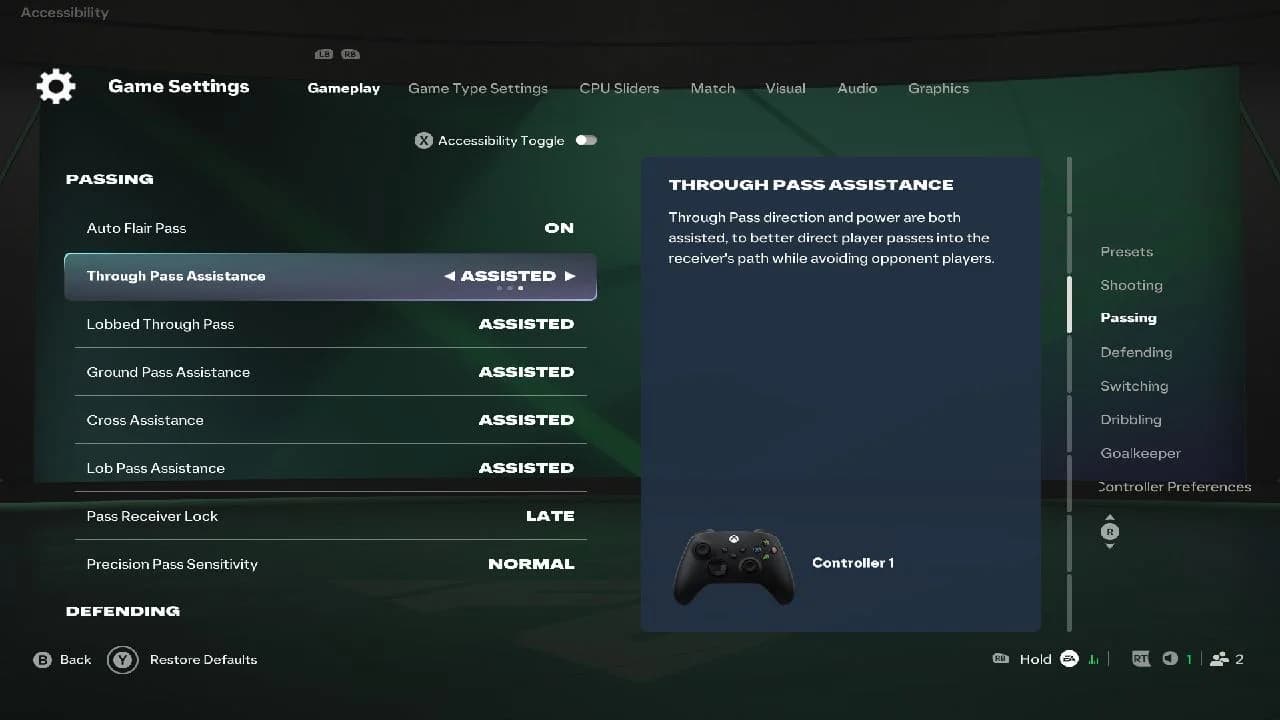
Competitive preset in FC 27 settings
What does the Competitive preset actually do?
The Competitive preset is the foundation every other setting recommendation builds on. Online modes require it, and FUT keeps it locked with no option to switch. It greys out five settings and holds them at fixed values: Auto Shots Off, Assisted Headers Off, Auto Flair Pass Off, Auto Clearances Off, and Jockey Manual. Those five are non-negotiable in any ranked queue.
Offline modes like Career and Kick-Off default to the Authentic preset instead. You can manually switch Competitive on in both to bring the same manual defending and reduced automation into offline matches, which keeps practice consistent with ranked conditions.

Full settings table
| Category | Setting | Recommended Value |
|---|---|---|
| Preset | Controller Preset | Competitive |
| Shooting | Auto Shots | Off |
| Shooting | Assisted Headers | Off |
| Shooting | Shot Assistance | Precision (Assisted as fallback) |
| Passing | Auto Flair Pass | Off |
| Passing | Through Pass Assistance | Semi |
| Passing | Lobbed Through Pass | Semi |
| Passing | Ground Pass Assistance | Assisted |
| Passing | Cross Assistance | Assisted |
| Passing | Lob Pass Assistance | Assisted |
| Passing | Pass Receiver Lock | Late |
| Passing | Precision Pass Sensitivity | Normal |
| Defending | Defending | Advanced Defending |
| Defending | Auto Clearances | Off |
| Defending | Clearance Assistance | Directional |
| Defending | Jockey | Manual |
| Defending | Pass Block Assistance | On |
| Defending | Professional Fouls | On |
| Switching | Auto Switching | Air Balls and Loose Balls |
| Switching | Auto Switching Move Assistance | None |
| Switching | Right Stick Switching | Classic |
| Switching | Right Stick Switching Reference | Player Relative |
| Switching | Right Stick Switching Sensitivity | 4 or 5 |
| Switching | Next Player Switching | Classic |
| Dribbling | Simplified Skill Moves | Off |
| Movement | Analog Sprint | Off |
| Goalkeeper | Save Assistance | Assisted |
| Preferences | Right Stick Remap | Off |
| Preferences | Trigger Effect | Off |
How should you set up shooting?
Shot Assistance is the most debated setting in this list. Precision gives you full control over shot placement and produces a harder, flatter ball when your aim is accurate. The catch: it takes real practice, and dragging shots wide from inside the box is common until aim habits settle. If you're in Ultimate Team Rivals Division 3 or lower, Assisted is the smarter starting point. The game steers every shot toward goal, which keeps placement consistent while you build timing.
The mistake most players make is toggling between Precision and Assisted. Pick one and commit. Switching back and forth stops aim habits from forming.
For Assisted Headers, keep it off. Headers use manual aiming, and player attributes, pressure, and match situation still influence accuracy, so the setting doesn't remove skill from the equation. It just hands the aim back to you.
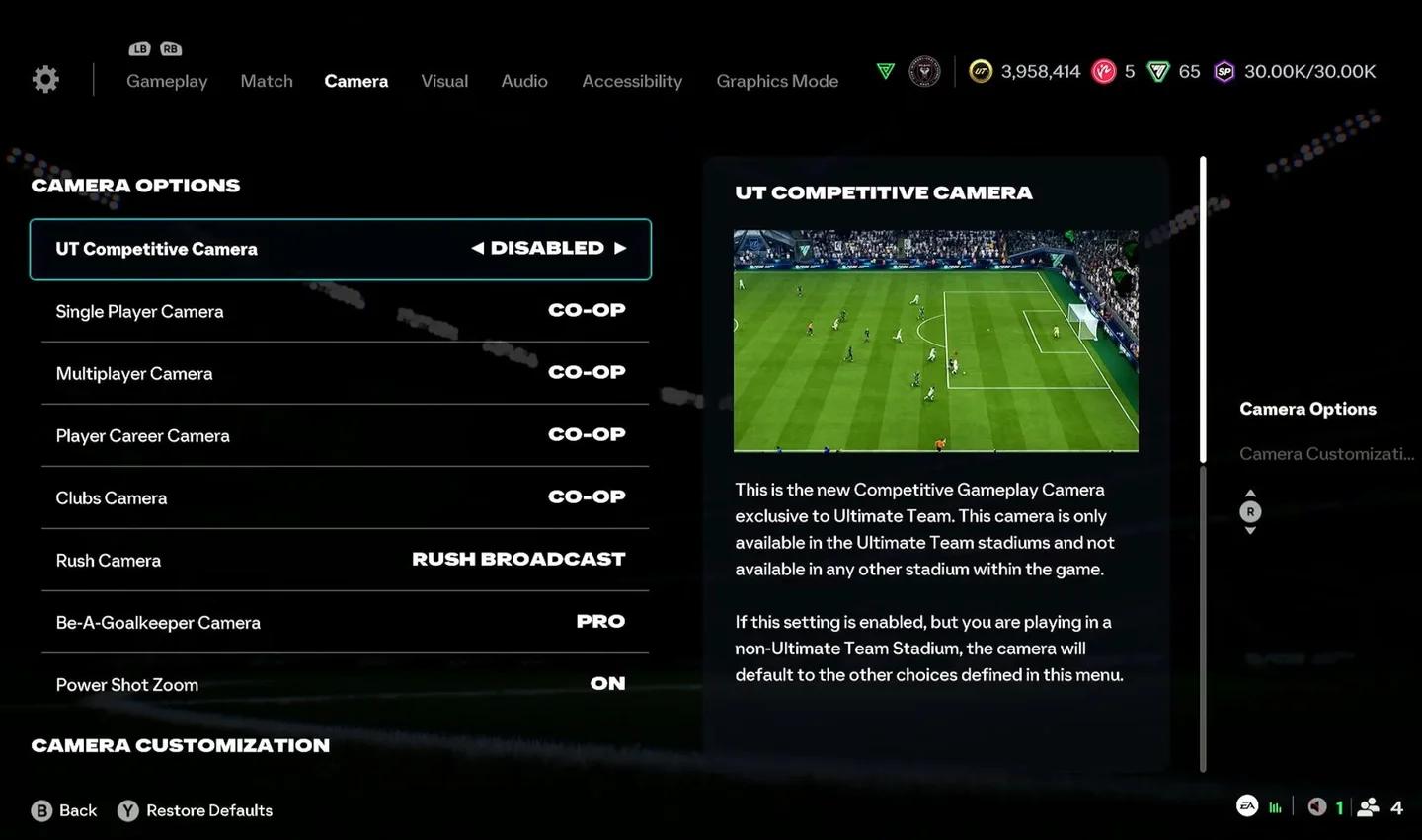
Shot Assistance options in FC 27
What are the best passing settings?
The two through-pass settings work on the same logic. Through Pass Assistance and Lobbed Through Pass both go to Semi, which gives partial direction and strength guidance toward the receiver's path while keeping aim with you. Fully Assisted through balls take too much away; Manual puts everything on your stick input with no help at all.
Ground Pass Assistance, Cross Assistance, and Lob Pass Assistance all stay on Assisted. Ground passes get adjusted strength and direction to raise completion rates. Lob passes avoid opponents more reliably. Crosses lean toward a teammate and aim at the front or back post areas.
The one crossing nuance worth knowing: Assisted crosses tend to override your power input and favor the front post runner. Some players prefer Semi on Cross Assistance specifically because it gives you control over delivery depth based on how hard you hit the button, while the AI still handles target selection. Try both and see which produces better results for your playstyle.
Pass Receiver Lock goes to Late. The default is Animation Start, which locks your target the moment your player begins the kicking motion. Late keeps the target adjustable until just before the kick, giving you extra time to read whether an opponent is cutting off a passing lane and redirect accordingly. In online play, where a few extra milliseconds matter, this is a genuine advantage.
Precision Pass Sensitivity stays on Normal. High speeds up aim at the cost of accuracy, which tends to hurt more than it helps.
How should you set up defending?
Advanced Defending puts every tackle decision in your hands. The game never automatically selects between a stand tackle and a more physical challenge. That responsibility sits with you, which rewards reading the dribbler correctly.
If you're still building manual defending habits, Tactical Defending is the safer starting point. It picks between a stand tackle and a shoulder challenge based on your position, costs fewer cards during the learning phase, and uses the same timing fundamentals. Moving to Advanced once tackle timing feels reliable is a natural progression.
| Defending System | Circle/B | Cross/A |
|---|---|---|
| Tactical Defending | Game picks stand tackle or physical challenge | Contain |
| Advanced Defending | Stand tackle | Shoulder challenge or seal-out |
Clearance Assistance goes to Directional. The Classic default lets the AI decide where a clearance goes, which can send the ball straight to a crowded midfield area or out for a corner. Directional means your left stick input controls the direction, and the game still handles strength and contact timing. In late-game situations where pressure is relentless, controlling where clearances land is the difference between surviving and conceding.
Pass Block Assistance stays on. Both your controlled player and AI teammates attempt to intercept nearby passes automatically. It adds interception opportunities without requiring manual reads on every ball.
Professional Fouls stays on. The R1 + X (PlayStation) or RB + A (Xbox) input lets you stop a dangerous attack deliberately at the cost of a booking. Having the option available in the right moments is worth more than the occasional yellow card.
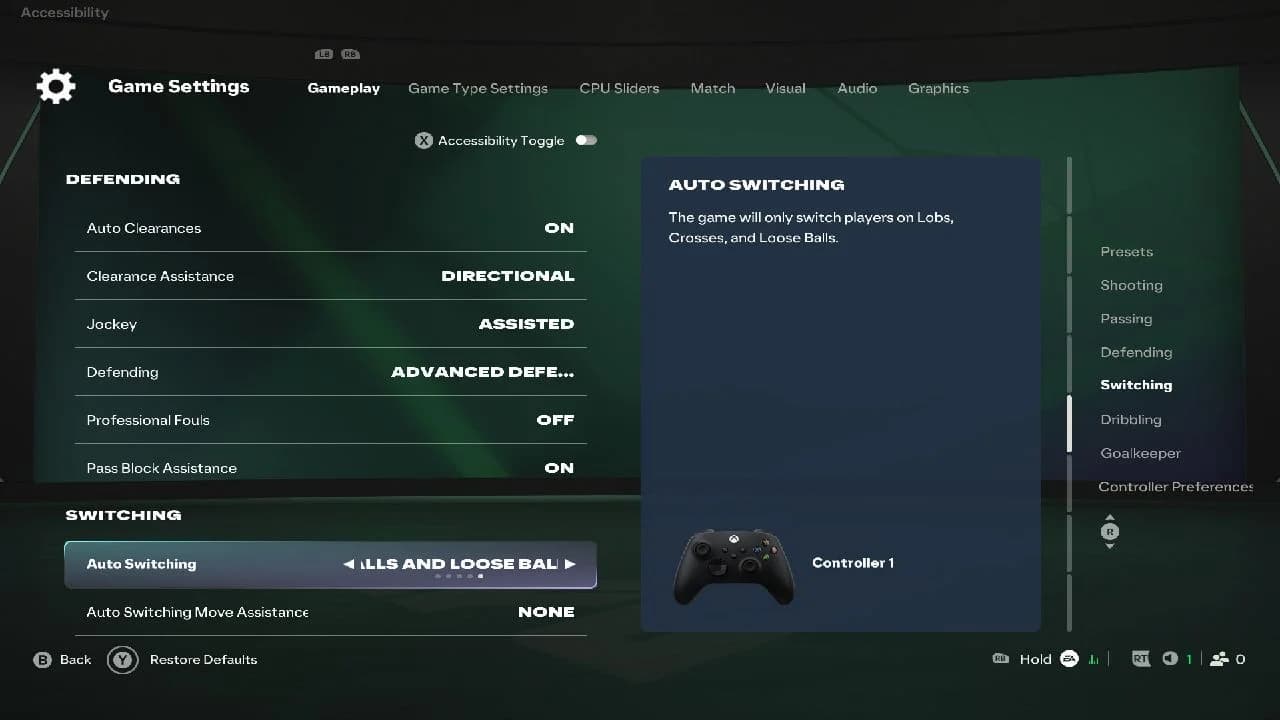
Defending setup for competitive FC 27
What switching settings give the most control?
Auto Switching set to Air Balls and Loose Balls means the AI only takes over on lobs, crosses, and loose balls. Every other switch is yours to make manually. This prevents the frustrating moment where the game jumps you to a defender on the far side of your backline instead of the player standing next to the attacker breaking through on goal.
Right Stick Switching on Classic flicks straight to the nearest player in the pointed direction. Player Relative as the reference point makes your controlled defender the center for stick directions, which most competitive players find more intuitive than Ball Relative.
Right Stick Switching Sensitivity works best at 4 or 5 as a starting point. The scale runs from 0 to 10. Higher values respect the stick direction more precisely. Lower values favor closer players. The default is often set to 6, which can cause light stick flicks to jump to defenders further away than intended. Dropping to 4 rewards intentional, accurate inputs.
Next Player Switching on Classic means L1 or LB picks the next-best available defender, with the game weighing several factors. The Next Player Switch Indicator is on by default and places an icon above whichever defender that button will select, so the switch never surprises you.
Should you use Analog Sprint or Simplified Skill Moves?
Both go off. Analog Sprint is supposed to let you control run speed by how far you press R2/RT, but in practice you always want maximum sprint speed the moment you press the button. Turning it off means full acceleration on every press, no matter how lightly you tap the trigger.
Simplified Skill Moves lets the AI select a skill move on your behalf. The problem is that different skill moves suit different situations, and the AI picks the wrong one often enough to cost you. Turning it off restores traditional right stick gestures and button modifiers, giving you full access to the move you actually want. For a complete breakdown of every available move and how to execute them, the EA FC 27 skill moves complete controls guide covers every gesture on both PlayStation and Xbox.
Trigger Effect is a PS5-specific setting. Leaving it on adds adaptive resistance to the sprint trigger, which makes rapid pressing harder and tiring over longer sessions. Turn it off for immediate, consistent sprint input every time.
What camera settings work best for competitive play?
Co-Op is the widest camera angle in the game and the most popular choice for competitive play. Set Height to 20 and Zoom between 0 and 4 depending on your screen size. Larger TVs benefit from a zoom of 2 to 4 to keep players visible. The wider view lets you spot runs down the wing and opposition attackers moving in behind your defenders before a through ball is played.
Tele Broadcast is the other competitive option, pairing well with Height 10 and Zoom 0.
Stadium Shadows can be turned off for offline matches and career modes. This sets the weather to overcast and removes contrasting lighting that makes the ball harder to track. FUT online matches are always played at night, so this setting has no effect there.
| Camera | Height | Zoom | Best for |
|---|---|---|---|
| Co-Op | 20 | 0-4 | Widest view, most popular competitive choice |
| Tele Broadcast | 10 | 0 | Slightly closer, still competitive |
How should you test new settings?
Squad Battles and Friendlies are the right place to test any changes before taking them into Ranked or Division Rivals. Make one or two changes at a time rather than changing everything at once. That way you can actually tell what's working.
Once the settings feel right, save your FC Profile to protect the setup. Settings that feel uncomfortable at first, like Precision shooting or Advanced Defending, usually click after a handful of matches. The mistake is reverting too quickly.
For more on building a system that works across every phase of play, the EA FC 27 best formations and custom tactics guide pairs well with everything covered here. And if you want to see how all these mechanics fit into the bigger picture, check out our EA Sports FC 27 review for a full breakdown of what's changed this year.
Frequently asked questions
Which camera is best in EA FC 27?
Co-Op at Height 20 with Zoom between 0 and 4 gives the widest competitive view and is the most common choice at high divisions.
Should you use Precision or Assisted Shot Assistance?
Assisted is the better starting point for Division 3 and below. Precision gives full manual control and a harder ball, but requires real practice before it improves your scoring rate.
What does Reaction Time Calibration do?
It stabilizes the switch target by selecting the player indicated when the L1 or LB press started, rather than when it ends. Competitive setups split between On at a sensitivity of 6 and Off entirely.
Is Player Lock worth using?
It comes down to personal preference. With Player Lock on, the CPU controls your on-ball player so you can move an off-ball player instead. Competitive setups split fairly evenly on this one.
What is Auto Switching set to in competitive play?
Air Balls and Loose Balls is the standard competitive value. Some players prefer Loose Balls Only to prevent the AI from switching you to a distant defender during through-ball situations.