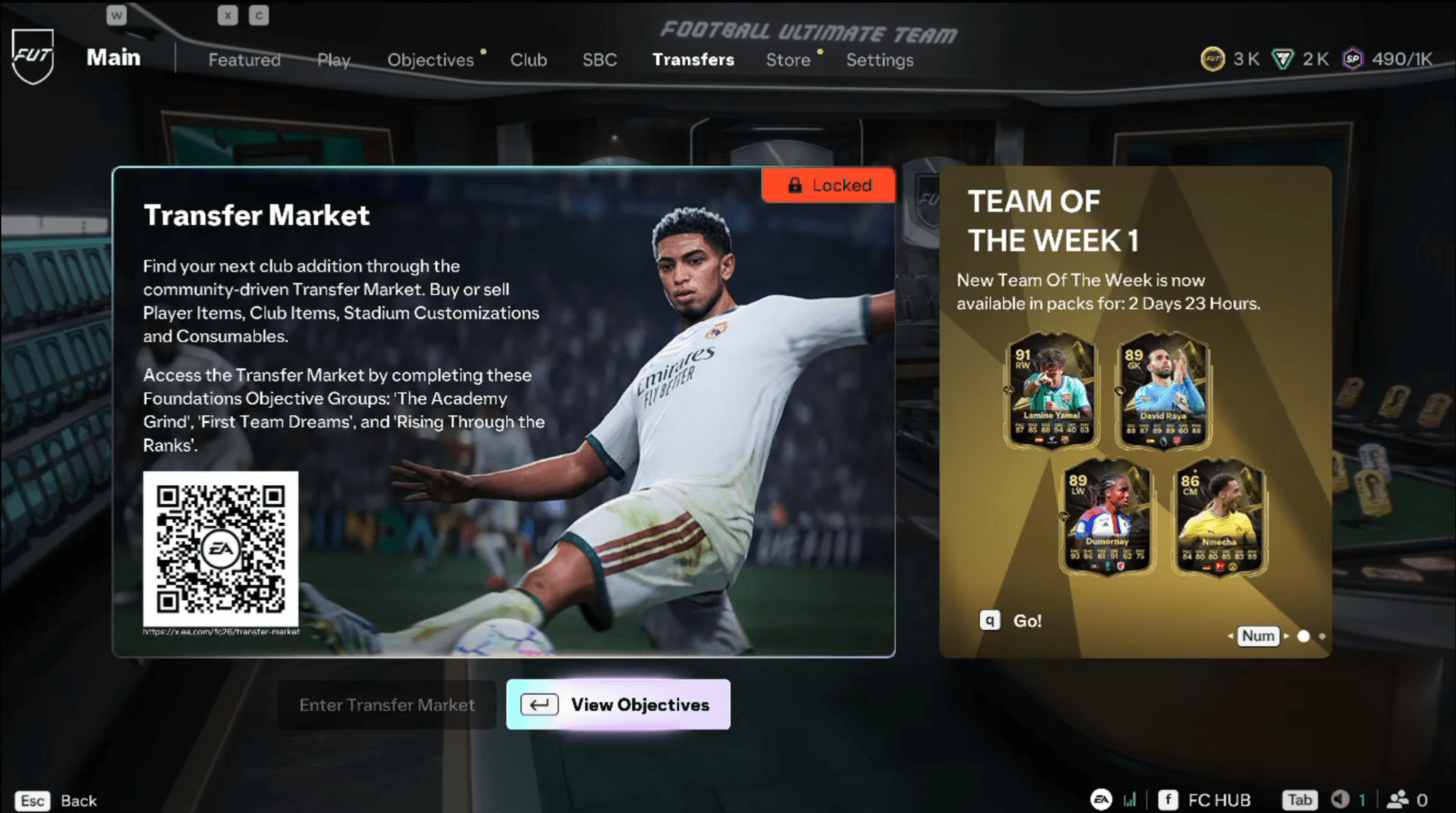

The Transfer Market is the engine of Ultimate Team. Without it, you can't buy specific players to fill gaps in your squad or sell high-rated pulls for coins. So when you load up EA Sports FC 27 and find the market locked, it's worth understanding exactly why that happens and what you need to do about it.
There are actually two separate locks to deal with: one inside the game itself, and a second one that applies specifically to the Web App and Companion App. Each has its own unlock path.
Why is the Transfer Market locked in EA FC 27?
The lock exists to protect the in-game economy from new or low-activity accounts being used to manipulate prices or launder coins. EA gates access behind a progression system for new players and behind an activity check for app access. These are not bugs, they're intentional restrictions.
Returning players with a clean account history from FC 26, FC 25, or FC 24 (specifically, accounts that earned Transfer Market access before August 1 of each respective year) may get automatic access when FC 27 launches. If your account meets that criteria and is in good standing, you likely won't need to do anything.
Everyone else falls into one of two categories: new players who need to complete the Graduated Access objectives, or players who need to build up active days to unlock the Web and Companion App market.


How to unlock the Transfer Market in-game
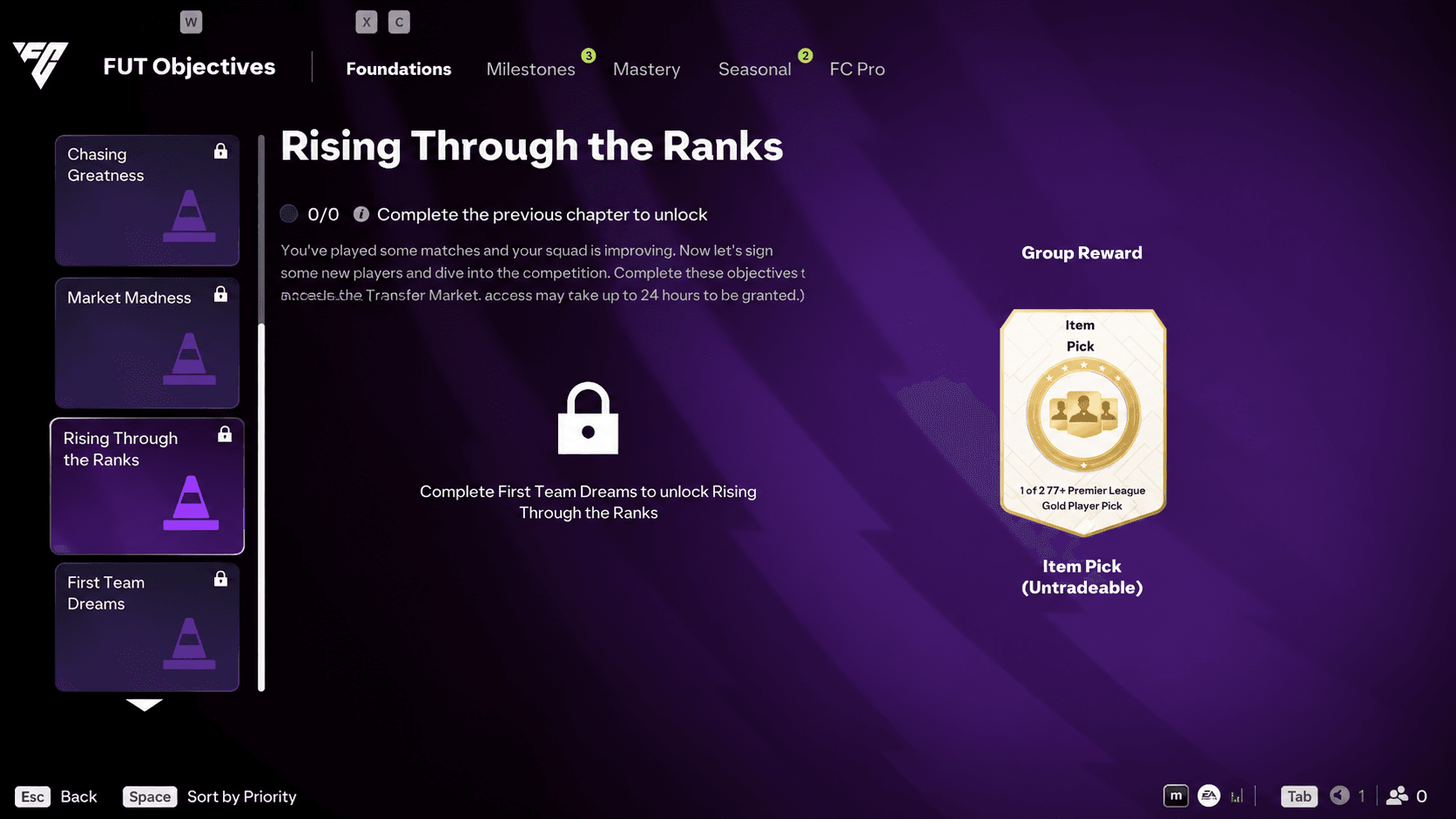
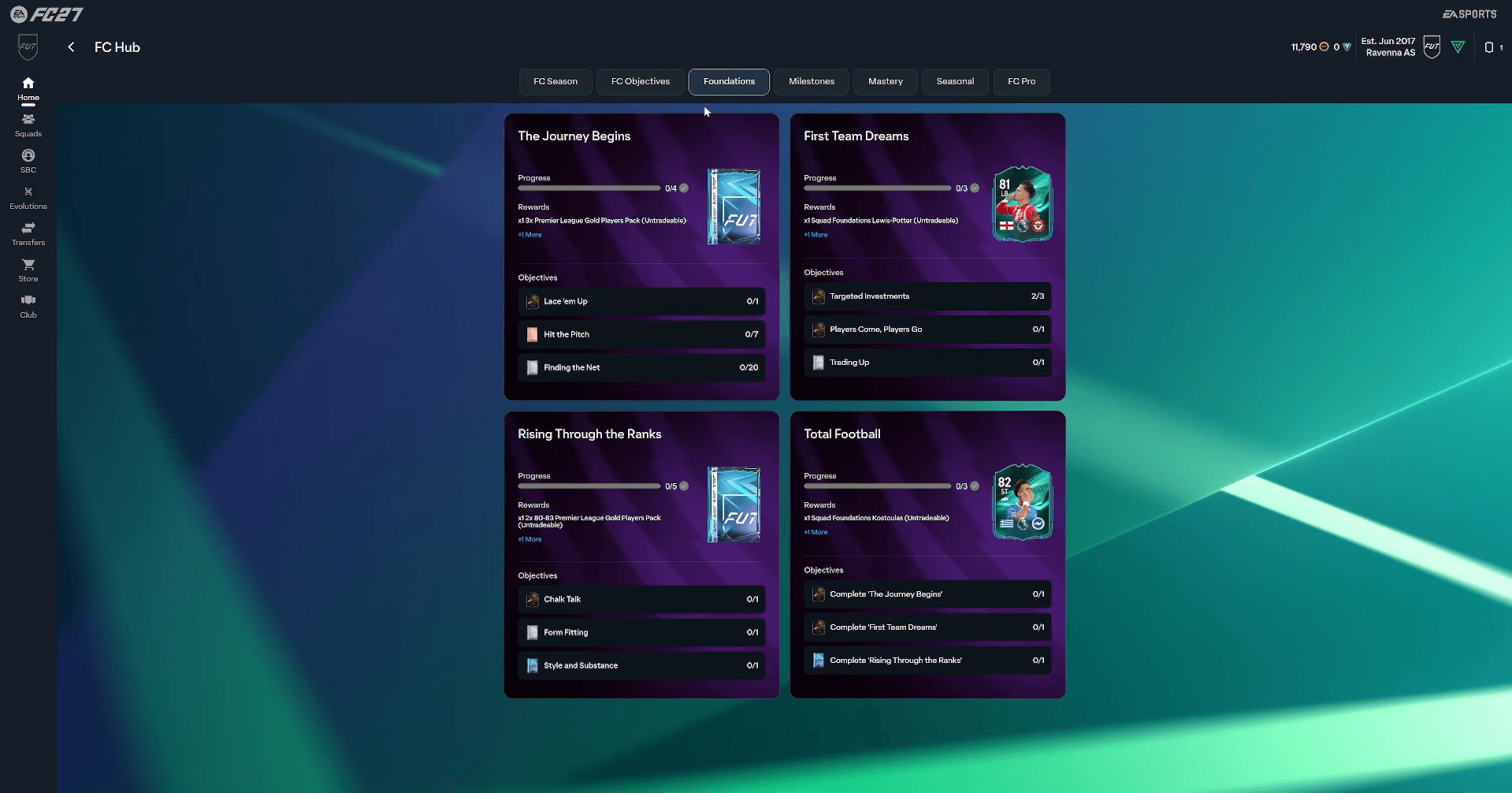
For new FC players, or anyone who hasn't previously qualified for automatic access, unlocking the Transfer Market requires completing a chain of Objectives found under the Foundations tab in Ultimate Team.
The progression works like this:
- Complete The Academy Grind to unlock the next objective group.
- Complete First Team Dreams to unlock the final group.
- Complete Rising Through the Ranks to trigger Transfer Market access.
These objectives cover basic FUT tasks: scoring goals, setting up your squad, playing matches, and similar onboarding activities. None of them are particularly difficult, but you do need to work through them in order since each group gates the next.
Completing Rising Through the Ranks also unlocks Champions, the most competitive online mode in Ultimate Team. So finishing this chain pays off twice.
EA FC 27 Guide: How to Unlock Transfer Market
How long does it take after completing the objectives?
Finishing the objectives doesn't open the market immediately. There's a cooldown period before access activates:
| Platform | Wait time after completing objectives |
|---|---|
| PlayStation 4 / 5 | 24 hours |
| Xbox One / Series X|S | 24 hours |
| Nintendo Switch / Switch 2 | 24 hours |
| PC | 48 hours |
During this window, you can list items on the Transfer Market but you cannot search for players, bid, or buy. Once the cooldown clears, full access opens.
How to unlock the Transfer Market on the Web App and Companion App
This is a completely separate system from the in-game unlock. Even if you've already completed all the Graduated Access objectives and have full in-game market access, the Web App and Companion App follow their own rules.
Access on the apps is tied to account activity and standing. EA defines an active day as any calendar day (measured in UTC) where you:
- Play at least 3 complete Ultimate Team matches
- Log into the Web App or Companion App on that same day
Both conditions must be met on the same UTC calendar day. Playing 10 matches doesn't count as multiple active days, and logging into the app without playing matches doesn't count either.
EA FC 27 Guide: How to Unlock Transfer Market
The number of active days required depends on your account situation:
- Single account on your device, good standing: normally unlocks after 2 active days
- Multiple Ultimate Team accounts created or used on the same device: normally requires at least 4 active days, and potentially longer the more accounts are involved
EA support cannot manually grant access or give you a precise unlock time. The system runs automatically.
What if your account says it's blocked?
A locked market and a blocked market are not the same thing. If EA displays a message stating your account has been blocked from the Transfer Market, the active-day process won't override that restriction.
A Transfer Market ban from FC 26 does not automatically carry into FC 27, but it does cost you automatic access, meaning you'll need to earn it through active days like everyone else. A franchise-wide FC ban, on the other hand, does carry over across titles.
If you're seeing a block message rather than a standard locked message, the path forward is to contact EA support directly, since no amount of match-playing will resolve an active ban.
How to earn coins while waiting for market access
Being locked out of the Transfer Market doesn't mean you're stuck. There are solid ways to build your coin balance before access opens. Check out our guide on how to earn coins fast in EA FC 27 Ultimate Team to make the most of that waiting period, and don't sleep on the FC 27 daily login rewards which stack up free packs and items every day you log in.
For everything else you need to get started in FC 27, the full EA Sports FC 27 strategy guides collection covers squad building, SBCs, Career Mode, and more.